Tengwar
approvedby mikevetkin
Support Tengwar (The Elvish Letters).
Tengwar for Obsidian
An Obsidian plugin that allows you to add tengwar to your notes
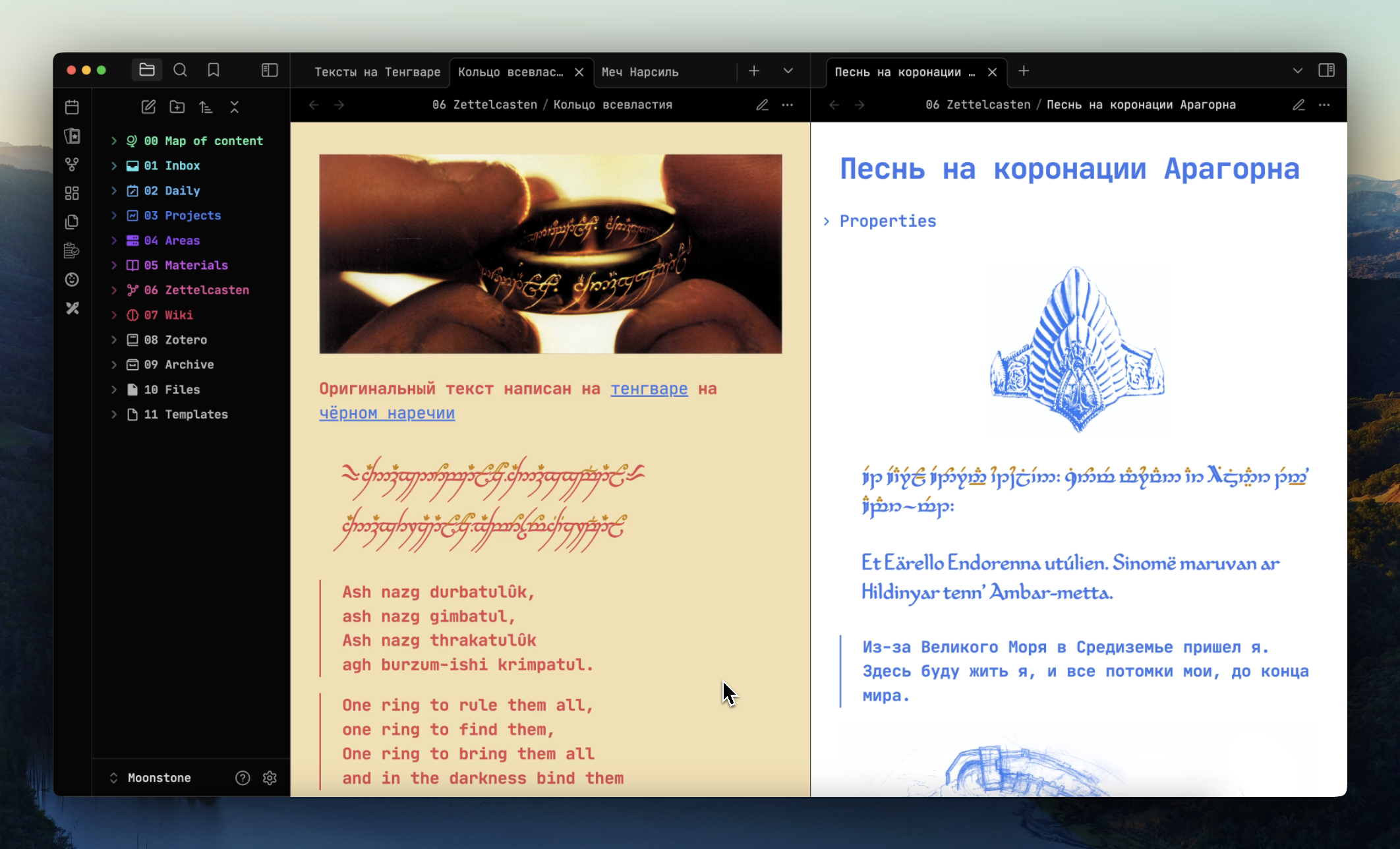
How to use
To add text in Tengwar to the document:
- create a block of code;
- specify the extension
teng; - paste tengwar text.
For example:
```teng
```
Apply a specific font on a page
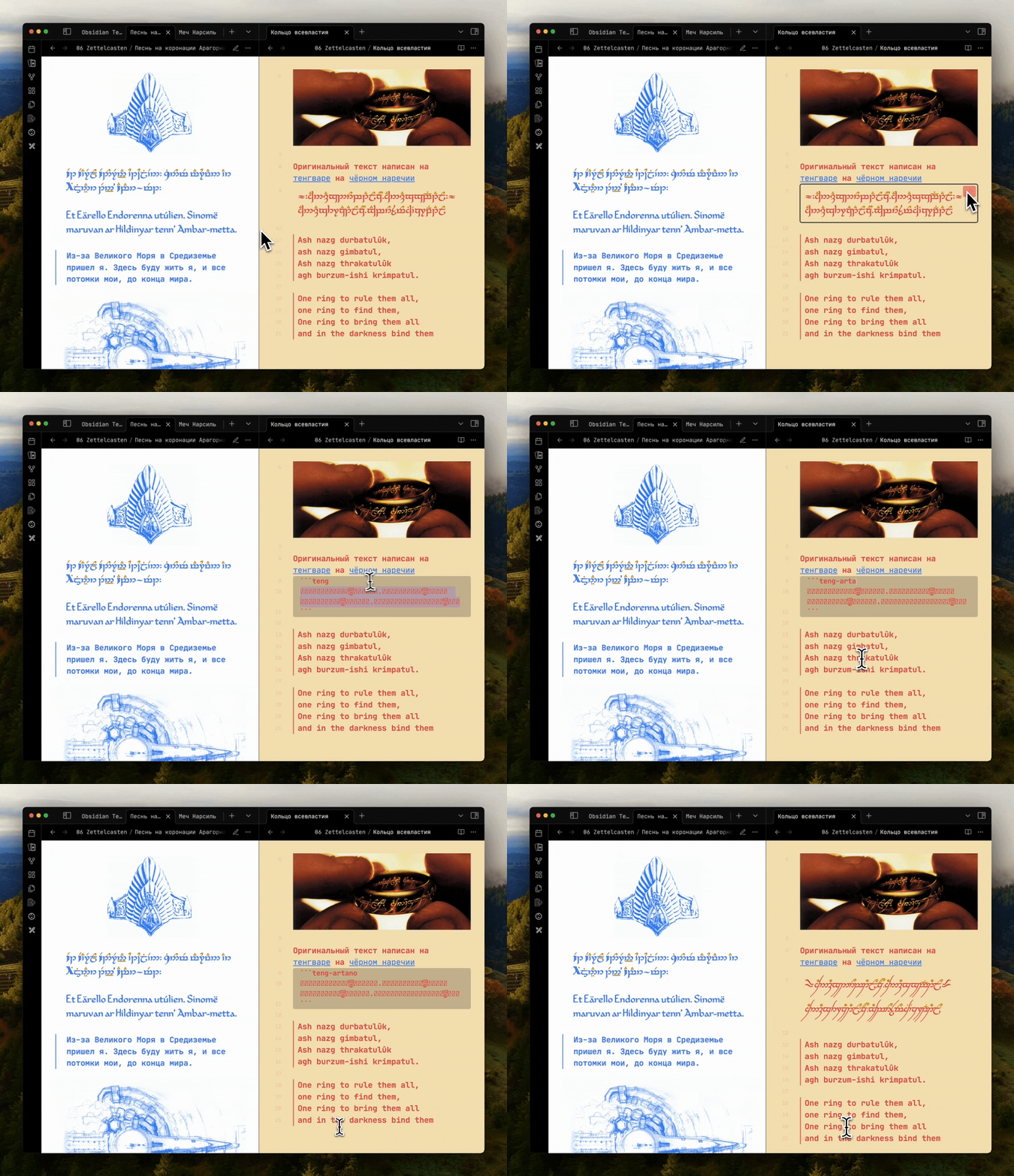
You may need to set different fonts for different notes, other than the main font selected in the settings.
To do this, in the code block, add the font name separated by a - to the keyword teng. For example:
```teng-artano
.
.
```
Other keywords: teng, teng-annatar, teng-eldamar, teng-primate, teng-alcarin, teng-artano, teng-telcontar, teng-freemono.
[!IMPORTANT] If you changed the keyword from
tangtoelfishin the settings, you need use font name with this keyword. For example:elfish-telcontarorelfish-eldamar.
Supported encodings
At the moment there are two ways to work with Tengvar on a computer in the community:
Both ways is supported.
Supported devices
The plugin supports all devices. But at the moment, on Apple devices, there are problems with rendering some CSUR fonts.
Using with other plugins
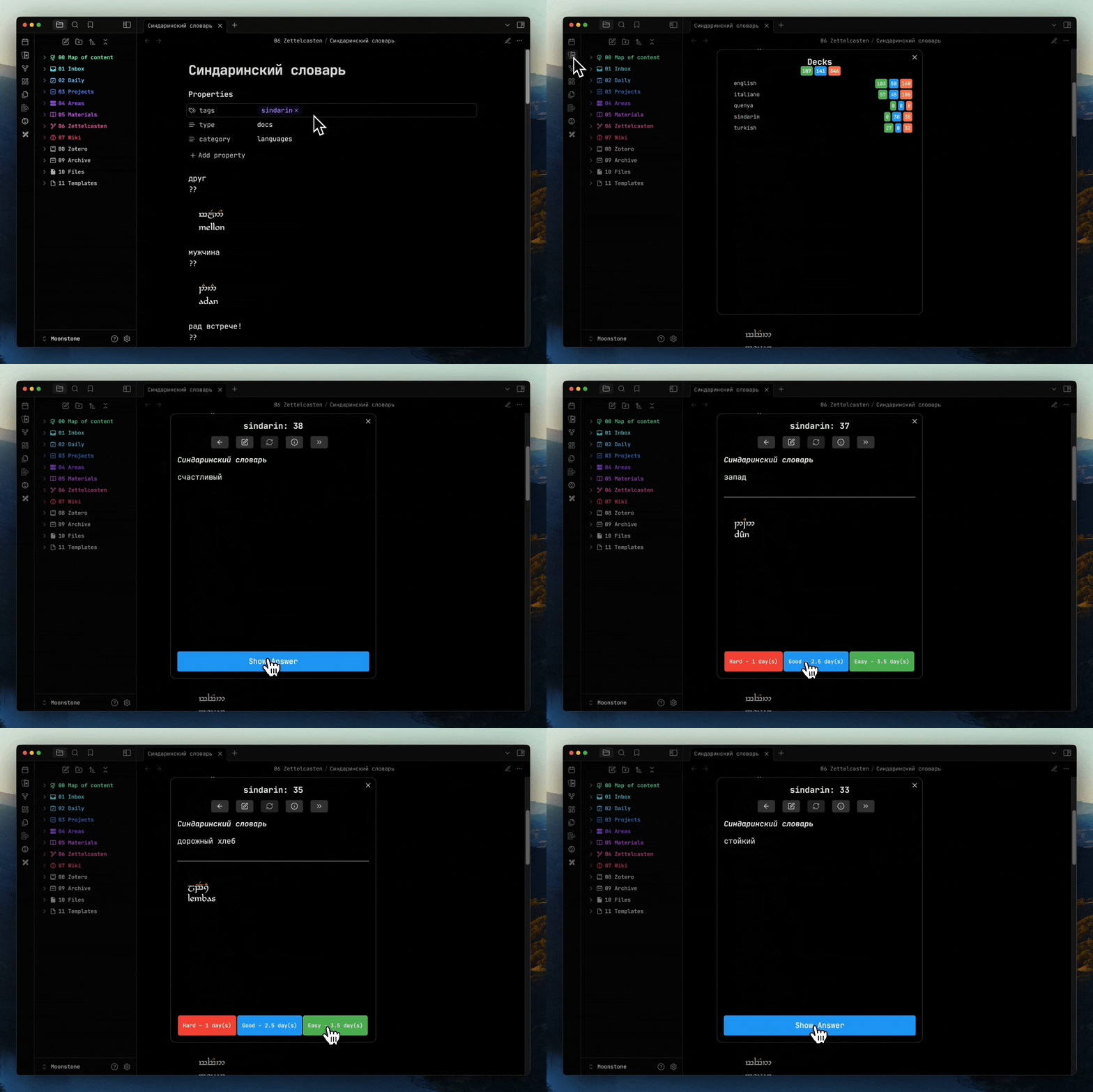
By installing Tengwar and Spaced Repetition, you can learn Elvish through flash cards:
Editing mode (WIP)
[!IMPORTANT] In the editing mode, the Elvish letters turn into nonsense. Support for Tengwar in edit mode is currently in development.
Contacts
If you have questions or suggestions, text me in Telegram mikevetkin or create issue on Github.
For plugin developers
Search results and similarity scores are powered by semantic analysis of your plugin's README. If your plugin isn't appearing for searches you'd expect, try updating your README to clearly describe your plugin's purpose, features, and use cases.