Fontsource
approvedby fontsource
Load custom fonts from Fontsource into your notes.
Fontsource for Obsidian
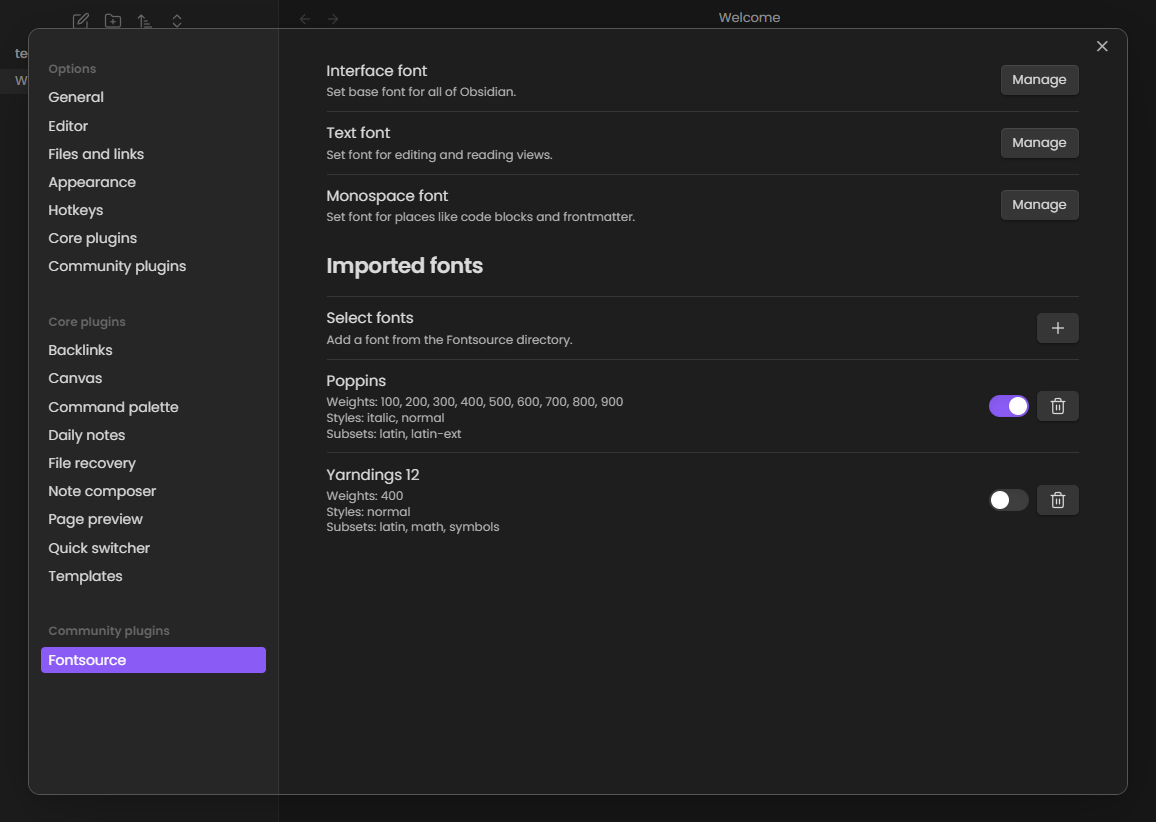
Fontsource imports fonts from the Fontsource directory and makes them available throughout Obsidian, including popout windows.
This version requires Obsidian 1.12 or newer.
Usage
- Open Settings → Fontsource.
- Import a font from the Fontsource directory.
- Enable the imported font.
- Choose where to use it: interface, text, or monospace.
Multiple fonts can be selected for each role and ordered by precedence to cover additional languages.
Network and storage
The plugin connects only while listing or importing fonts:
api.fontsource.orgprovides the font directory and metadata.cdn.jsdelivr.netprovides the selected WOFF2 font files.
Imported fonts are encoded into CSS files under your vault's configured Obsidian folder at fonts/<font-id>.css. The plugin reads and writes only those cache files through Obsidian's vault adapter and stores your selections in its normal plugin settings. Once imported, fonts load from the local cache.
Development
This project requires Node.js 22.13 or newer and pnpm 11. CI uses Node.js 24.
pnpm install
pnpm check
Run pnpm dev to watch the source and write a development bundle into test-vault/.obsidian/plugins/fontsource. See CONTRIBUTING.md for contribution and release details.
License
For plugin developers
Search results and similarity scores are powered by semantic analysis of your plugin's README. If your plugin isn't appearing for searches you'd expect, try updating your README to clearly describe your plugin's purpose, features, and use cases.