Todoist completed tasks
approvedby ledaryy
Add completed Todoist tasks to your notes.
★ 78 stars↓ 10,274 downloadsUpdated 7mo agoMIT
Todoist Completed Tasks - Obsidian Plugin
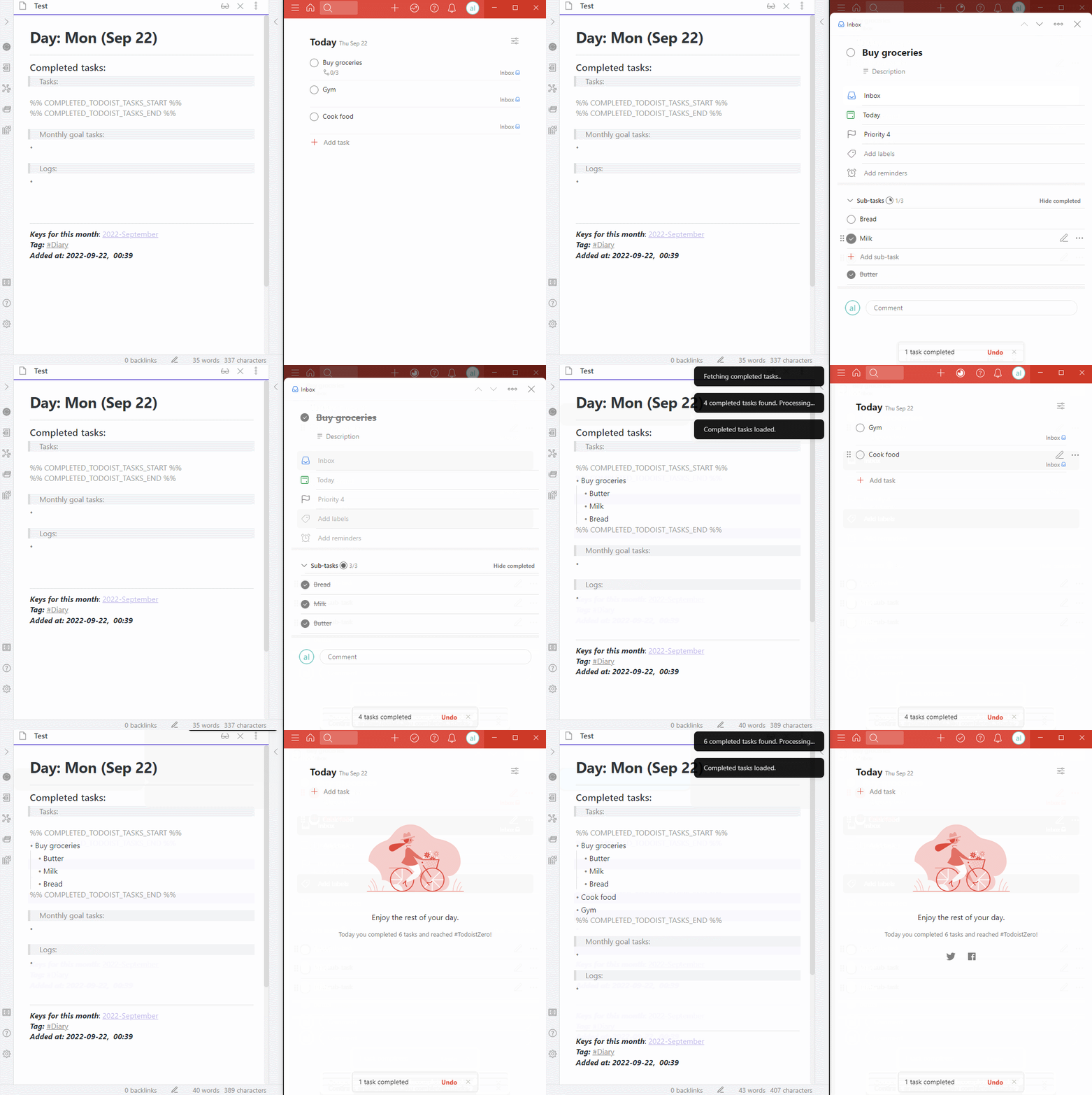
This obsidian plugin fetches your completed tasks from Todoist and adds them to your obsidian note.
Docs
Usage
- Install this plugin (Todoist Completed Tasks) through Obsidian and enable it
- Enter your Todoist API token in the plugin settings.
- Security risks and API Token Installation guide available here
- Place start segment and end segment in your note
- Start segment is a line with
%% COMPLETED_TODOIST_TASKS_START %% - End segment is a line with
%% COMPLETED_TODOIST_TASKS_END %%
- Start segment is a line with
- Run the plugin
- By clicking the 🔄 button in the left sidebar
- By executing
(Ctrl+P > Todoist Completed Tasks: Fetch today's completed tasks)
- Done! Also check out the Advanced usage of the plugin. It has many cool features!
Features
- Fetch today's completed tasks
- Fetch completed tasks for the last N hours
- Fetch completed tasks using dates from segments (Templater support)
- Customizable prefix and postfix for each task (Obsidian Tasks support)
Say Thanks 🙏
If you like this plugin and would like to buy me a coffee, you can!

Attribution
This plugin is heavily influenced by the Todoist Text plugin.
For plugin developers
Search results and similarity scores are powered by semantic analysis of your plugin's README. If your plugin isn't appearing for searches you'd expect, try updating your README to clearly describe your plugin's purpose, features, and use cases.