Ultimate Todoist Sync
approvedby heroblackink
Todoist task synchronization.
Ultimate Todoist Sync for Obsidian
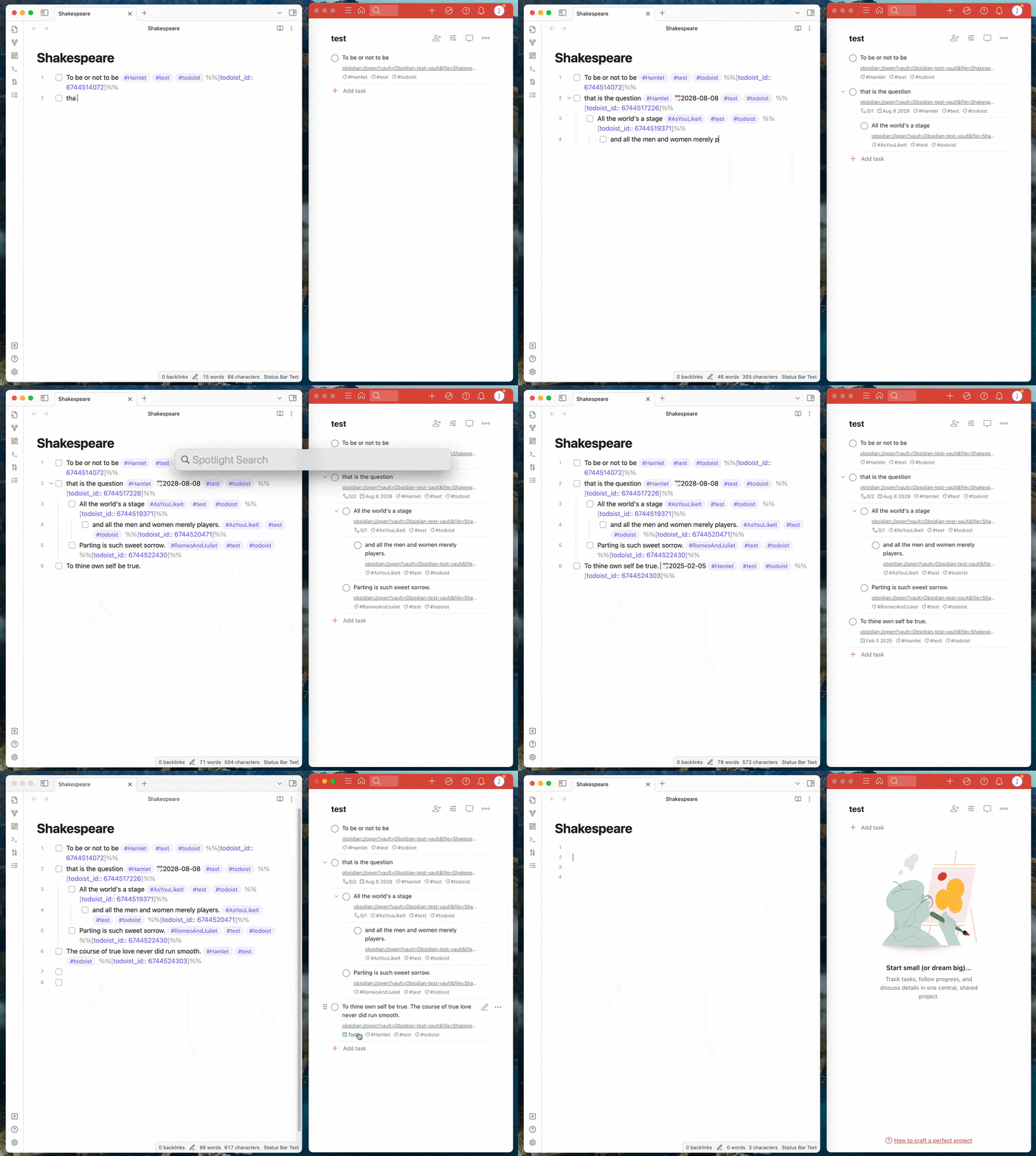
The Ultimate Todoist Sync plugin automatically creates tasks in Todoist and synchronizes task state between Obsidian and Todoist.
Demo
Usage
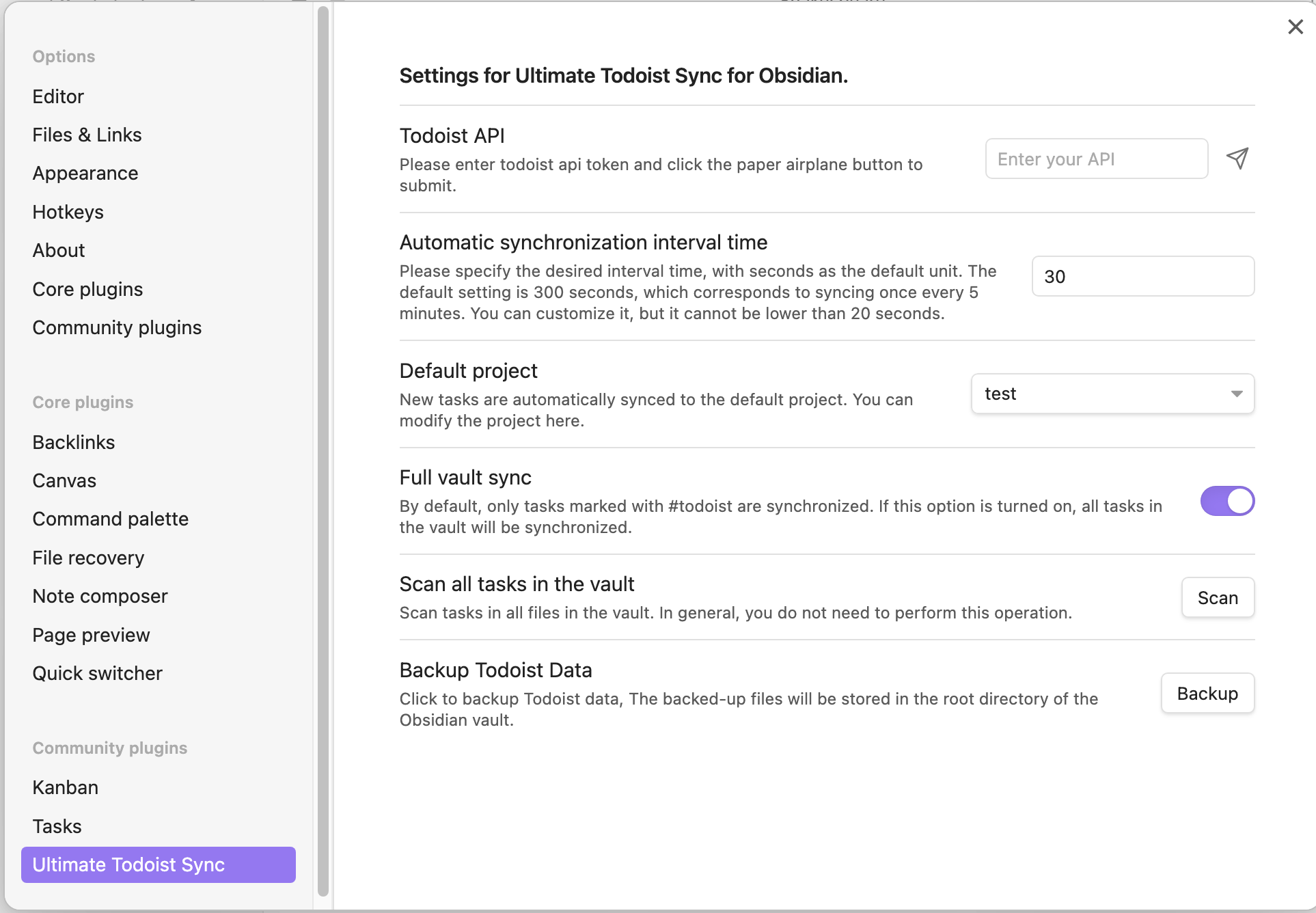
Settings page
Features
| Feature | Obsidian → Todoist | Todoist → Obsidian |
|---|---|---|
| Add task | ✅ | 🔜 |
| Delete task | ✅ | 🔜 |
| Modify task content | ✅ | ✅ |
| Modify task due date | ✅ | ✅ |
| Modify task labels/tags | ✅ | ✅ |
| Mark task as completed | ✅ | ✅ |
| Mark task as uncompleted | ✅ | ✅ |
| Modify priority | ✅ | ✅ |
| Task notes/comments | 🔜 | ✅ |
| Modify task description | 🔜 | 🔜 |
| Modify project | 🔜 | 🔜 |
| Modify section | 🔜 | 🔜 |
| Add reminder | 🔜 | 🔜 |
| Move tasks between files | 🔜 | 🔜 |
Installation
From within Obsidian
From Obsidian v1.3.5+, you can activate this plugin within Obsidian by doing the following:
- Open Obsidian's
Settingswindow - Select the
Community pluginstab on the left - Make sure
Restricted modeis off - Click
Browsenext toCommunity Plugins - Search for and click on
Ultimate Todoist Sync - Click
Install - Once installed, close the
Community Pluginswindow - Under
Installed Plugins, activate theUltimate Todoist Syncplugin
You can update the plugin following the same procedure, clicking Update instead of Install
Manually
If you would rather install the plugin manually, you can do the following:
- Download the latest release of the plugin from the Releases page.
- Extract the downloaded zip file and copy the entire folder to your Obsidian plugins directory.
- Enable the plugin in the Obsidian settings.
Configuration
- Open Obsidian's
Settingswindow - Select the
Community pluginstab on the left - Under
Installed plugins, click the gear icon next to theUltimate Todoist Syncplugin - Enter your Todoist API token
Settings
-
Automatic synchronization interval time The time interval for automatic synchronization is set to 300 seconds by default, which means it runs every 5 minutes. You can modify it yourself.
-
Default project New tasks will be added to the default project, and you can change the default project in the settings or use a project tag to specify a particular project.
-
Sync direction controls
- Obsidian → Todoist (default: on)
- Todoist → Obsidian (default: off)
Each direction can be independently enabled or disabled.
-
Full vault sync By enabling this option, the plugin will automatically add
#todoistto all tasks in your vault. -
Excluded folders Select folders to exclude from Full Vault Sync. Template folders, hidden folders, and plugin storage are excluded automatically.
Usage
Task format
| Syntax | Description | Example |
|---|---|---|
| #todoist | Tasks marked with #todoist will be added to Todoist, while tasks without the #todoist tag will not be processed. If you have enabled Full vault sync in the settings, #todoist will be added automatically. | - [ ] task #todoist |
| 📅YYYY-MM-DD | The date format is 📅YYYY-MM-DD, indicating the due date of a task. | - [ ] task content 📅2025-02-05 #todoist Supports the following calendar emojis: 📅📆🗓🗓️ |
| #projectTag | New tasks will be added to the default project (e.g. inbox). You can change the default project in the settings or use a tag with the same name to specify a particular project. | - [ ] taskA #todoist will be added to inbox.- [ ] taskB #tag #testProject #todoist will be added to testProject. |
| #tag | Note that all tags without a project of the same name are treated as normal tags. | - [ ] task #tagA #tagB #tagC #todoist |
!!<number> | The priority of the task (a number between 1 and 4, 4 for very urgent and 1 for natural). Note: Keep in mind that very urgent is the priority 1 on clients. So, the priority 1 in the client corresponds to the number 4 here (because that's how the official API of Todoist is designed). | - [ ] task !!4 #todoist |
Set a default project for each file separately
The default project in the setting applies to all files. You can set a separate default project for each file using command.
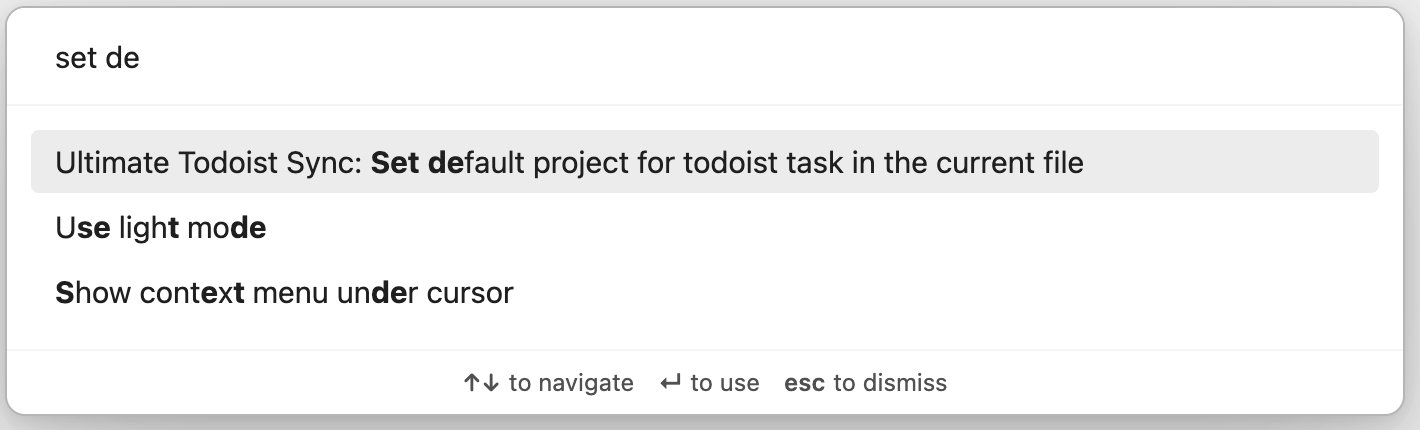
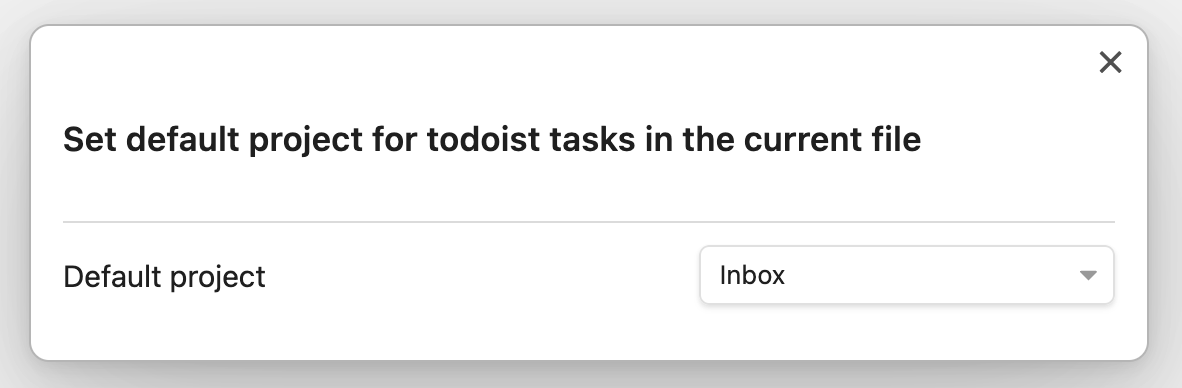
You can see the current file's default project in the status bar at the bottom right corner.

Development
Prerequisites
- Node.js (v16+)
- npm
- An Obsidian vault for testing
Quick Start
The recommended way is to clone the repo directly into your vault's plugin directory, so that builds are immediately available to Obsidian:
cd /path/to/your-vault/.obsidian/plugins/
git clone https://github.com/HeroBlackInk/ultimate-todoist-sync-for-obsidian.git
cd ultimate-todoist-sync-for-obsidian
npm install
Build
# Development (watch mode, auto-rebuilds on file change)
npm run dev

# Production (type-check + bundle)
npm run build
After each rebuild, reload Obsidian (Ctrl/Cmd+P → "Reload app without saving") or disable and re-enable the plugin in settings.
Project Structure
main.ts              # Plugin entry point
src/
├── api/             # Todoist REST & Sync API clients
├── data/            # Cache, task parser, database checker
├── sync/            # Sync engines (toTodoist, toObsidian, scheduler)
├── vault/           # Obsidian vault file operations
├── storage/         # Persistent storage, backup, logs
├── settings/        # Settings UI and migration
├── plugin/          # Event handlers and lifecycle
└── ui/              # Modals (task manager, project picker)
Manual Install
If you built the plugin elsewhere, copy these 3 files into <vault>/.obsidian/plugins/ultimate-todoist-sync/:
main.jsmanifest.jsonstyles.css
Disclaimer
This plugin is for learning purposes only. The author makes no representations or warranties of any kind, express or implied, about the accuracy, completeness, or usefulness of this plugin and shall not be liable for any losses or damages resulting from the use of this plugin.
The author shall not be responsible for any loss or damage, including but not limited to data loss, system crashes, computer damage, or any other form of loss arising from software problems or errors. Users assume all risks and are solely responsible for any consequences resulting from the use of this product.
By using this plugin, you agree to be bound by all the terms of this disclaimer. If you have any questions, please contact the author.
Contributing
Contributions are welcome! If you'd like to contribute to the plugin, please feel free to submit a pull request.
License
This plugin is released under the GNU GPLv3 License.
For plugin developers
Search results and similarity scores are powered by semantic analysis of your plugin's README. If your plugin isn't appearing for searches you'd expect, try updating your README to clearly describe your plugin's purpose, features, and use cases.