Cortex
unlistedby Cortex
Grows a living 3D particle nervous system from your notes, source documents and AI conversations. Your own words stay untouched; every machine label is marked and reversible.
Cortex
An Obsidian plugin and Windows app that draws everything you've written (notes, documents and AI chats) as one living 3D brain. Use it to see what you've been working on and find what you decided months ago, while agents sort and summarise it without ever editing your notes.






Download · User guide · Roadmap · Ask a question · Report a bug
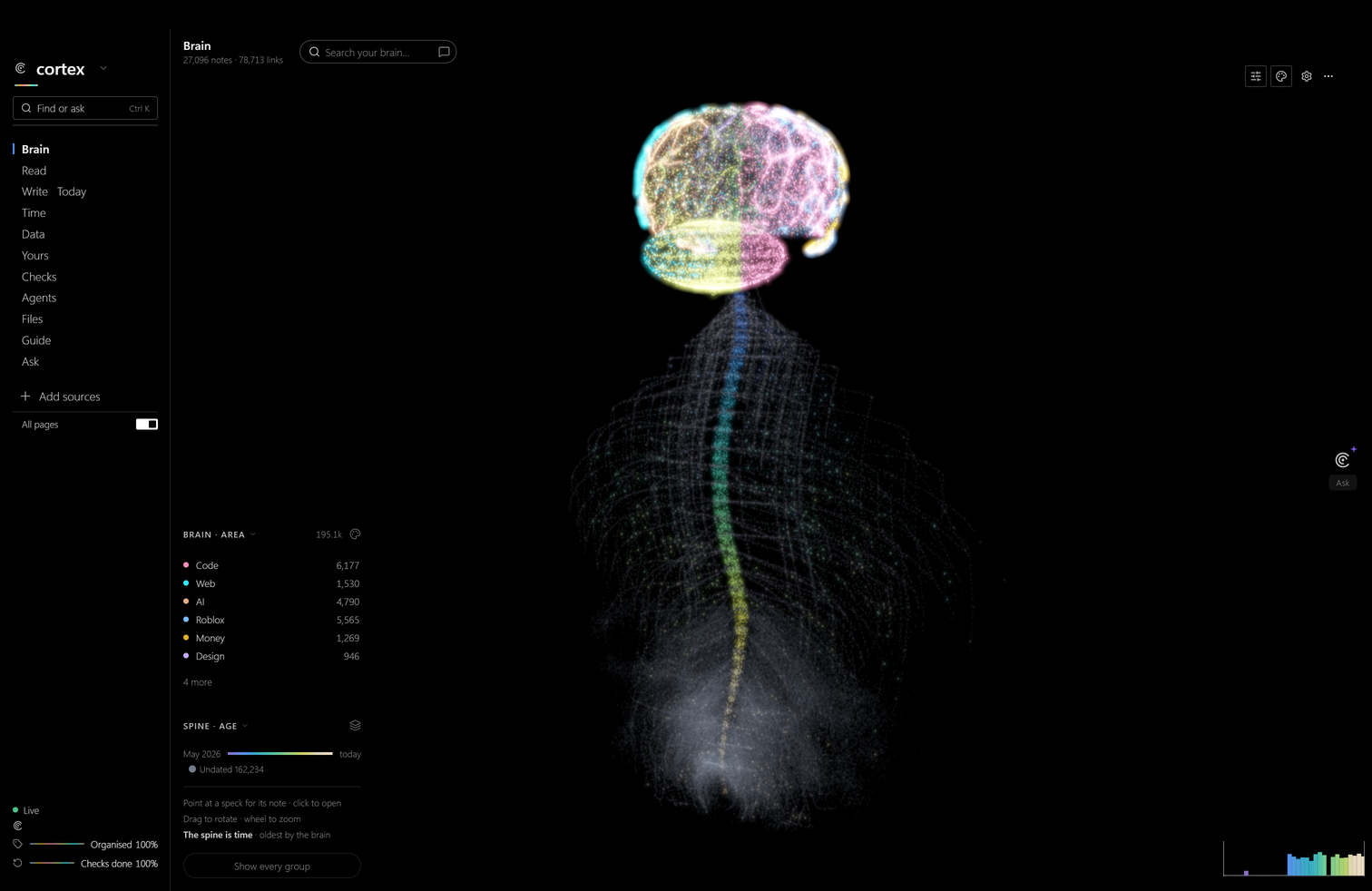
Cortex Desktop on a real vault of about 27,000 notes. Every speck is one note or one message.
What it does
- Draws your whole record as a figure. Notes sit in the brain, grouped by area. The spinal cord is time, oldest by the brain and newest at the bottom. Each conversation grows a nerve off the spine where it started.
- Reads more than your vault. Obsidian notes, documents in
.raw/, Claude Code sessions, Claude.ai, ChatGPT and Gemini exports, folders you choose, and exports from WhatsApp, Telegram, Discord, Slack, Notion, Google Docs, Google Keep, Evernote, Roam, Kindle and Zoom. Codex CLI, Gemini CLI and Cursor sessions are opt-in. - Keeps your words as they are. Cortex copies text into its own files and never rewrites or deletes your notes. Anything a model wrote is stored separately and always looks different (dotted rule, hollow marker), with a link back to the passage it came from.
- Organises in the background. Agents label conversations, write summaries and build maps of projects and topics, within limits you set. By default they stop at 70% of your Claude plan's 5-hour and weekly windows. Every decision lands in Checks where you confirm, change or reject it, and your answer wins.
- Turns the same points into charts. One slider moves every particle from the body into groups or into one of 20 charts: ranked bars, treemap, stream graph, calendar heatmap, radial clock, alluvial, chord and more.
- Finds and asks from one bar. Press Ctrl K to find anything. Press Tab to ask a question about your record. Answers quote your own entries, and every quote is checked against the text before it's shown.
- Lets you undo everything. Corrections, merges and exclusions are logged as changes with an Undo button. Nothing is ever deleted.
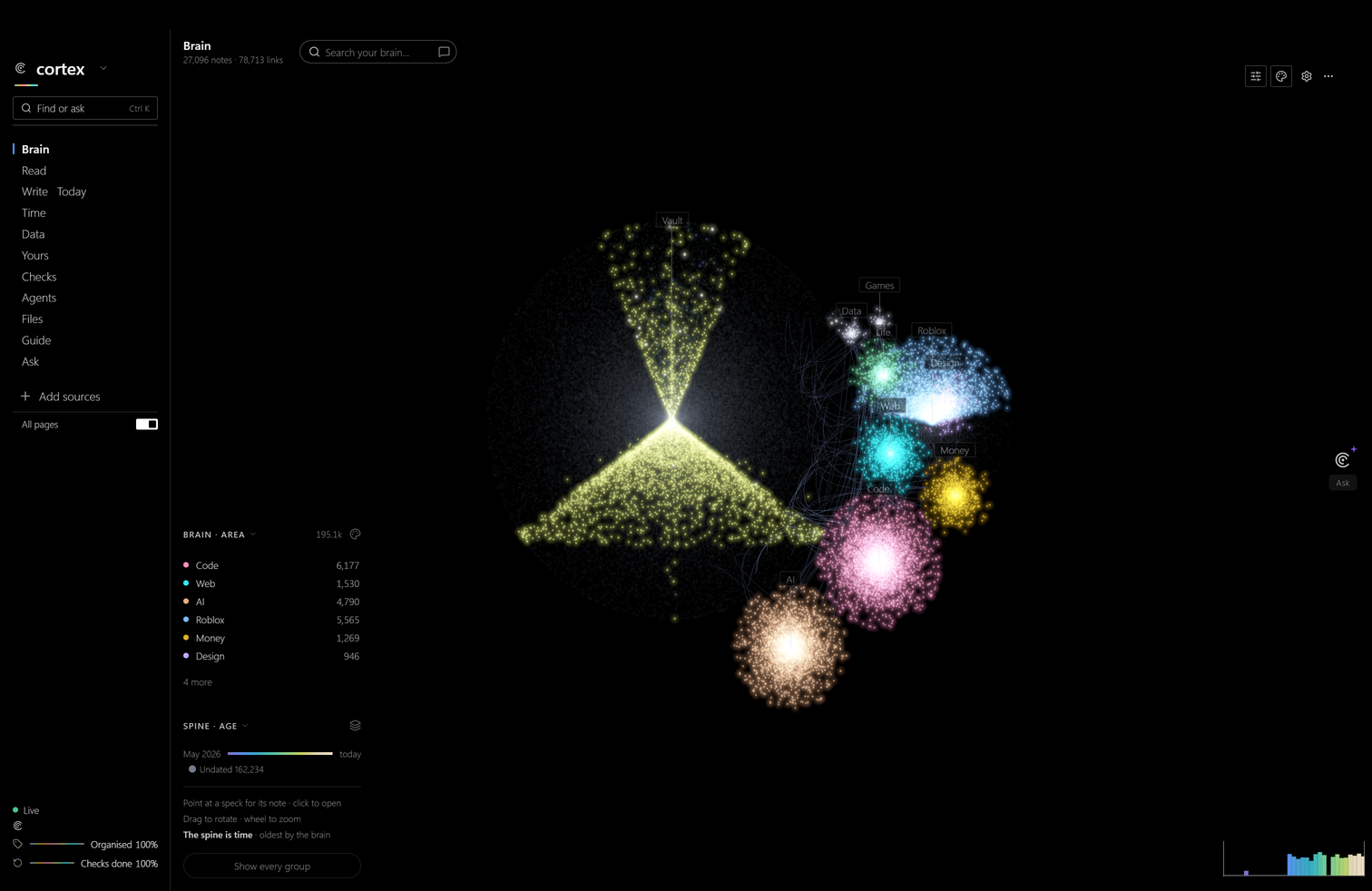 | 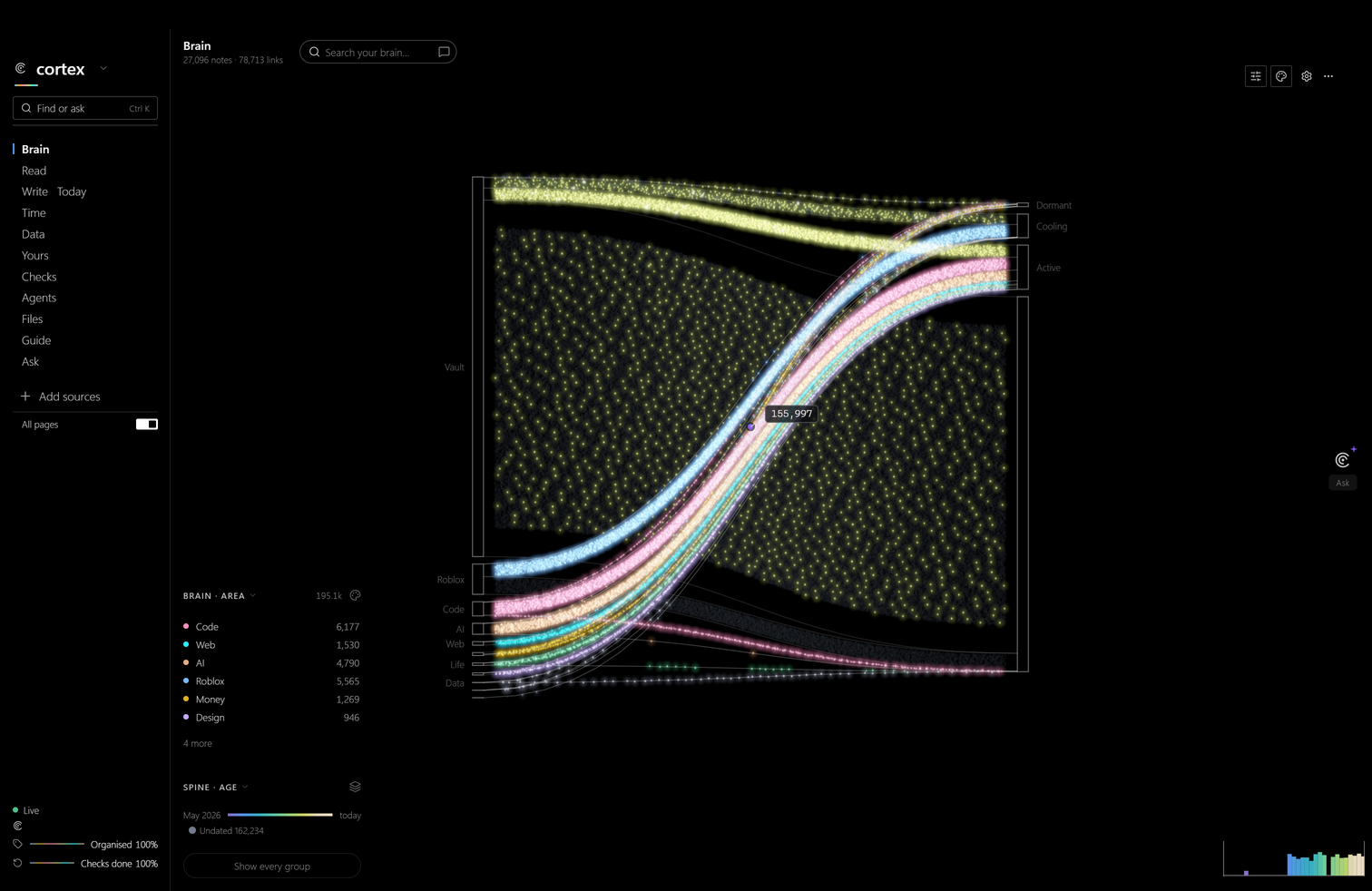 |
| Groups: the same notes pulled into labelled clouds, one per area. | Flows: a chart drawn with the figure's own particles, from each area to how recently it was active. |
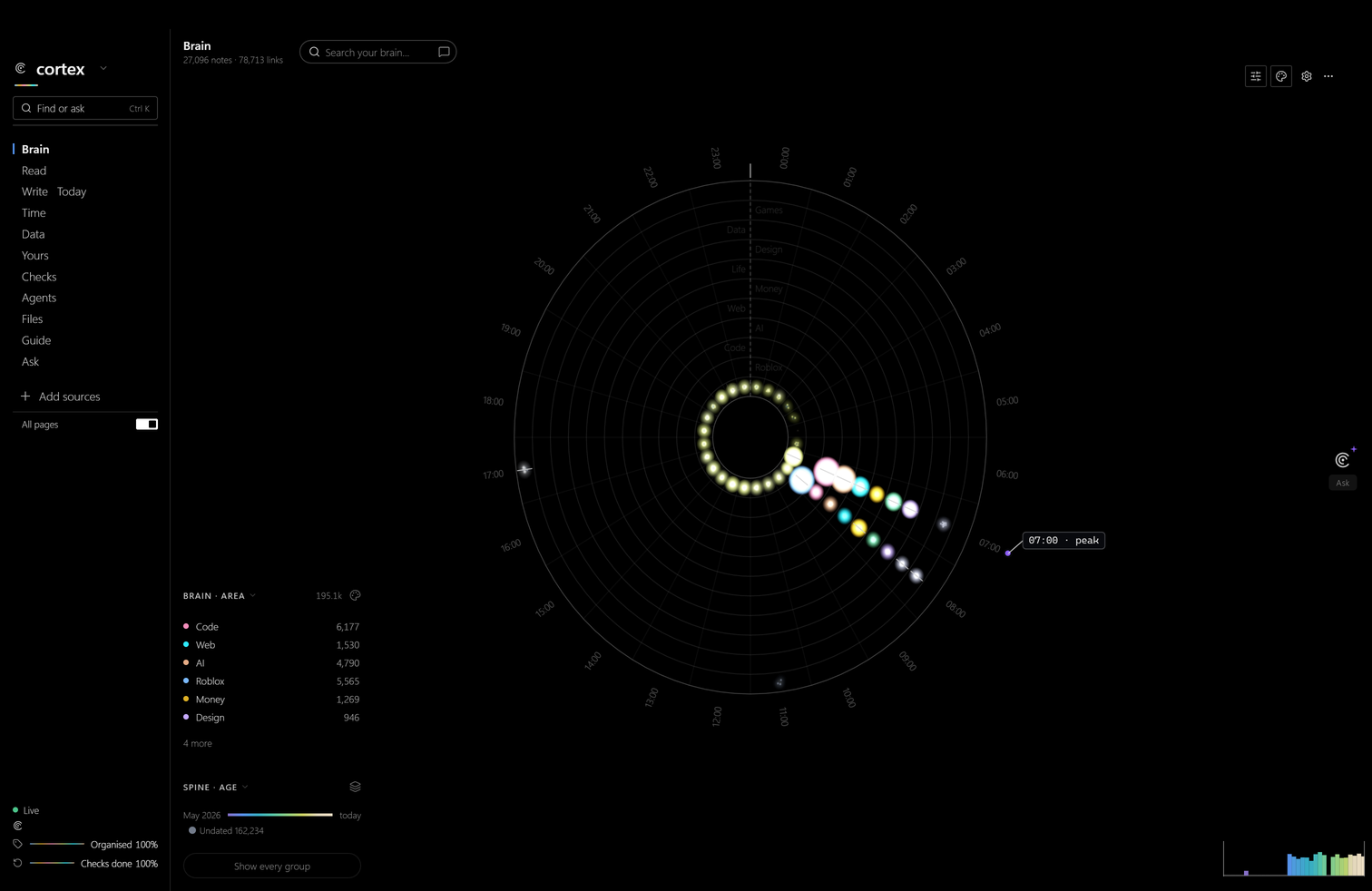 | 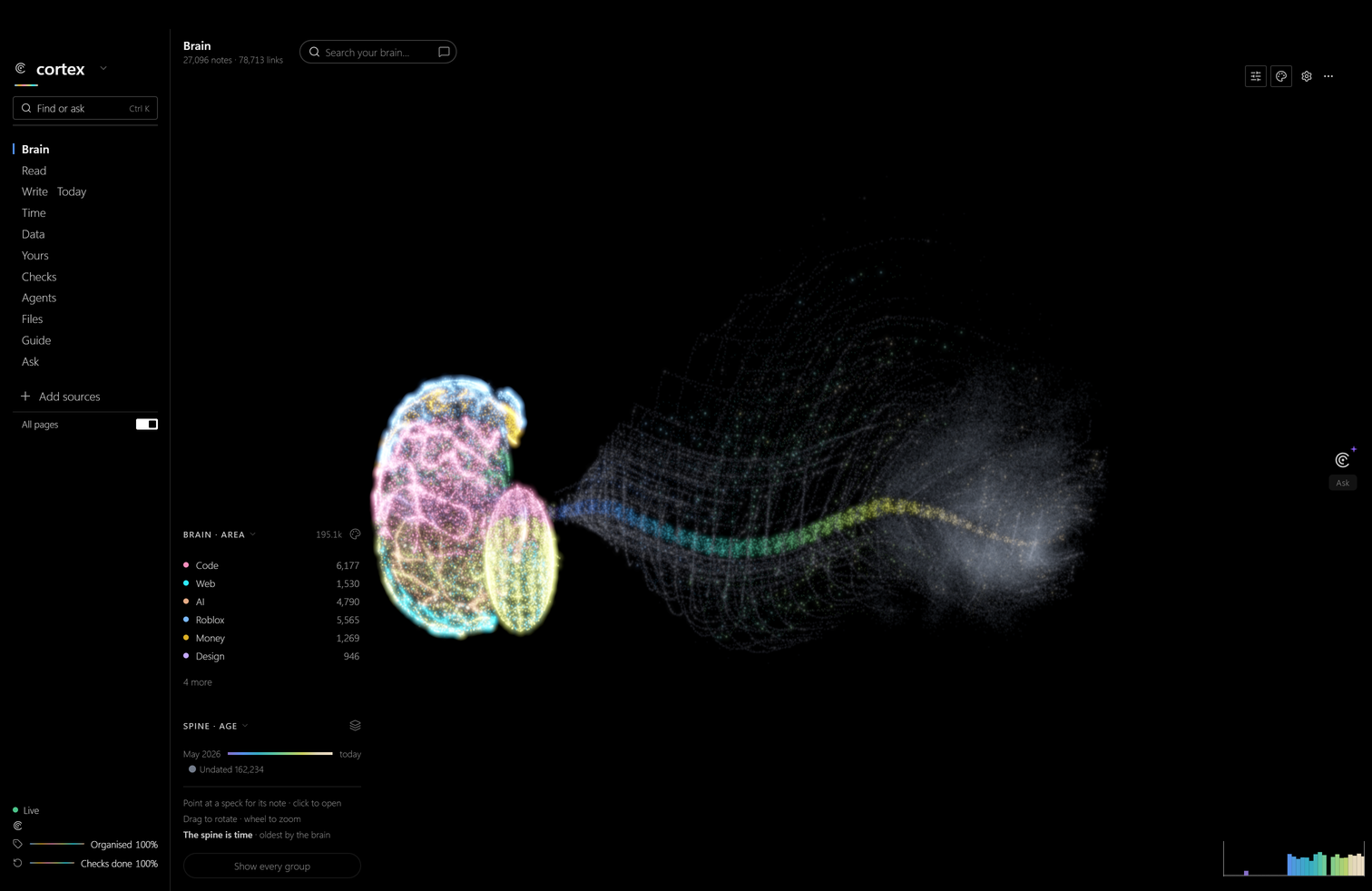 |
| Clock: activity by hour of the day, one ring per area, with the peak hour marked. | Side view: the spine runs from oldest, by the brain, to newest. |
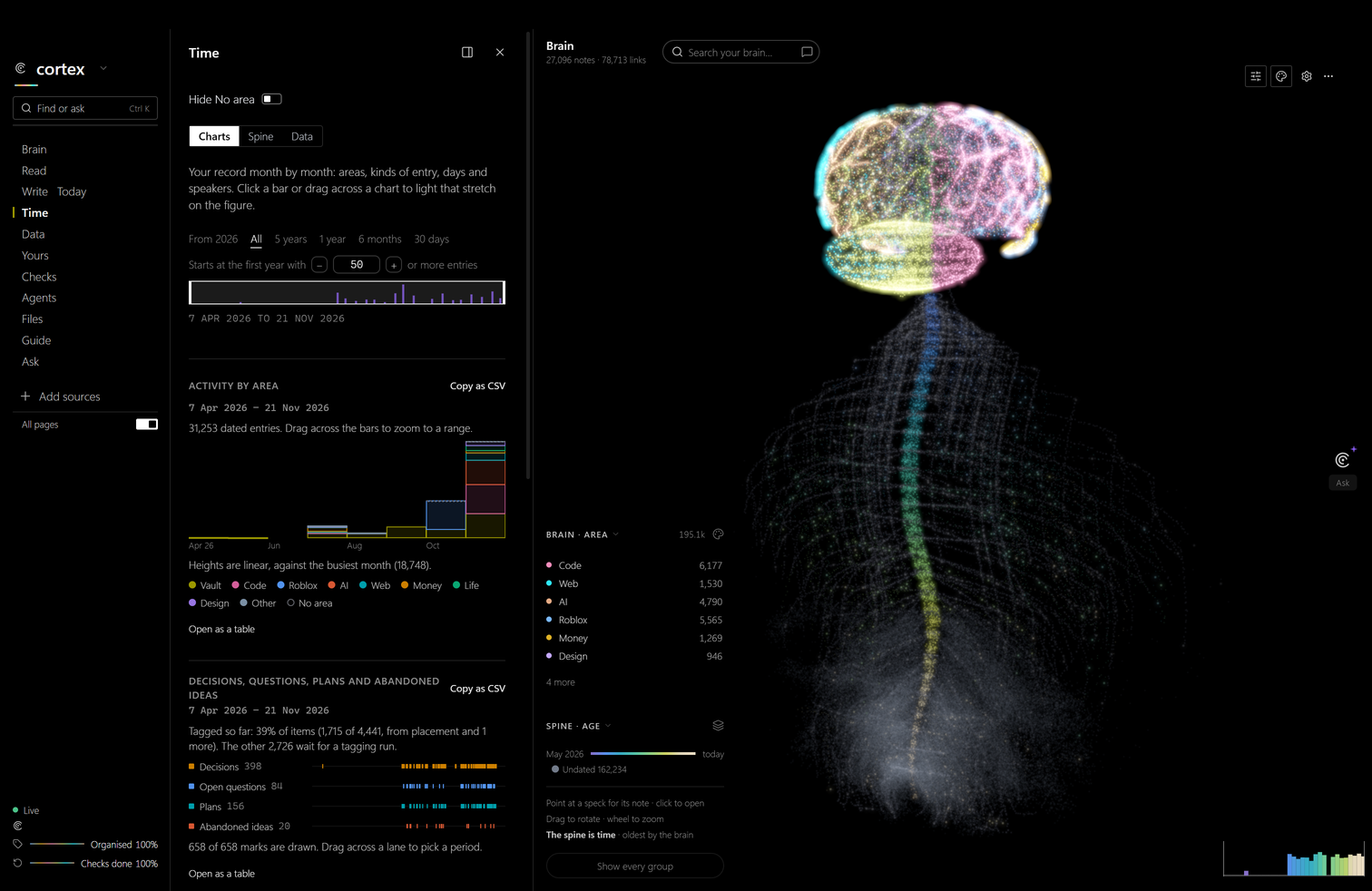 | 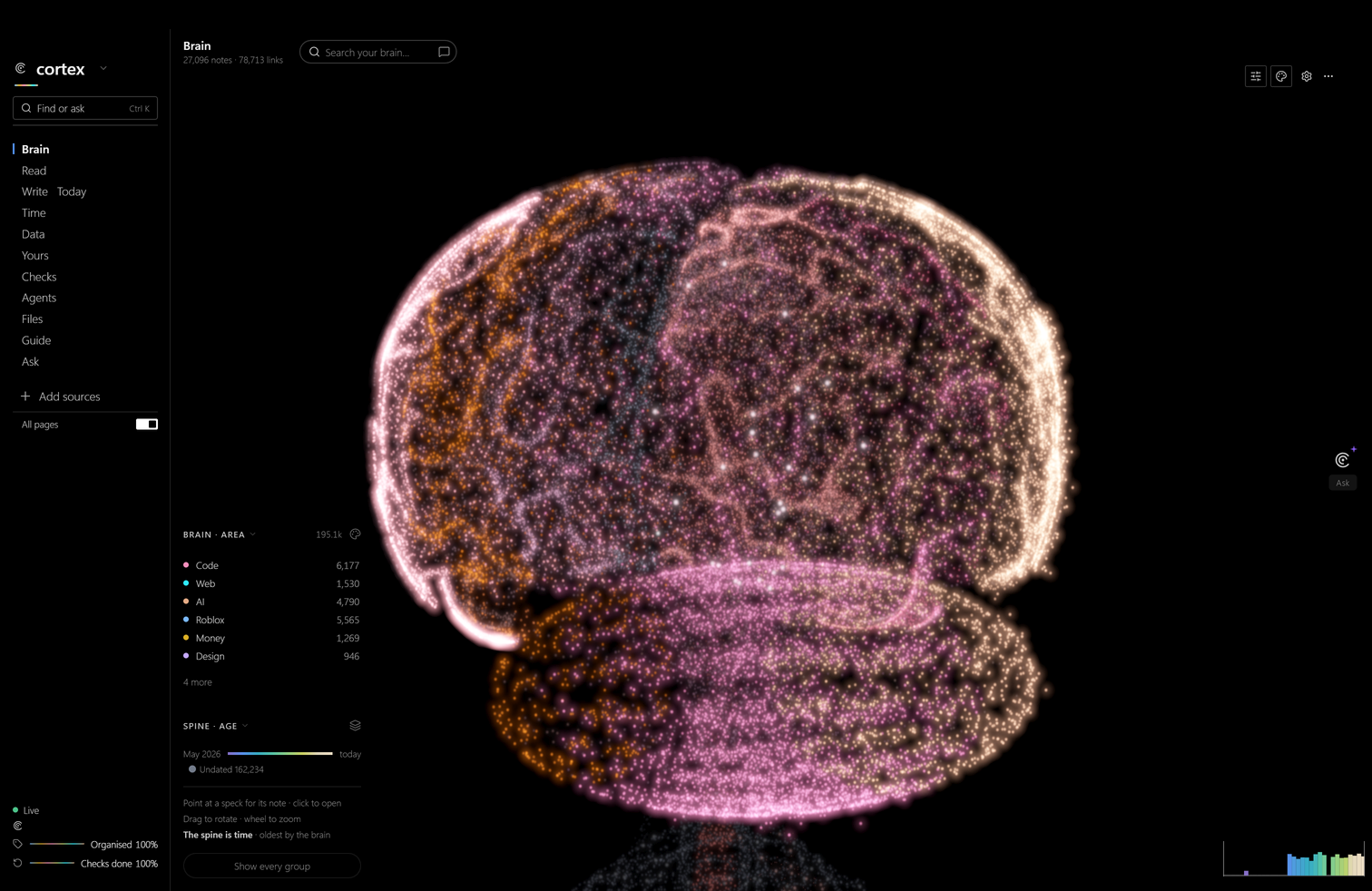 |
| Time page: monthly activity by area, and decisions, open questions, plans and abandoned ideas over time. | Colour themes recolour only the figure; the key keeps the area colours. |
Download and install
Get both from the latest release.
Obsidian plugin (Obsidian 1.12 or newer, desktop only)
- Download
cortex-<version>.zip(about 1 MB). - Unzip it into your vault's
.obsidian/plugins/folder. The zip already has acortexfolder inside, so you should end up with.obsidian/plugins/cortex/main.js. If you use Windows' Extract All, change the destination box so it ends in.obsidian\plugins; by default it adds acortex-<version>folder and Obsidian won't find the plugin. Check that.obsidian/plugins/cortex/manifest.jsonexists. - Reload Obsidian and open Settings › Community plugins. If it asks, choose Turn on community plugins first, then switch Cortex on.
- Click the Cortex icon in the left ribbon (Open Cortex).
Cortex isn't in Obsidian's Community plugins browser yet, so updates are installed the same way: download the new zip and unzip it over the old folder. Cortex: Check for updates tells you when there is one.
Cortex Desktop (Windows 10 or 11, x64)
A standalone window that runs the same code outside Obsidian. Download Cortex-Setup-<version>.exe (about 120 MB) and run it. It installs for your Windows user only (no admin), lets you pick the folder, and adds Cortex to the Start menu and desktop. Uninstall it from Settings › Apps; your vault and settings are left alone.
Rather not install anything? Cortex-Desktop-<version>-win-x64.zip (about 165 MB) is the same app: unzip it anywhere and run Cortex.exe from the Cortex-win32-x64 folder inside (Extract All puts that in one more folder named after the zip).
Either way, it opens the Obsidian Vault folder in your Documents if that is a vault, and otherwise asks you to pick your vault folder.
The app isn't code-signed yet, so Windows SmartScreen may warn the first time. Click More info › Run anyway.
For the agents and Ask you need one of these:
- Claude Code installed and signed in (the default). Cortex runs it headless with no tools and stores no key.
- A model server on your own computer, such as Ollama or LM Studio (Settings › Agents).
- The Codex CLI, signed in with your own OpenAI account.
Or choose No model (plain rules): Cortex still imports and draws everything, and files your record with simple rules on your computer (project from the folder, topic words, a list of titles per project). No summaries and no Ask, and nothing is sent anywhere.
How it works
- First run. Cortex shows what it would read, where the text goes and what models will see. Nothing is imported or sent until you press Start.
- Import. A background process (
cortex-runner.js) copies text from each source into.raw/in your vault as plain files, screens out secrets, and keeps watching Claude Code for new sessions. - Organise. Agents label, summarise and file conversations in the background, within your limits. Their output goes to
wiki/derived/, marked as machine-written. - Draw. A layout worker places every entry and note on the figure, and the renderer draws it with three.js. The tab opens to a silhouette straight away and fills in as indexing finishes.
Privacy
- Your notes are never edited. Cortex never rewrites or deletes existing notes, never runs git in your vault, and never touches other plugins' folders.
- No internet requests on its own. Cortex only goes online when you press a button for it, or for the weekly timestamp if you turn that on:
- Check for updates sends one request to this repository's GitHub releases API.
- Timestamp publicly… (optional, Settings › Advanced) sends a hash of your newest seal block to the OpenTimestamps calendar at alice.btc.calendar.opentimestamps.org. Check the timestamps asks that calendar again and sends only a Bitcoin block number to blockstream.info. Weekly timestamps (off by default) send the same hash once a week. No text or names are sent.
- You can see what models read. Cortex: Show what is sent lists the text that goes to a model. The Access log on the Agents page records every model call and what it read.
- Assistant replies from ChatGPT and Gemini are never sent to a model. Only what you typed there is.
- Some files are never read: browser profiles, mail and password stores,
.env, key and certificate files,.ssh,.gitandnode_modules, plus any folder you add in Settings › Privacy. - Lock. Cortex: Lock (Ctrl+Shift+L) blanks every Cortex view. You can set a passphrase (stored as a salted PBKDF2 hash) and an idle auto-lock in Settings › Cortex › Privacy.
FAQ
Does it work on macOS or Linux? The plugin is desktop-only and is built and tested on Windows. Cortex Desktop is Windows only for now.
Will it slow Obsidian down? Loading the plugin only registers its view and commands. Indexing runs in idle time, and the 3D part loads when you first open the Cortex tab. Imports run in a separate Node process when Node 20 or newer is installed, and inside Obsidian (slower) when it isn't.
How much does organising cost? With Claude Code it runs on your existing Claude plan, nothing extra. By default the agents stop at 70% of the plan's 5-hour and weekly windows so you keep room for your own work, and the Agents page shows what was used and how much is waiting. A local model costs nothing.
Can I try it without my own notes? Yes. Choose Explore the sample record on the empty Cortex tab, or Sample record in the More menu. Both use a made-up record and change nothing.
Can I undo something an agent did? Yes. Every label, summary and filing is a check you can reject, and every change has Undo in Change history.
Contributing
Questions go to Discussions, and SUPPORT.md says where everything else goes. Security problems are reported privately, see SECURITY.md. What's planned is on the roadmap.
Bug reports and pull requests are welcome. Start with CONTRIBUTING.md, then docs/DEVELOPMENT.md for building from source, the project layout and the ground rules the checks enforce. Issues marked first issue are small and self-contained.
Credits
Built by me, with help from Claude (Anthropic) as a coding assistant. Bundles three.js and Preact (both MIT).
License
For plugin developers
Search results and similarity scores are powered by semantic analysis of your plugin's README. If your plugin isn't appearing for searches you'd expect, try updating your README to clearly describe your plugin's purpose, features, and use cases.