Quotewise
unlistedby Ari
Discover quotations, check attribution, and save source details to your notes.
Quotewise for Obsidian
Discover quotations, check their attribution, and save them to your notes. An independent integration with Quotewise.
Install
- Download
main.js,manifest.json, andstyles.cssfrom the latest release. - Put the three files in
<your vault>/.obsidian/plugins/quotewise-obsidian/. Create the folder if needed. - Reload Obsidian 1.11.4 or later, then enable Quotewise under Settings → Community plugins.
- For wording and topic searches, similar quotes, and source details, create a key in the Quotewise developer dashboard. Save it under Settings → Quotewise and select Test connection. Author search and attribution also work anonymously, subject to Quotewise's quota.
Use
-
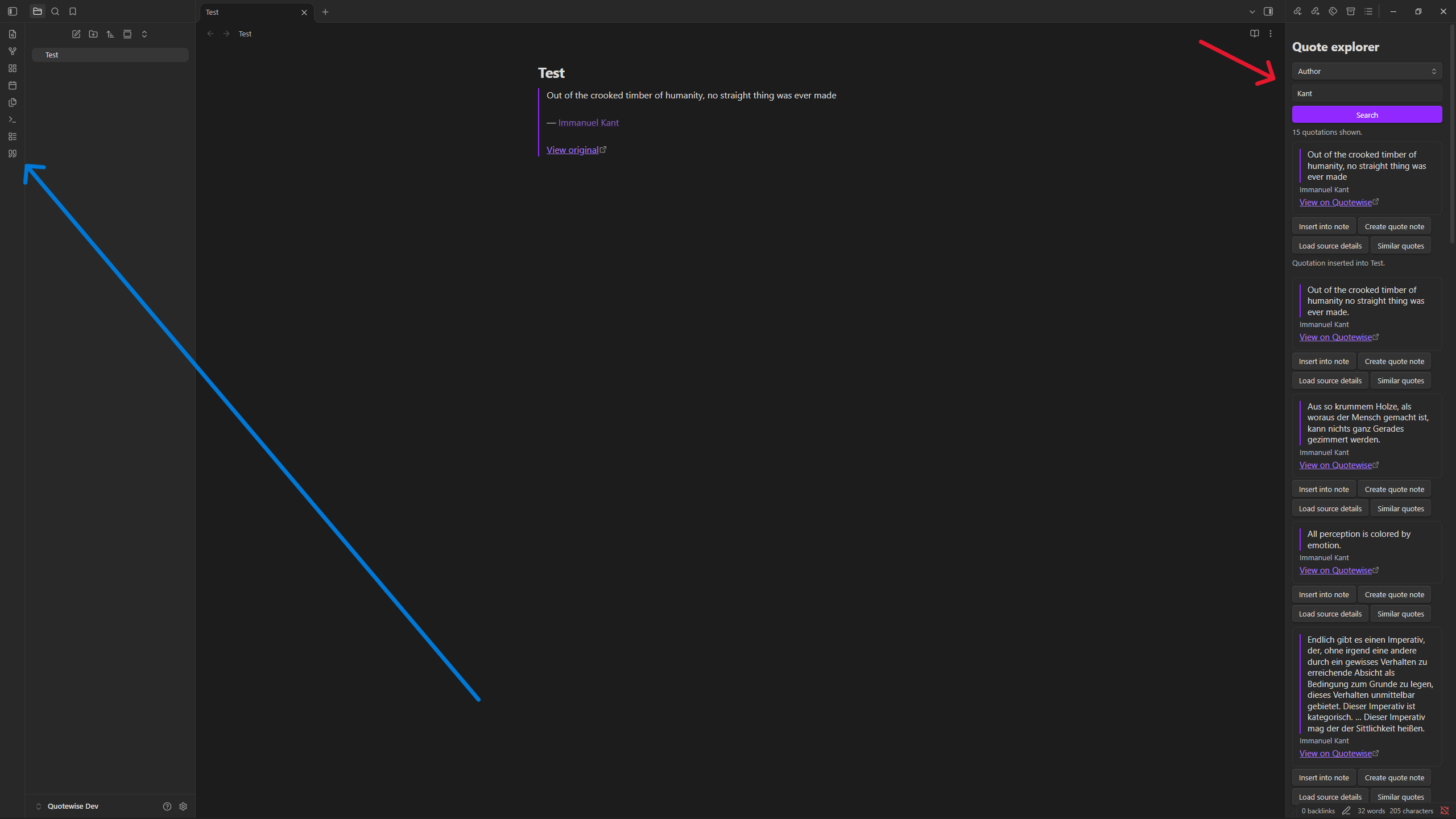
Open the explorer. Select the quote icon
 in the left ribbon, or run Quotewise: Open quote explorer from the command palette.
-
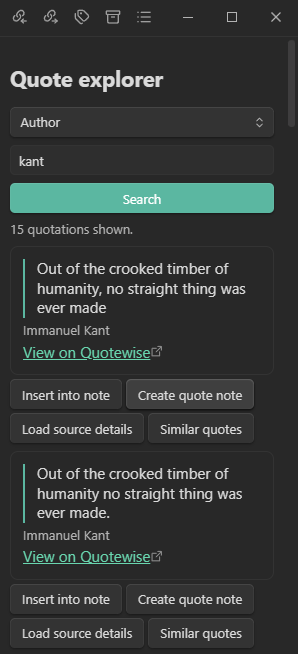
Find a quote. Choose Words or exact phrase, Meaning or topic, or Author. Enter your search and select Search. Select Load source details to see available citations, or Similar quotes to keep exploring.
-
Save a quote. Open a note in editing mode, place the cursor where you want the quote, then select Insert into note. Select Create quote note to save it separately. Set your preferred insertion format and destination folder under Settings → Quotewise.
-
Check attribution. Select quotation text in a note, run Quotewise: Check quotation attribution, and select Check with Quotewise. Review the matches, corrections, and source evidence when available.
Searches, source lookups, and confirmed attribution checks send your query, quote reference, or selected text to Quotewise. Saving quotes is a local vault action.
For plugin developers
Search results and similarity scores are powered by semantic analysis of your plugin's README. If your plugin isn't appearing for searches you'd expect, try updating your README to clearly describe your plugin's purpose, features, and use cases.