Yonda
unlistedby Obsidian
Personal obsidian plugin for scrapping book info.
Obsidian Yonda
Obsidian for this.
ISBNで書誌情報を取得してObsidianに登録する。
Screenshots
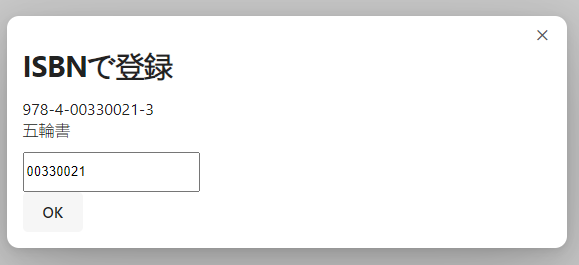
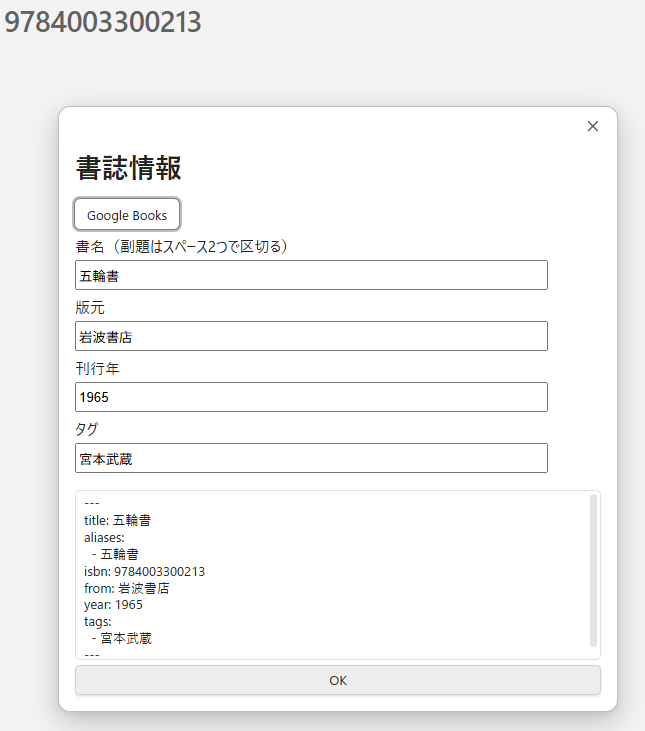
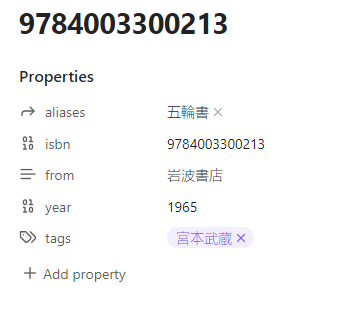
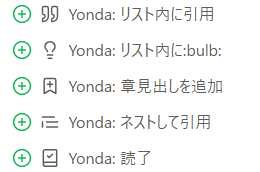
Install
Run install.ps1 with vault folder path as an argument.
管理対象のフォルダパスを引数にして install.ps1 を実行する。
# Example
.\install.ps1 C:\Users\awtnb\Obsidian\yonda-log
Manual install
Copy over main.js, styles.css, manifest.json to (VaultFolder)/.obsidian/plugins/obsidian-yonda/ .
main.js ・ styles.css ・ manifest.json をそれぞれ (管理対象のフォルダ)/.obsidian/plugins/obsidian-yonda/ にコピーしてもインストール可能。
Develop / Debug
Run below command in Vault root directory.
$n="obsidian-yonda";$repo="https://github.com/AWtnb/$n.git";$p=".obsidian"|Join-Path -ChildPath "plugins";if (-not(Test-Path $p -PathType Container)){New-Item -Path $p -ItemType Directory};Push-Location $p;git clone $repo; cd $n;if (Get-Command code -ErrorAction SilentlyContinue){code .};Pop-Location
With ghq:
ghq get "https://github.com/AWtnb/obsidian-yonda" --silent|sv src;$p=".obsidian"|Join-Path -ChildPath "plugins";if (-not(Test-Path $p -PathType Container)){New-Item -Path $p -ItemType Directory};Push-Location $p;New-Item -Name (gi $src).Name -Value $src -ItemType Junction -Confirm -Force; Pop-Location; code $src
Afterwords, run npm i and npm run dev.
Then on Obsidian, run Reload app without saving command. Yonda should appear in Community plugins setting.
-
Generated from obsidian-sample-plugin
-
this.app.emulateMobile(!this.app.isMobile);
For plugin developers
Search results and similarity scores are powered by semantic analysis of your plugin's README. If your plugin isn't appearing for searches you'd expect, try updating your README to clearly describe your plugin's purpose, features, and use cases.