Rabbitor
unlistedby donjguido
AI-powered document annotation with per-highlight conversation threads, multi-provider AI, branching edits, and annotation linking.
Rabbitor for Obsidian
Go down the rabbit hole of knowledge. Highlight passages in your notes and have AI-powered conversations about them — with any provider, right inside Obsidian.
Rabbitor brings per-highlight conversation threads, multi-provider AI, and branching edits to your vault. Every thread lives next to the note it came from, exportable as markdown.
Status: pre-release (0.1.0). Submitted to the Obsidian community plugin store and currently under review (obsidianmd/obsidian-releases#12140). Install manually or via BRAT in the meantime (see below). Desktop-only for now — mobile has not been tested.
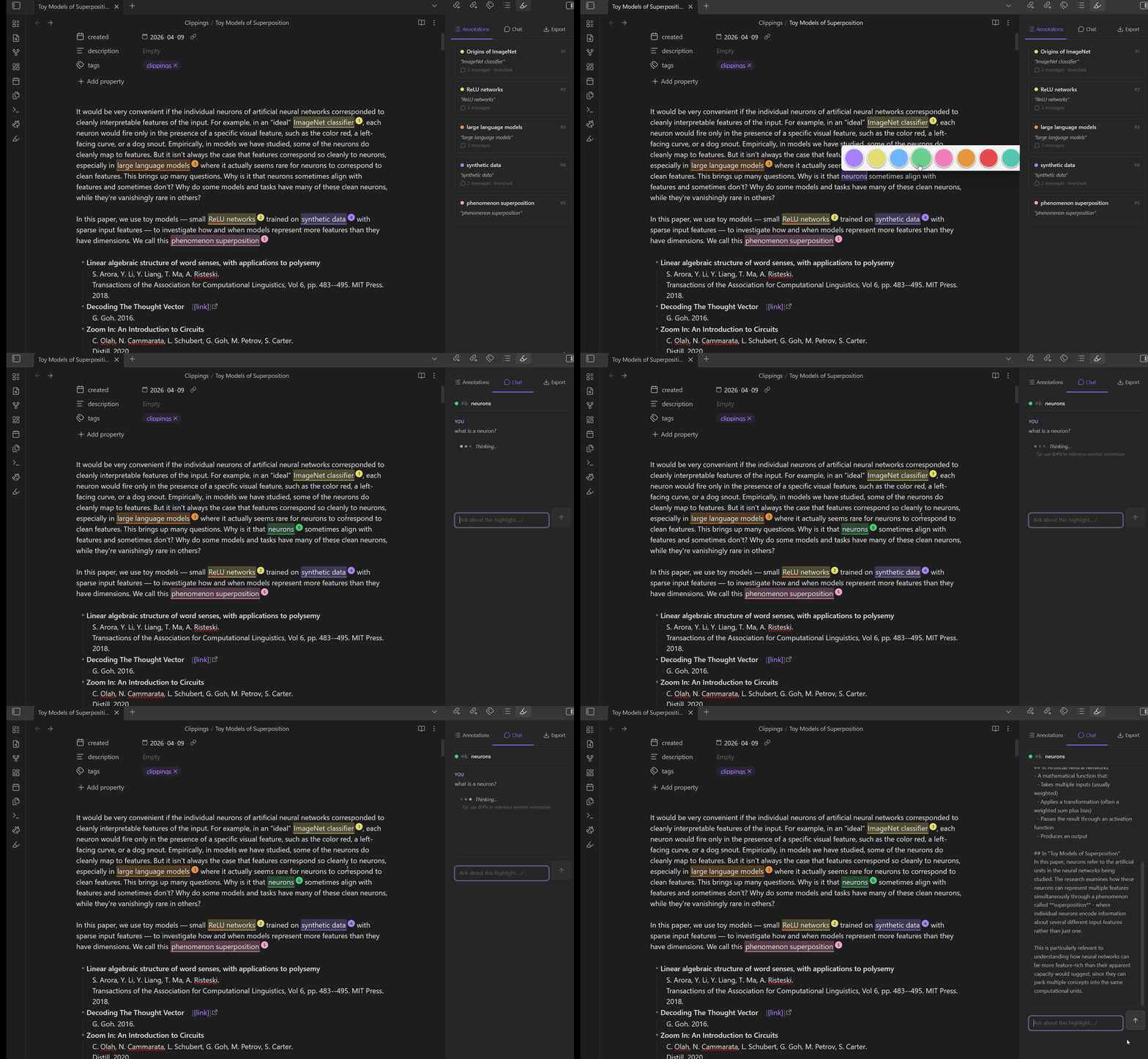
Features
- Highlight & annotate — Select any passage in a markdown note and attach a colored highlight with a conversation thread.
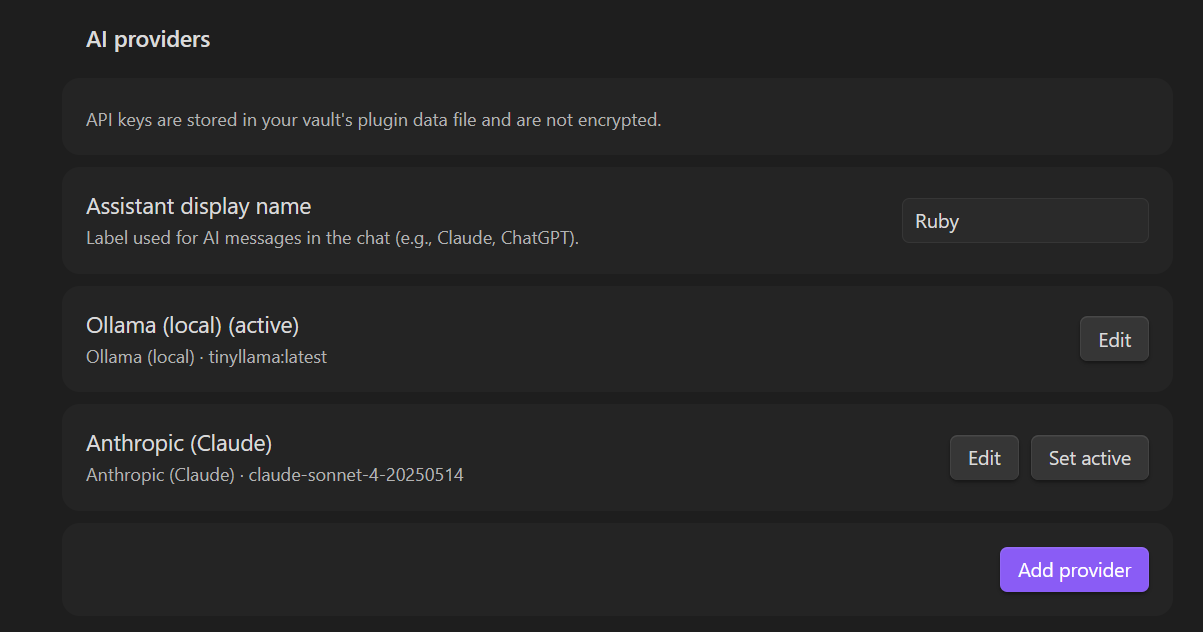
- Multi-provider AI chat — Anthropic, OpenAI, Google Gemini, OpenRouter, Ollama, or any OpenAI-compatible endpoint. Bring your own keys; they stay on your machine.
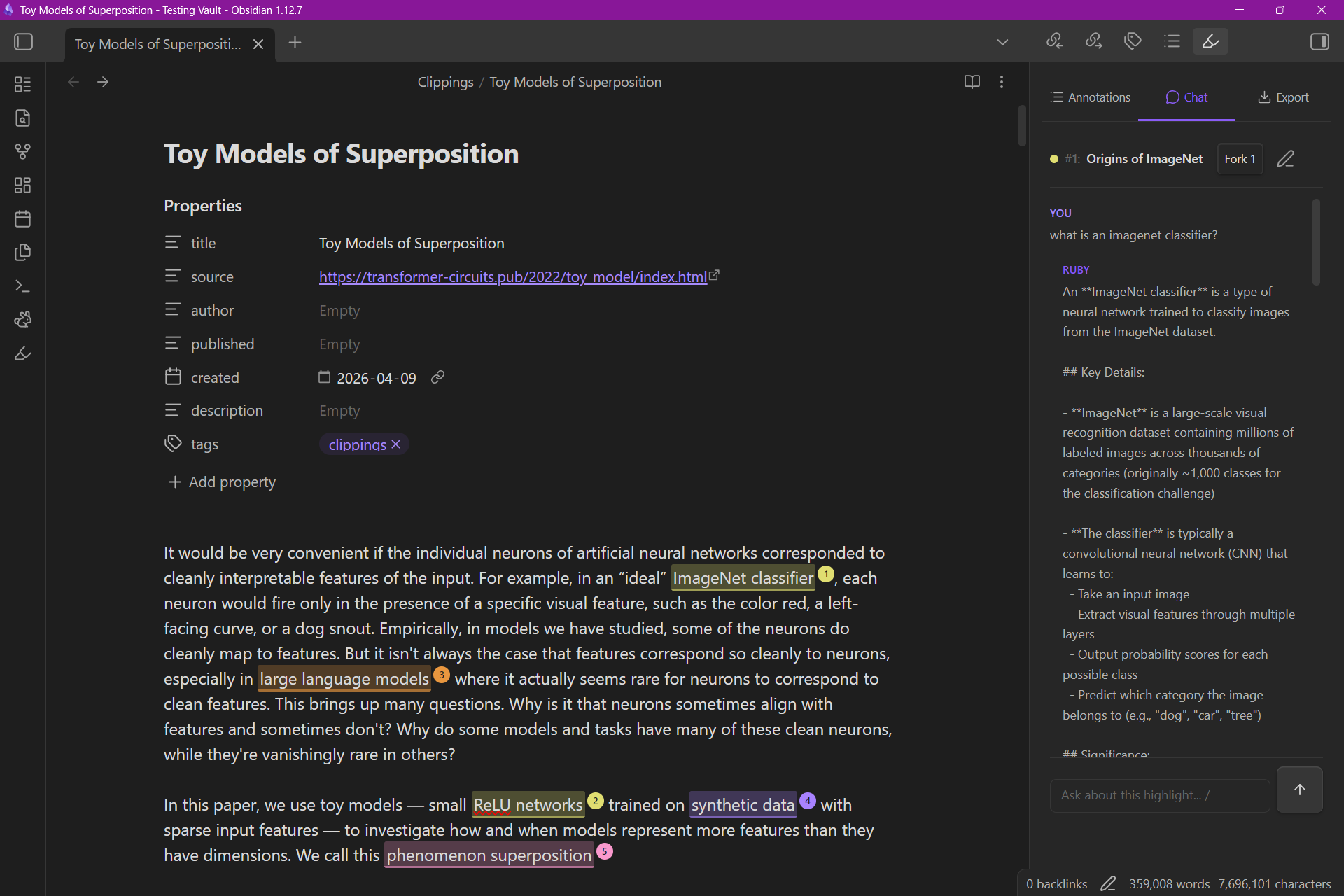
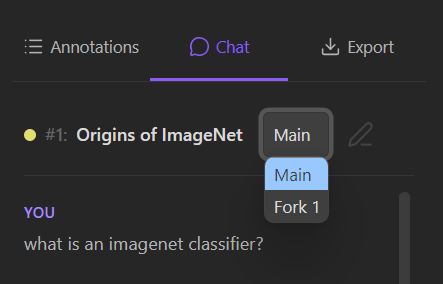
- Branching conversations — Fork from any message, regenerate alternate replies, keep the tree.
- Document attachments — Drop PDFs or markdown notes into a thread as context. Capability warnings flag models that can't handle PDFs.
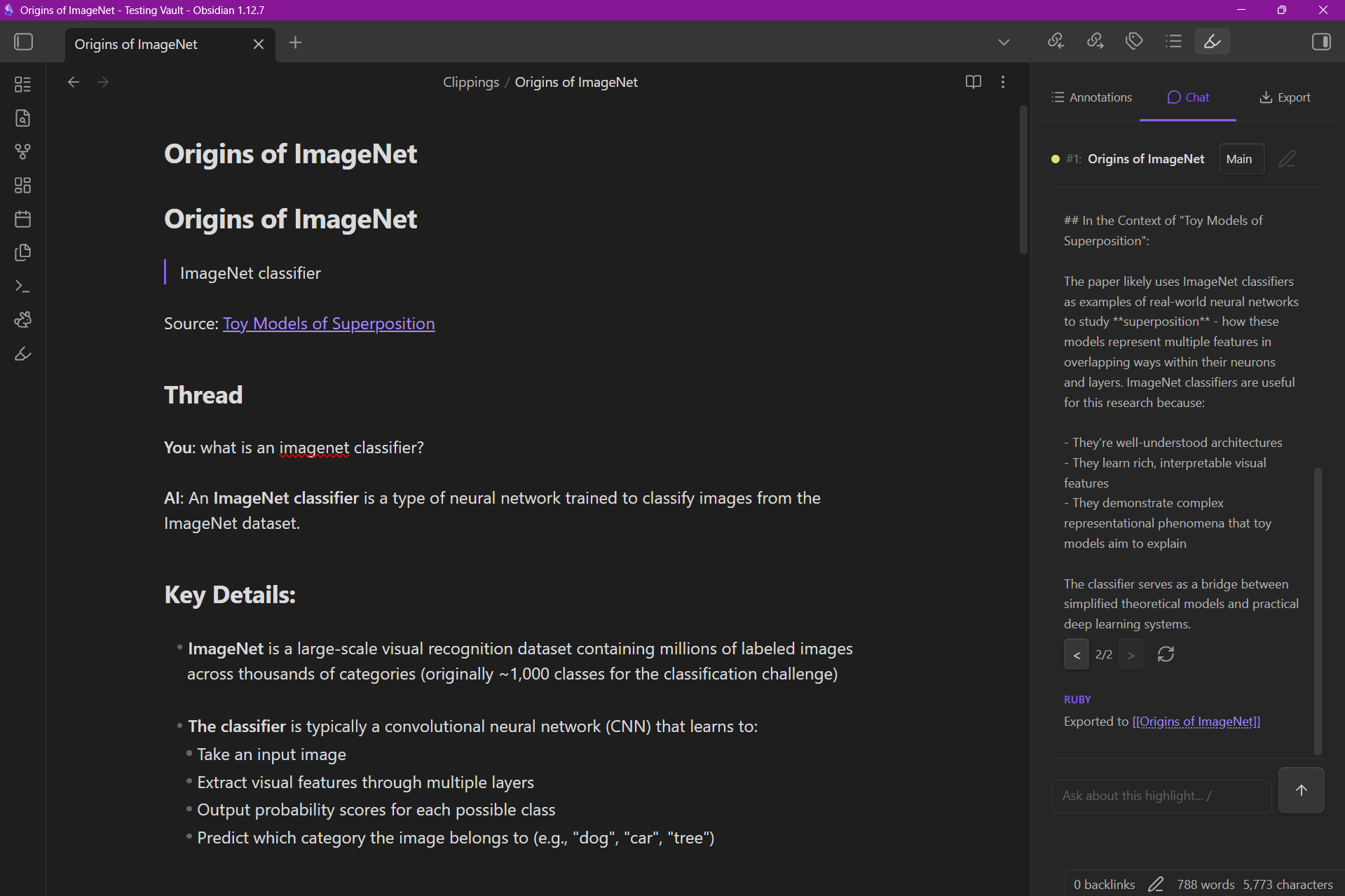
- Markdown export — Export threads as plain markdown with branches and Obsidian embeds preserved.
- Per-note storage — Highlights and threads live in a sidecar JSON, so your notes stay clean.
Installation
Manual (current)
- Download the latest
main.js,manifest.json, andstyles.cssfrom Releases (or build from source — see below). - Copy them to
<your-vault>/.obsidian/plugins/rabbitor/. - In Obsidian: Settings → Community plugins → Installed plugins → Enable Rabbitor.
BRAT (recommended for pre-release updates)
- Install the BRAT plugin.
- Add beta plugin:
donjguido/rabbitor-for-obsidian. - Enable Rabbitor in Community plugins.
Community store
Under review — see obsidianmd/obsidian-releases#12140.
Usage
- Open any markdown note.
- Select a passage → a tooltip appears → pick a color to create a highlight.
- Click the highlight (or open the right sidebar) to start a thread.
- Configure your AI provider in Settings → Rabbitor.
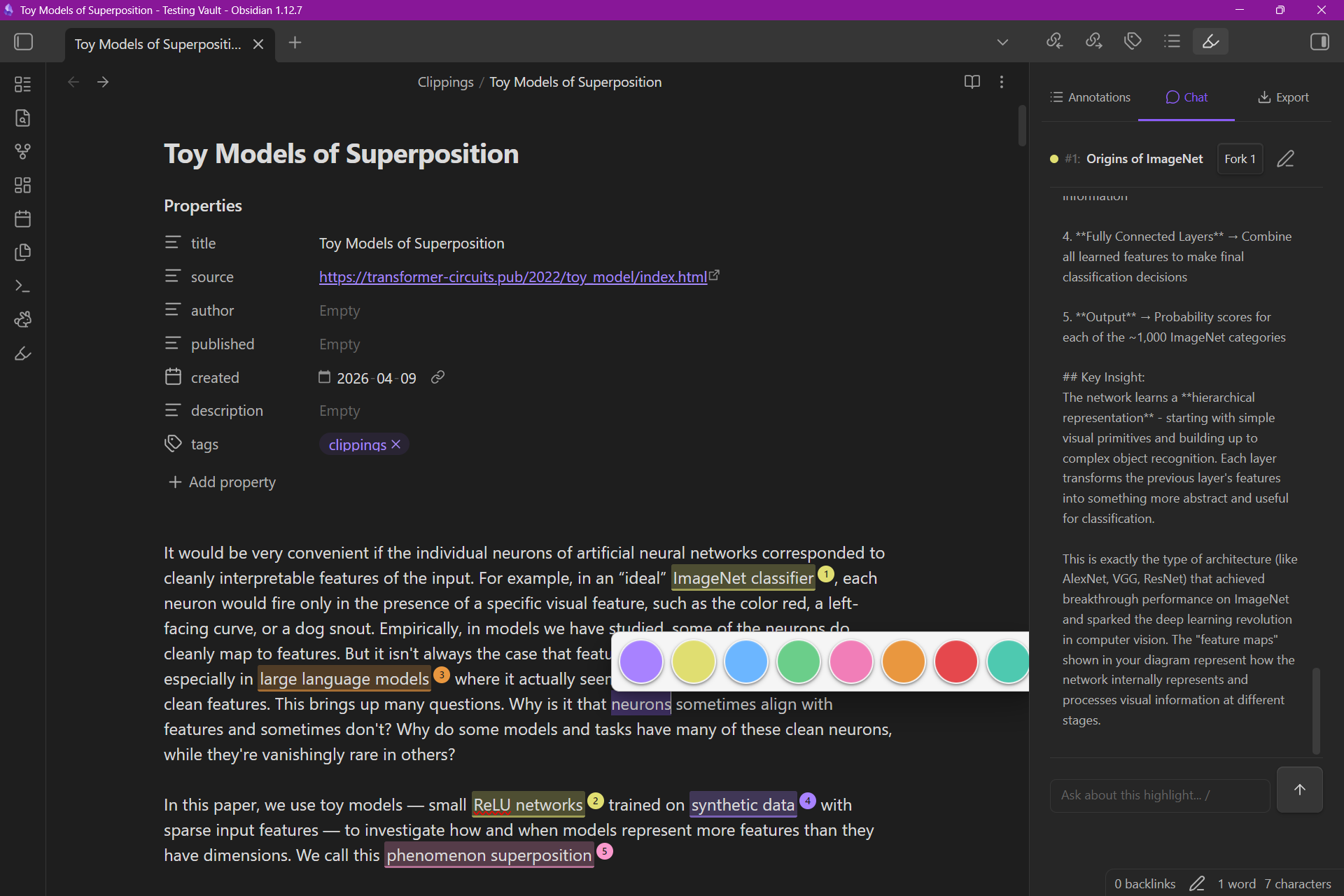
Highlights, threads, and settings live in the right sidebar:
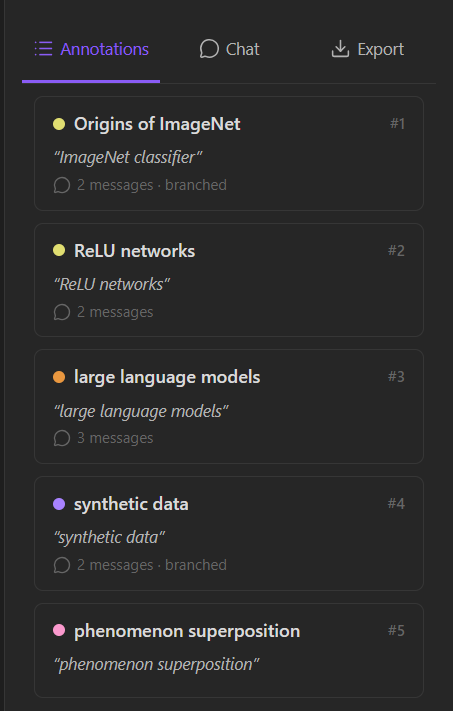
Drop slash commands into any message to quickly pull in context or rerun common prompts:
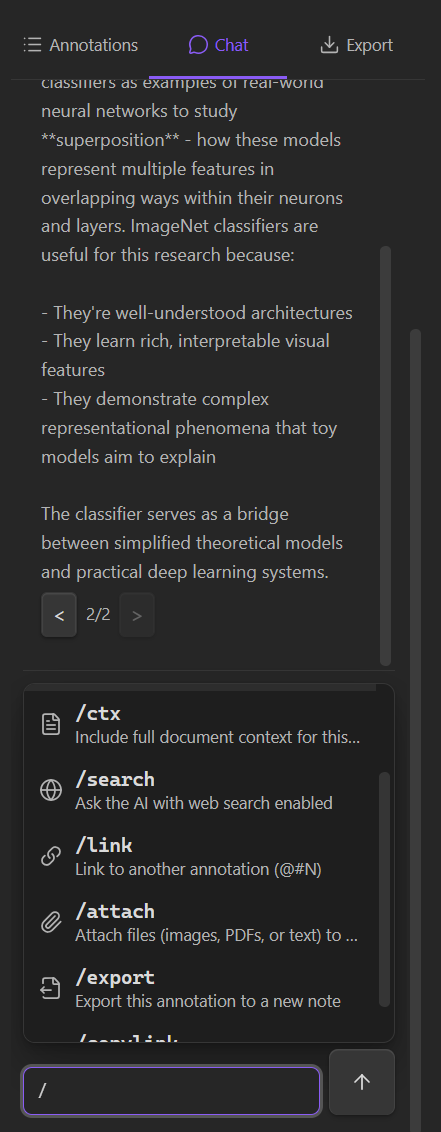
Fork from any message to explore an alternate line of reasoning without losing the original:
Configuration
Rabbitor supports these AI providers out of the box:
| Provider | Requires | Notes |
|---|---|---|
| Anthropic | API key | Claude models |
| OpenAI | API key | GPT family |
| Google Gemini | API key | Gemini family |
| OpenRouter | API key | Unified endpoint for many models |
| Ollama | Local URL | Run models locally |
| Custom | URL + optional key | Any OpenAI-compatible endpoint |
Keys are stored in Obsidian's plugin data directory on your machine. Rabbitor never phones home.
Threads export to plain markdown with branches and Obsidian embeds preserved:
Development
npm install
npm run dev          # build with sourcemaps, watch mode
npm run build        # production build
npx tsc --noEmit     # type-check

# Build and copy into a local vault for testing:
npm run install-plugin -- --vault "C:/path/to/vault"
Project layout
src/main.ts       plugin entry (lifecycle, commands)
src/types.ts      shared interfaces
src/constants.ts  view IDs, colors, defaults
src/store/        annotation CRUD + debounced persistence
src/editor/       CM6 extensions (highlights, badges, selection tooltip)
src/views/        right-sidebar ItemView (Highlights / Threads / Settings)
src/settings/     PluginSettingTab
src/ai/           provider adapters
src/export/       markdown exporters
Obsidian loads three files: manifest.json, main.js, styles.css. esbuild bundles src/main.ts → main.js (CJS).
Contributing
Issues and pull requests welcome. Before opening a PR:
- Run
npx tsc --noEmit— must pass with no errors. - Follow the patterns in CLAUDE.md (Obsidian CSS variables,
requestUrlvsfetch, sentence-case UI text, etc.). - New features should come with a short design note in
docs/superpowers/specs/if behavior is non-obvious.
License
MIT © donjguido
Related
- Rabbitor web app — browser-based annotator, same brand.
For plugin developers
Search results and similarity scores are powered by semantic analysis of your plugin's README. If your plugin isn't appearing for searches you'd expect, try updating your README to clearly describe your plugin's purpose, features, and use cases.