Felisidian
unlistedby Lucas Feliciano
A visual library for your vault: browse notes as colored cards by category, with tags, authors, page counts and reading progress.
Felisidian
A visual library for your Obsidian vault: follow what you are reading and what you are thinking from it, as pastel cards grouped by subject.
Status: early development (0.1.0). See the roadmap in docs/REQUIREMENTS.md.
Features
A library to follow what you are reading and what you are thinking from it.
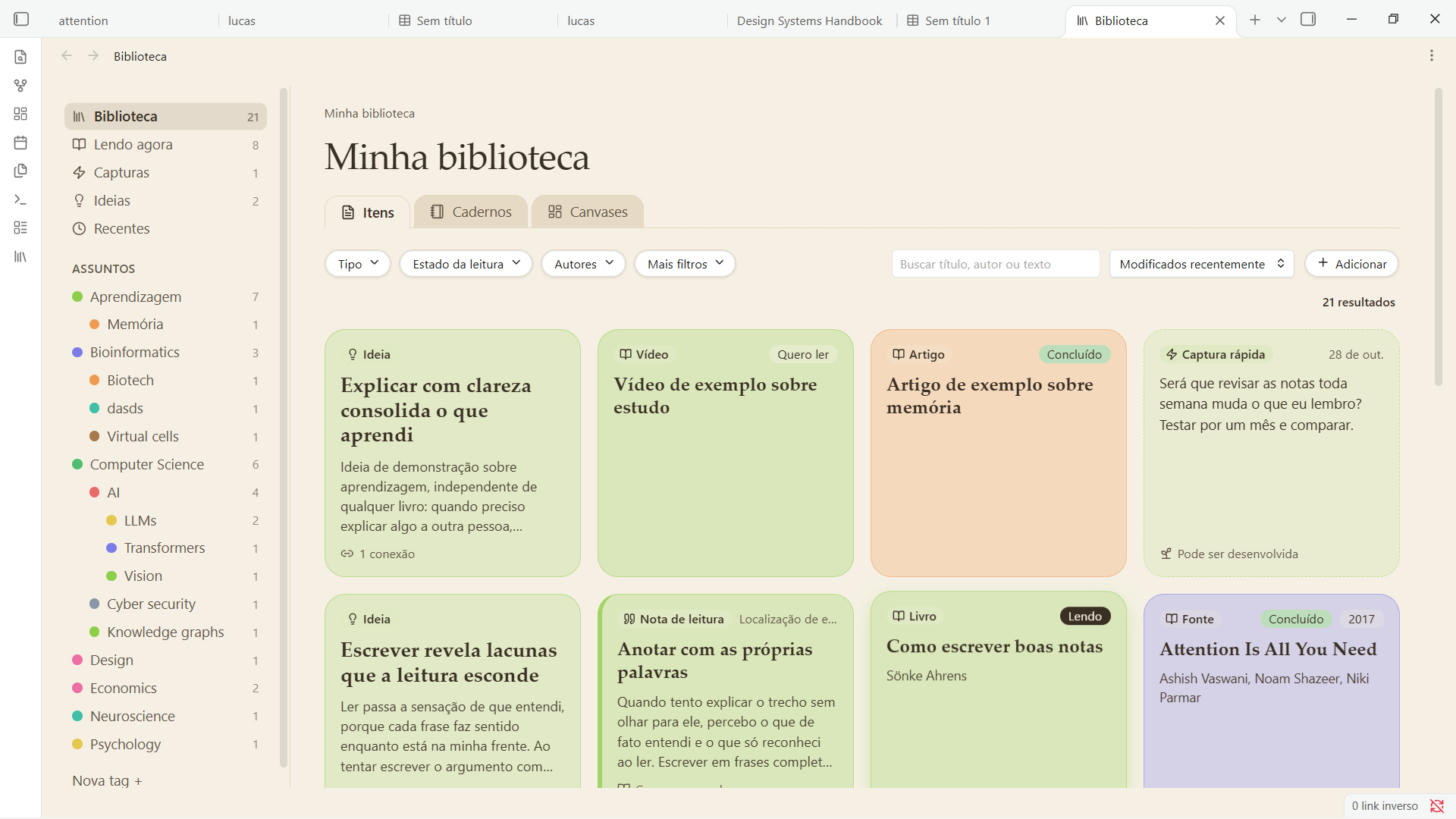
- Content types, each with its own card: sources (book, article, video…), reading notes, ideas and quick captures.
- Views in the sidebar (Library, Reading now, Captures, Ideas, Recent) and a tree of subjects with colors and counts. Views are filters over the same notes, not folders.
- Compact filters: Type, Reading status, Authors and More filters (subject, format, linked source, elaboration, connections). Combine them freely; active filters show as removable chips with the result count.
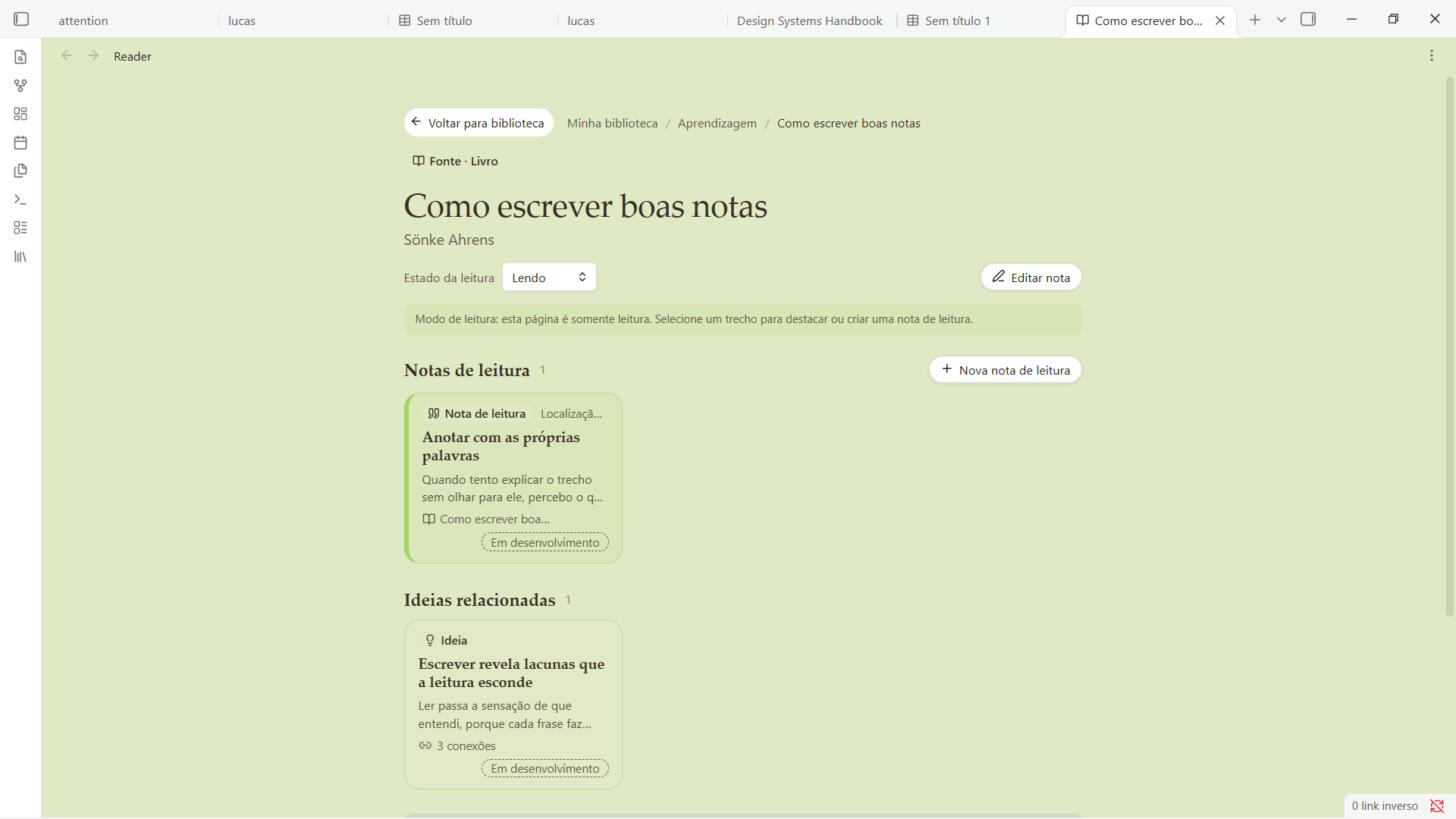
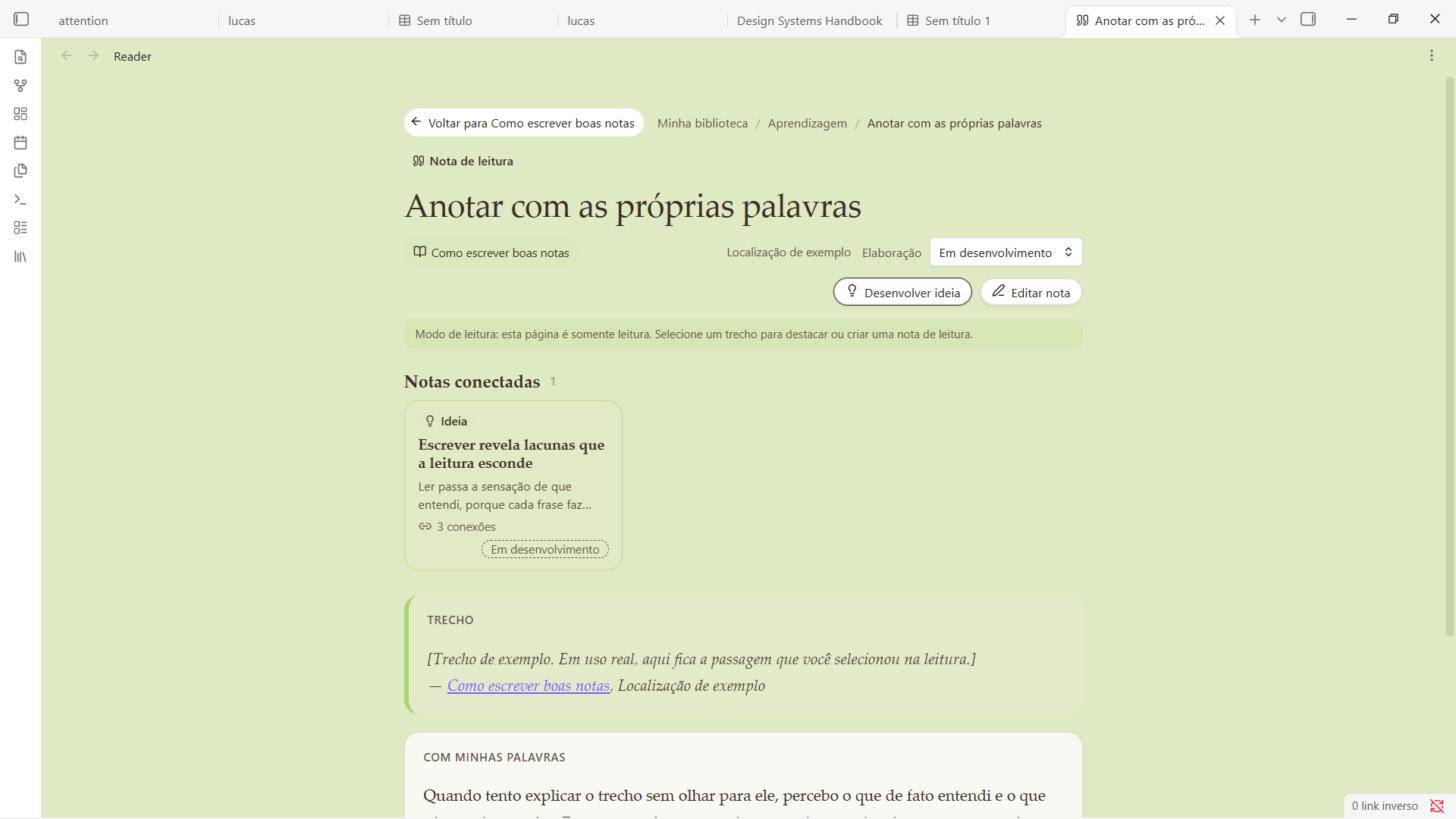
- Reading page for every note, with a Back button that restores filters and scroll. Select a passage to highlight it or turn it into a reading note that keeps its source and location; passage and your own words are drawn as separate blocks.
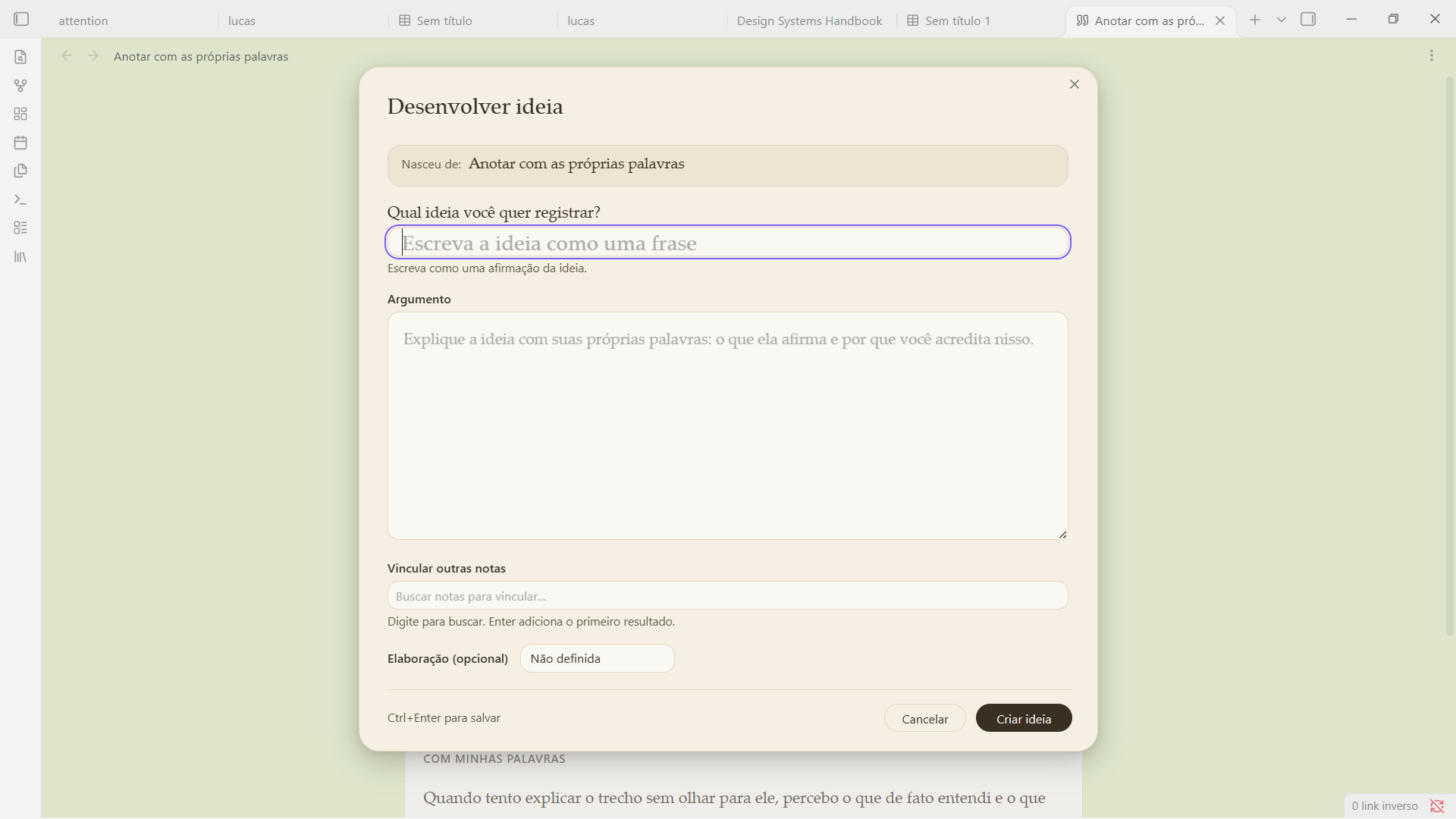
- Develop idea opens a writing-first window: the idea as a full-width sentence, a large area for your argument, the origin note as a collapsed reminder and linked notes as chips. Everything works by keyboard (Ctrl+Enter saves). Nothing is written for you, and an idea has no elaboration state unless you set one.
- Pastel cards and notes tinted by subject color, drag to reorder cards, animated filtering, Portuguese and English, light and dark themes.
See docs/PROPERTIES.md for the properties each type uses.
Not yet
- Covers and metadata lookup (ISBN, DOI) and PDF/EPUB reading: out of scope for now.
- A Bases view and several highlight colors.
- Validation on a real phone: the narrow layout was checked in Obsidian's phone emulation, touch and the virtual keyboard were not. See docs/MOBILE.md.
Development
npm install
npm run dev     # watch mode, writes main.js
npm run build   # type-check + production build
To try it in Obsidian, copy or symlink main.js, manifest.json and styles.css into <vault>/.obsidian/plugins/felisidian/, then enable the plugin under Settings > Community plugins.
Releasing
npm version patch   # bumps package.json, manifest.json and versions.json
git push --follow-tags
The tag (without a v prefix) triggers the release workflow, which builds and attaches main.js, manifest.json and styles.css to a GitHub release.
Privacy
Felisidian runs entirely locally. It makes no network requests and collects no data.
License
For plugin developers
Search results and similarity scores are powered by semantic analysis of your plugin's README. If your plugin isn't appearing for searches you'd expect, try updating your README to clearly describe your plugin's purpose, features, and use cases.