Shiori
unlistedby Vittorio Scaperrotta
Plugin to search, save, and manage your reading collection (books, manga, comics).
Shiori — Reading Library (Books, Manga & Comics)
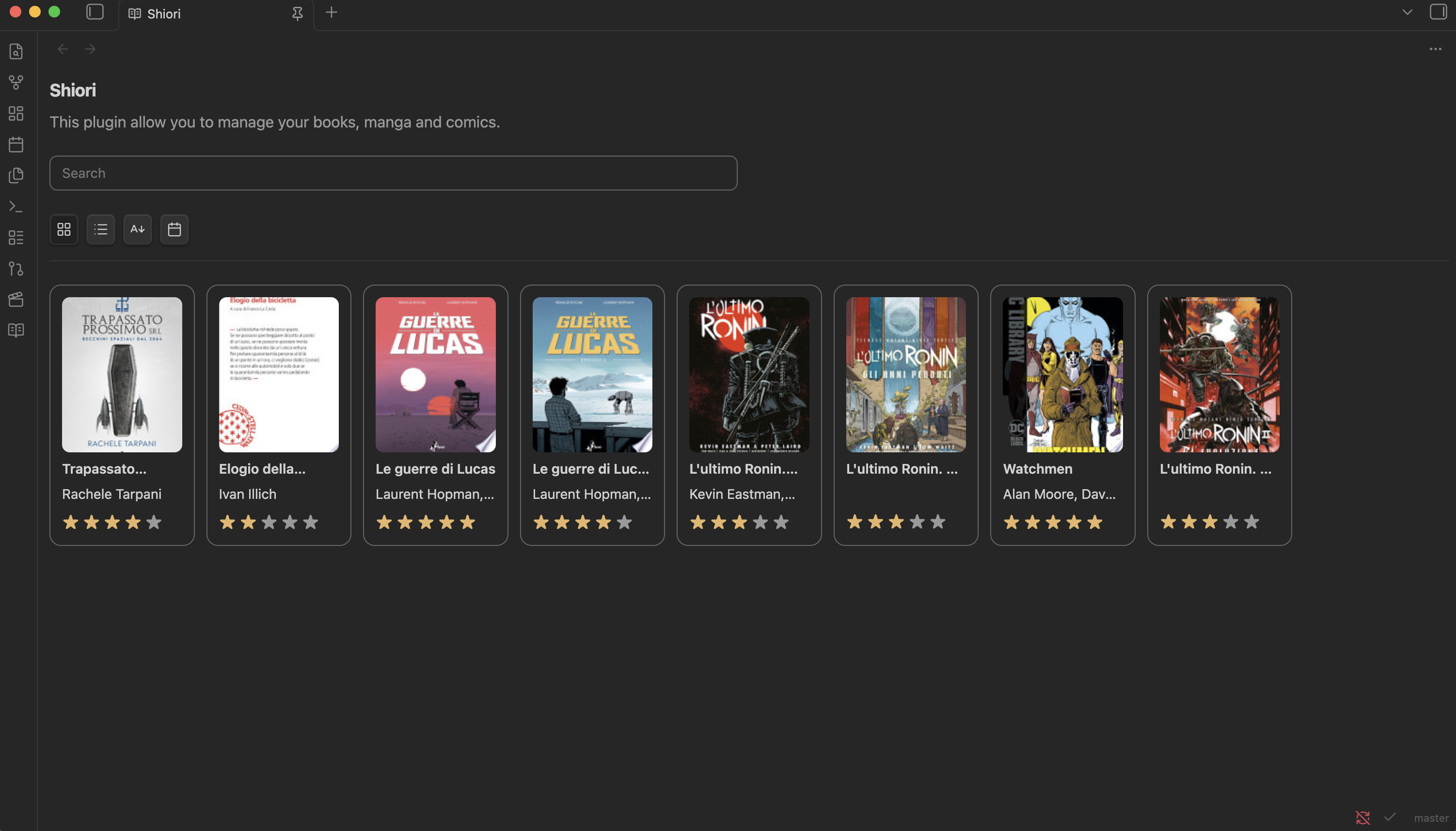
An Obsidian plugin to search, save, and manage your reading collection (books, manga, comics). It supports searches through external providers (e.g. Google Books), stores the library as a JSON file in the vault, and manages read status and ratings.
Key Features
- Search for volumes using external APIs and quickly import metadata.
- Local library stored as a structured JSON file in the vault.
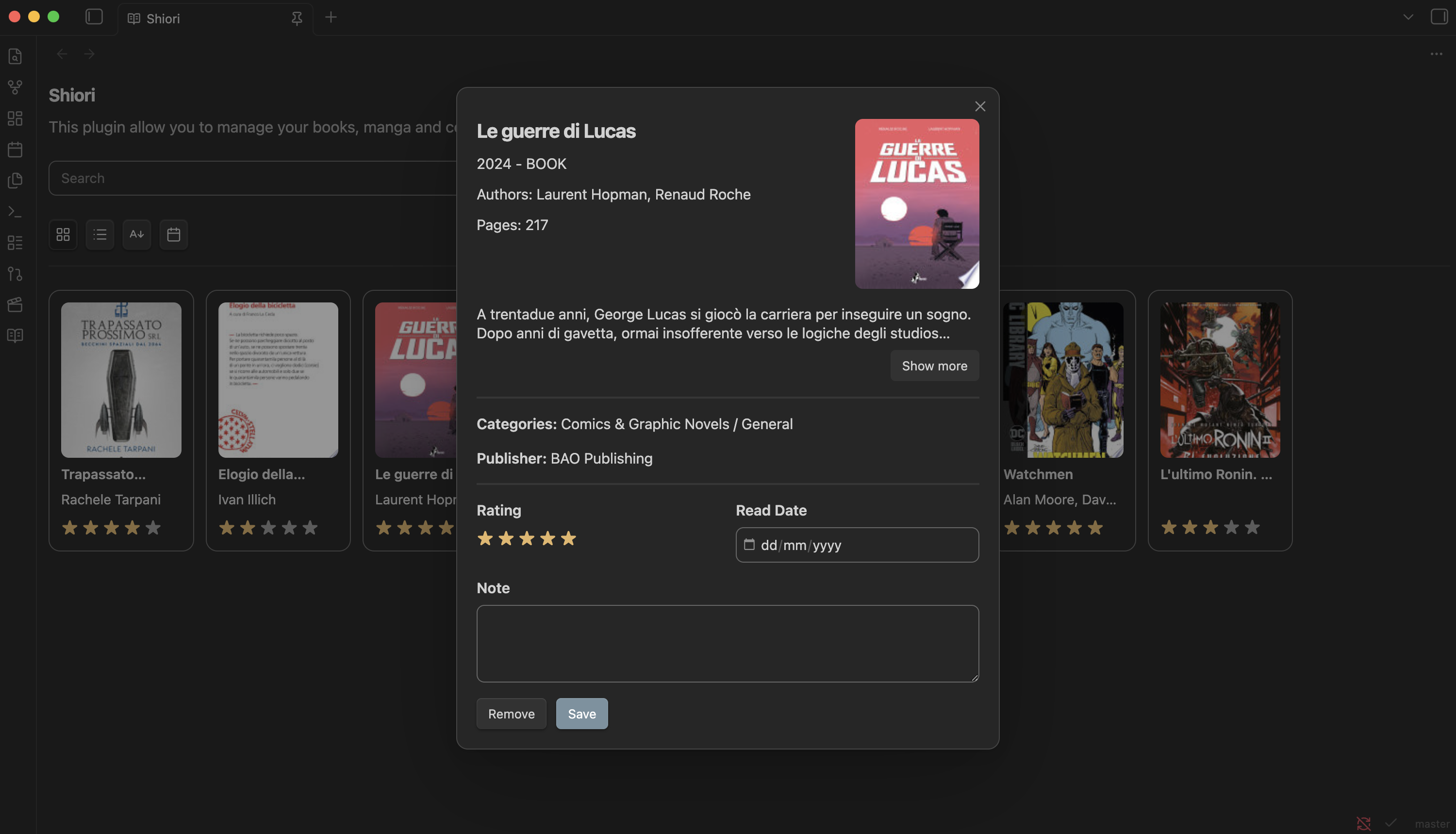
- Reading status (
read), star ratings, and personal notes. - Responsive UI with
gridorlistmodes, detail modals, and a rating widget.
Demo
Features
Settings
Requirements
- Node.js >= 22.16.0 (for development and build)
Development
Main commands (run from the project root):
npm install
npm run dev # development: esbuild + watch sass
npm run build # production build
Configuration
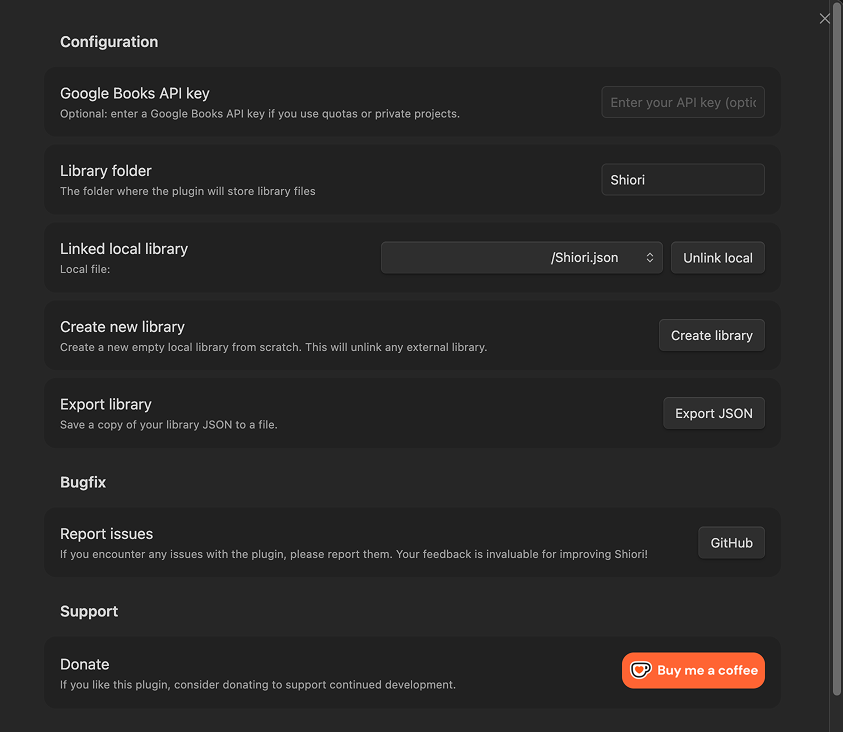
API Key (optional)
To expand searches or get more detailed results you can use an API key (e.g. Google Books). Add the key in the plugin settings.
Library Folder and File
By default the library is saved in a configurable folder inside the vault (see plugin settings). The JSON file can be created/loaded/saved via the plugin interface.
Quick Start
- Open the plugin view from the ribbon or via the available command.
- Use the search bar to find a volume.
- Open the detail view and use actions to add to the library, mark as read, or rate.
Project Structure (summary)
src/
├── main.ts                    # Plugin entrypoint
├── constants.ts
├── services/
│   ├── bookService.ts         # API calls and result normalization
│   └── storage.ts             # Create / load / save JSON
├── settings/
│   └── settingsTab.ts         # Settings UI
├── ui/                        # UI components and modals
└── views/
    └── pluginView.ts         # Main view
Updates
- Added a "Read Date" field in the detail modal to record when a book was read.
- Added sorting filters (alphabetical and by read date); new books are now inserted at the top of the list.
Version: 1.0.0 Minimum Obsidian Version: 0.15.0
If you want to support development: https://ko-fi.com/vittorioscaperrotta
For plugin developers
Search results and similarity scores are powered by semantic analysis of your plugin's README. If your plugin isn't appearing for searches you'd expect, try updating your README to clearly describe your plugin's purpose, features, and use cases.