Tome Reader
unlistedby katrinasenpai
Read EPUB books in beautiful themes, capture quotes and vocabulary into notes, get auto-built tables of contents, and optionally plug in your own AI key for translations and recaps.
📖 Tome Reader
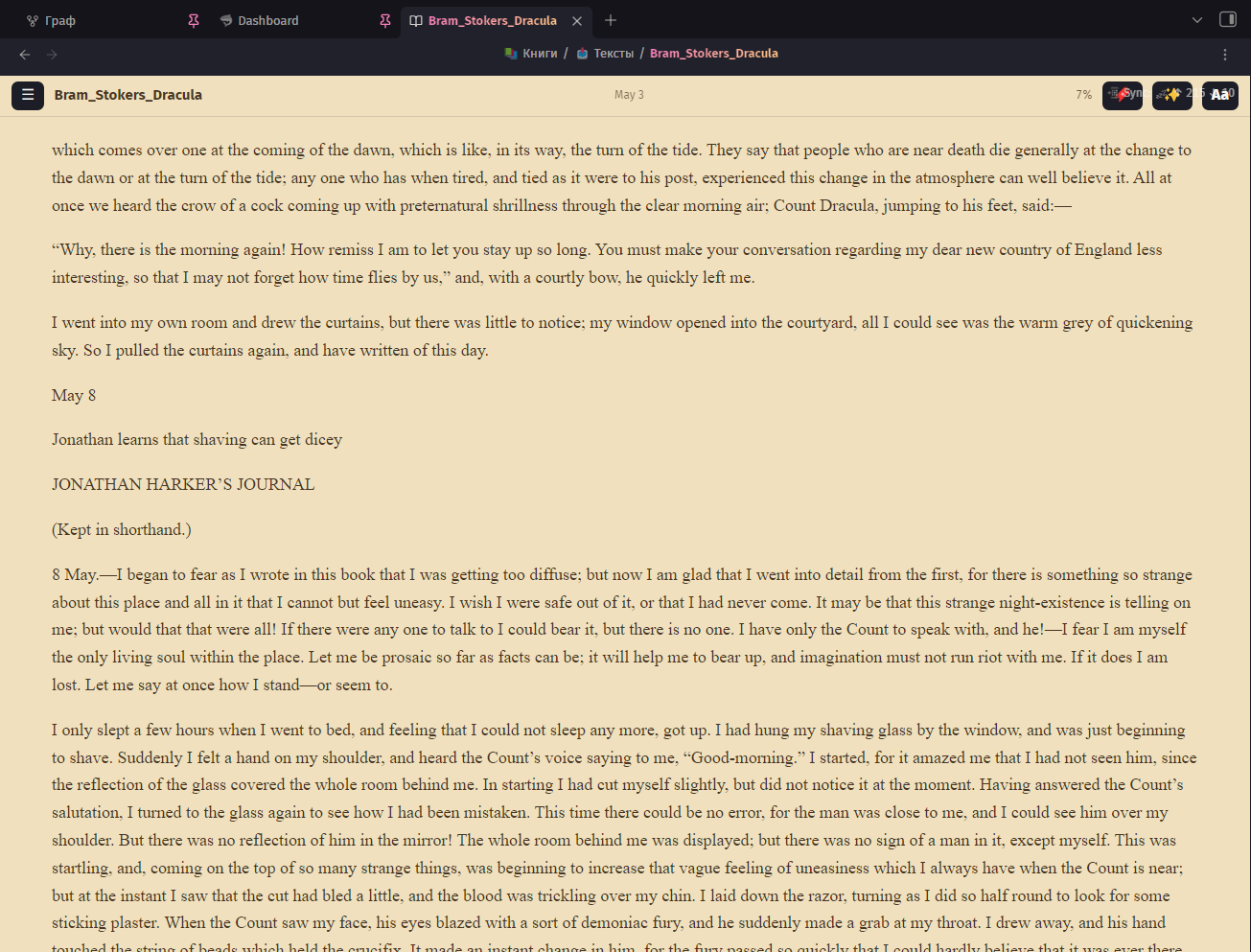
A beautiful e-book reader for Obsidian — Tome for short. Read your EPUB library right inside your vault — and turn reading into notes: capture quotes with your thoughts and grow a vocabulary with flashcard-ready entries. Works on desktop and mobile.
Built by a humanities person who wanted her library to feel like a library.
Screenshots
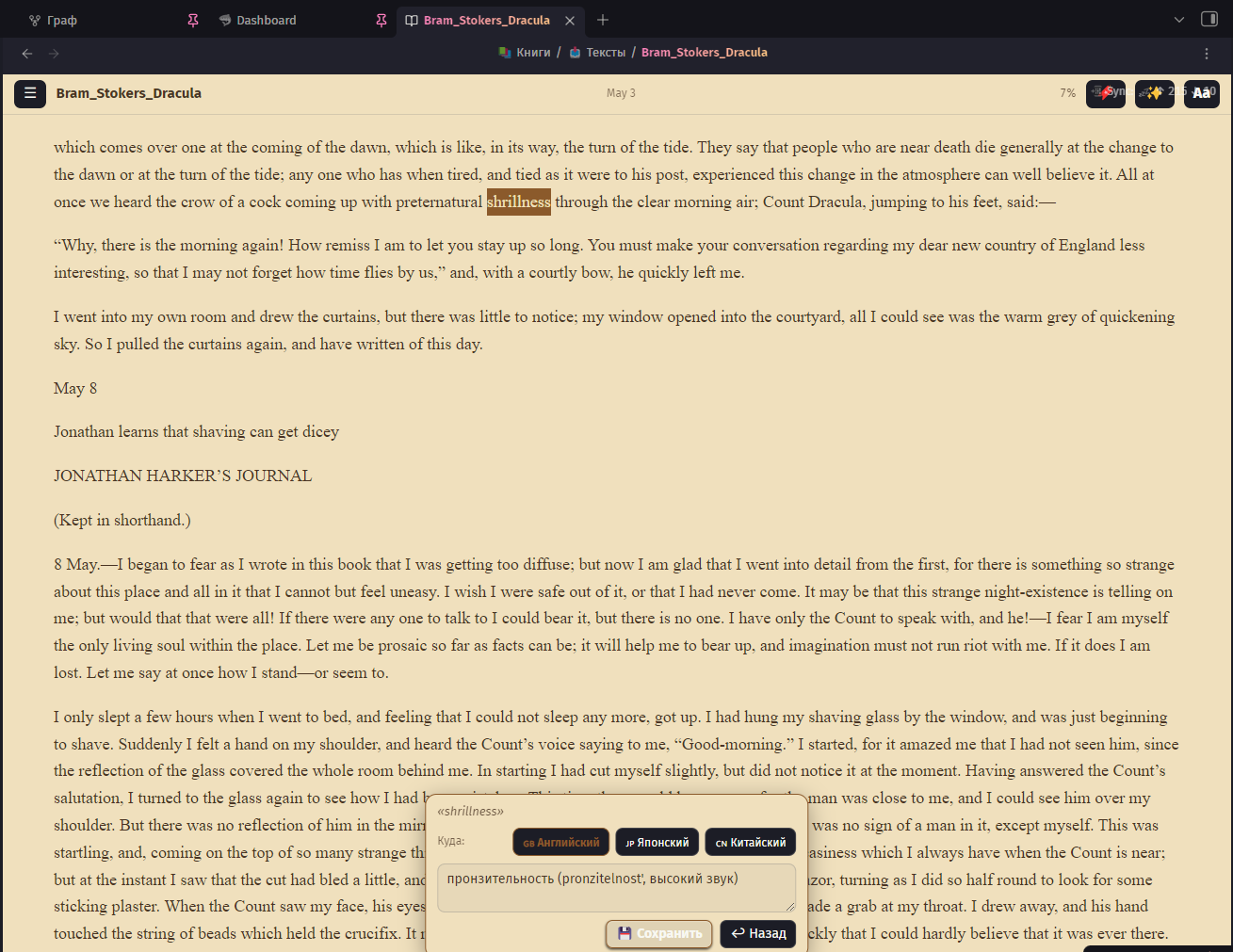 Select a word → pick a dictionary → save a flashcard-ready entry | 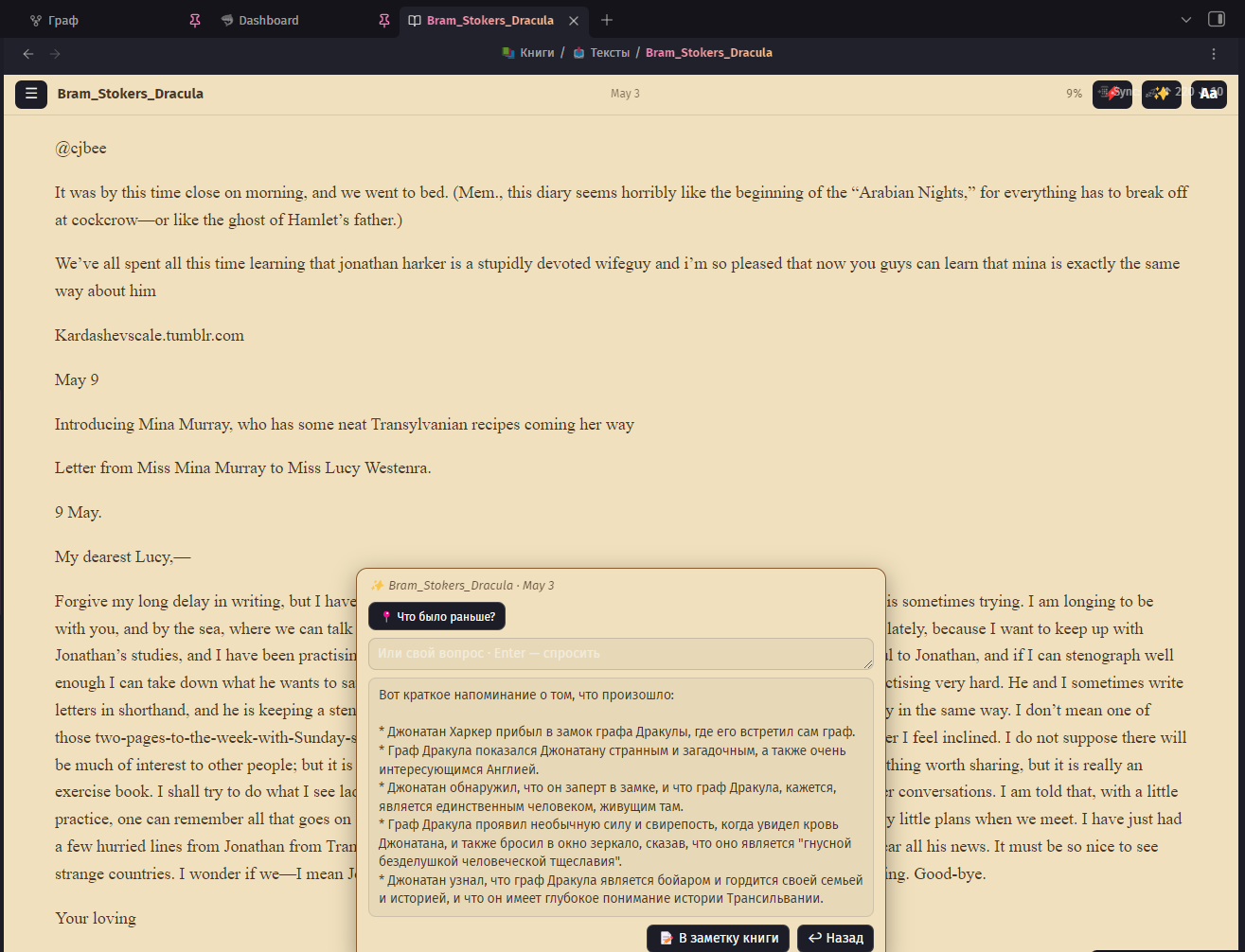 “What happened so far?” — a spoiler-safe recap built only from what you've already read |
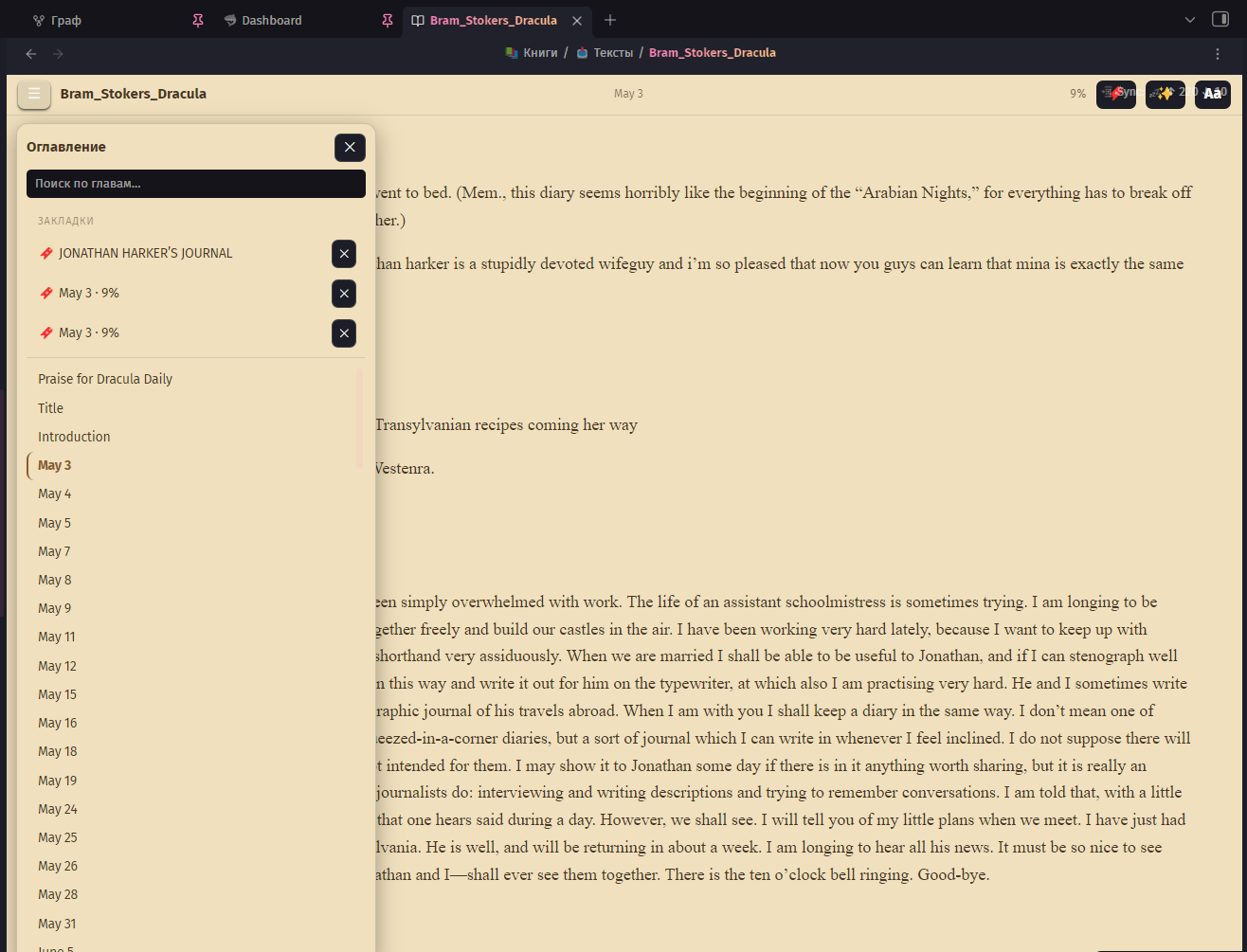 TOC panel: pinned bookmarks on top, chapter search below | 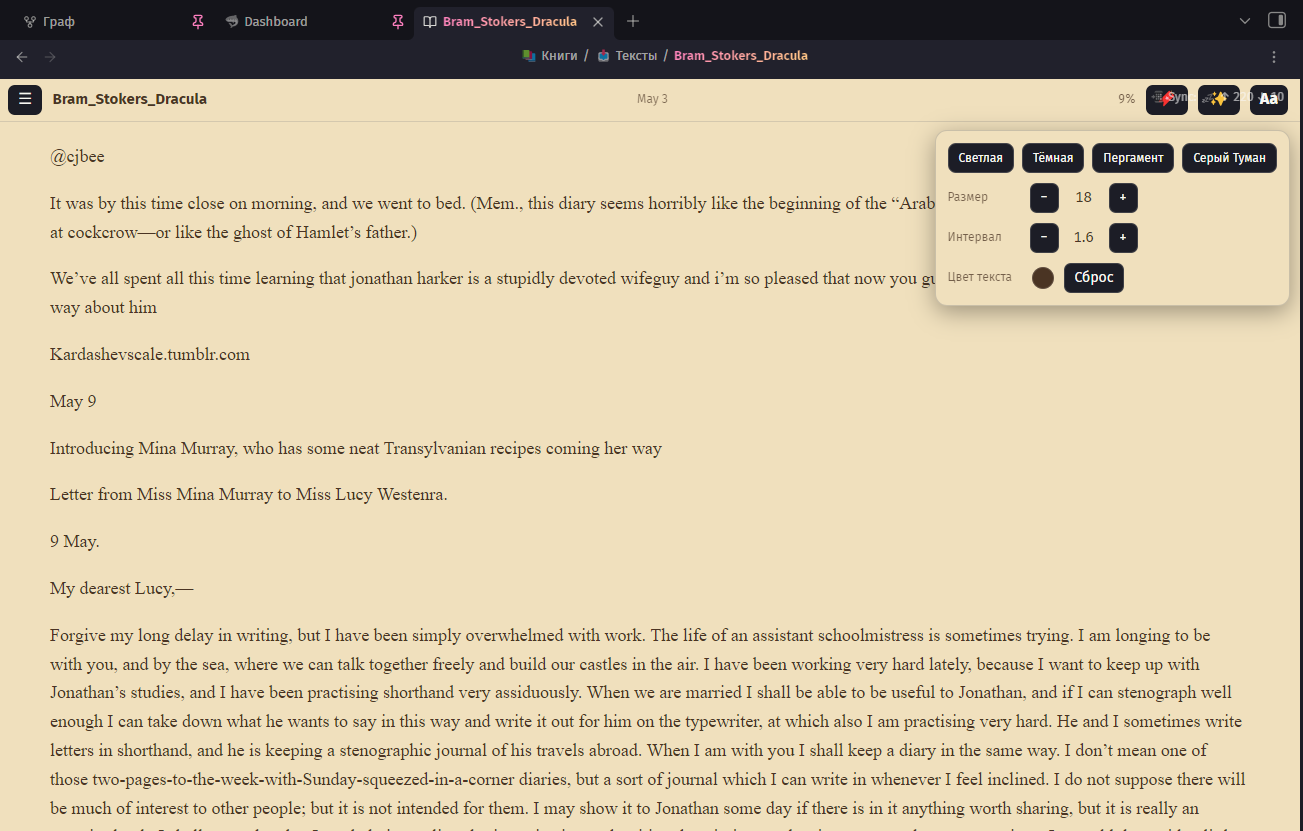 Theme, font size, spacing and text color — right in the reader |
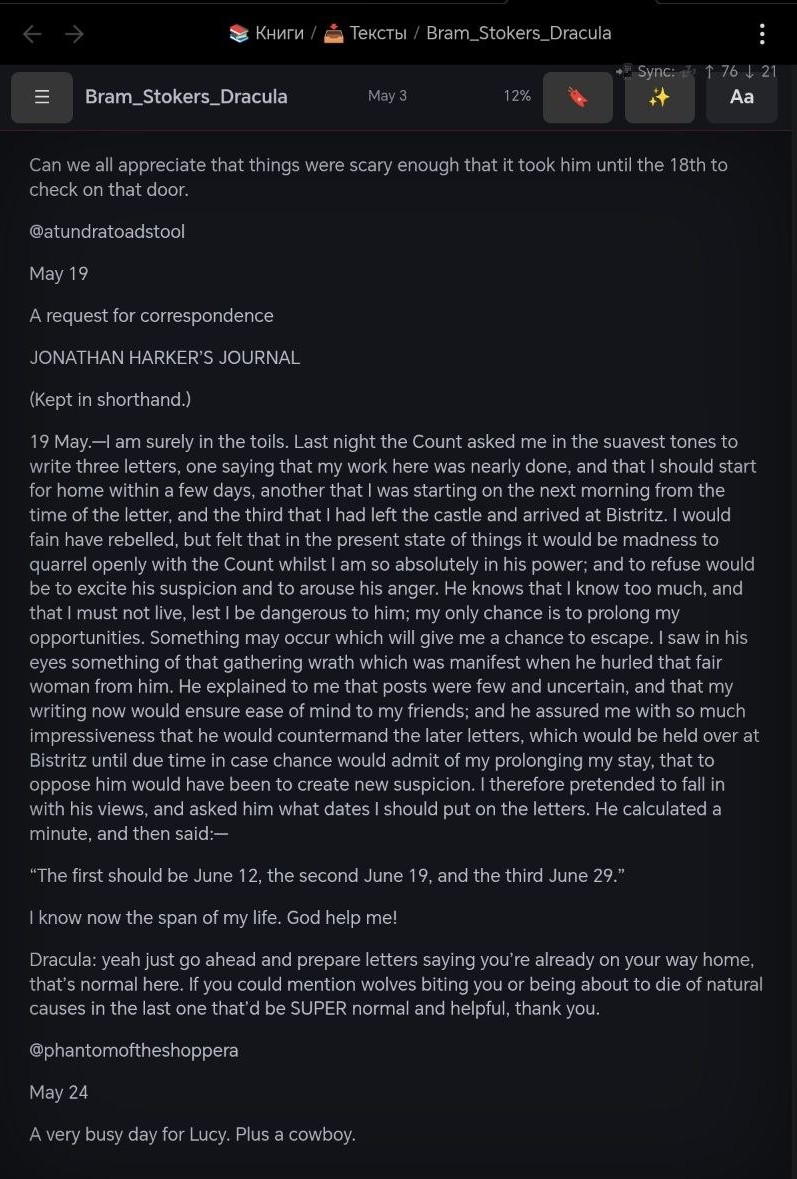 Gray Fog theme on a tablet | 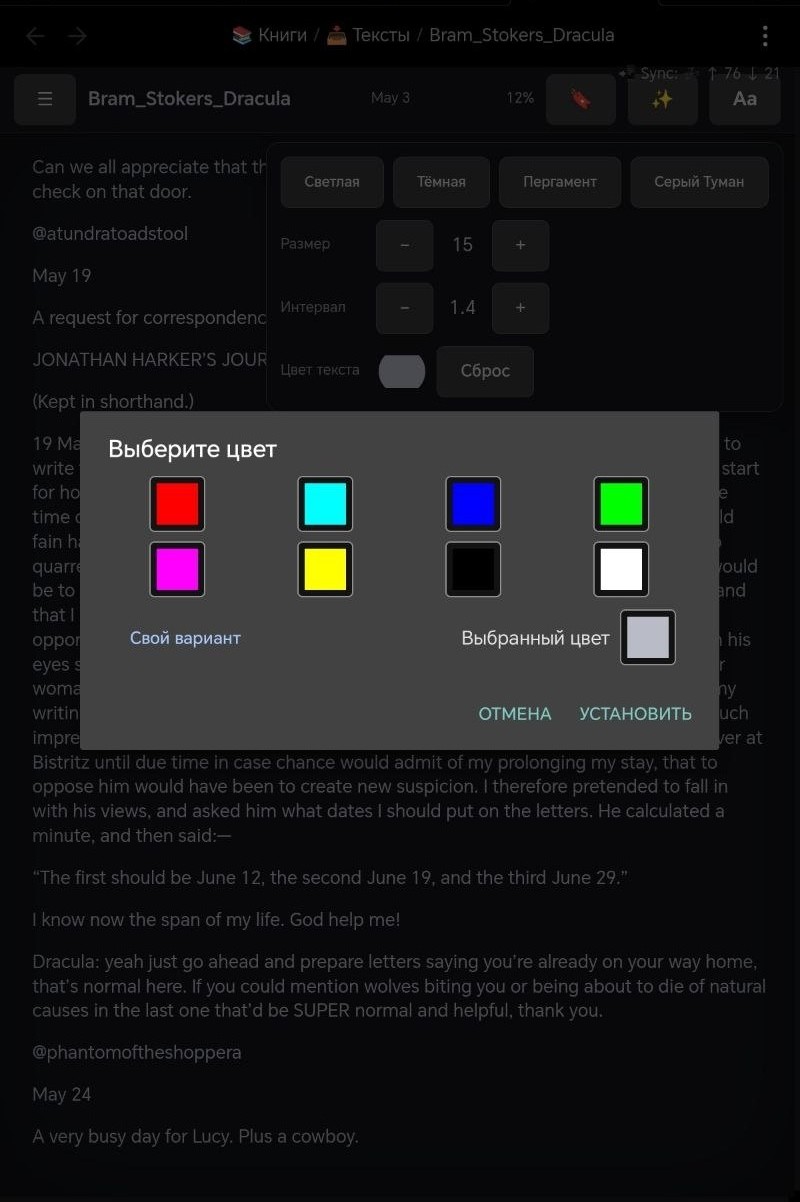 Tuned for touch |
Screenshots show the Russian UI — English is the default (switch anytime in settings).
Features
Reading
- 📚 EPUB reading in a native Obsidian tab — open any
.epubfrom your vault - 🎨 Four themes: Classic Light, Classic Dark, Parchment (aged paper with warm brown ink) and Gray Fog (dark academia with a crimson accent)
- 🔤 Aa panel right in the reader: switch theme, adjust font size, line spacing and even text color on the fly — without leaving the page
- ✍️ Typography controls: custom font family, size, spacing
- 📑 Table of contents panel with chapter search, current-chapter highlight and auto-scroll — works reliably even for books with a thousand chapters
- 🪄 Auto-generated TOC: if a book ships with a broken or empty table of contents (looking at you, converted web novels), Tome scans the text and builds one from the headings — cached per book. Note: books converted from PDF often lose heading markup entirely — Tome builds from whatever headings survived the conversion
- 🔖 Reading position remembered per book, chapter name and progress % in the header
- 📌 Bookmarks: drop one at the current page from the header, or pin a selected passage — they live at the top of the TOC panel, one tap to jump back. Wander around the book freely; your marked spot waits for you
- 📱 Mobile-friendly: tap zones for page turns with a subtle turn animation (respects reduced-motion), tuned for tablets and phones
Capture while you read
- 📝 Selection → book note: select a passage, add your own thought inline, and Tome saves the quote (with chapter reference) into a per-book note — created automatically
- 🈶 Selection → dictionary: select a word, type its translation right there, and it lands in your dictionary file as a spaced-repetition-ready line (
word:::translation) — pairs perfectly with the Spaced Repetition plugin - ✏️ Fix typos right in the book: select a flawed fragment, type the correction — Tome edits the EPUB file itself (only when the fragment is unique in the chapter, so nothing gets mangled)
- ⌨️ Enter to save, Esc to go back — your reading flow stays unbroken
AI assistant (bring your own key)
- ✨ Optional AI helper — plug in your own API key and Tome becomes a smart reader. Supports Groq, OpenAI, OpenRouter, Anthropic (Claude) or any OpenAI-compatible endpoint
- 🌐 Translate a selection with one tap — then send the translation straight into your dictionary
- 💡 Explain a fragment — terms, idioms, cultural references, with the surrounding paragraph as context
- 📍 “What happened so far?” — Tome collects the text before your current position and asks the model for a spoiler-safe recap; ask free-form questions about the book the same way
- 📝 Save recaps and answers into the book note with one tap — each lands as a tidy callout with the chapter and progress stamp
- 🔒 Privacy-transparent: nothing is sent anywhere unless you configure a provider and tap an AI action; only the relevant fragment (or already-read text for book questions) is sent to your provider
- 🌍 Provider geo-blocked in your region? The Base URL is editable — point it at your own relay (e.g. a tiny Cloudflare Worker that forwards requests to the API host) and keep the same key. A Test connection button in settings tells you right away if the route works
Interface
- 🌐 English and Russian UI (English by default — switch in settings)
Roadmap
- FB2 support
- Swipe page turns and page-flip animation
- Reading progress in note frontmatter (for Dataview book boards)
- Community plugin catalog submission
Install
Via BRAT (recommended for now):
- Install and enable the BRAT plugin
- BRAT settings → Add Beta Plugin →
katrinasenpai/tome-reader - Enable Tome in Settings → Community plugins
From source:
npm install
npm run build
Copy manifest.json, main.js, styles.css into <vault>/.obsidian/plugins/tome-reader/ and enable Tome.
Development
npm run dev            # watch mode
npm run install-vault  # build + copy into the vault set in install-vault.mjs
License
MIT
For plugin developers
Search results and similarity scores are powered by semantic analysis of your plugin's README. If your plugin isn't appearing for searches you'd expect, try updating your README to clearly describe your plugin's purpose, features, and use cases.