Delete Empty Lines
unlistedby kqint
Delete empty lines in notes, and support compressing multiple consecutive empty lines into a configurable number of empty lines.
Updated 4mo agoMIT
Obsidian Delete Empty Lines
Delete or compress empty lines in your notes. Supports processing the entire document or only the selected content.
Demo
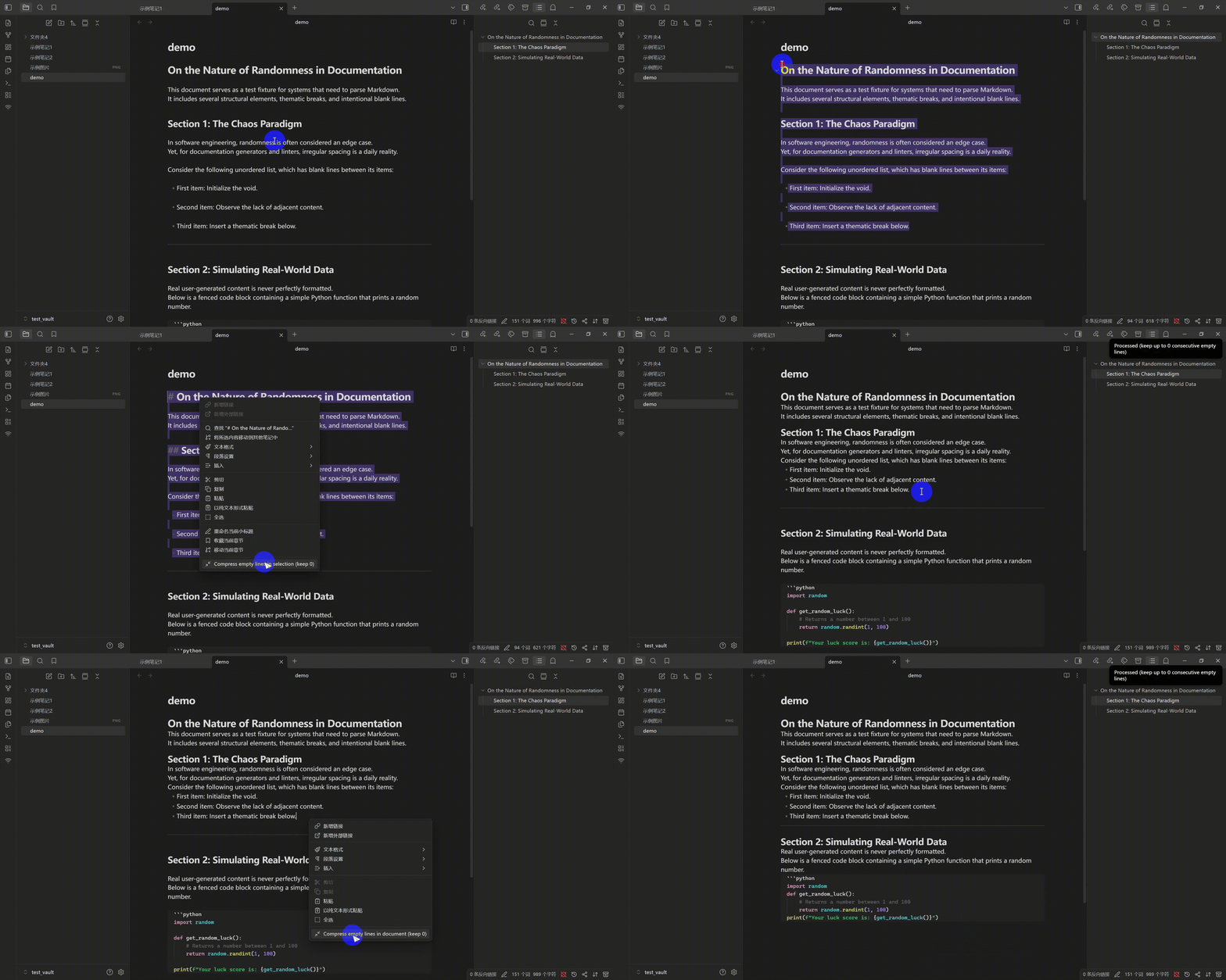
Features
- Full document processing
- Selection-only processing
- Configurable maximum consecutive empty lines
- Optional handling of whitespace-only lines
- Internationalized UI (
Englishand简体中文)
Commands
- Compress empty lines (Full document, keep {count})
- Compress empty lines (Selection, keep {count})
The {count} value follows your settings.
Context Menu
- If text is selected: show selection command
- If no text is selected: show full document command
Installation
Installation using BRAT (Recommended)
- Install the BRAT plugin from Community Plugins.
- Open BRAT settings, click
Add Beta plugininBeta plugin list, add this repository inRepository:kqint/obsidian-delete-empty-lines, and install the latest version. - Enable the plugin in Community Plugins.
- Updates will be automatically installed.
Manual
- Download
main.jsandmanifest.jsonfrom releases/latest. - Copy
main.jsandmanifest.jsonto:.obsidian/plugins/delete-empty-lines/ - Restart Obsidian and enable the plugin in Community Plugins.
Internationalization
Translation source files are in locales/:
locales/en.jsonlocales/zh-CN.json
Build command bundles these locale files into main.js:
npm run build
To add a new language:
- Copy
locales/en.jsonto a new file likelocales/ja.json. - Translate all values.
- Add that language option in
src/main.tsand runnpm run build.
License
For plugin developers
Search results and similarity scores are powered by semantic analysis of your plugin's README. If your plugin isn't appearing for searches you'd expect, try updating your README to clearly describe your plugin's purpose, features, and use cases.