OneDesk
unlistedby L-WangLi
All-in-one dashboard for projects, tasks, time tracking, reading, literature, writing and English practice.
OneDesk
English · 中文
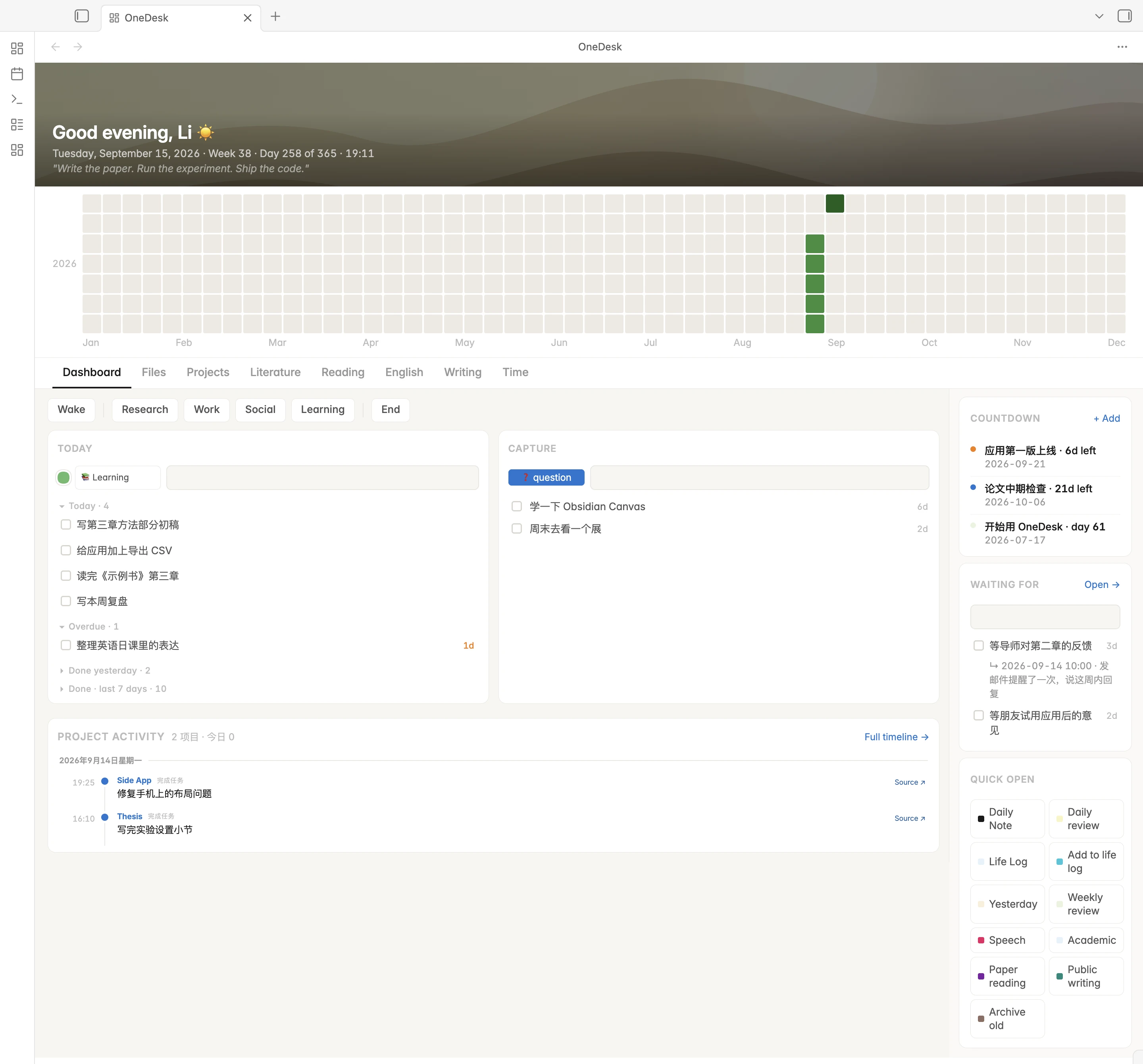
An all-in-one dashboard for Obsidian, built around a graduate student's day: tasks and stray thoughts, projects, literature, time, writing and English practice in one view. Everything is read from, and written back to, plain Markdown notes in your vault.
The interface is currently in Chinese. English UI is planned.
What's inside
- Dashboard — today's tasks, one box to capture a question or a someday idea the moment it interrupts you, quick links to your daily note, life log and reviews, a punch clock and countdowns. Read more →
- Literature — turns a Zotero collection into a research gap collection, a comparison matrix, a tag index and a related-work draft grouped by topic. Read more →
- Projects — next actions and a progress timeline for each project, and one timeline across all of them. Read more →
- Time — a one-tap punch clock, your schedule against what actually happened, and rhythm metrics like golden hours used. Read more →
- Writing — daily practice with terms and sentence moves drawn from the papers you read, and a pipeline for public writing. Read more →
- English — sentence patterns practised as chunks on a four-week plan, and a daily speaking drill built from what you did yesterday. Read more →
- Reading — stats and your latest thoughts from book notes. Read more →
- Files — browse, preview and edit the vault in three panes. Read more →
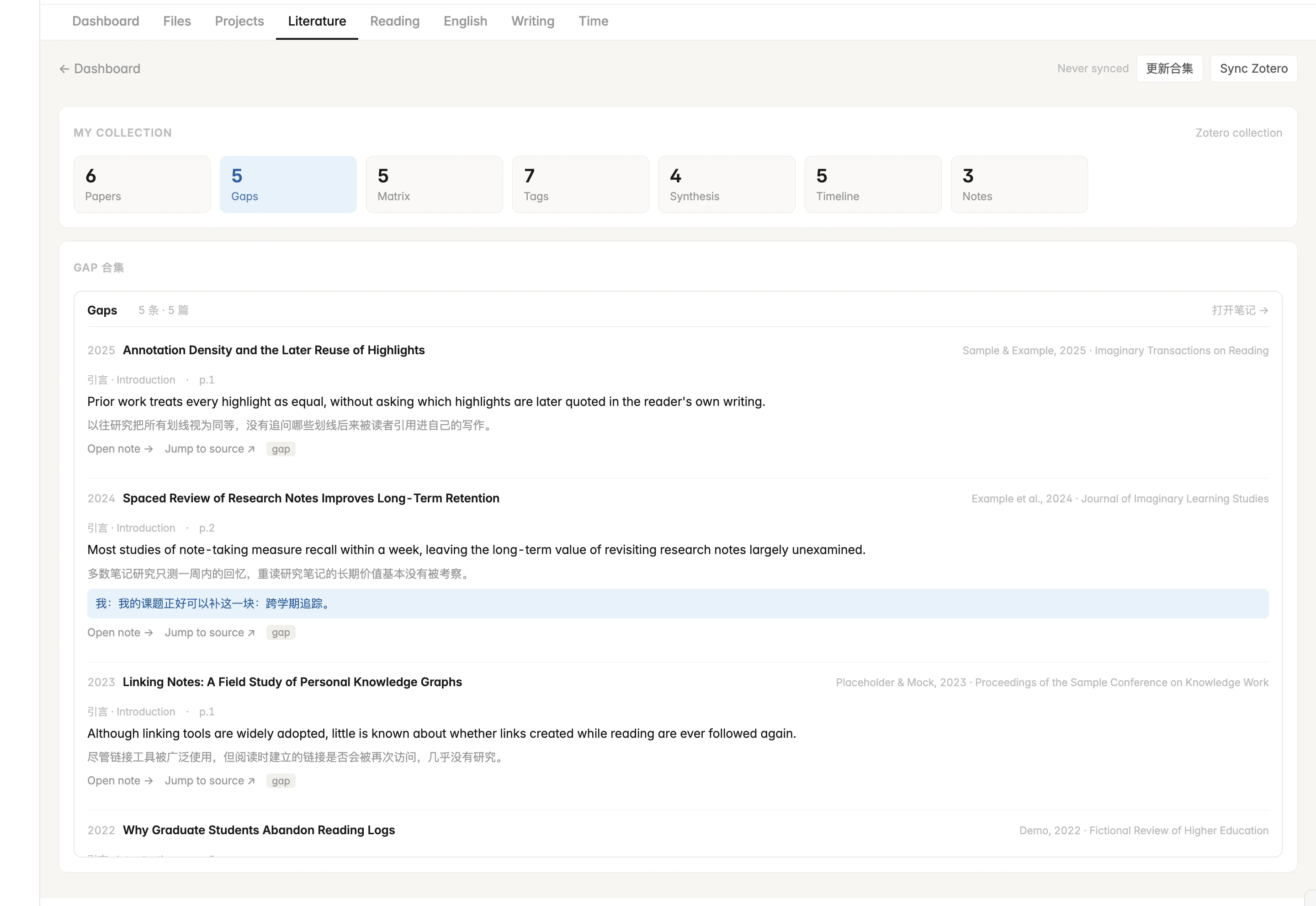 Research gap collection | 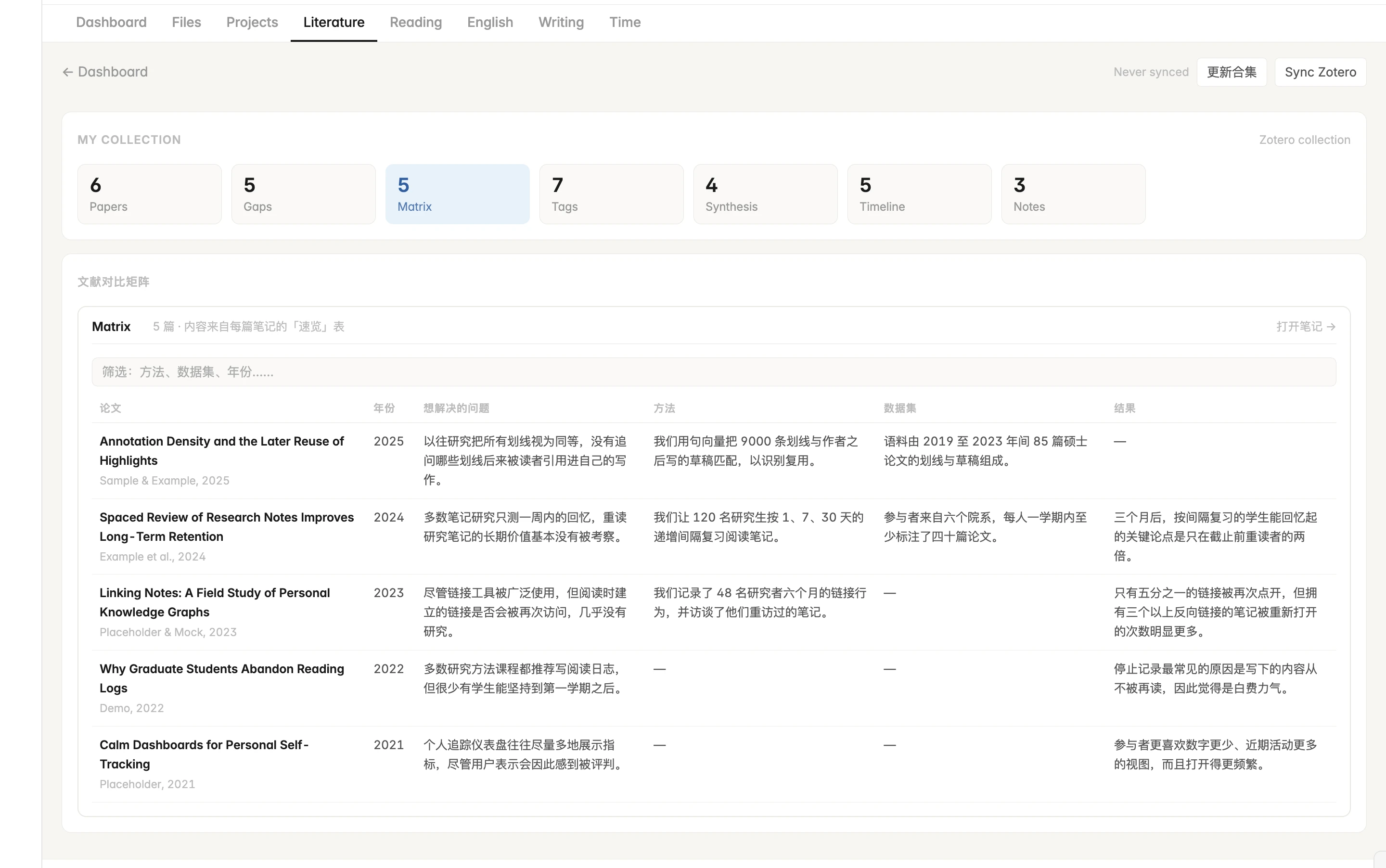 Comparison matrix |
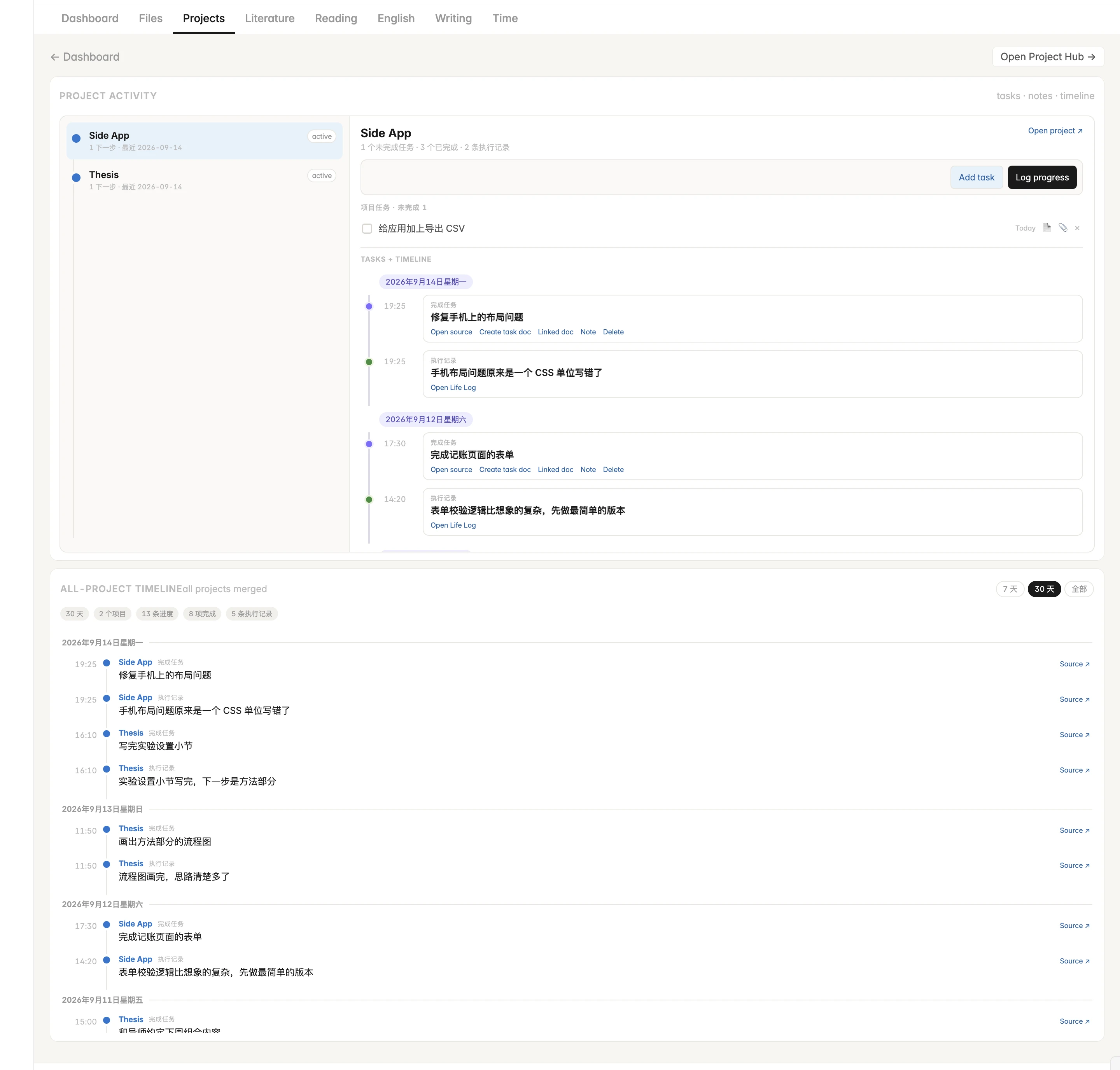 Project timelines | 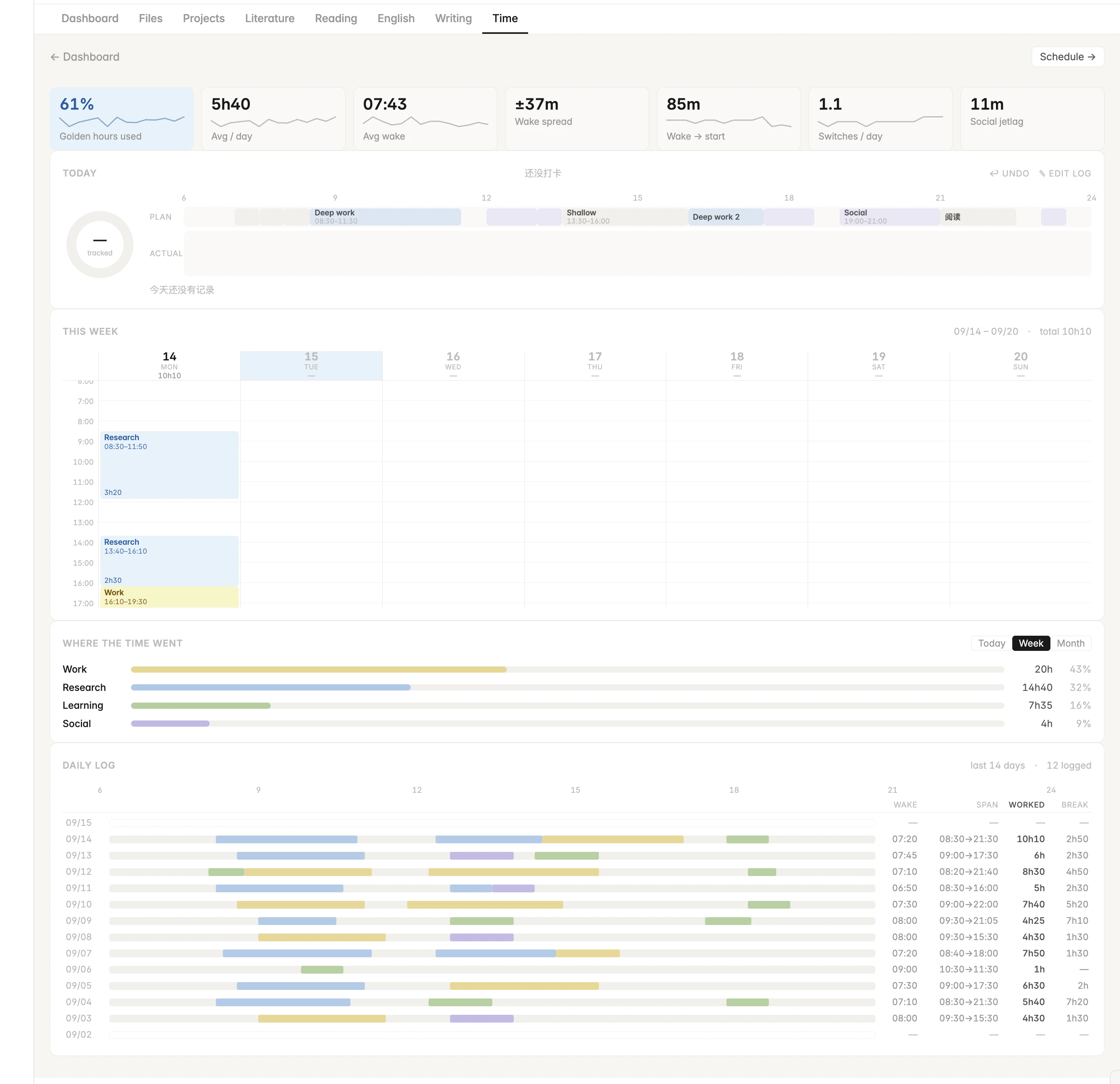 Time and rhythm |
Install
OneDesk needs the Dataview plugin (JavaScript queries do not need to be enabled).
With BRAT (updates automatically): install BRAT from Community plugins, run BRAT: Add a beta plugin for testing, enter https://github.com/L-WangLi/obsidian-onedesk, then enable OneDesk.
Manually: download main.js, manifest.json and styles.css from the latest release into <vault>/.obsidian/plugins/onedesk/, then enable OneDesk.
Try it in a minute
- Open a new, empty vault and install Dataview and OneDesk.
- Run OneDesk: 创建示例笔记 (create sample notes) from the command palette.
- Every tab fills with a fictional week of tasks, projects, punches, papers and books.
Documentation
| Getting started | Install, sample notes, folder conventions, settings, syncing across devices |
| Dashboard | Why capture helps you focus; Today, Capture, questions, quick open, daily note, life log, reviews |
| Literature | The graduate-student workflow: gaps, matrix, tags, related-work draft, Zotero sync |
| Projects · Files | Project notes and timelines; the vault browser |
| Time · Writing · English · Reading | Punch clock and schedule; writing practice; patterns and speaking drill; book notes |
Your notes stay yours
OneDesk has no database. Every card is a view over ordinary Markdown notes, so what it writes can be read, edited, searched and synced like anything else in your vault. It works on desktop and mobile, with a single-column layout on phones; only the Zotero sync itself needs the desktop app.
Development
No dependencies — the build is a single Node script.
npm run build                                               # writes main.js
npm run dev -- "/path/to/vault/.obsidian/plugins/onedesk"   # rebuild into a vault on every change
npm run example                                             # writes example-vault/ with the plugin installed
npm test
Sources are in src/. To release, bump the version in manifest.json and versions.json and push a tag with the same version; GitHub Actions builds, tests and publishes the release.
License
For plugin developers
Search results and similarity scores are powered by semantic analysis of your plugin's README. If your plugin isn't appearing for searches you'd expect, try updating your README to clearly describe your plugin's purpose, features, and use cases.