Ollama Sidechat
unlistedby Leonyx
Chat with your local Ollama instance in a side window
Ollama Sidechat for Obsidian
A side panel chat interface for Ollama in Obsidian. Chat with local LLMs directly in your vault.
Features
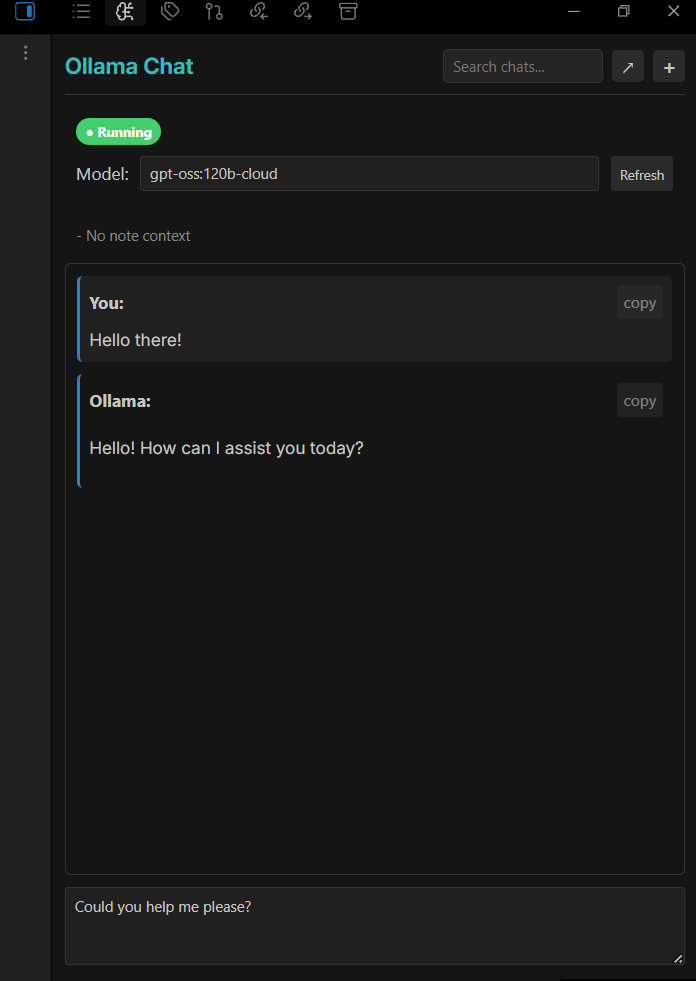
- 💬 Side Panel Chat — Chat with Ollama without leaving your notes
- 📝 Note Context — Automatically includes active note content as context
- 🔎 Vault Browse — Pulls relative file lists plus linked and related note excerpts
- 🧠 Chat Memory — Keeps a rolling summary and recent turns for better recall
- 💾 Chat History — Saves conversations as searchable markdown files
- ⚡ Streaming Responses — See responses as they're generated
- 🔄 Model Switching — Switch between available models on the fly
Installation
- Install Ollama on your system
- Pull a model:
ollama pull llama3.1 - Copy this plugin to
.obsidian/plugins/ollama-sidechat/ - Enable the plugin in Obsidian Settings → Community Plugins
Usage
- Click the brain icon in the ribbon (or run command "Open Ollama Chat")
- Start Ollama on your machine (if using it locally)
- Type your message and press Enter to send
- Use Shift+Enter for multi-line input
- Toggle Vault Browse to include related notes automatically
- Enable Chat Memory to keep a rolling summary per chat
Settings
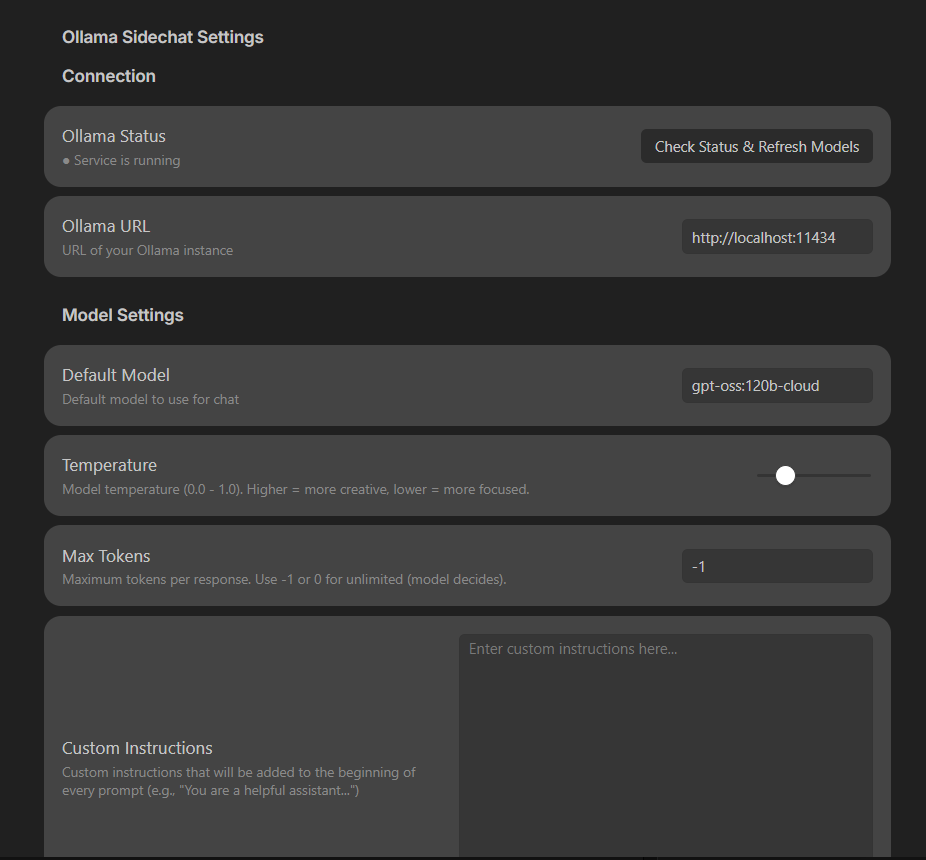
| Setting | Description |
|---|---|
| Ollama URL | API endpoint (default: http://localhost:11434) |
| Default Model | Model to use for chat |
| Temperature | Response creativity (0-1) |
| Max Tokens | Token limit per response (-1 = unlimited) |
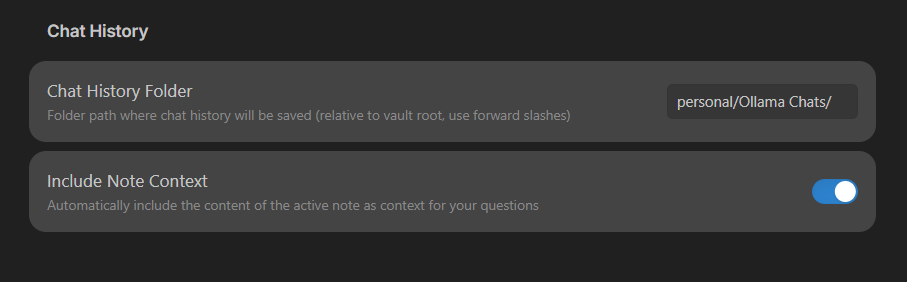
| Chat History Folder | Where to save chat files |
| Include Note Context | Send active note as context |
| Enable Vault Browsing | Include relative file listings, linked notes, and related note excerpts |
| Enable Chat Memory | Keep a rolling summary and recent turns for the current chat |
| Memory Summary Size | Max characters for the rolling summary |
| Recent Turns in Prompt | How many recent turns to include |
| Memory Summary Temperature | Controls summary stability (lower = more stable) |
When Vault Browse is enabled, the plugin scans note metadata and excerpts to find related notes even if they are not explicitly linked. Chat Memory stores the rolling summary as a hidden block inside each chat file so it can be reloaded later.
Chat History
Chats are saved as markdown files organized by month:
Ollama Chats/
└── 2026-01/
    └── 2026-01-22_14-30-15_my-question.md
Each file includes YAML frontmatter with metadata and links to context notes.
Requirements
- Obsidian 0.15.0+
- Ollama installed locally
License
MIT
For plugin developers
Search results and similarity scores are powered by semantic analysis of your plugin's README. If your plugin isn't appearing for searches you'd expect, try updating your README to clearly describe your plugin's purpose, features, and use cases.