LLM docs
approvedby shane-lamb
Simple LLM (AI chat) client using pure markdown documents
LLM docs
A plugin for Obsidian (https://obsidian.md) that lets you chat with LLMs in plain markdown files!
Features
- Use the same Obsidian markdown editor you know and love to chat with LLMs and freely edit conversation history
- Integrates with the OpenAI API (with plans to support other providers like Google and Anthropic)
- Also works with self-hosted/local LLMs that expose an OpenAI-compatible API, like Ollama (https://ollama.com)
- Can follow links to other Obsidian documents included in your prompt, making it easier to include additional context
- Supports linked/embedded images in prompt
Advantages over similar plugins
The core feature of this plugin is that all chatting is done in plain markdown files which can be freely edited and persisted in your vault along with all your other documents. Most plugins featuring LLM chat aren't built this way, and instead make use of a separate window/UI to facilitate chat. Having said that, there is another great Obsidian plugin called ChatGPT MD which shares this design principle.
Compared to ChatGPT MD, an advantage is that this plugin includes visual overlays like a "complete" button to execute your query and a loading indicator to let you know your query is being executed. The headings for user and assistant responses have also been stylized to make it easier to read and scan through the document. Also, I've supported inline images and linked documents (markdown files) being included as context in the prompt.
In the future I plan to add even more great features, including:
- Support for other LLM provider APIs, such as Google and Anthropic
- Tool use, enabling "agentic" behaviour
How to use
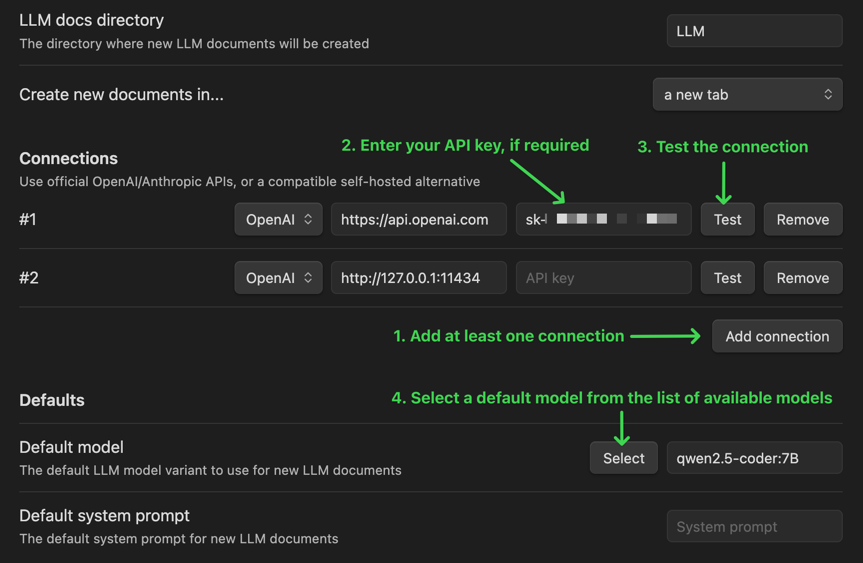
1. Update your configuration
Open the Obsidian settings window and select "LLM docs" under "Community plugins":
2. Create an LLM document
Create a new document by clicking the LLM docs icon (looks like a robot) in the sidebar, or running the "Create new LLM document" command (use it from the command palette, or assign a keyboard shortcut)
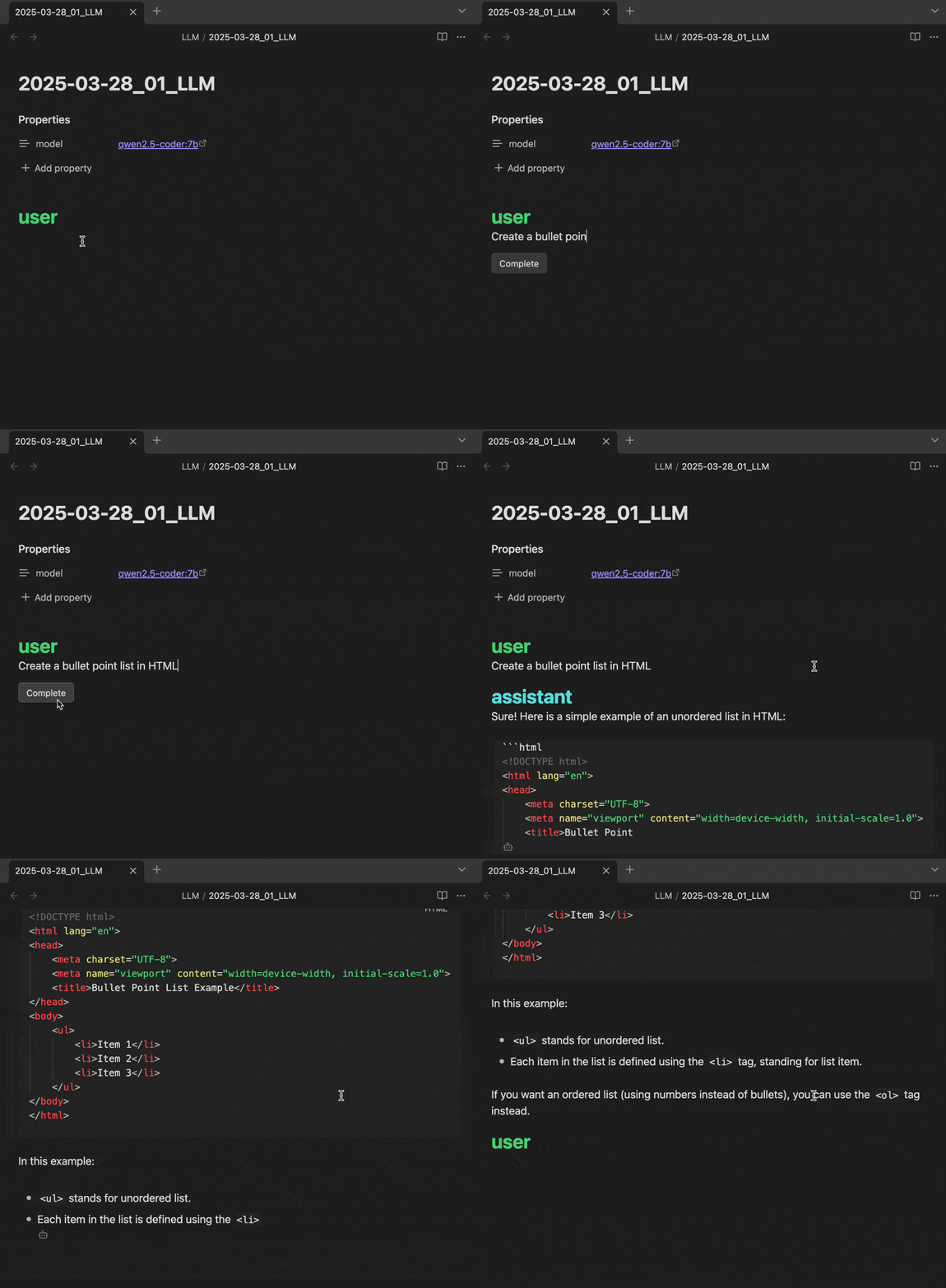
3. Prompt the LLM
Type in your prompt and click "Complete" to generate a response! (or bind a keyboard shortcut)
If you like it, I'm grateful for your support!

For plugin developers
Search results and similarity scores are powered by semantic analysis of your plugin's README. If your plugin isn't appearing for searches you'd expect, try updating your README to clearly describe your plugin's purpose, features, and use cases.