Auto TOC
unlistedby Leonardo Guilherme
Generate and update real table of contents inside callouts.
Auto TOC
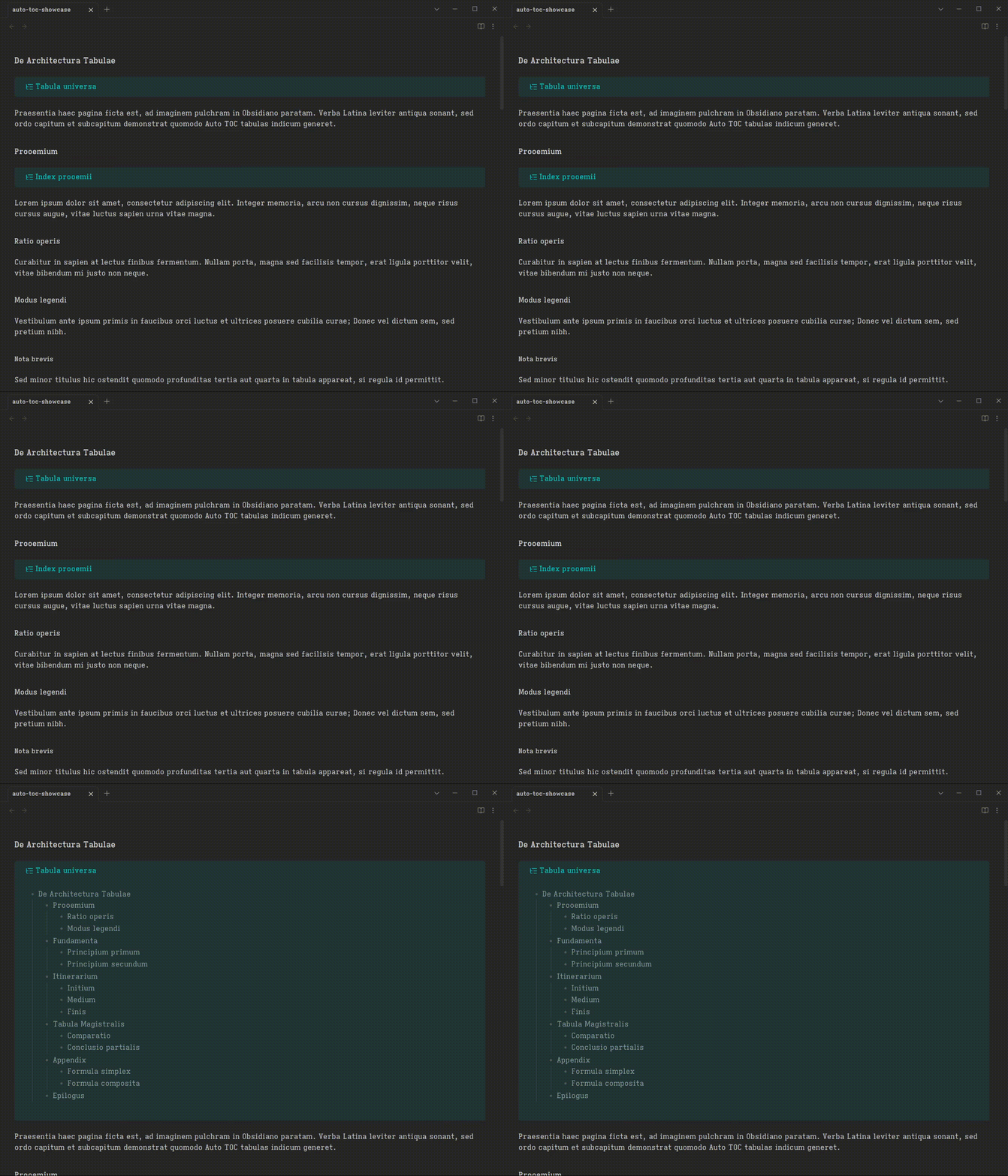
Auto TOC is an Obsidian plugin for generating real Markdown tables of contents inside notes.
The plugin writes the generated TOC directly into Markdown source inside [!toc] callouts.
Usage
Add a TOC callout to a note, then run Update table of contents in current note from the command palette. The command rewrites only the TOC callout body. The first callout line is preserved exactly.
Local TOC
[!toc] creates a local TOC for the nearest previous heading section.
Source:
# Project

> [!toc] Contents

## Goals
## Scope
Generated:
# Project

> [!toc] Contents
> - [[#Goals|Goals]]
> - [[#Scope|Scope]]

## Goals
## Scope
Master TOC
[!toc#master] creates a TOC for the whole note.
Source:
# Project

> [!toc#master] Contents

## Goals
## Scope
Generated:
# Project

> [!toc#master] Contents
> - [[#Project|Project]]
>   - [[#Goals|Goals]]
>   - [[#Scope|Scope]]

## Goals
## Scope
Depth
Use depth to control how many heading levels appear.
Source:
# Project

> [!toc?depth=1] Contents

## Goals
### Primary outcome
## Scope
Generated:
# Project

> [!toc?depth=1] Contents
> - [[#Goals|Goals]]
> - [[#Scope|Scope]]

## Goals
### Primary outcome
## Scope
Bullet
Use bullet to choose the list marker.
Source:
# Project

> [!toc?bullet=*] Contents

## Goals
## Scope
Generated:
# Project

> [!toc?bullet=*] Contents
> * [[#Goals|Goals]]
> * [[#Scope|Scope]]

## Goals
## Scope
Options
Callout query options:
depth:1through6bullet:-,*, or+
See examples/auto-toc-showcase.md for a larger source note that showcases master TOCs, local TOCs, frontmatter defaults, depth, and bullet options. See examples/auto-toc-showcase-rendered.md for the generated result.
Settings
Open Settings → Community plugins → Auto TOC to configure defaults.
- Depth: maximum heading depth to include (1–6, default 3)
- Bullet: list bullet character (
-,*, or+, default-) - Auto-update: automatically update TOCs when editing (default off)
- Update delay: seconds to wait after editing before updating (default 10)
Folder and file overrides
Override defaults for specific folders or files in Settings → Community plugins → Auto TOC.
- Folder overrides match by longest vault-relative prefix:
journal/matchesjournal/2024/note.md. - File overrides match by exact vault-relative path.
- File overrides take priority over folder overrides.
- Each override can set depth, bullet, or both.
- Folder and file override sections can be disabled independently without deleting saved overrides.
Example: set depth 2 for everything in projects/ but depth 5 for projects/important.md.
Frontmatter overrides
Use frontmatter when a note should carry its own TOC rendering defaults:
---
auto-toc.depth: 2
auto-toc.bullet: "*"
---
Frontmatter overrides beat vault defaults, folder overrides, and file overrides. Callout query options still have the highest precedence for a single TOC callout.
Callout query options override vault defaults per callout:
> [!toc?depth=2]
> [!toc?depth=2&bullet=*]
> [!toc#master?depth=3&bullet=+]
Automatic updates
Enable Auto-update to refresh TOC callouts after editing Markdown notes. Auto TOC waits for the configured update delay after the last file modification, updates only changed TOCs, and ignores writes made by the plugin itself.
Auto-update is disabled by default.
Development
Install dependencies:
npm install
Run tests:
npm run test
Build the plugin:
npm run build
Start the development build watcher:
npm run dev
Manual installation for testing
Build and install the plugin into a vault:
npm run install-plugin -- --vault /path/to/YourVault
You can also set the vault path with an environment variable:
OBSIDIAN_VAULT=/path/to/YourVault npm run install-plugin
The install command builds the plugin, then copies these files into .obsidian/plugins/auto-toc/:
main.jsmanifest.jsonstyles.css
Reload Obsidian and enable Auto TOC in Settings → Community plugins.
Release
Create a GitHub release with a tag that exactly matches manifest.json version, without a leading v.
git tag 1.0.0
git push origin 1.0.0
The release workflow builds the plugin and uploads:
main.jsmanifest.jsonstyles.css
Privacy
Auto TOC is designed to work locally inside your vault. It does not use telemetry or network services.
For plugin developers
Search results and similarity scores are powered by semantic analysis of your plugin's README. If your plugin isn't appearing for searches you'd expect, try updating your README to clearly describe your plugin's purpose, features, and use cases.