Reference Matrix
unlistedby SFendorn
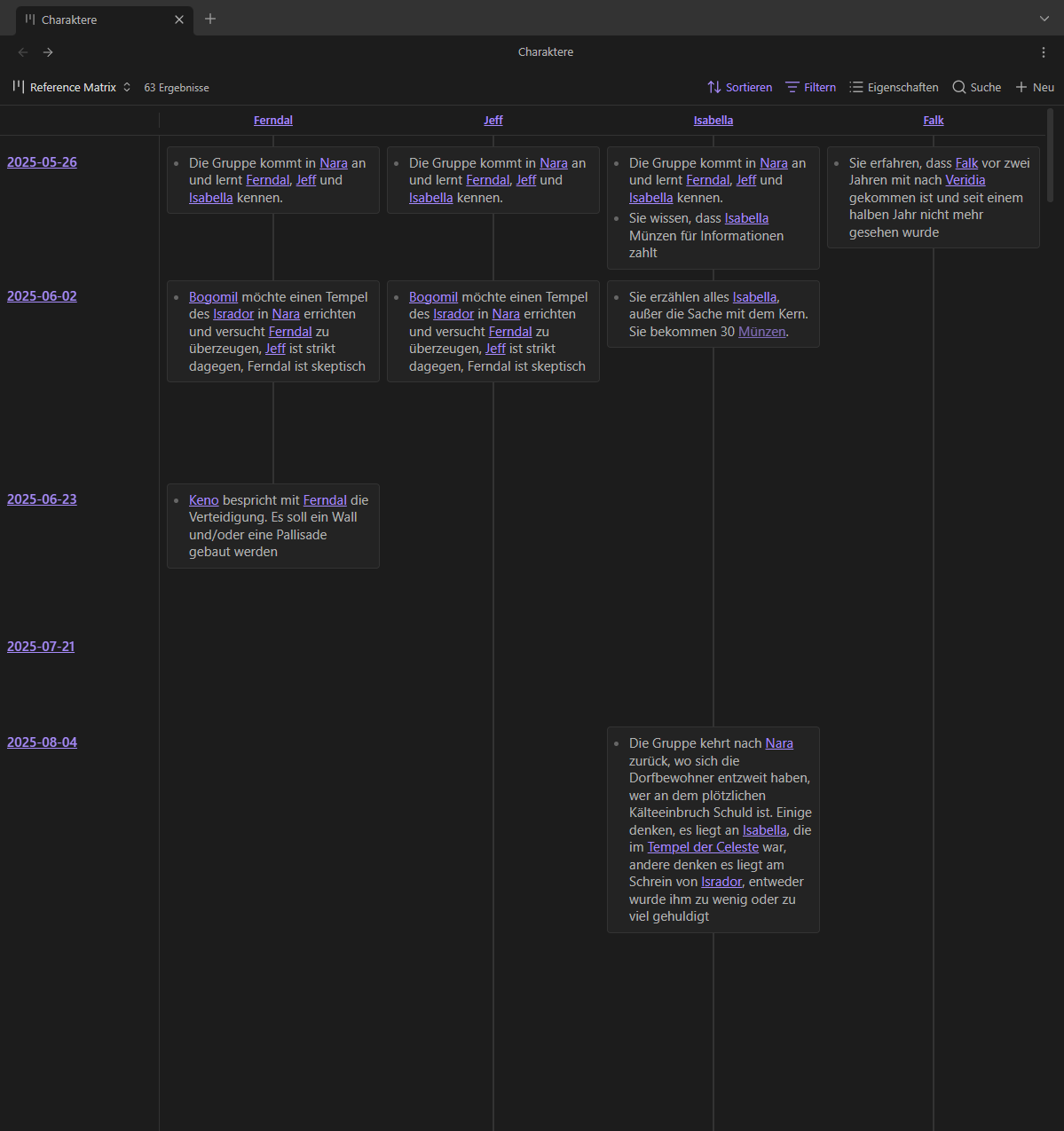
Displays all references of the files in the base context in a configured folder (e.g. daily notes)
Reference Matrix
An Obsidian Bases plugin that helps you track your references of the base's files from notes in another folder (the so-called time axis folder), e.g., daily notes, session logs, journal entries, etc.
Motivation
I maintain a long running Pen & Paper session as a dungeon master, where we create the world as we play, so lots and lots of information to keep track of. I maintain an obsidian vault with all the information about the world, as well as session logs, where I keep track of what has happened during a session.
I created the plugin to have an easy and quick way to see what has happened to a character, an item or a place after several sessions of play.
Regular View
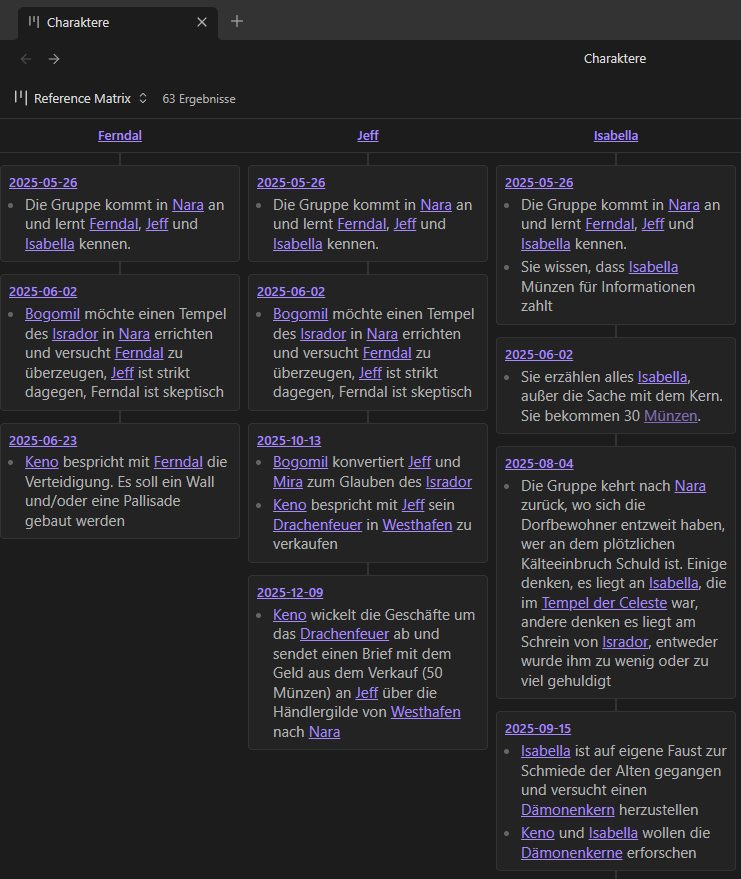
Compact Mode
Installation
- In your vault's
.obsidianfolder, create thepluginsfolder, if it does not yet exist - Create the
reference-matrix-base-viewfolder in.obsidian/plugins - Copy
main.js,styles.cssandmanifest.jsoninto.obsidian/plugins/reference-matrix-base-view - Activate
Reference Matrixplugin in Obsidian > Settings > Community Plugins
Setup
- Create or open a
.basefile. - Add a view and set its type to Reference Matrix.
- Set Time axis folder to the folder in which you want to look for the references.
- Use the base's filters to choose which files to look for.
Options
- Time axis folder The folder in which to look for references. Each file in the folder becomes a row in the view. Searched recursively, sorted by file name.
- Compact view Drops the row axis. Each column becomes one stack of cells, every cell labelled with the time axis note it came from. Easier to read when references are sparse.
What counts as a reference
Matching uses Obsidian's link cache, so a reference means the same thing as following the link:
- wikilinks and markdown links, aliases included —
[[Note|shown text]] - heading and block links —
[[Note#Heading]],[[Note#^block]] - embeds —
![[Note]]
Exception: Links in frontmatter properties are not shown.
Requirements
Obsidian 1.10 or later, with the Bases core plugin enabled.
AI usage
Used Claude Code to support development.
For plugin developers
Search results and similarity scores are powered by semantic analysis of your plugin's README. If your plugin isn't appearing for searches you'd expect, try updating your README to clearly describe your plugin's purpose, features, and use cases.