leafpress
unlistedby Shivam Shekhar
Build and deploy your vault as a leafpress digital garden.
leafpress for obsidian
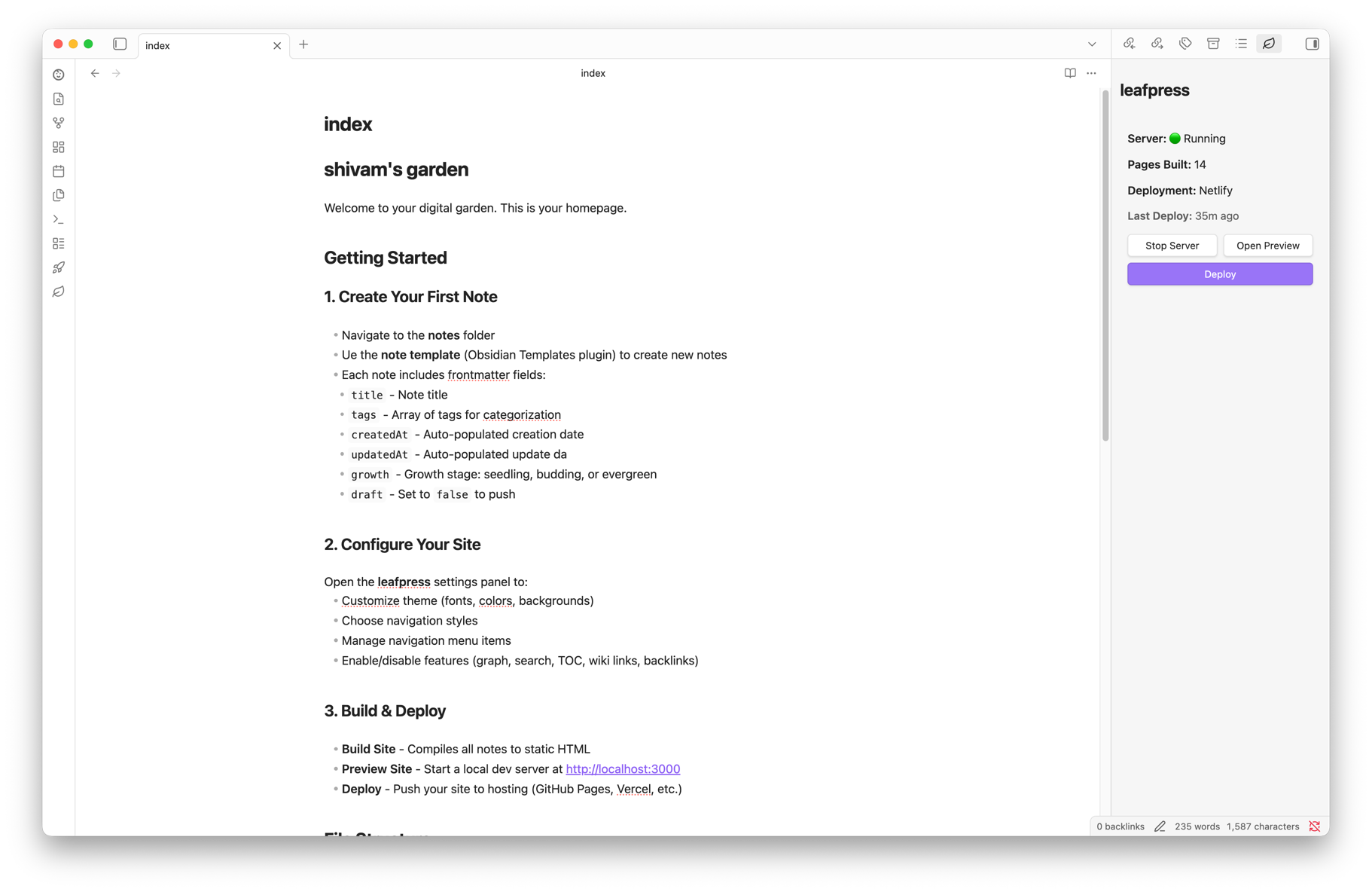
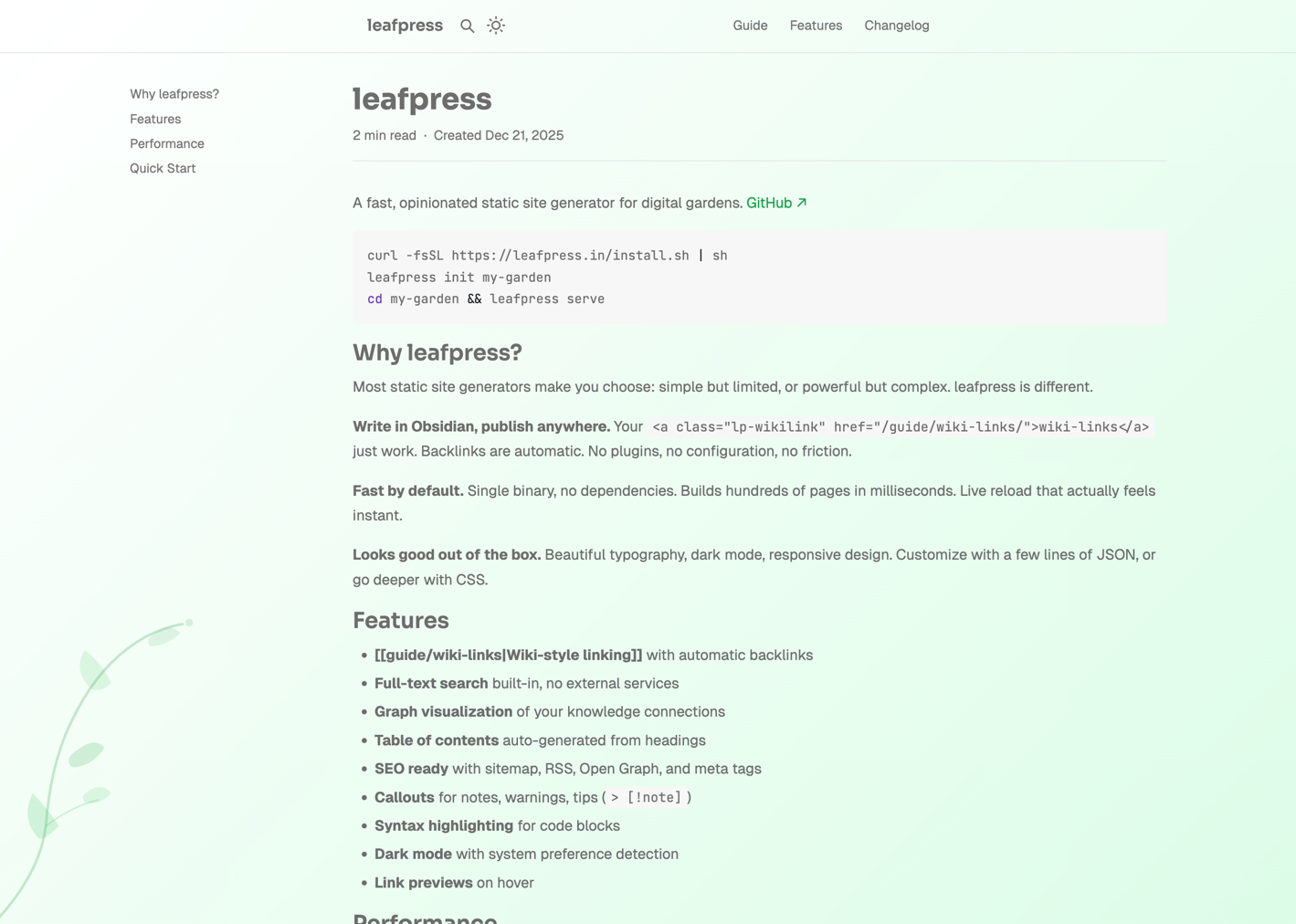
Turn your Obsidian vault into a beautiful digital garden. Build, preview, and deploy your notes as a static website—all without leaving Obsidian.


Screenshot
Sample garden at leafpress.in
Features
- One-click publishing — Build and deploy your vault without touching the command line
- Live preview — Start a local server to preview your site before publishing
- Deploy anywhere — GitHub Pages, Vercel, or Netlify with built-in deployment support
- Full theme control — Customize fonts, colors, backgrounds, and navigation styles
- Wiki-links support — Your
[[links]]just work - Graph visualization — Interactive graph view of your notes
- Table of contents — Auto-generated TOC for long-form content
- Backlinks — See what links to the current page
- Full-text search — Built-in search across all your published notes
- Change tracking — See pending changes before you deploy
Installation
From Obsidian Community Plugins (Coming Soon)
- Open Settings → Community plugins
- Search for "leafpress"
- Click Install, then Enable
Manual Installation
- Download
main.js,manifest.json, andstyles.cssfrom the latest release - Create folder:
<your-vault>/.obsidian/plugins/leafpress/ - Copy the downloaded files into this folder
- Restart Obsidian and enable the plugin in Settings → Community plugins
Using BRAT (Beta Testing)
- Install BRAT from Community Plugins
- Open BRAT settings → Add Beta Plugin
- Enter:
shivamx96/leafpress-obsidian
Quick Start
- Initialize your site — Open the leafpress panel and click "Initialize" to create
leafpress.json - Configure — Set your site title, description, and theme in plugin settings
- Preview — Click "Start Server" to preview at
http://localhost:3000 - Deploy — Connect a deployment provider and click "Deploy"
Configuration
All site configuration is stored in leafpress.json at your vault root. You can edit this directly or use the plugin settings panel.
Theme Options
| Option | Description | Default |
|---|---|---|
fontHeading | Google Font for headings | Crimson Pro |
fontBody | Google Font for body text | Inter |
fontMono | Google Font for code | JetBrains Mono |
accent | Accent color (hex) | #50ac00 |
background.light | Light mode background | #ffffff |
background.dark | Dark mode background | #1a1a1a |
navStyle | Navigation style: base, sticky, glassy | base |
navActiveStyle | Active link style: base, box, underlined | base |
Feature Toggles
| Feature | Description | Default |
|---|---|---|
graph | Interactive graph visualization | false |
toc | Table of contents on pages | true |
search | Full-text search | true |
wikilinks | Process [[wiki-links]] | true |
backlinks | Show backlinks section | true |
Deployment
leafpress supports multiple deployment providers:
- GitHub Pages — Free hosting directly from your repository
- Vercel — Fast edge network with automatic deployments
- Netlify — Simple deploys with form handling and more
Configure your provider in plugin settings, then use the Deploy button in the leafpress panel.
Requirements
- Obsidian 1.11.0 or higher
- Desktop only (macOS, Windows, Linux)
Documentation
For full documentation on leafpress, visit the leafpress docs.
Support
- Issues & Bugs — GitHub Issues
- Discussions — GitHub Discussions
Contributing
Contributions are welcome! Please read our contributing guidelines before submitting a PR.
# Clone the repo
git clone https://github.com/shivamx96/leafpress-obsidian.git

# Install dependencies
pnpm install

# Development build with watch
pnpm run dev

# Production build
pnpm run build
License
Made with ♥ by Shivam Shekhar
For plugin developers
Search results and similarity scores are powered by semantic analysis of your plugin's README. If your plugin isn't appearing for searches you'd expect, try updating your README to clearly describe your plugin's purpose, features, and use cases.