OEncrypt
unlistedby Xezard
Encrypt and decrypt notes with OpenPGP keys.
★ 3 starsUpdated todayGPL-3.0
OEncrypt
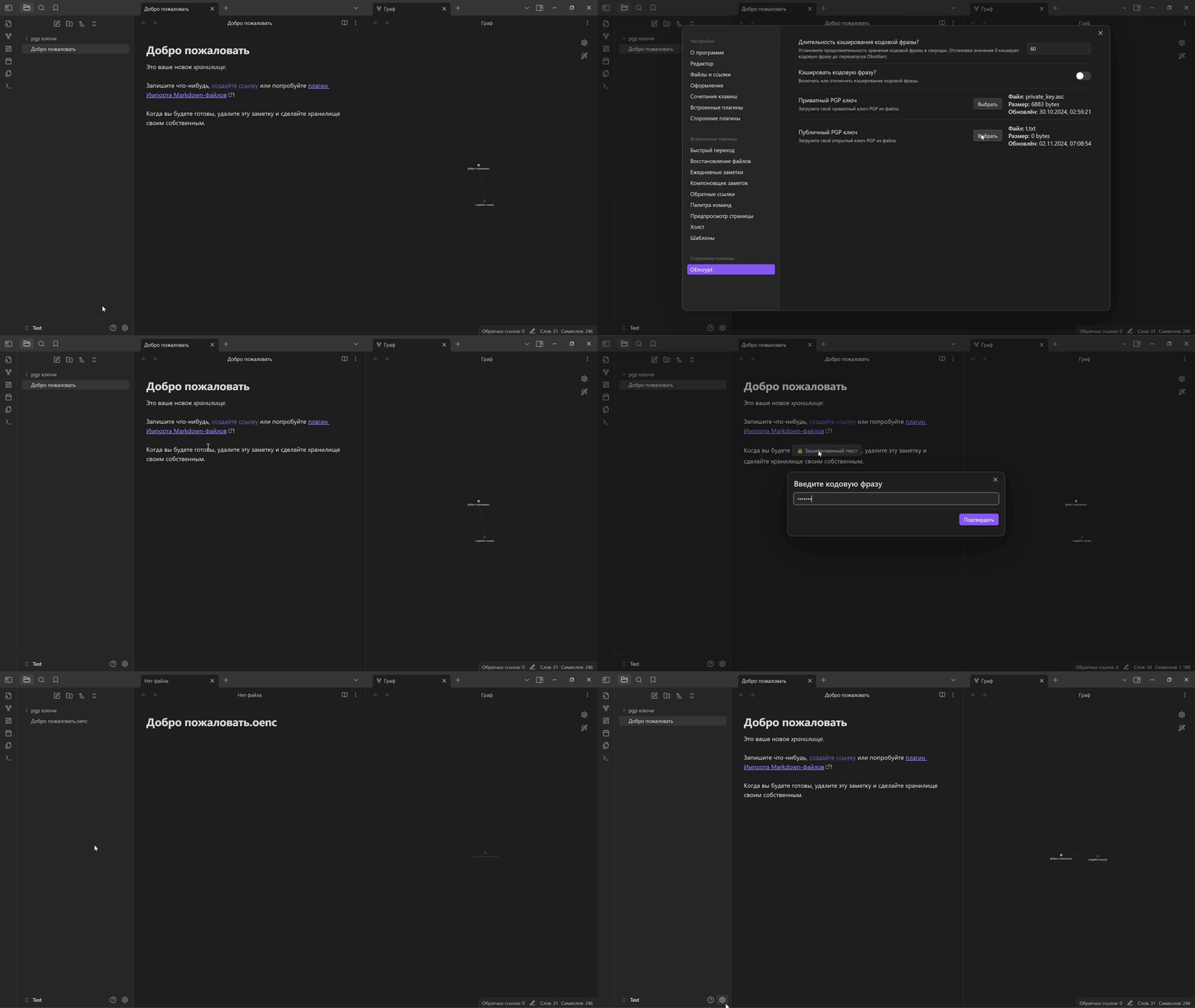








OEncrypt is an Obsidian plugin for protecting sensitive notes. Encrypt your journal, personal details, or project notes with your own PGP keys, without leaving your vault.
Features
- Encrypt a few lines, a whole note, or a folder with its subfolders.
- Keep your notes in place, with the same filenames.
- Manage your PGP keys directly in the plugin settings.
Get started
- Add your keys in OEncrypt settings. A public key is enough to encrypt; add the matching, passphrase-protected private key to decrypt.
- Choose what to protect. Right-click a note or folder and select its encryption action, or select a few lines and choose Encrypt from the editor menu.
- Read it when you need it. Click encrypted text or choose Decrypt note from the file menu, then enter your passphrase when prompted.
Only note contents are encrypted. Filenames, attachments, and existing history or backups stay unchanged.
Contributing · Changelog · Feedback
Licensed under GPL-3.0-or-later.
For plugin developers
Search results and similarity scores are powered by semantic analysis of your plugin's README. If your plugin isn't appearing for searches you'd expect, try updating your README to clearly describe your plugin's purpose, features, and use cases.