by Aki
Export selected notes and Bases views to a self-contained offline website — shareable as a folder, encrypted ZIP, or password-protected web package.
VaultPack for Obsidian
Export selected Obsidian content — including Bases views — to a self-contained, offline-readable static website. Share it as a plain folder, an AES-encrypted ZIP, or upload it to any ordinary web host, optionally behind a password.
Features
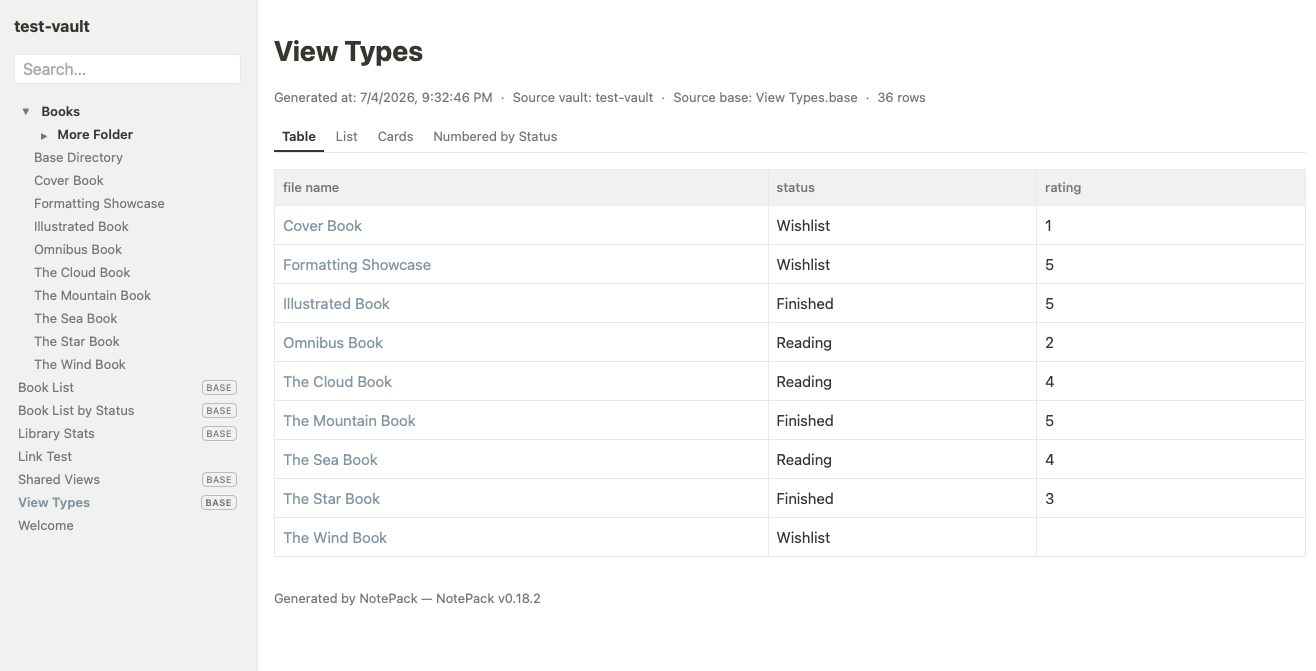
- Bases, exported for real — root
.basepages and![[File.base#View]]embeds (withthis-context evaluation), named views, groups, formula columns,displayNameheaders, summaries (totals + per-group), table / list / cards views with cover images. - Five output modes
| Mode | What you get |
|---|---|
| Local folder | a normal offline folder — open START_HERE.html |
| Encrypted ZIP | AES-256 archive (password required before extraction) |
| Web: Public | uploadable folder, indexable by search engines |
| Web: Link-only | unguessable folder name, noindex everywhere, no referrer leakage — "anyone with the link" sharing |
| Web: Password | a generated PHP login gate (bcrypt, sessions, path-traversal safe) for ordinary Apache/PHP shared hosting, with a built-in host self-check page |
- Publish-style sidebar — package title, offline full-text search, and a
collapsible folder/file tree (real folder structure,
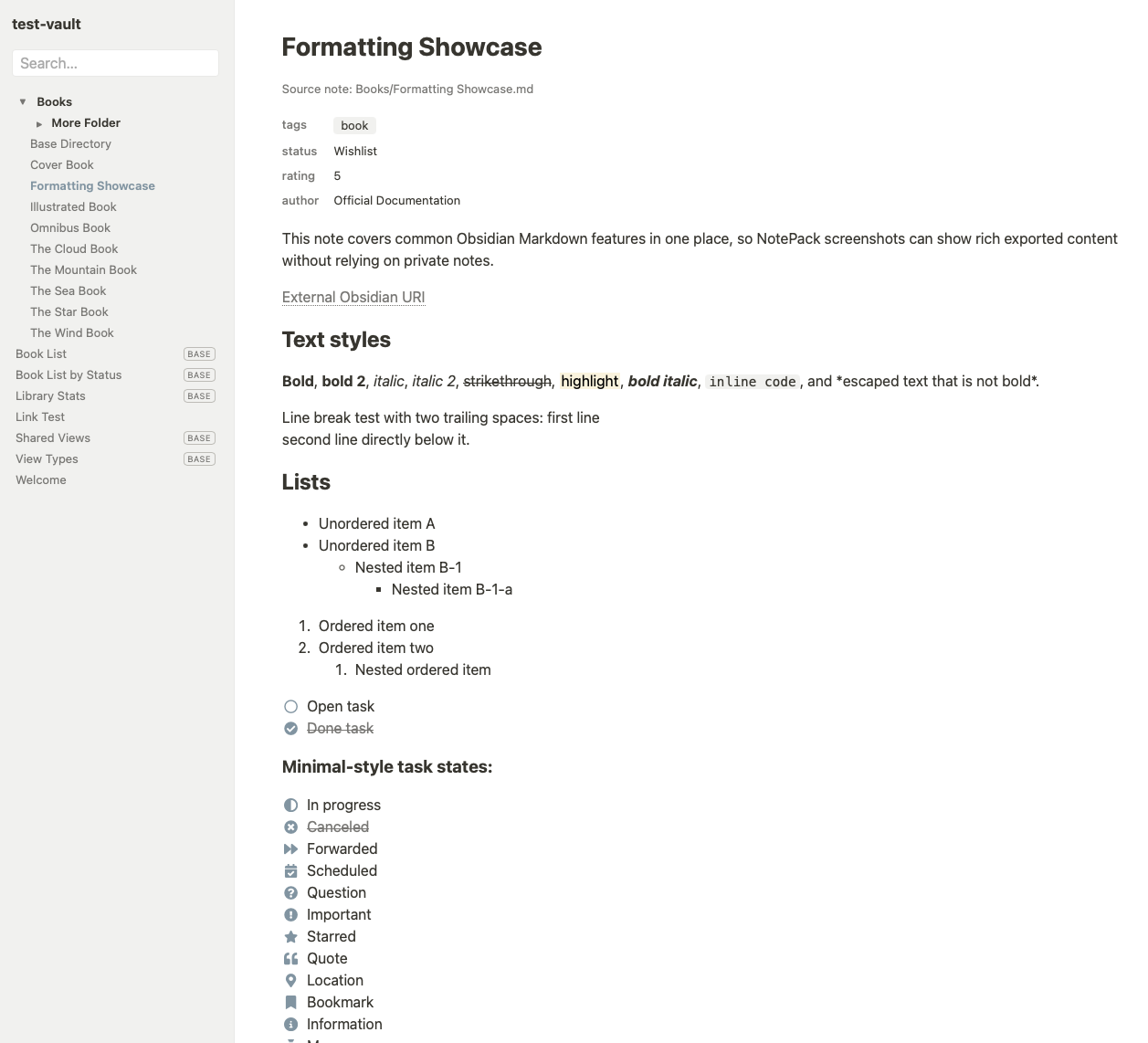
BASEbadges, current-page highlight); collapses to a menu button on mobile. - Faithful note pages — properties block, callouts, footnotes, Mermaid, MathJax (converted to self-contained SVG), task lists with 22 states rendered as Font Awesome icons, code blocks with an offline copy button.
- Zero-dependency output — every page works from
file://, no CDN, no fonts to fetch, no framework. Design tokens (CSS custom properties) make re-theming a single-file edit. - Multilingual — UI and exported pages follow the Obsidian app language: Traditional Chinese (zh-TW), English, Japanese; anything else falls back to English.
- Safe by construction — never modifies your notes; every export is a
brand-new timestamped folder; filenames are opaque ASCII hashes (your note
titles never leak into URLs);
obsidian://deep links are stripped from shared output.
Usage
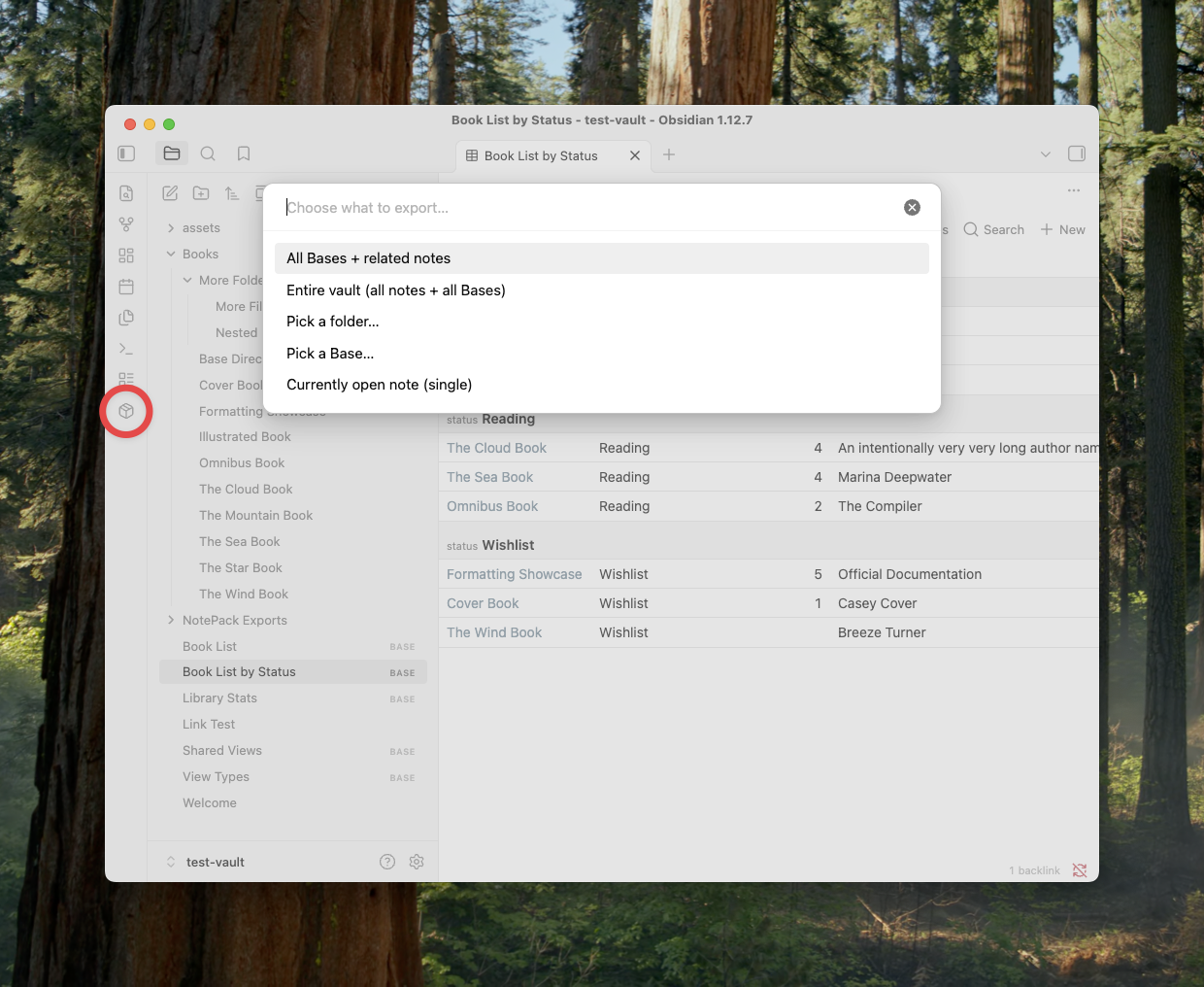
- Ribbon package icon, or
Export (choose scope)...from the command palette -> pick a scope (all Bases / entire vault / a folder / one Base / the open note) -> pick an output mode -> optionally set a custom title. - Right-click a folder, or use the
...menu on a note / Base, to export just that item. - Folder exports automatically include the Bases embedded by the selected
notes, wherever those
.basefiles live.
Password mode in 30 seconds
Upload the whole exported folder to your host. Opening the folder URL shows a
login page; run the self-check link at the bottom first — it verifies the
host actually blocks direct access to the private folder before you share the
link. Requires Apache with .htaccess + mod_rewrite and PHP sessions
(typical WordPress-grade shared hosting).
Security model, honestly: Link-only mode reduces discoverability; it is not access control. Password mode gates web access; it does not encrypt files at rest and does not protect content from the hosting provider. The encrypted ZIP protects the archive — extracted files are normal files.
Settings
- Include diagnostics files in web packages (off by default)
- High-entropy folder names for link-only/password exports (on by default)
- Developer mode — extra self-test commands (off by default)
- "Remember me" session lifetime for password mode (default 30 days)
Exported links and task icons follow your Obsidian accent color (captured at export time).
Network use (disclosure)
VaultPack makes network requests only during an export, and only to build offline embed cards for external content found in your notes:
youtube.com/oembed+ the video thumbnail (bundled into the package)publish.twitter.com/oembedfor tweets
No telemetry, no analytics; nothing about your vault is transmitted anywhere. Exports work offline too — external embeds then degrade to plain link cards.
Requirements
- Obsidian 1.12.7+ (Bases), desktop only (uses the desktop rendering pipeline and file-system adapter).
Development
npm install
npm run build   # type-check + bundle main.js
The repository ships a checker (scripts/check-export.mjs in the parent
project) and headless test harnesses under test-harness/.
Credits & license
- Plugin code: MIT (see
LICENSE). - Checkbox icons: Font Awesome Free by
@fontawesome, icons licensed
CC BY 4.0 — bundled as static SVG
path data in
src/checkbox-icons.ts.
For plugin developers
Search results and similarity scores are powered by semantic analysis of your plugin's README. If your plugin isn't appearing for searches you'd expect, try updating your README to clearly describe your plugin's purpose, features, and use cases.