Vitepress Publisher
approvedby tyrad
Conveniently preview and publish Markdown files using vitepress.
Obsidian Vitepress Plugin 中文文档
Obsidian Vitepress Plugin is a flexible tool that allows you to easily preview and compile your .md files using VitePress or other static site generators (Hugo, Hexo, Docusaurus) in Obsidian.
Installation
Community Plugin Store
This Plugin can be installed through the community plugin browser in Obsidian.
Manual Installation
Download main.js, manifest.json, and styles.css from the release page and place them in <vault>/.obsidian/plugins/obsidian-vitepress directory.
Configuration
Required Settings
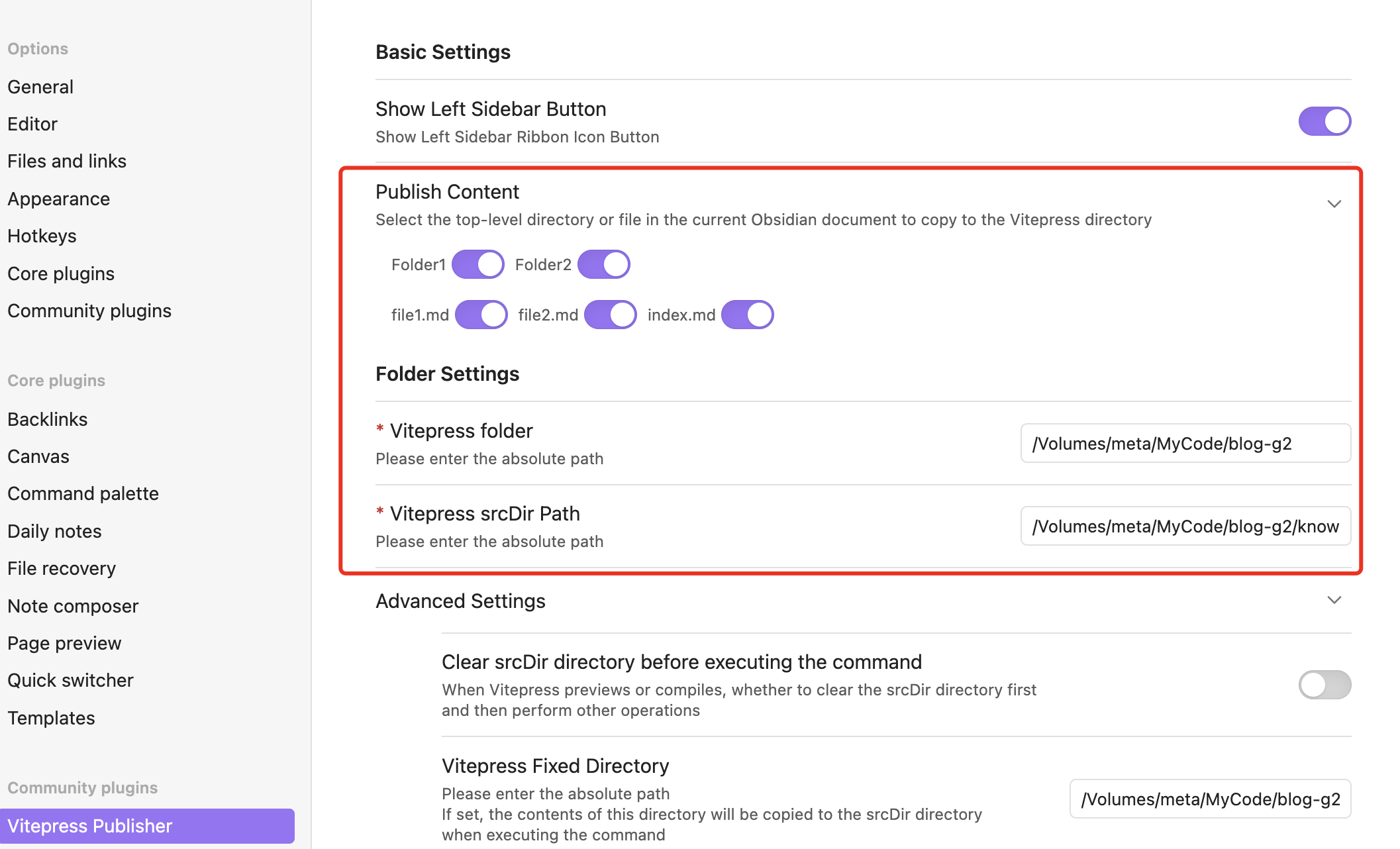
Publish Content: Select the top level directories or files to be previewed or published using VitePressDirectory Settings:VitePress Path: Path to VitePress on your local machineVitePress srcDir Path: Location of VitePress src directory
Advanced Settings
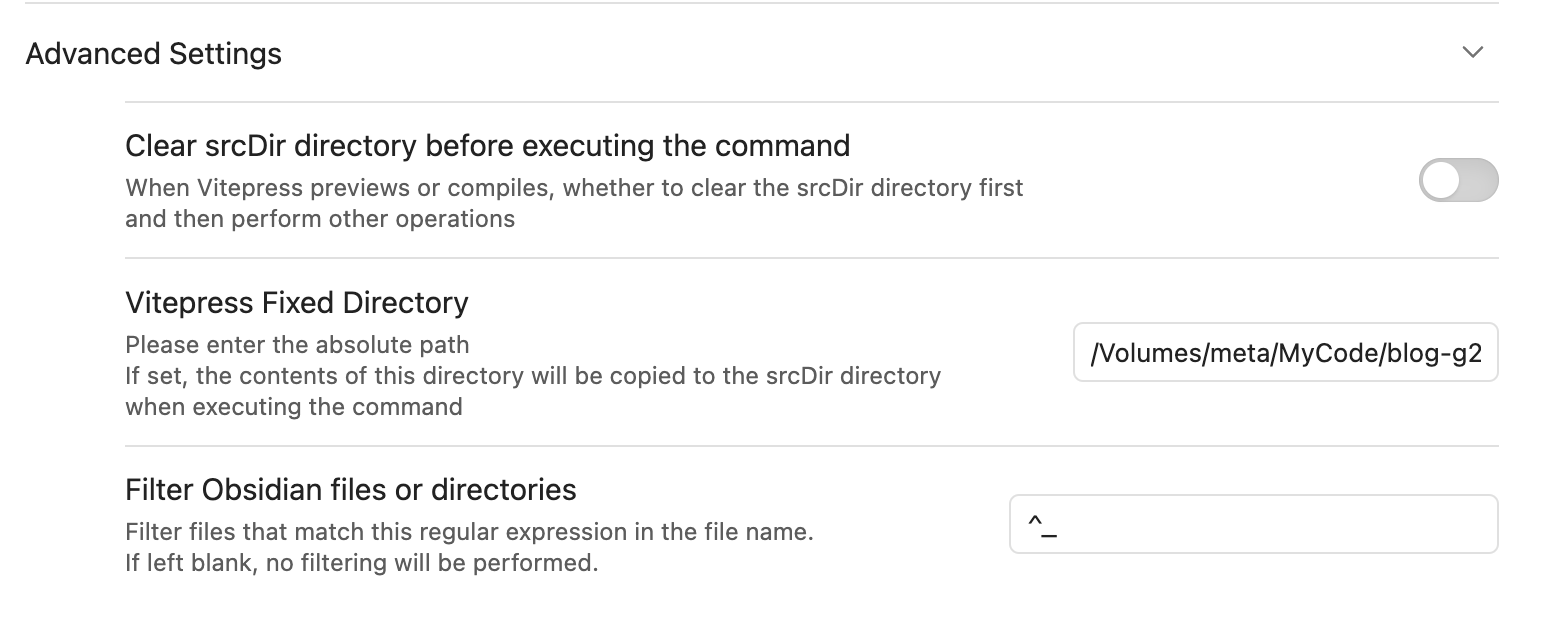
Custom Command Configuration
The plugin now supports configurable commands, allowing you to use other static site generators beyond VitePress:
- Development Command: Command to start local preview server (default:
npm run docs:dev) - Build Command: Command to generate static files (default:
npm run docs:build) - Preview Command: Command to preview built site (default:
npm run docs:preview)
Supported Static Site Generators:
- Hugo:
/opt/homebrew/bin/hugo serve - Hexo:
npx hexo server - Docusaurus:
npm start - Custom: Any command-line static site generator
This flexibility allows you to use the plugin with your preferred static site generator while maintaining the same workflow.
Usage
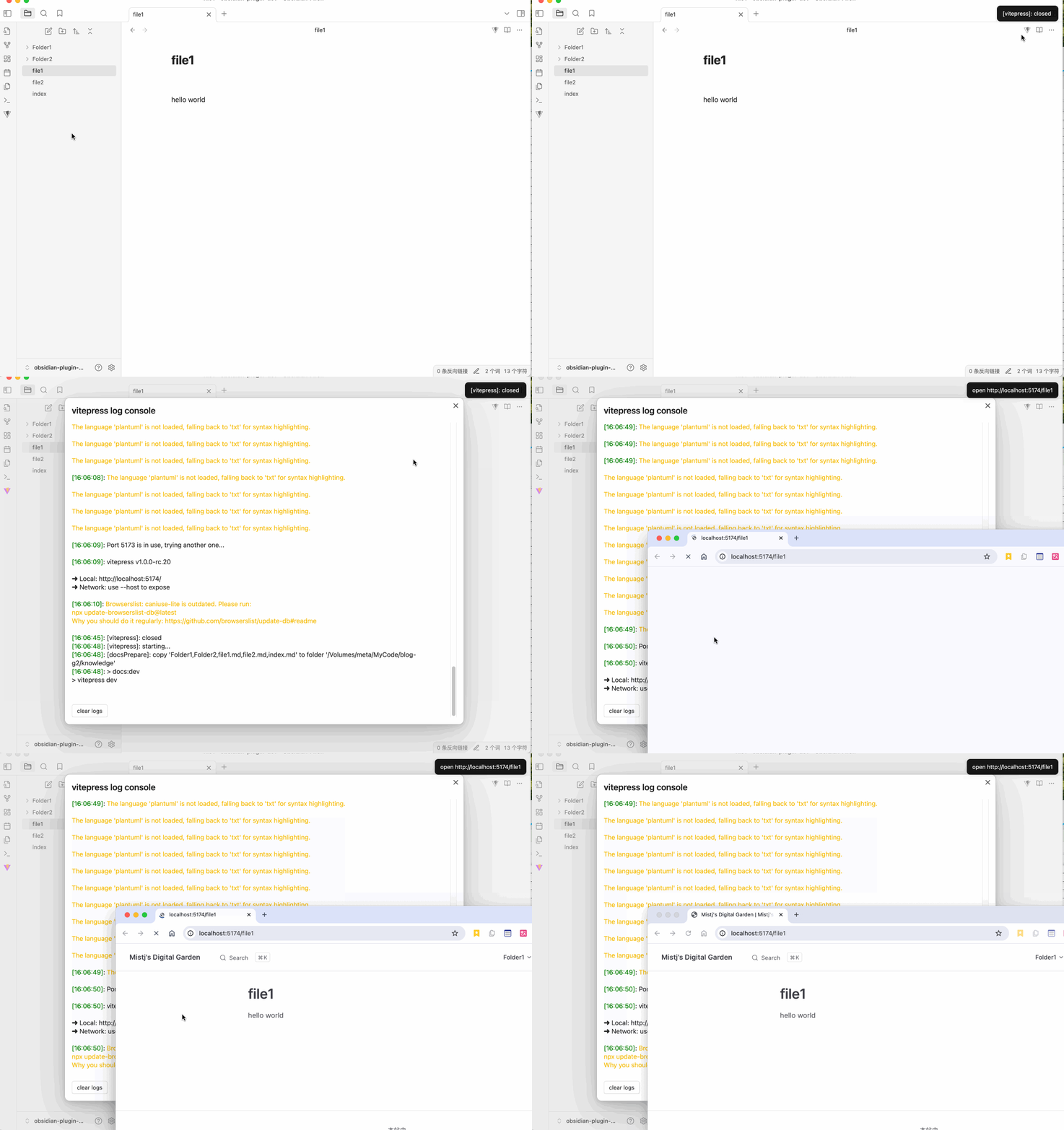
Sidebar Button
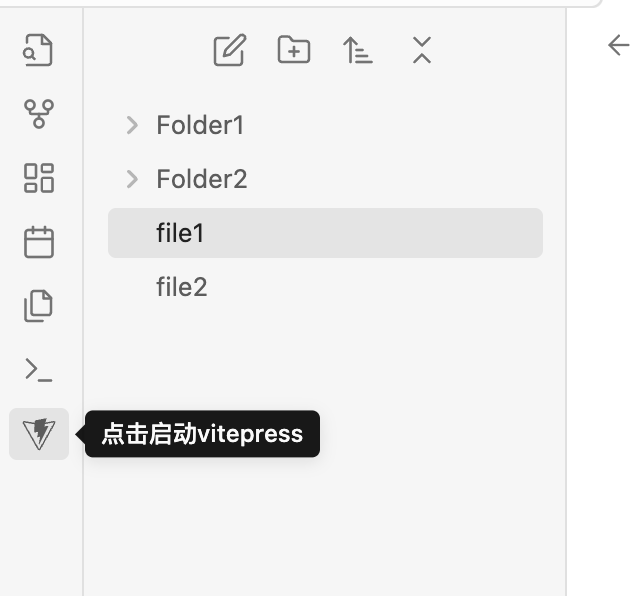
Click to start or stop vitepress dev and open the VitePress homepage in your browser.
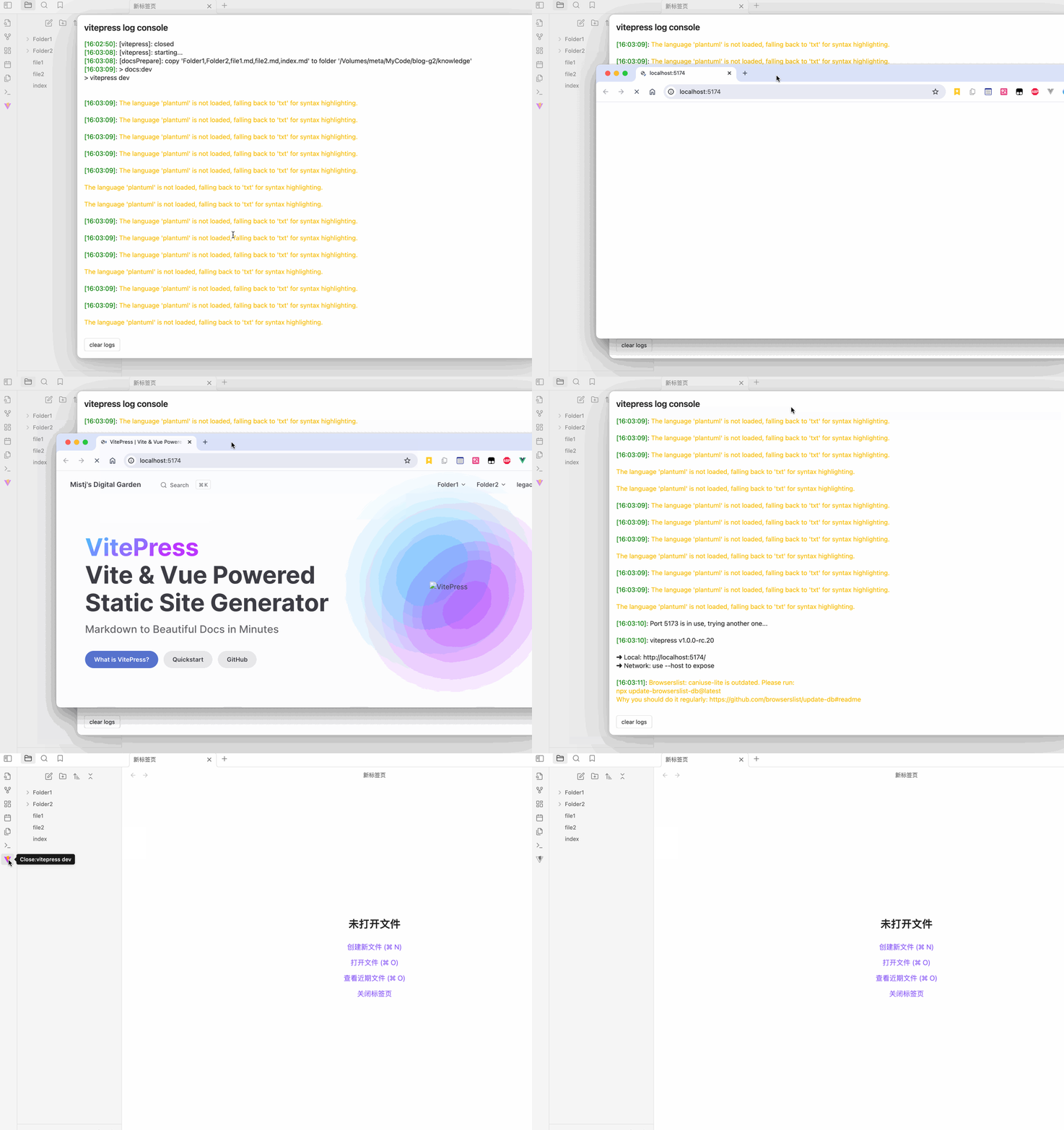
Top Bar Button
Click to copy the current document to the VitePress srcDir directory and preview it.
Commands
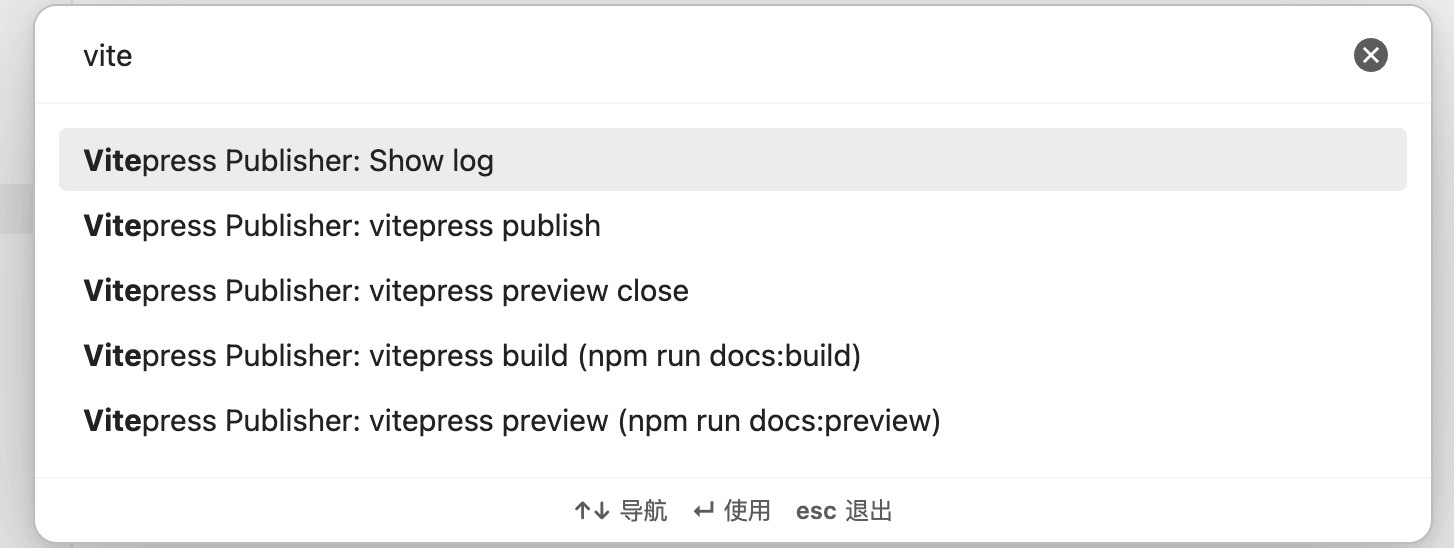
Commands are now customizable through the Custom Command Configuration settings.
Show log: Open the log window for this pluginvitepress build: Execute the build commandnpm run docs:buildin the VitePress directoryvitepress preview: Execute the preview commandnpm run docs:previewin the VitePress directoryvitepress preview close: Close VitePress previewvitepress publish: Open a new terminal window and run the publish script specified in the settings
Support
If you find this plugin helpful, please consider giving it a ⭐ on GitHub! Your support helps improve the plugin and lets others discover it.
License
MIT
For plugin developers
Search results and similarity scores are powered by semantic analysis of your plugin's README. If your plugin isn't appearing for searches you'd expect, try updating your README to clearly describe your plugin's purpose, features, and use cases.