by weizwz
VitePress-style theme with custom containers, enhanced code blocks, and modern typography.
★ 2 stars↓ 277 downloadsUpdated 7d agoMIT
VitePress Theme for Obsidian
A VitePress-style theme plugin for Obsidian, bringing a great reading experience to VitePress-based documentation within Obsidian.
Main features:
- Aligns basic content styles—including headings, line height, and overall reading typography—with VitePress standards.
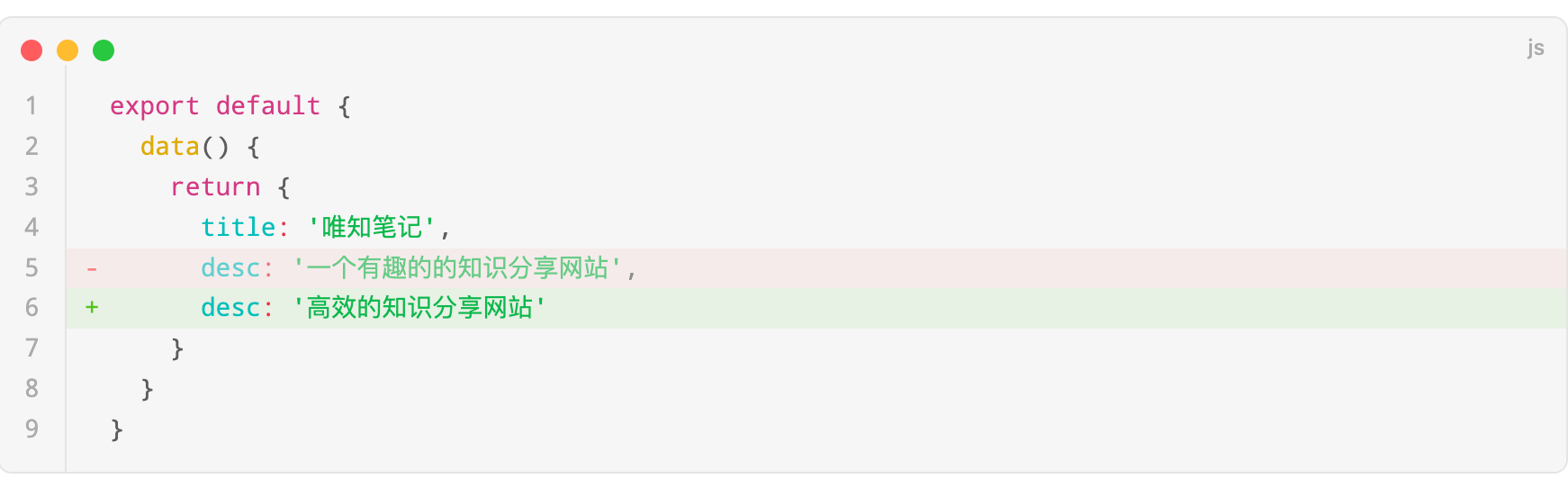
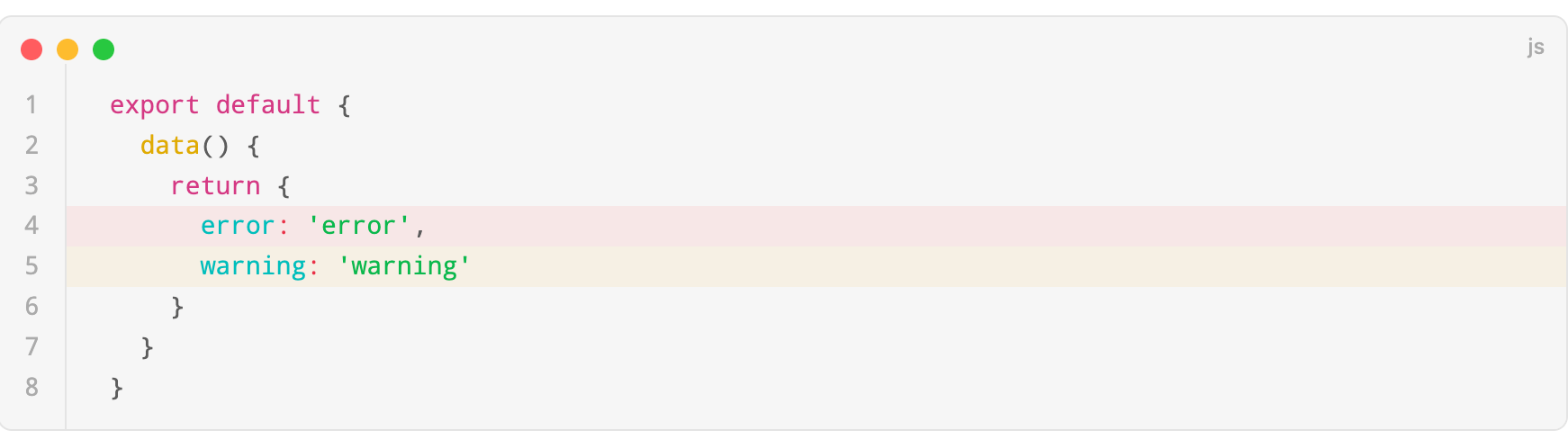
- Properly renders VitePress extended syntax, including frontmatter properties, Emojis, containers, code groups, code line highlighting / diff / warning annotations, and more.
- Enhances base styles and code block appearance for a cleaner, more visually appealing reading interface.
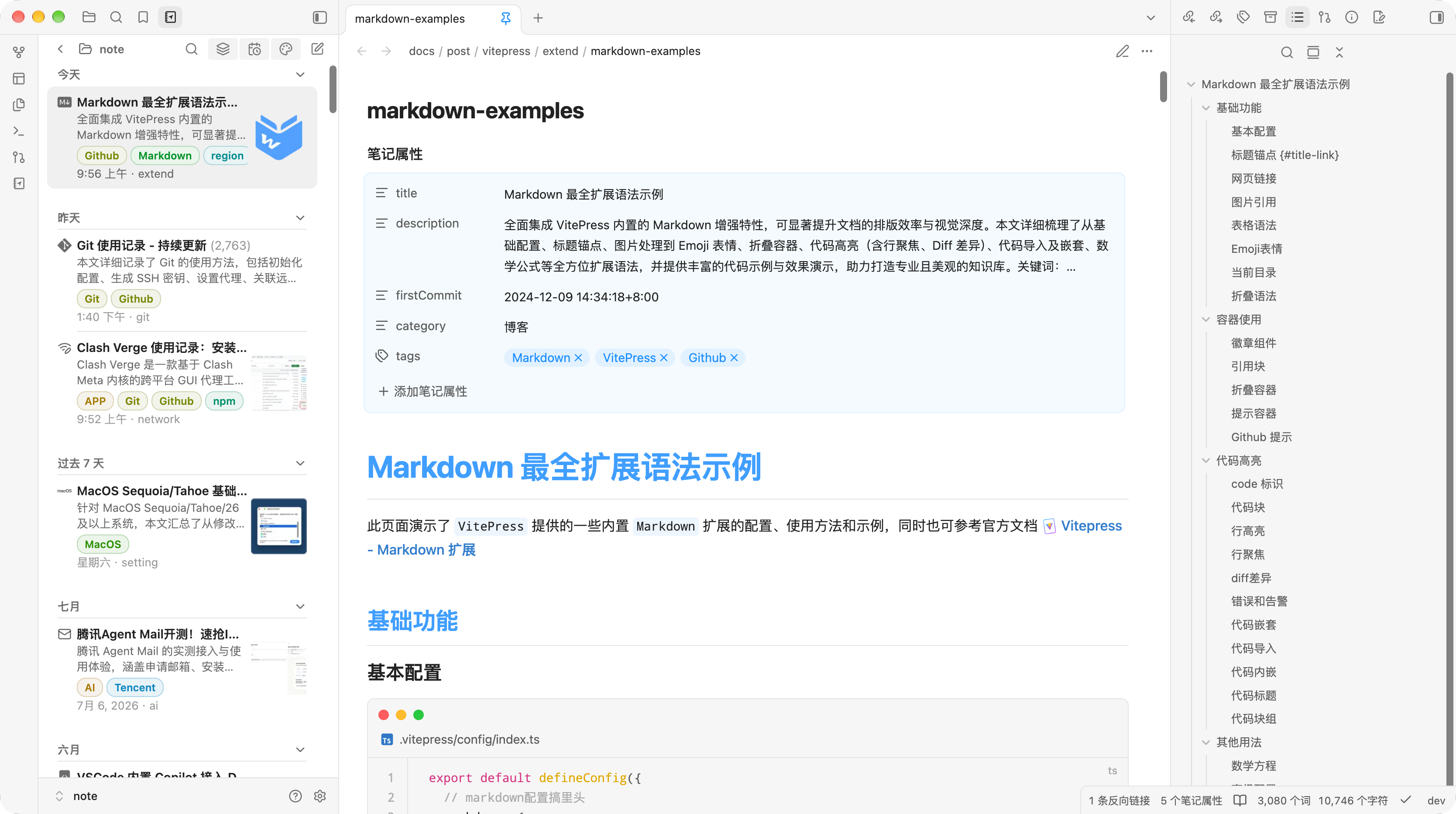
Feature Showcase
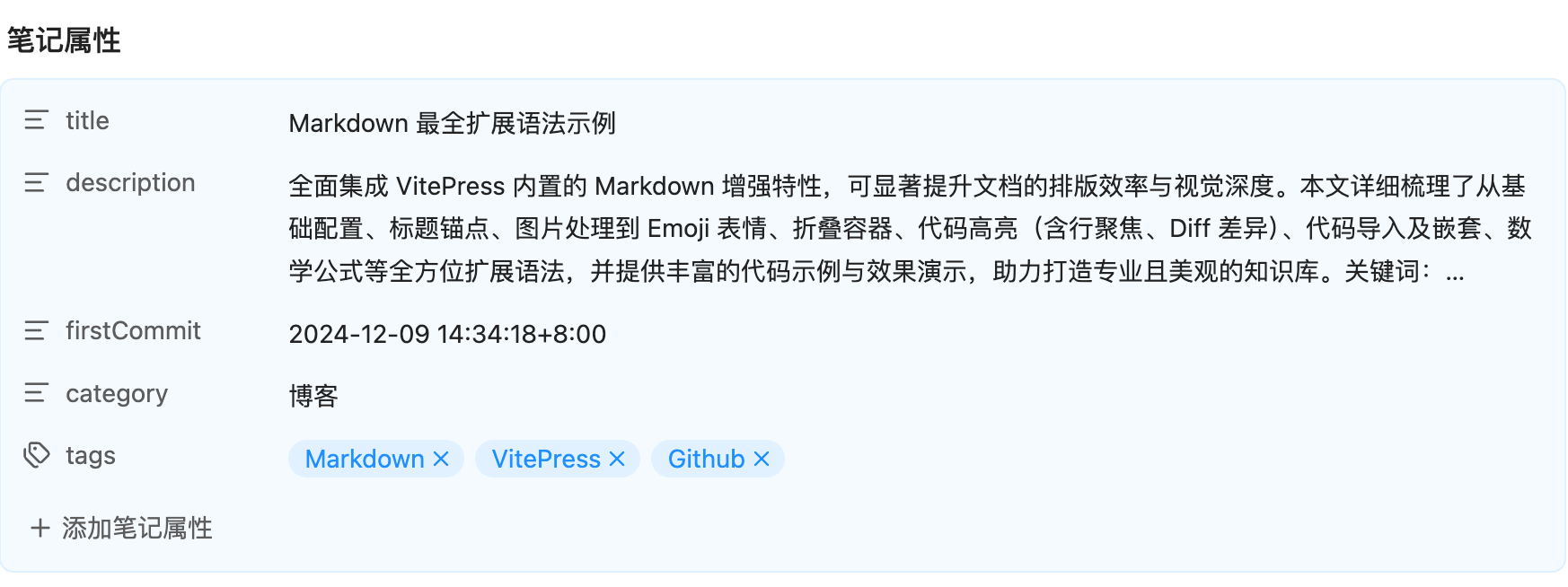
Frontmatter Properties
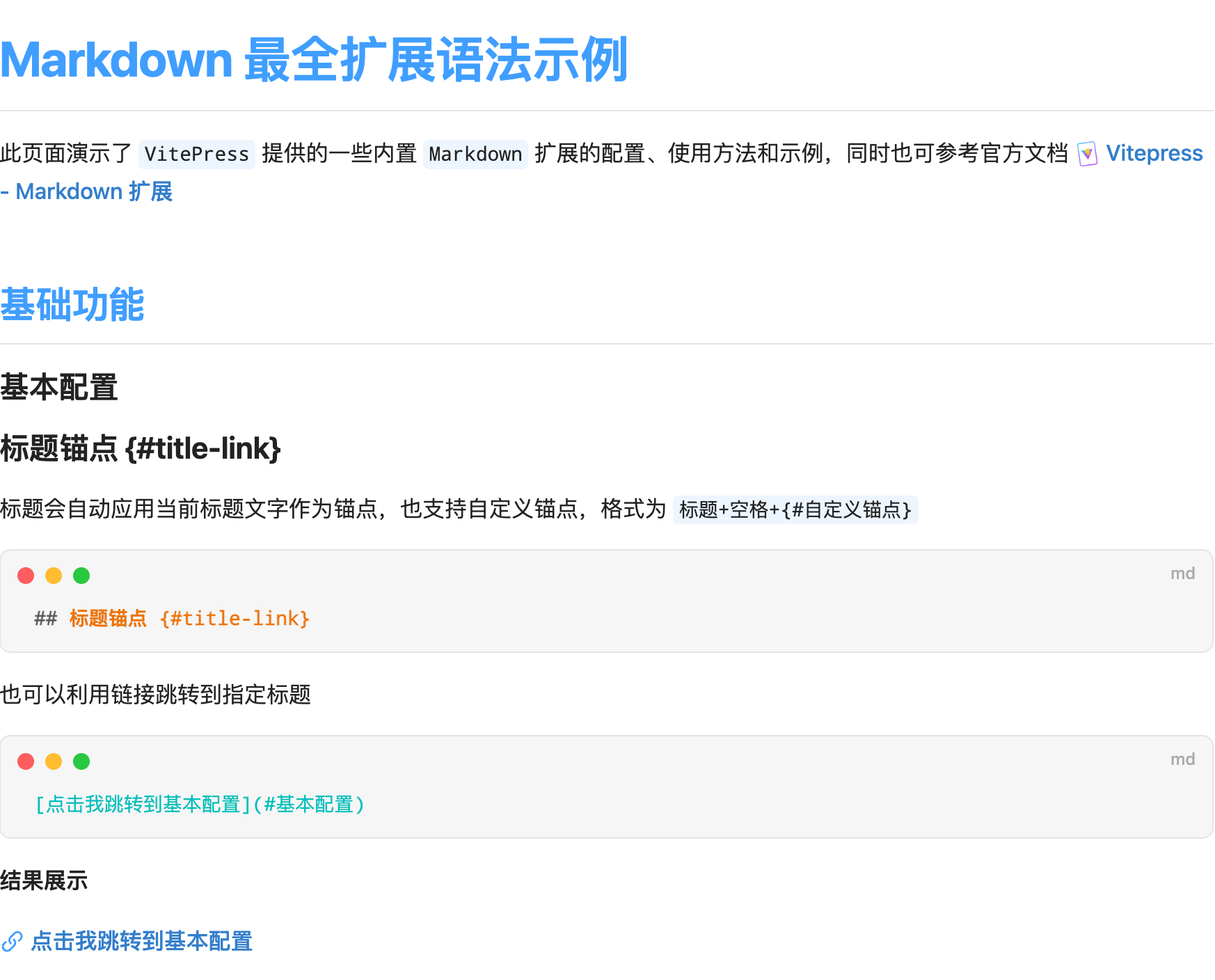
Headings, Text, Code Blocks & Link Icons
Emoji

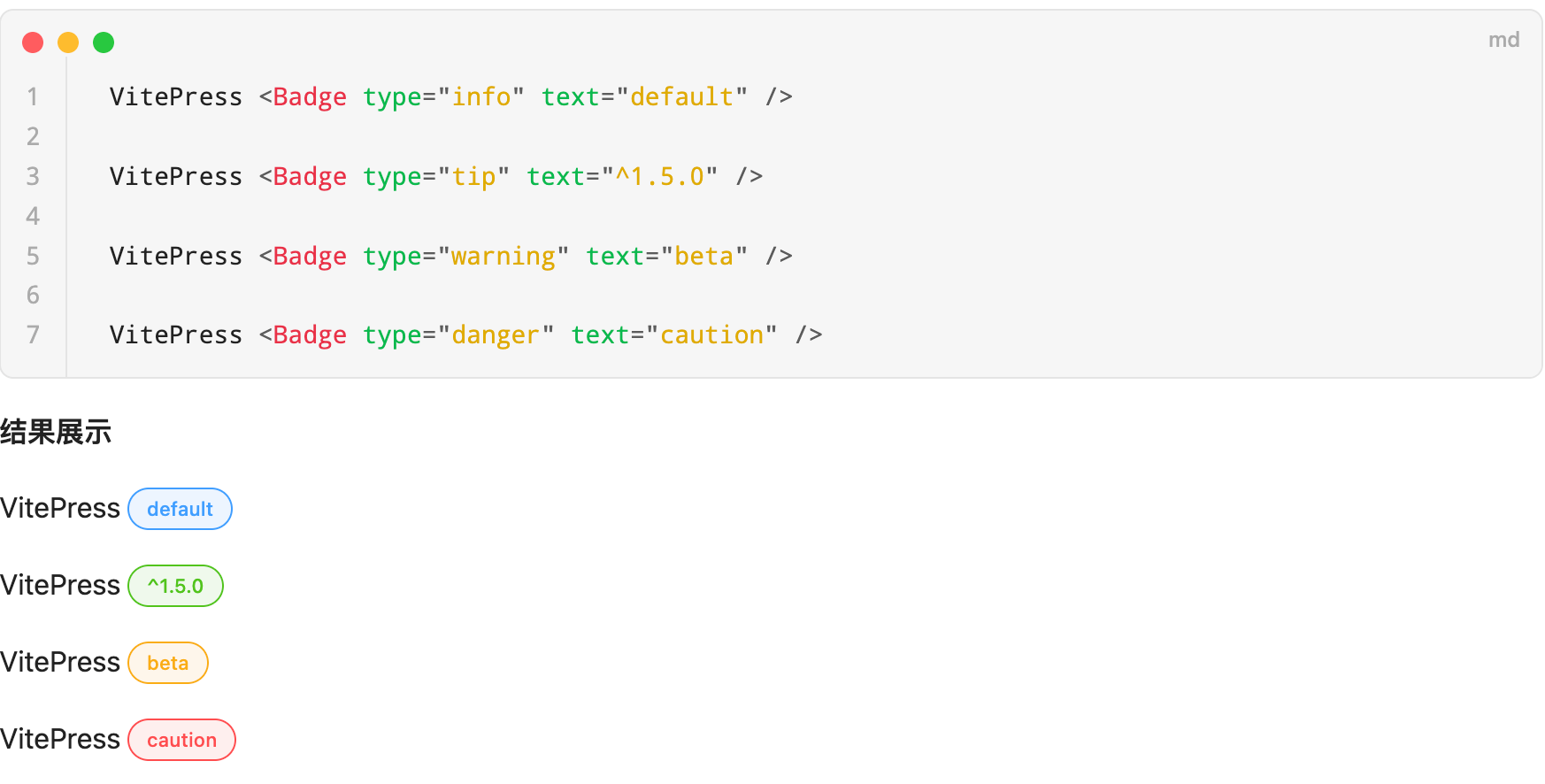
Badge Component
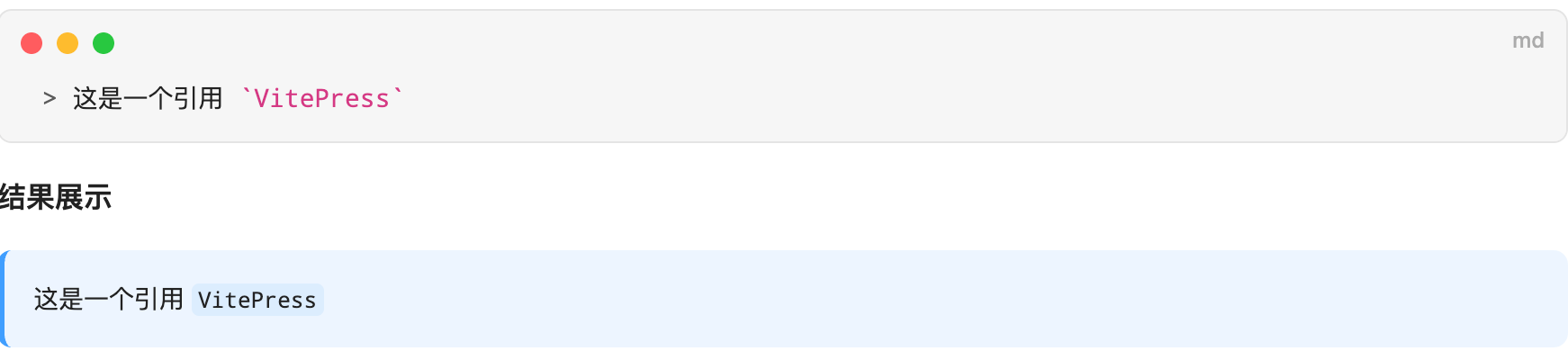
Blockquotes
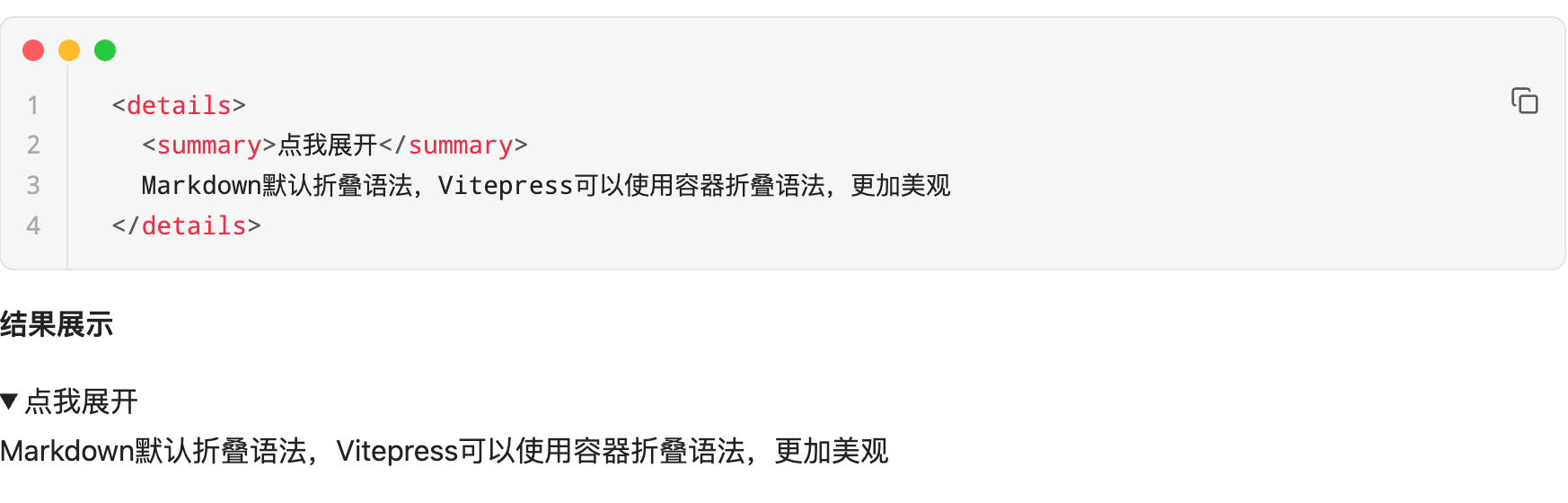
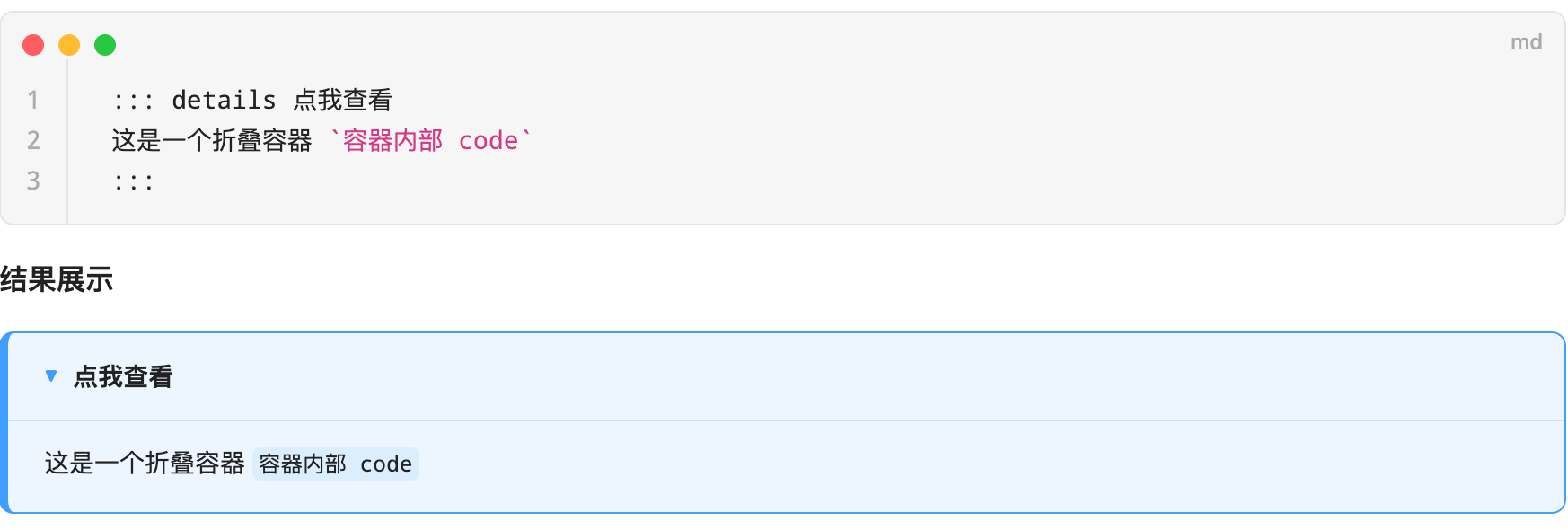
Collapsible Syntax / Details Container
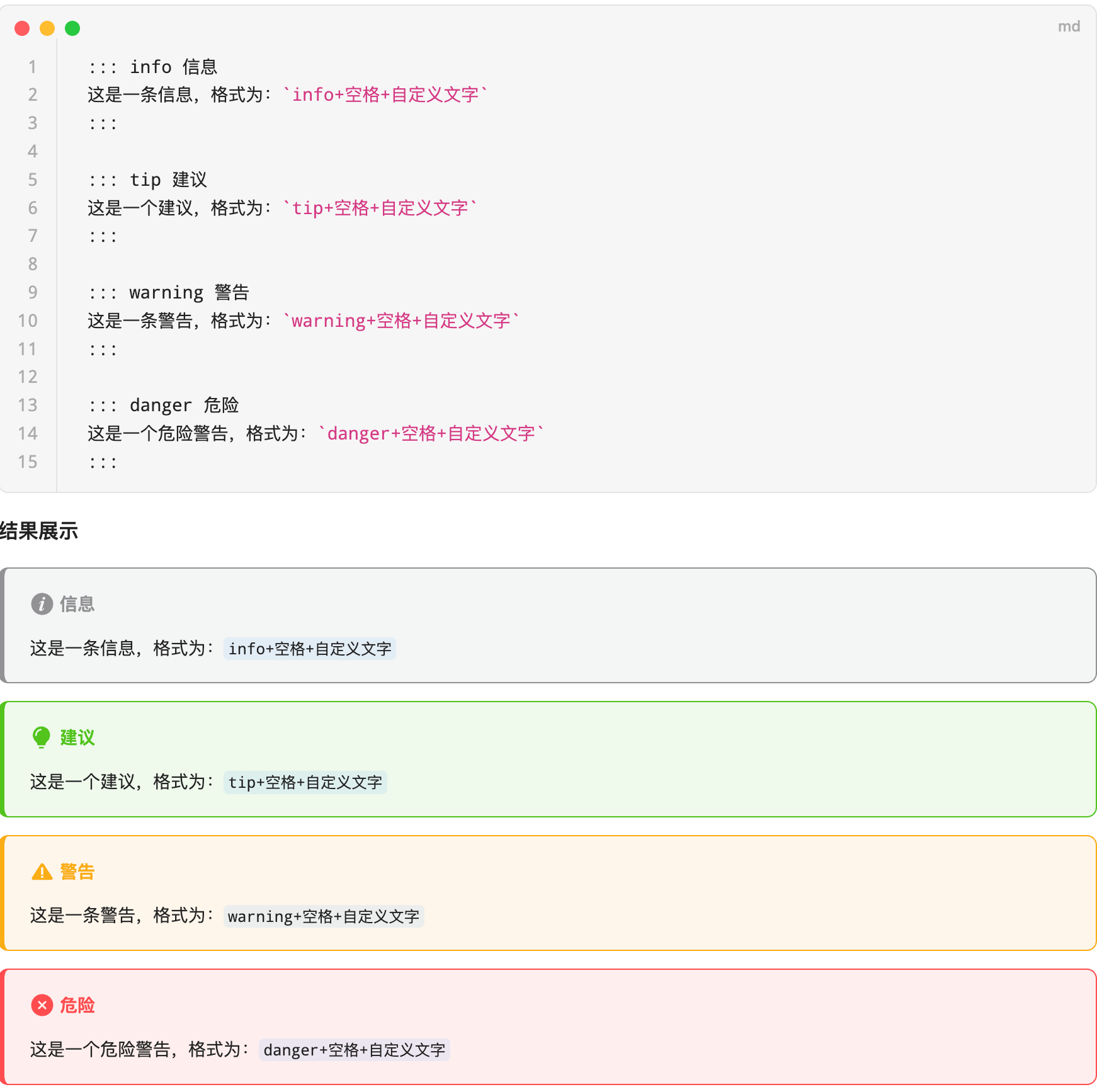
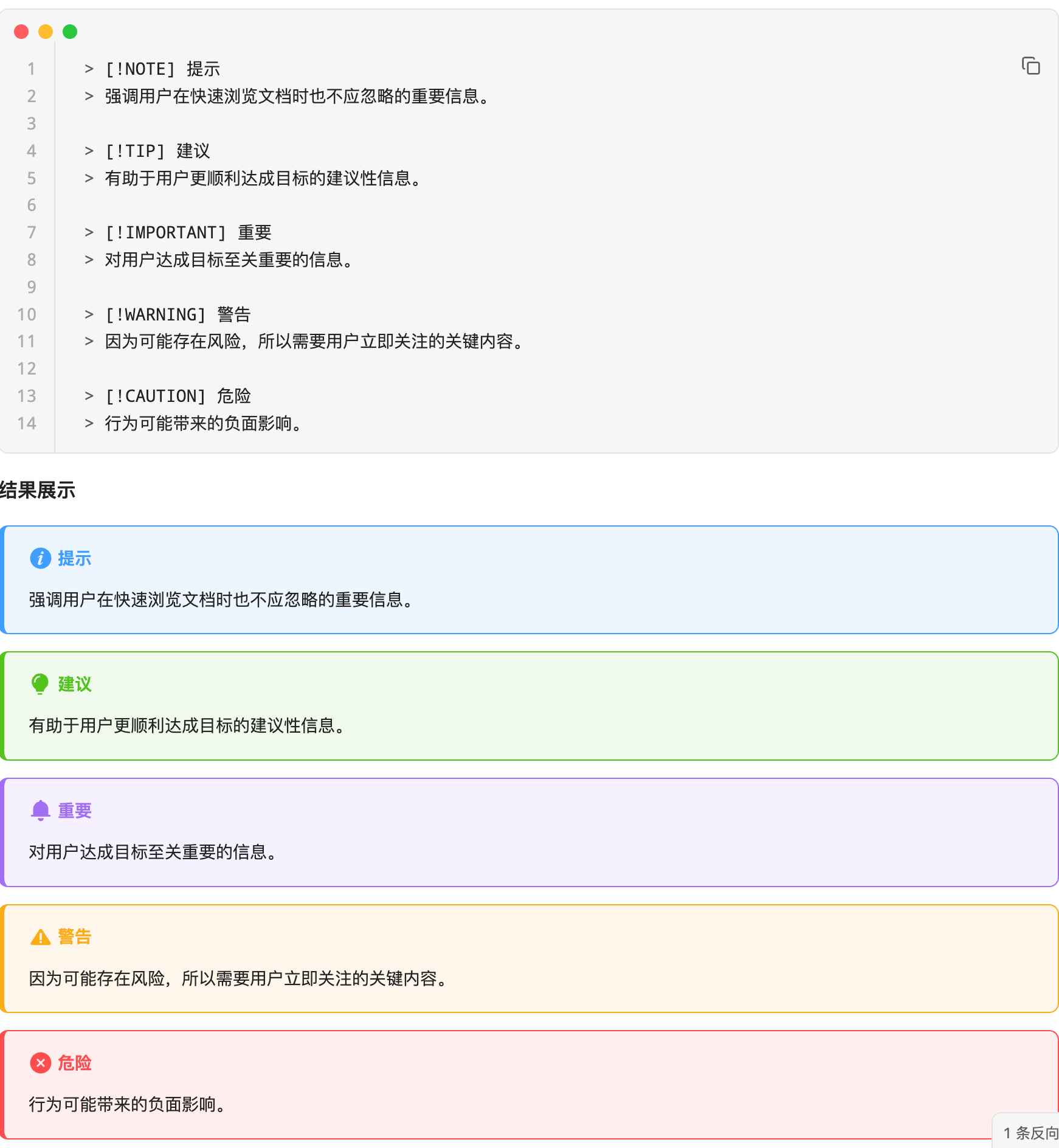
Alert Containers
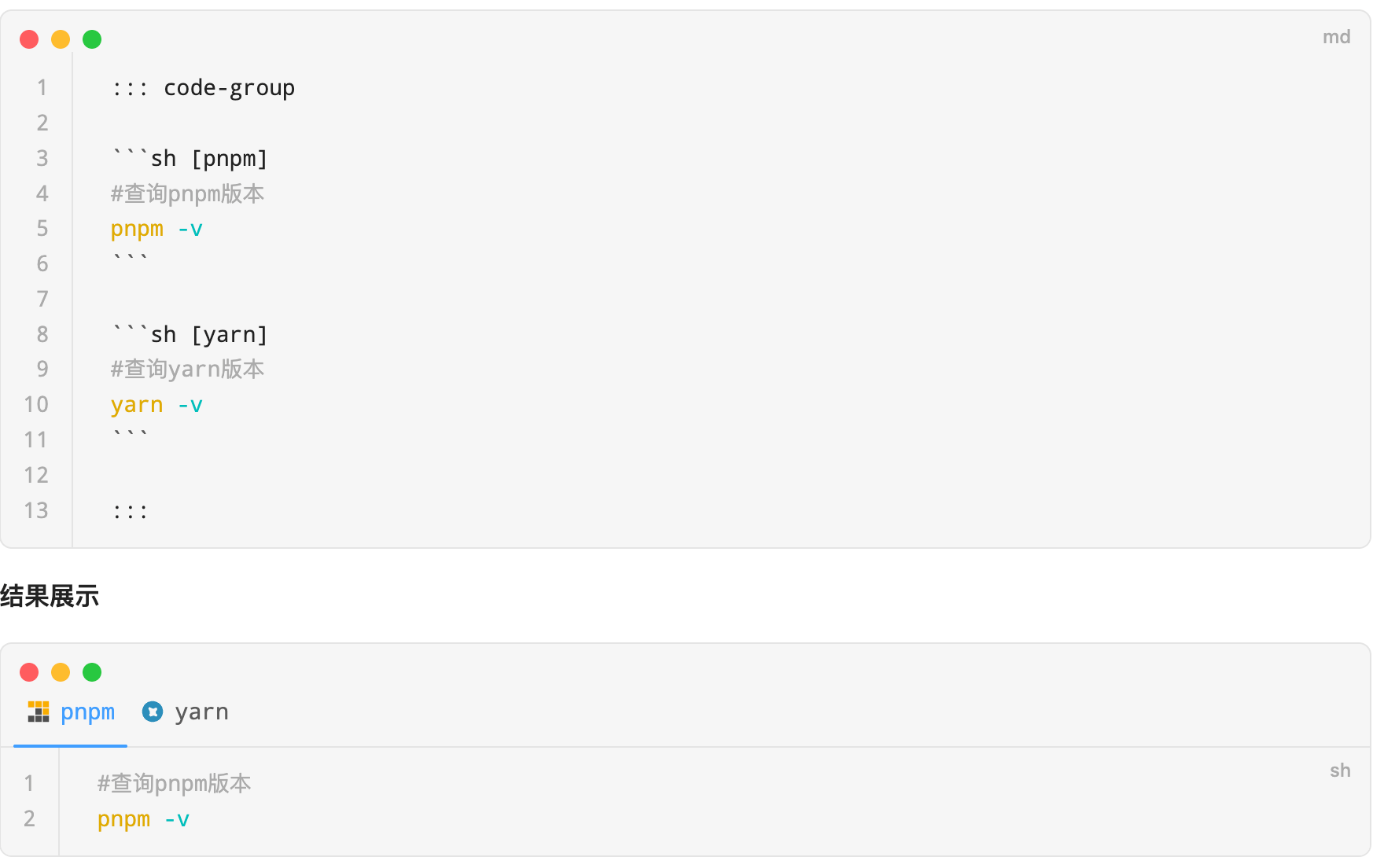
Code Block Titles & Code Groups
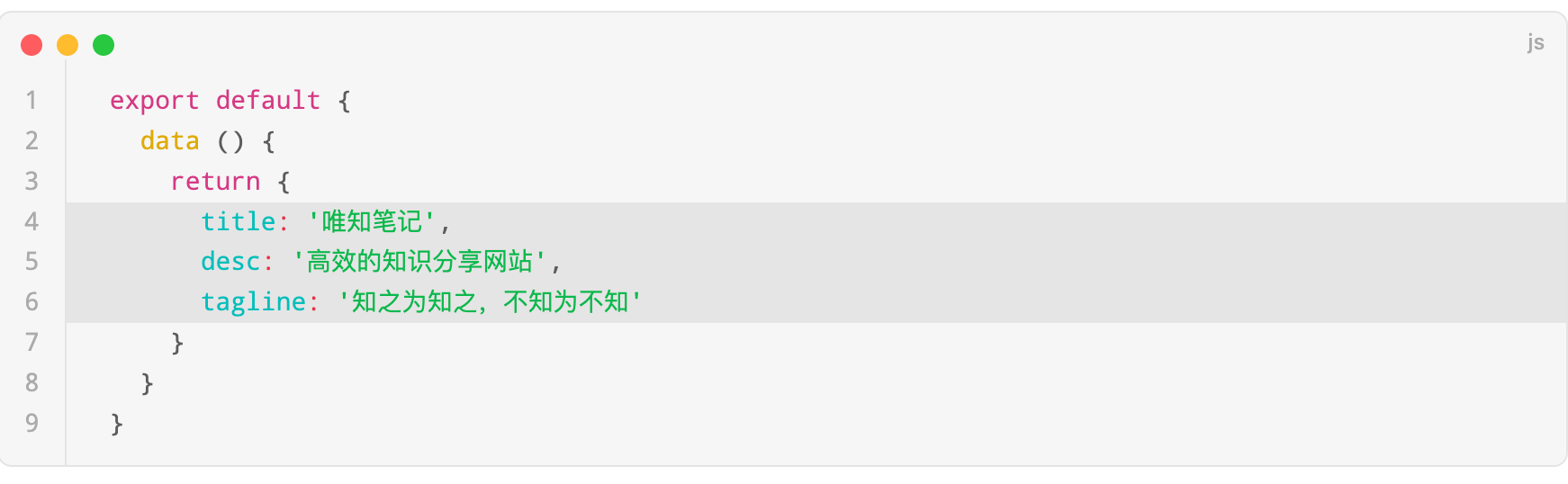
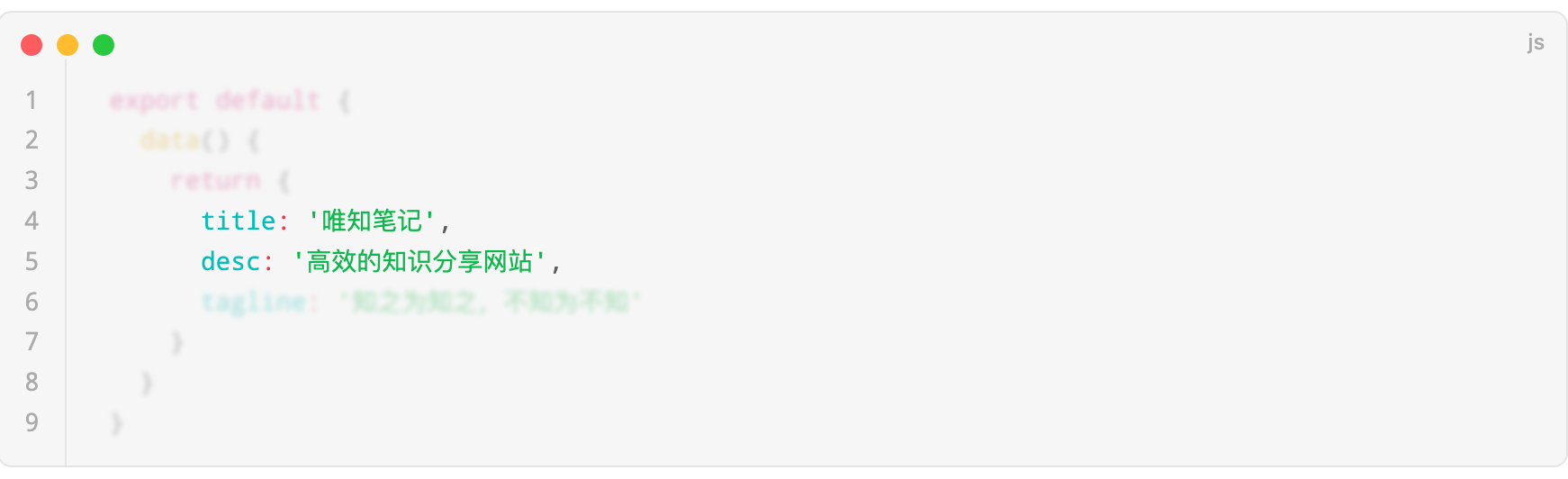
Code Line Highlighting / Diff / Warning Annotations
Compatibility
| Feature | Reading Mode | Live Preview | Source Mode |
|---|---|---|---|
| Alert containers (info/note/tip/important/warning/danger/caution) | ✅ | ❌ | ❌ |
| Collapsible container (details) | ✅ | ❌ | ❌ |
| Badge component (Badge) | ✅ | ❌ | ❌ |
Emoji (:emoji:) | ✅ | ❌ | ❌ |
| Code group (code-group) | ✅ | ❌ | ❌ |
| Code block enhancements (language label / filename / line numbers / highlights / diff / alerts) | ✅ | ❌ | ❌ |
| Link enhancements (external favicons / relative paths / line highlight links) | ✅ | ❌ | ❌ |
| Table / Typography styles | ✅ | ✅ | ❌ |
Settings
| Setting | Description | Default |
|---|---|---|
| Display language | Choose the language for plugin interface and container labels (Follow Obsidian / English / 简体中文) | Follow Obsidian |
| Follow Obsidian theme | Automatically adapt brand colors to match Obsidian accent color | ✅ |
| Custom primary color | Brand color for links and accents when not following Obsidian theme | #409eff |
| Enable typography styles | Apply VitePress typography (headings, links, lists, and line height) | ✅ |
| Enable code block styles | Apply VitePress-style code blocks (window header, language labels, and code groups) | ✅ |
| Enable container styles | Apply VitePress-style alert and collapsible container styles | ✅ |
| Code block corner radius | Border radius in pixels for code blocks and code groups (0–16 px) | 8 |
| Show line numbers | Display line numbers alongside code blocks in reading view | ✅ |
| Code line highlights and annotations | Support {1,3-5} line highlights and [!code focus/++/--/error/warning] markers | ✅ |
| Parse VitePress containers | Convert ::: syntax to alert containers, details blocks, and code groups | ✅ |
| Process links | Enhance external and VitePress-style internal links | ✅ |
| Show external link favicons | Fetch site favicons for external links via favicon.im | ✅ |
| Resolve relative links | Resolve VitePress-style relative paths and #L10-L15 line highlight links | ✅ |
| Parse VitePress badges | Convert <Badge /> syntax to styled inline badges | ✅ |
| Parse VitePress emojis | Convert :emoji: shortcodes to emoji icons | ✅ |
| Debug mode | Enable debug logging in the developer console | ❌ |
| Reload styles | Reapply theme classes and refresh rendered markdown views | - |
| Reset to defaults | Restore all options to their default values | - |
License
MIT
For plugin developers
Search results and similarity scores are powered by semantic analysis of your plugin's README. If your plugin isn't appearing for searches you'd expect, try updating your README to clearly describe your plugin's purpose, features, and use cases.