by Maplelia
Bring your Wallpaper Engine everywhere. A frosted-glass wallpaper for your workspace.
Wallvia
Bring your Wallpaper Engine everywhere.
Wallpaper Engine wallpapers and a glass interface in VS Code, Obsidian and the Codex desktop app — three platforms sharing one local wallpaper library.




English · 中文
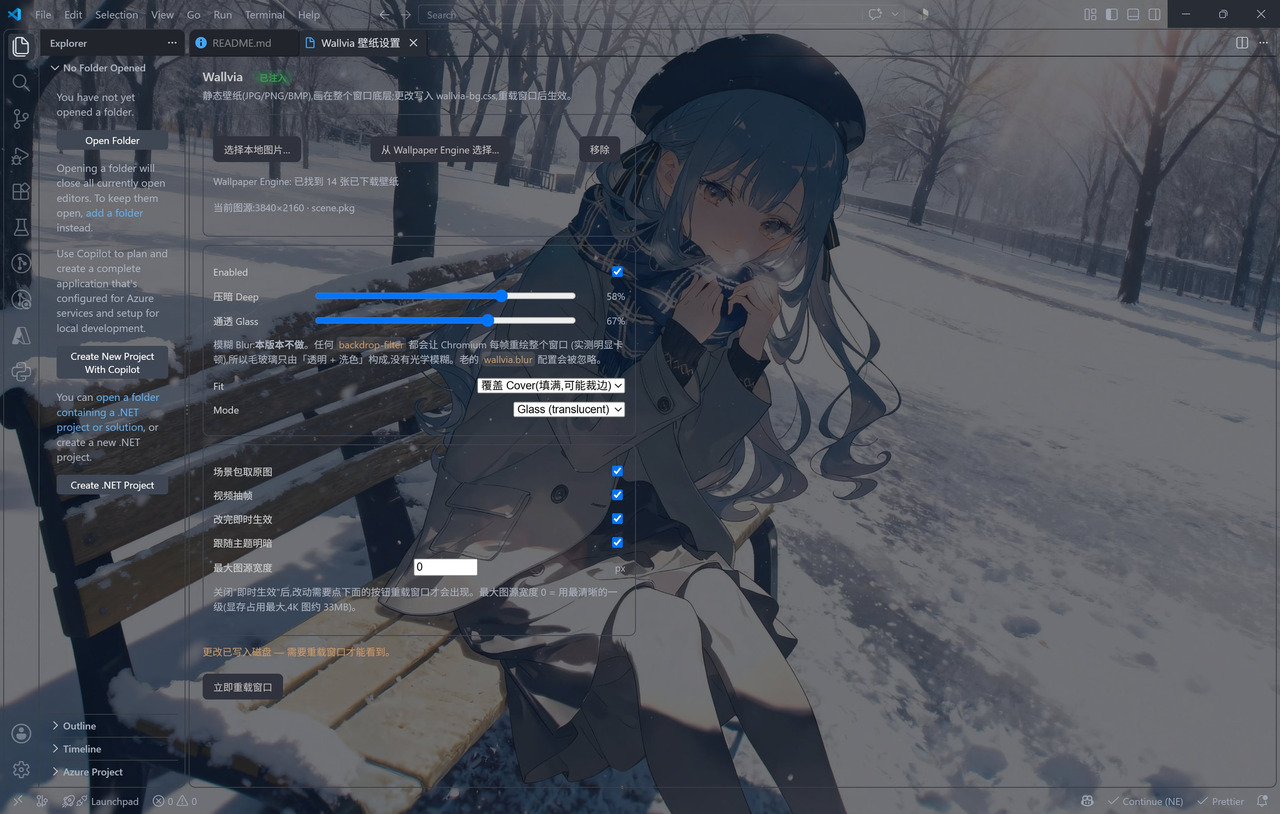
VS Code: the wallpaper fills the window, with a transparent activity bar and panels; the Wallvia settings panel on the right shows the injection status, the local Wallpaper Engine library (14 found) and every effect.
Contents
- The three platforms
- In action
- Quick start
- Repository layout
- Development and tests
- License and credits
The three platforms
| Platform | How to install | How it works | Docs |
|---|---|---|---|
| VS Code | Install wallvia-<version>.vsix | Generates CSS and a live-apply script, patches workbench.html and keeps the official checksum in sync | vscode/README.md |
| Obsidian | BRAT, or drop three files into the plugin folder | Official plugin API + CSS variables; the glass layer is painted on .workspace-leaf-content::before | obsidian/README.md |
| Codex desktop | npm i -g wallvia, or the one-line script | Runtime injection over CDP — it never touches the app's own files and needs no administrator | codex/README.md |
All three read the same local wallpaper library (Workshop / My Projects / built-in): each supports cover / fill / center, VS Code adds contain, and any of them can also take a plain image file.
| Shared | Detail |
|---|---|
| Reads wallpapers already downloaded | Wallpaper Engine does not have to be running — the downloaded library is scanned directly |
| Full-resolution artwork from a scene | Pulls the native-resolution PNG out of the scene.pkg mipmap chain, byte for byte: no re-encoding, no resizing |
| A frame from a video wallpaper | Takes a real frame out of the video as the still image; all three platforms decode it offscreen in the host's own Chromium — no ffmpeg, no external program |
| Three alignments | Cover (fills, may crop) / Fill (fills, may stretch) / Center (native ratio, centred) |
| Readability dim | A theme-aware dim layer — near-black on dark themes, near-white on light ones — so nothing ends up crushed or blown out |
In action
| VS Code | Obsidian | Codex |
|---|---|---|
| 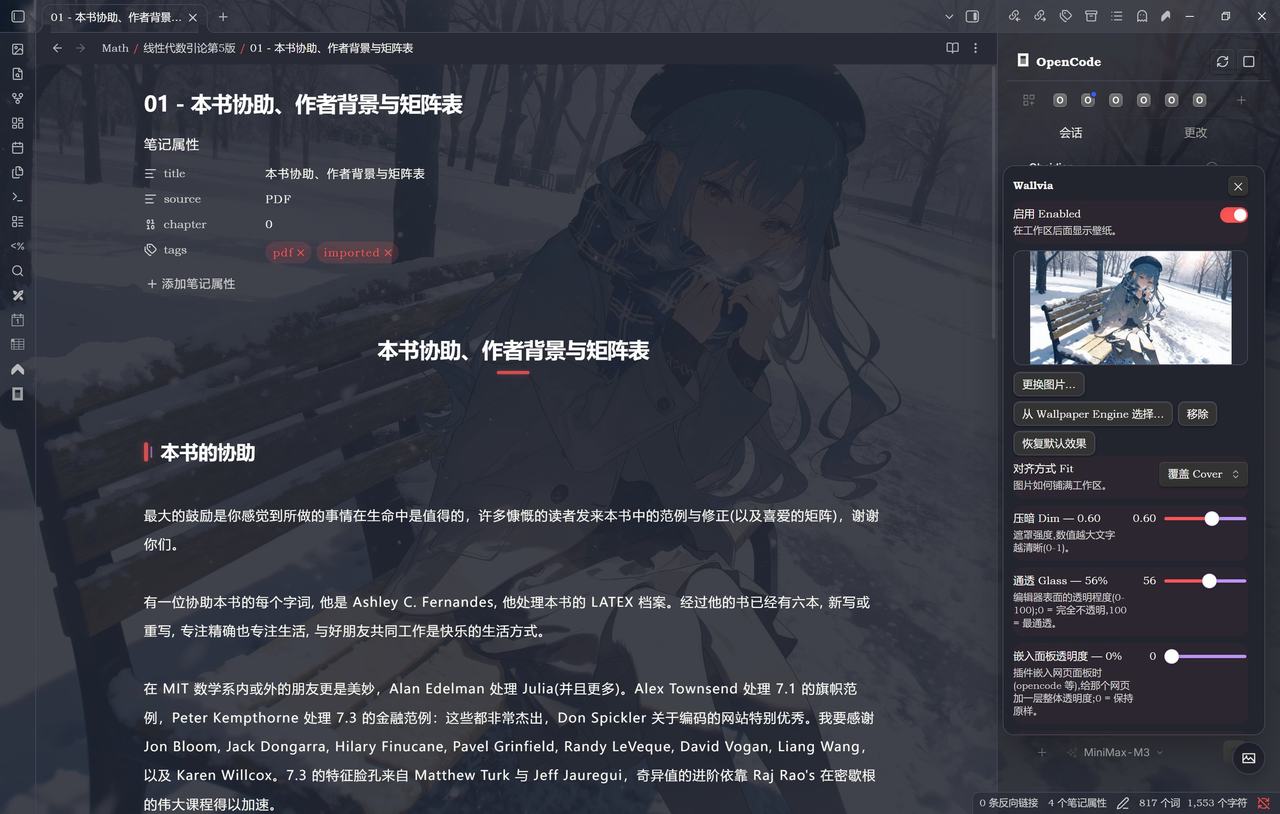 | 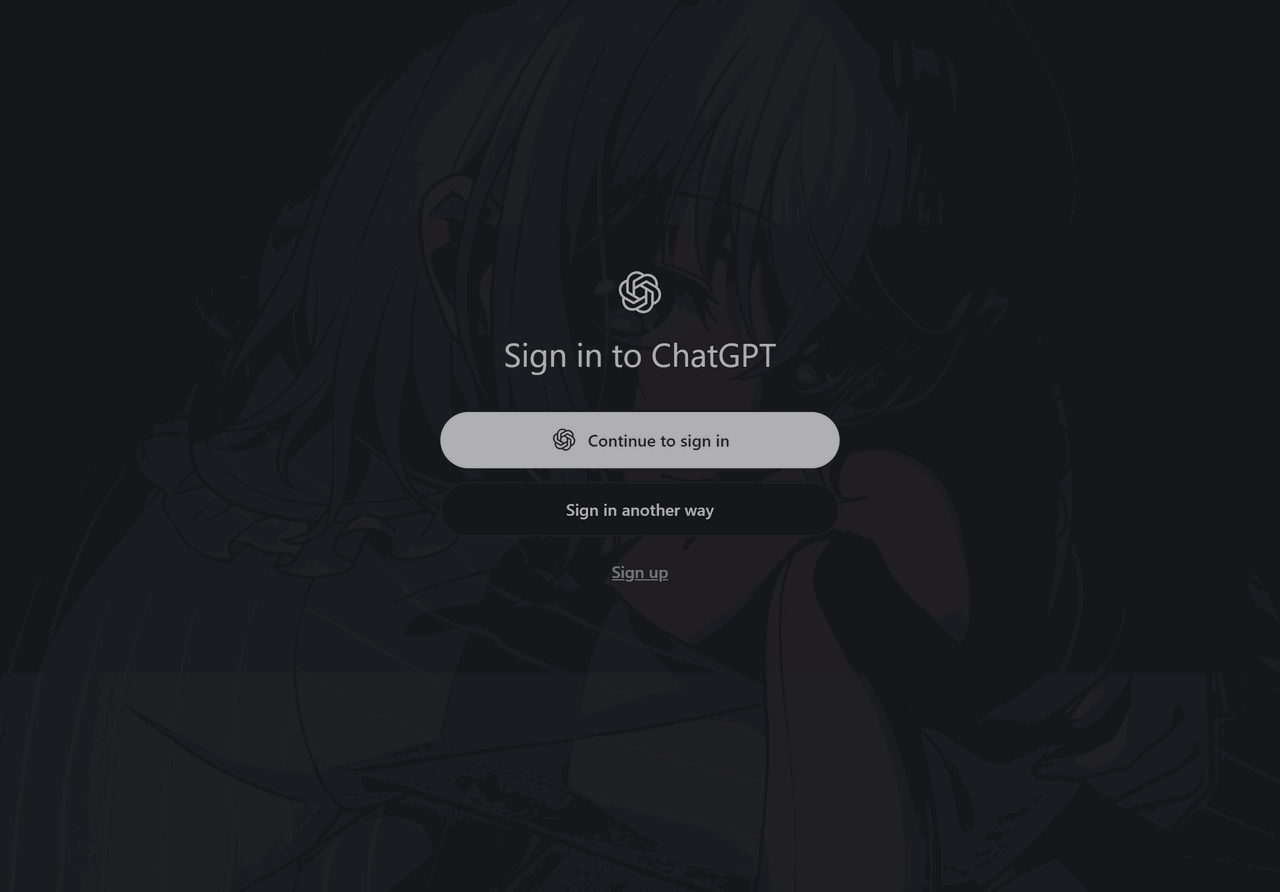 |
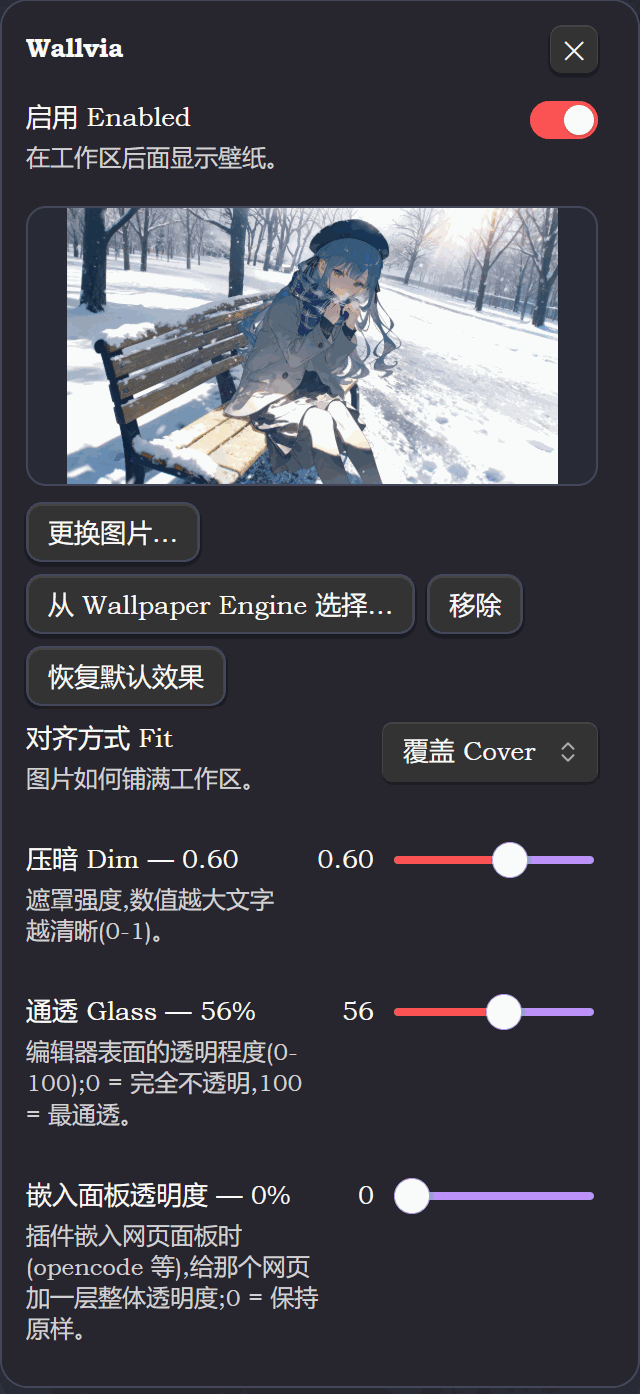
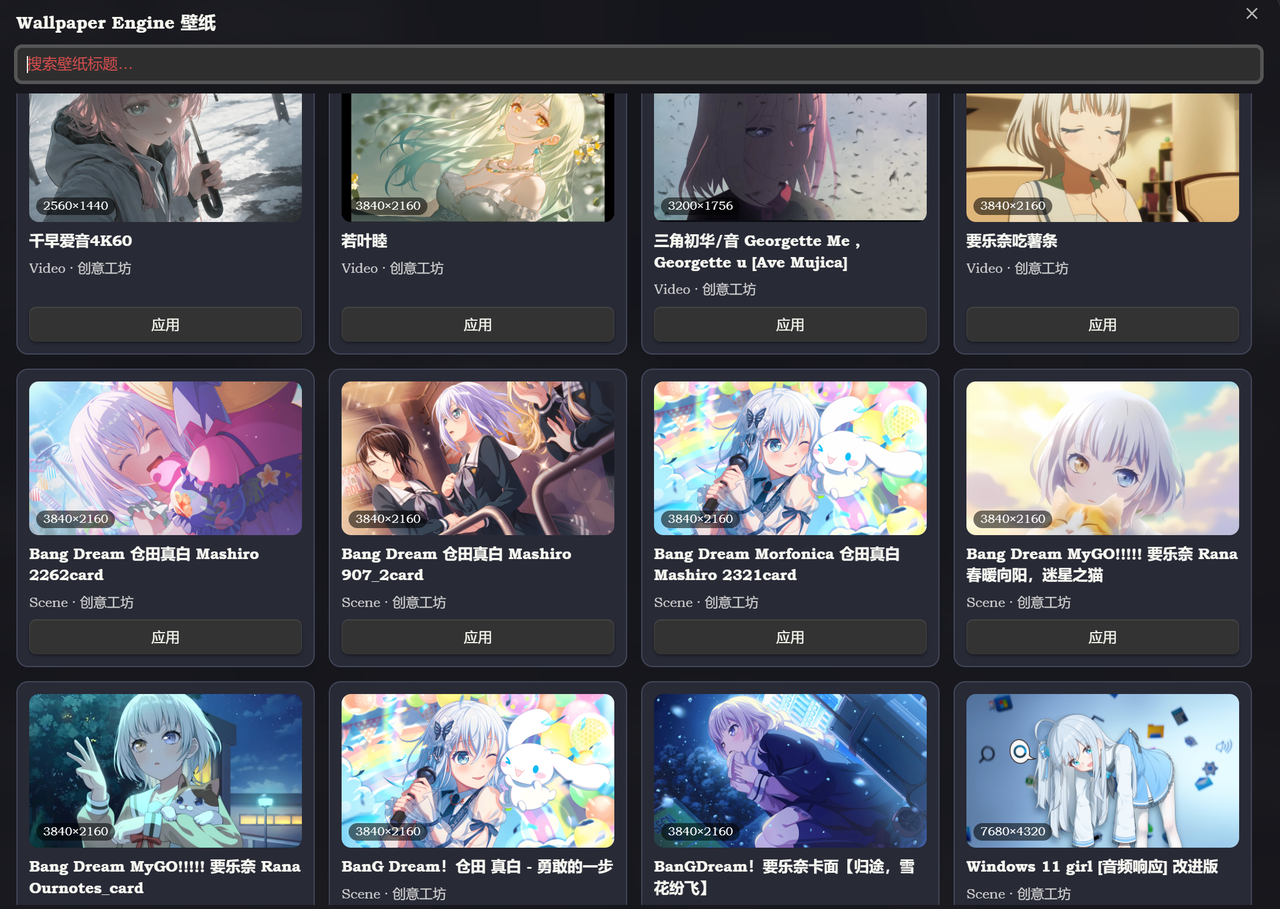
Obsidian's floating panel and wallpaper list:
| Floating panel | Wallpaper Engine wallpaper list |
|---|---|
 |  |
Quick start
VS Code
Download wallvia-<version>.vsix from Releases and install it; or package it yourself:
cd vscode
npx --yes @vscode/vsce package
code --install-extension wallvia-*.vsix --force
Then reload the window and search wallvia in the command palette: Choose Wallpaper Engine Wallpaper / Choose Image File / Open Settings Panel.
Obsidian
BRAT: Settings → BRAT → Add Beta plugin, and enter https://github.com/Maplelia/Wallvia.
By hand: copy these three files into <your vault>/.obsidian/plugins/wallvia/:
manifest.json
main.js
styles.css
Then restart Obsidian, turn off Restricted mode and enable Wallvia. main.js is the built artifact, so a normal install needs no Node.js.
Those three files sit in the repository root on purpose: Obsidian's auto-update, the community-directory checks and BRAT all look for them there. The source, the docs and the screenshots live in
obsidian/.
Codex desktop
npm i -g wallvia
wallvia watch          # follow the wallpaper Wallpaper Engine is showing
wallvia list           # list the wallpapers downloaded on this machine
wallvia stop           # put everything back
To skip npm, install into %LOCALAPPDATA%\Wallvia with the one-line script:
irm https://cdn.jsdelivr.net/gh/Maplelia/Wallvia@main/codex/install.ps1 | iex
Repository layout
.
├── manifest.json / main.js / styles.css / versions.json   Obsidian deliverables (must stay in the root)
├── obsidian/      Obsidian plugin source, docs and screenshots
├── vscode/        VS Code extension (src/, images/, scripts/)
├── codex/         Codex CLI and the CDP injector
├── tests/         Test suite (mock included, zero dependencies)
├── scripts/       Maintenance scripts, such as the version bump
├── INSTALL.md     Install notes
└── CREDITS.md     Credits and third-party sources
Development and tests
Requires Node.js 22 or newer (the Codex side uses the global WebSocket).
The toolchain lives in the repository root; all three platforms and the tests share one node_modules:
npm install          # once
npm run build        # Obsidian: type check + esbuild bundle to the root main.js
npm run dev          # Obsidian: watch for changes
npm test             # the whole suite (zero dependencies, plain Node)
npm run lint         # ESLint + Stylelint
Current regression result:
ALL TESTS PASSED
Coverage: manifest validation, the shared core parameters, wallpaper discovery and ordering, native artwork extraction from scene.pkg (mipmap levels and caching included), MP4 container parsing, the video-frame cache, the Obsidian plugin lifecycle and its stylesheet invariants, the VS Code patch and restore, the VS Code real-stylesheet specificity guard, and live CDP injection into a real Chromium.
License and credits
Wallvia is released under the MIT License.
Wallpaper Engine is a product of Kristjan Skutta; Wallvia is not affiliated with it and only reads its configuration files and wallpaper folders on this machine. The glass-wallpaper idea comes from the wallpaper plugins in the DSH ecosystem — see CREDITS.md for the exact sources.
For plugin developers
Search results and similarity scores are powered by semantic analysis of your plugin's README. If your plugin isn't appearing for searches you'd expect, try updating your README to clearly describe your plugin's purpose, features, and use cases.