Waveform Player
approvedby zhouhua
Render audio files as waveforms
★ 14 stars↓ 1,557 downloadsUpdated 1y agoMIT
Waveform Audio Player Plugin
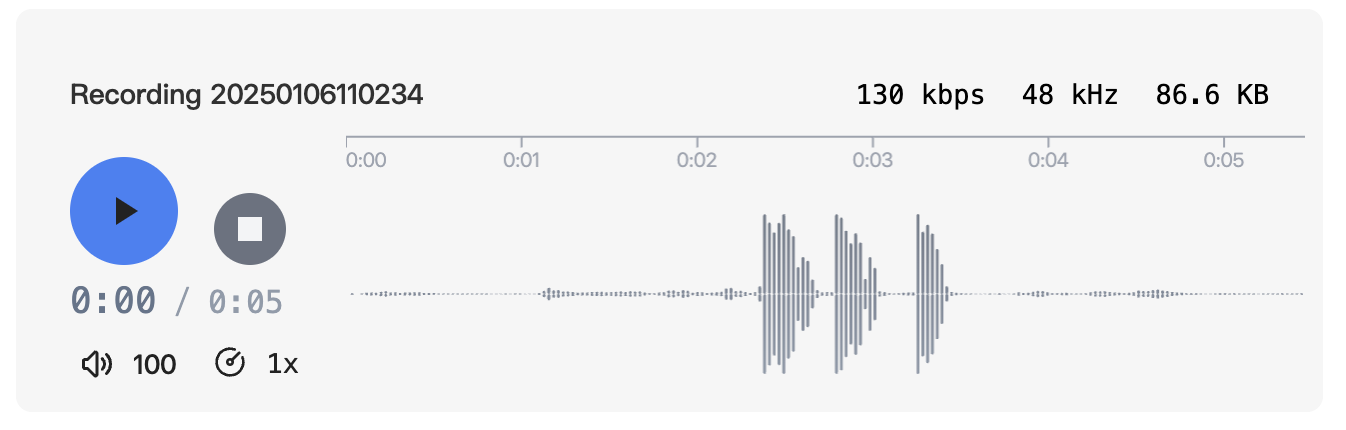
A plugin that enhances the display of audio files in Obsidian, supporting both audio attachments and recorded audio files.
Features
- Beautiful audio player interface
- Support for audio attachments (MP3, WAV, etc.)
- Support for Obsidian recorded audio
Preview
Before

After
Installation
From Obsidian Community Plugins
- Open Obsidian Settings
- Go to
Community Plugins - Disable
Safe Mode - Search for "Audio Beautifier"
- Click Install
- Enable the plugin
Usage
Once installed, the plugin automatically enhances the appearance of all audio files in your vault. No additional configuration needed.
My Other Obsidian Plugins
For plugin developers
Search results and similarity scores are powered by semantic analysis of your plugin's README. If your plugin isn't appearing for searches you'd expect, try updating your README to clearly describe your plugin's purpose, features, and use cases.