Novel Writing Stats
unlistedby Antigravity
Lists all Markdown files matching '第*章' and displays their word counts along with total vault statistics in the sidebar.
Updated 1mo agoMIT
Novel Writing Stats — Obsidian Plugin
An Obsidian plugin that adds a beautifully designed sidebar panel for long-form writers. It automatically detects, counts, and sorts all chapter files in your vault.
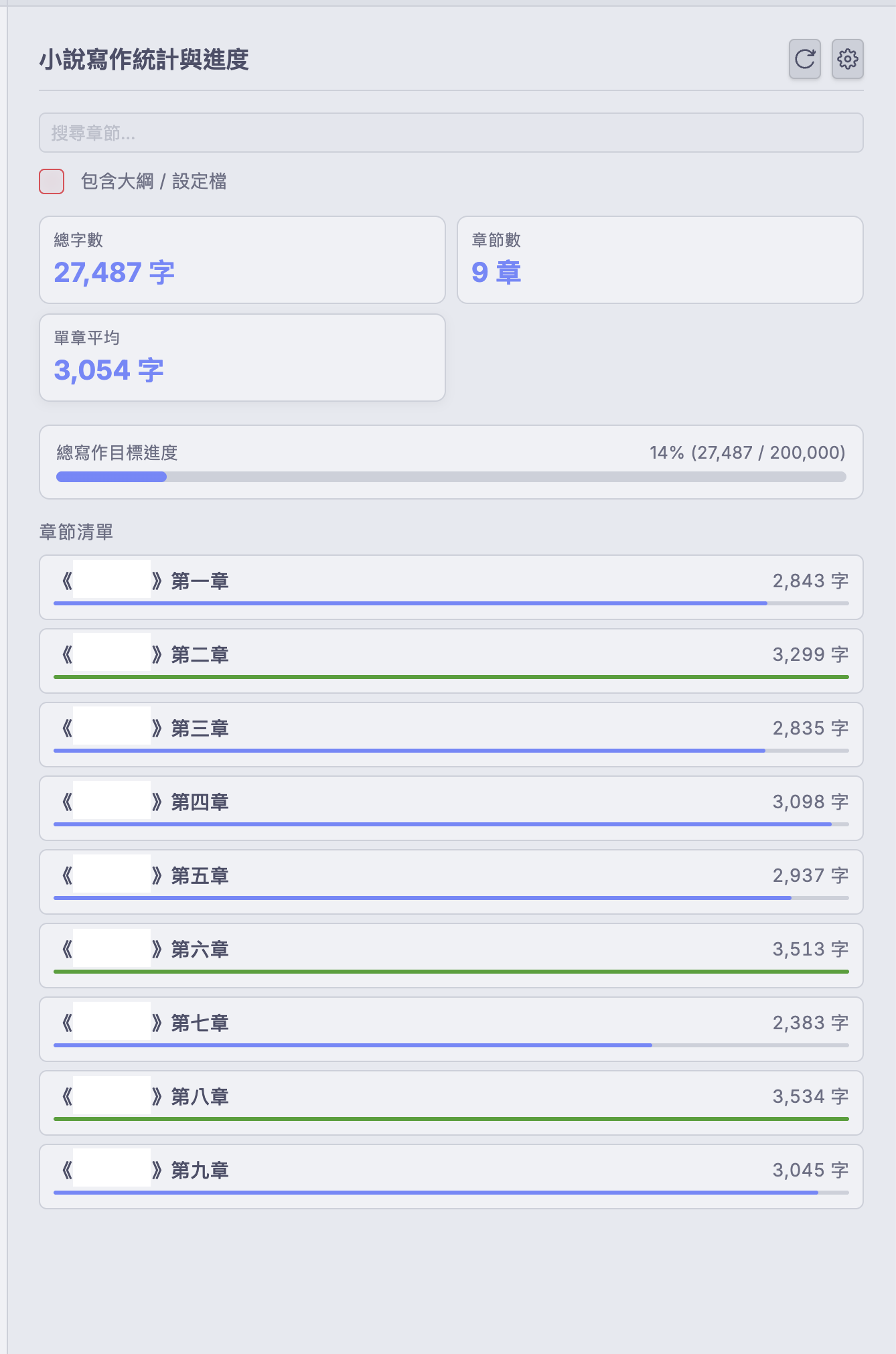
✨ Features
| Feature | Details |
|---|---|
| 📊 Writing Dashboard | Total word count, chapter count, and per-chapter average in a glanceable sidebar |
| 📈 Progress Bars | Overall writing goal progress + per-chapter progress bar for every chapter |
| 🔢 Smart Sorting | Correctly sorts 第一章 → 第二章 → … → 第十章 → 第十一章 (not alphabetically) |
| 🔍 Chapter Search | Instant filter to jump to any chapter |
| ⚡ Live Updates | Automatically refreshes when you save a file — no manual refresh needed |
| 🗂️ Outline Filter | Toggle to include or exclude outline/notes files from the count |
⚙️ Installation
This plugin is not yet listed in the official Obsidian Community Plugin store. Install it via one of these methods:
Method 1: BRAT (Recommended — supports auto-updates)
- Install the BRAT plugin from the Obsidian Community Plugins browser.
- Go to Settings → BRAT and click Add Beta Plugin.
- Enter the GitHub URL:
https://github.com/tracywong117/obsidian-novel-stats - Click Add Plugin — done!
Method 2: Manual Installation
- Go to the GitHub Releases page and download
main.js,manifest.json, andstyles.css. - Open your Obsidian vault folder on disk.
- Navigate to
.obsidian/plugins/(create thepluginsfolder if it doesn't exist). - Create a subfolder named
obsidian-novel-stats. - Place the three downloaded files inside that folder.
- In Obsidian, go to Settings → Community Plugins, reload, and enable Novel Writing Stats.
🚀 Usage
- Open Panel: Click the ✏️ pencil icon in the left ribbon.
- Command Palette: Press
Cmd/Ctrl + Pand search forOpen Novel Writing Stats.
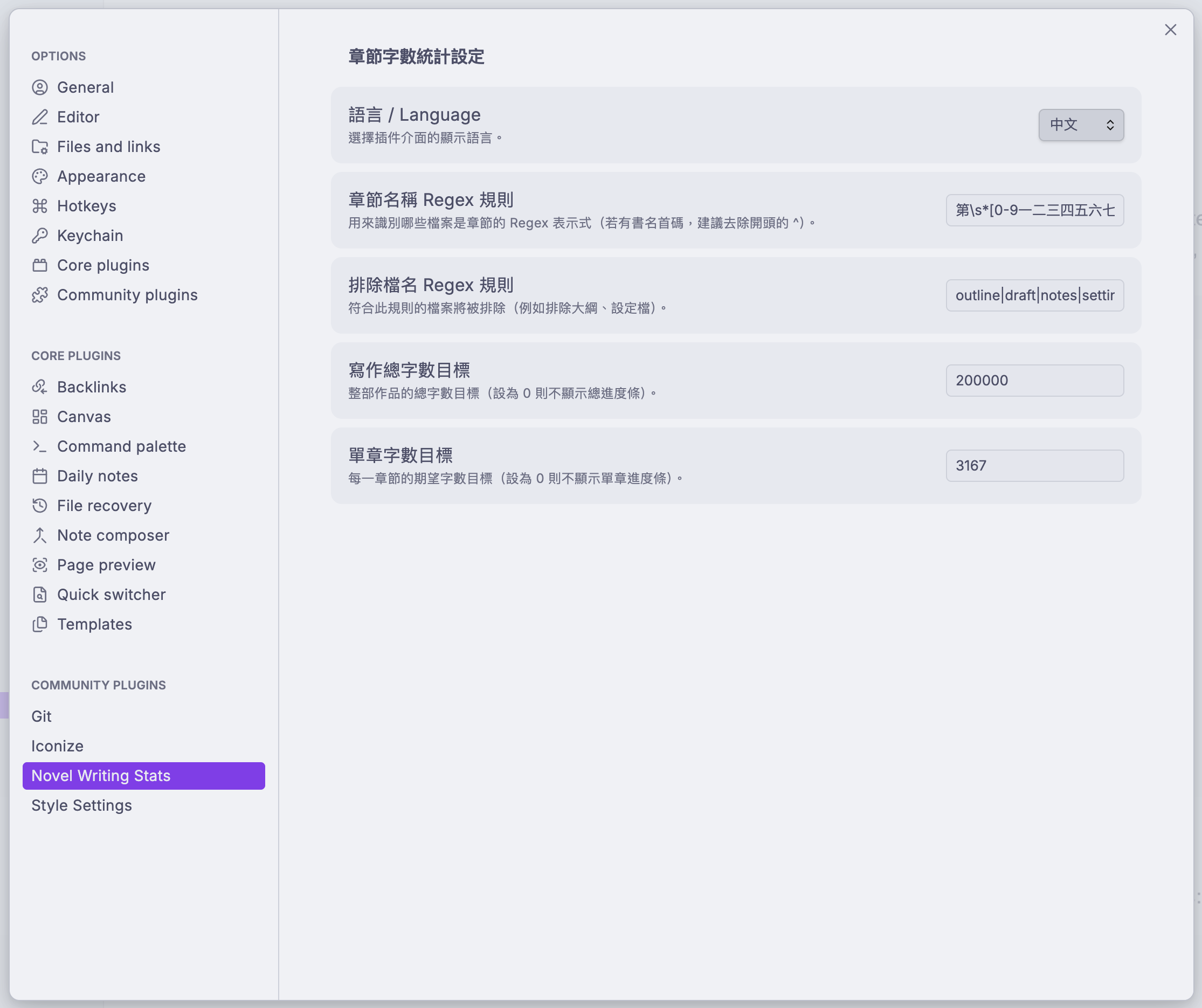
🔧 Settings
Open Settings → Novel Writing Stats to configure the plugin.
For plugin developers
Search results and similarity scores are powered by semantic analysis of your plugin's README. If your plugin isn't appearing for searches you'd expect, try updating your README to clearly describe your plugin's purpose, features, and use cases.