YouTrack Fetcher
approvedby forketyfork
Fetches YouTrack issues into notes
YouTrack Fetcher




This Obsidian plugin allows you to quickly fetch YouTrack issues and create notes from them in your Obsidian vault.
Features
- Fetch YouTrack issues by ID or URL and create structured notes
- Easy access via keyboard shortcut
- API token authentication support
- Configurable folder for storing issue notes
- Configurable note template
- Use
${field}placeholders in templates to insert values from fetched fields - Fields to fetch are parsed from your template automatically
- You can specify arbitrarily nested fields, e.g.,
${project.team.name} - Search for issues using YouTrack query language and import them from a paginated list
Installation
From Obsidian Community Plugins
- Open Obsidian
- Go to Settings > Community plugins
- Disable Safe mode if necessary
- Click Browse and search for "YouTrack Fetcher"
- Install the plugin
- Enable the plugin after installation
Manual Installation
- Download the latest release from the GitHub repository
- Extract the ZIP file into your Obsidian vault's
.obsidian/plugins/folder - Enable the plugin in Obsidian settings
Usage
- Set up your YouTrack instance URL in plugin settings
- Configure API token if required for your YouTrack instance
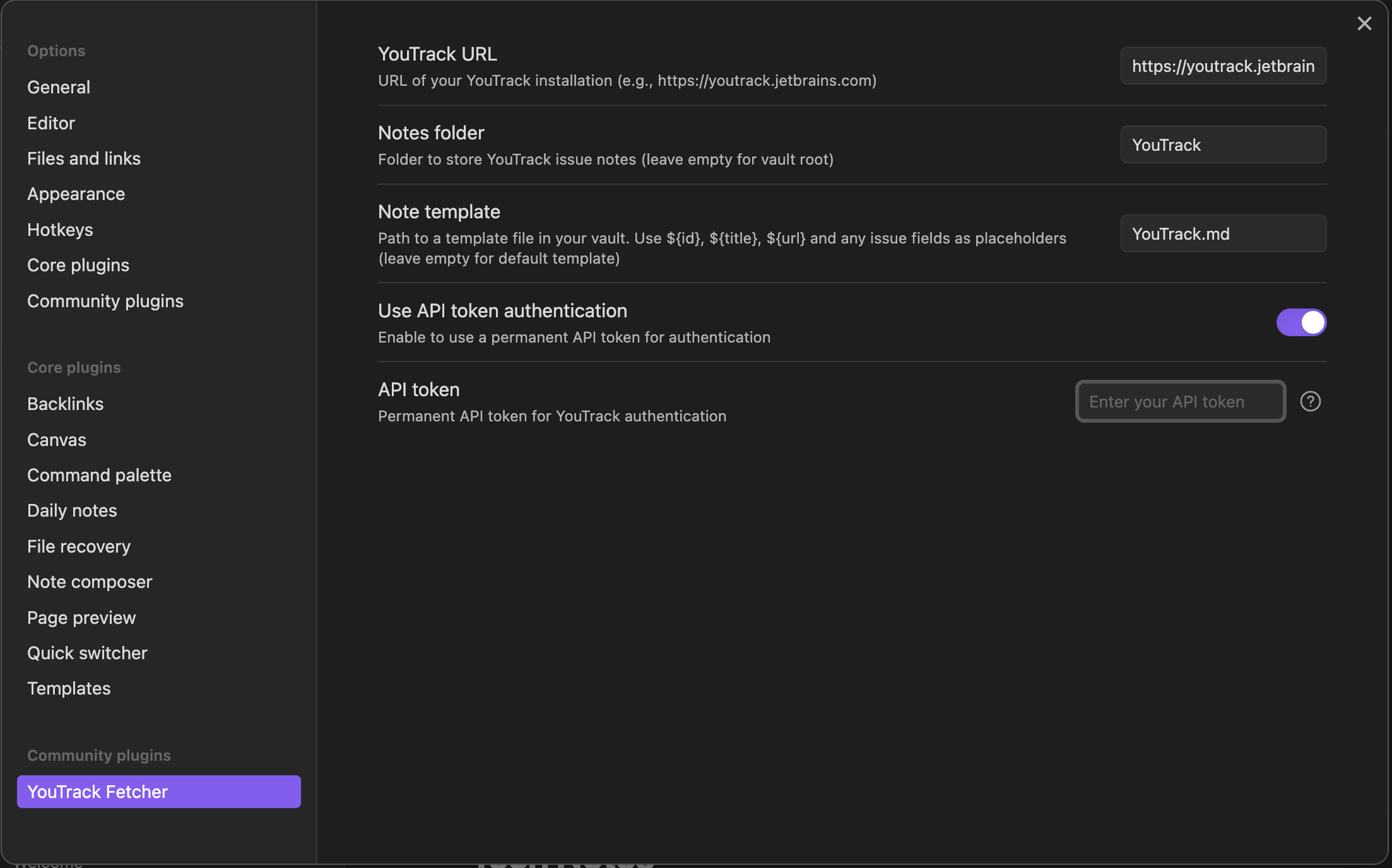
- Use the keyboard shortcut or click the clipboard icon in the ribbon
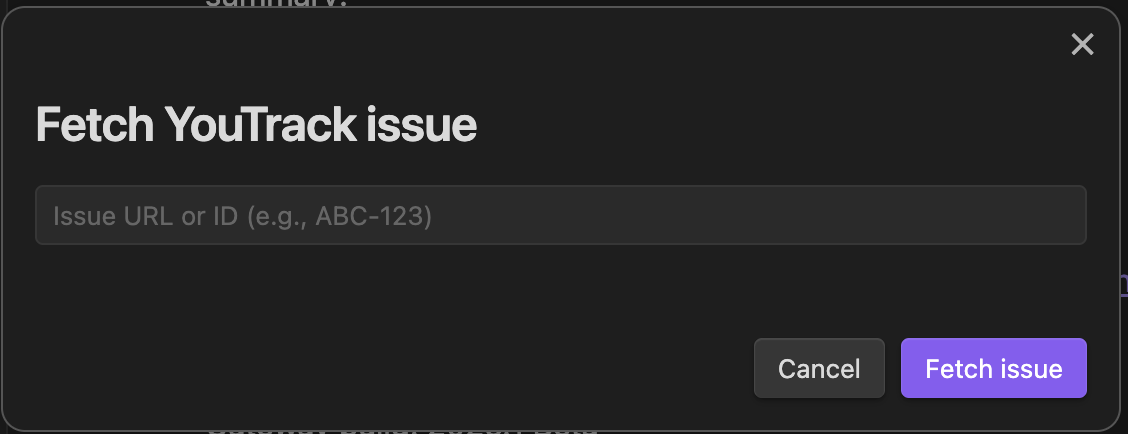
- Enter the issue ID or paste the full issue URL
- Click "Fetch Issue" to create a note based on the issue data
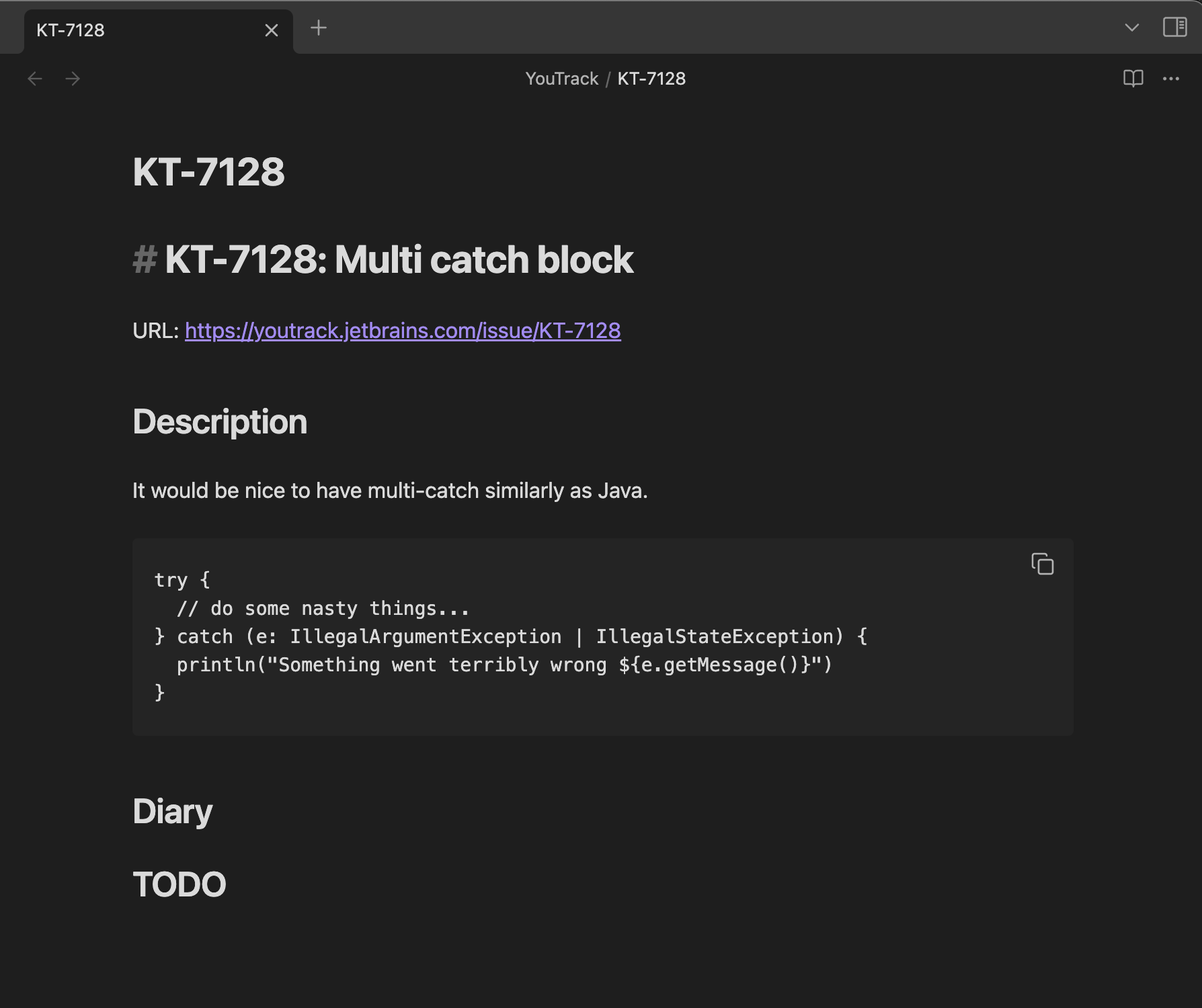
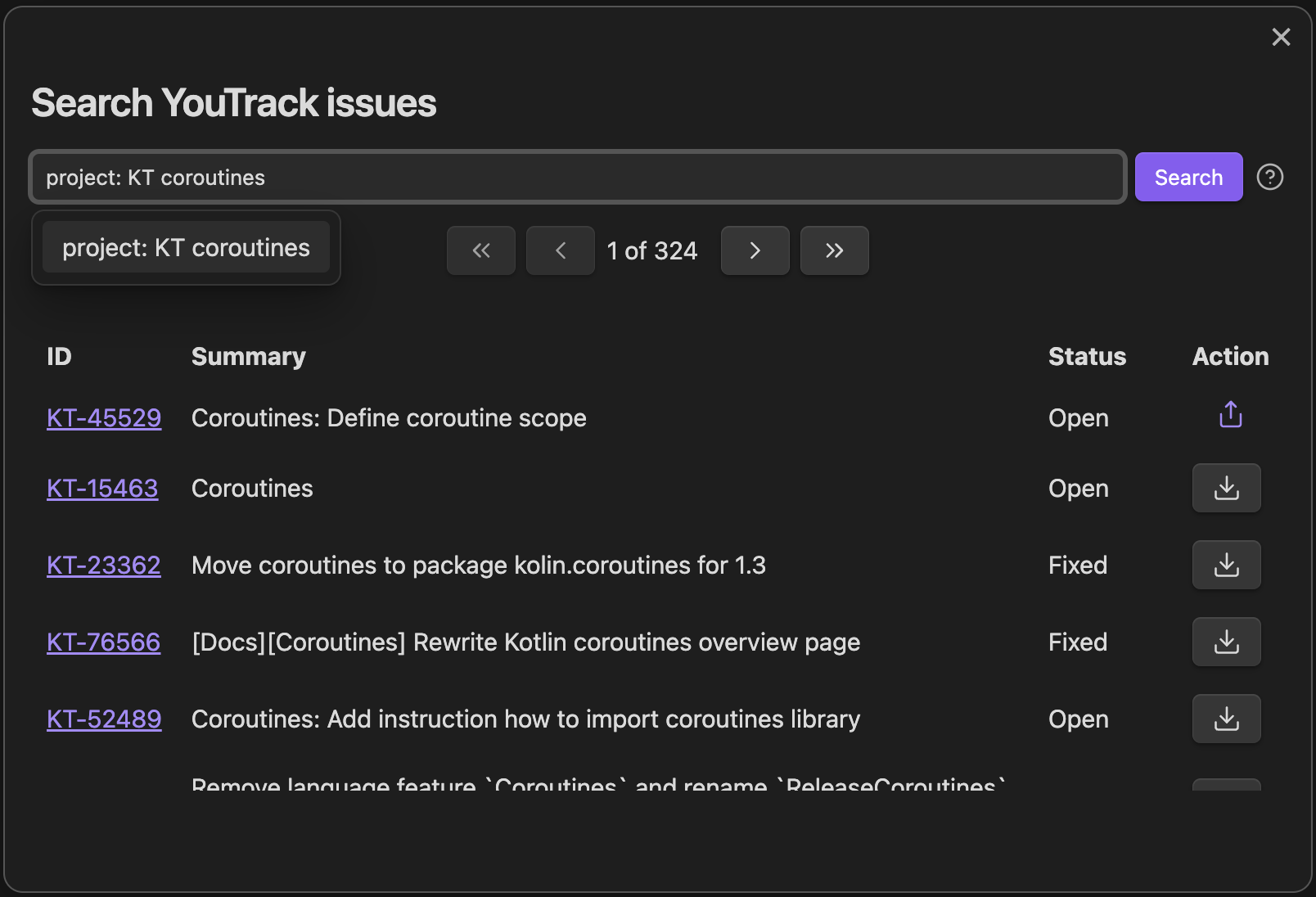
Alternatively, you can use the "Search YouTrack issues" command to open a search modal. Here you can enter a YouTrack query to search for issues. The results are paginated, and you can import any issue from the list.
Note Format
The plugin creates notes with the following format. As an alternative, specify your own template in the plugin settings. You can use arbitrarily nested fields, e.g., ${project.team.name}.
# ${id}: ${title}

URL: ${url}

## Description

${description}
Any field referenced in the template can be used as a placeholder with ${field}. You can also use arbitrarily nested fields, e.g., ${project.team.name}.
The issue summary can also be used as a ${title} placeholder.
See the YouTrack API Issue entity documentation for a list of available fields.
Requirements
- Obsidian v1.13.0 or higher
- Access to a YouTrack instance (cloud or self-hosted)
Troubleshooting
If you have trouble fetching issues, check the following. If you're on macOS or Linux, you can use the provided curl commands in your terminal, replacing the example host, port, and token with your values.
-
URL + network reachability: verify that YouTrack is accessible from your machine.
Use the exact base URL you open in a browser, including port and any additional path like
/youtrack.curl -s -o /dev/null -w "%{http_code}\n" https://youtrack.company.local:8080/youtrack200/302/401/403= reachable000= can't connect (VPN/DNS/firewall/port issue)
-
API token (if your instance requires authentication).
To get a token:
- go to your profile: /users/me
- click on "Update personal information and manage logins"
- select "Account security"
- scroll down to "Tokens" and click "New token"
- set name and add "YouTrack" to token scope
- click "Create" and copy the token
Then enable "Use API token authentication" in the plugin settings and paste the generated token into "API token".
How to check that the token works:
curl -s -o /dev/null -w "%{http_code}\n" -H "Authorization: Bearer <your token here>" <base URL>/api/users/me200= token works401/403= token invalid or permissions issue
-
Permissions / project access
Ensure you have access to the project. Replace in the request below with the one you expect to have access to:
curl -s -o /dev/null -w "%{http_code}\n" \ -H "Accept: application/json" \ -H "Content-Type: application/json" \ -H "Authorization: Bearer <your token here>" \ -G --data-urlencode "query=project: <project code>" \ --data-urlencode "fields=idReadable,summary" \ --data-urlencode "\$top=1" \ <base URL>/api/issues200= access ok403= no permission
If you still face problems, create an issue. Also: in Obsidian, open View -> Toggle Developer Tools, check the Console for errors, and attach those logs to the ticket if possible.
Development
Using Nix and Just (Recommended)
This project includes a Nix flake and direnv configuration for reproducible development environments, along with Just commands for common tasks.
Prerequisites
Setup
- Clone the repository and enter the directory
- If using direnv, run
direnv allowto automatically load the development environment - If not using direnv, run
nix developto enter the development shell
Available Commands
# List all available commands
just

# Clean build artifacts
just clean

# Install dependencies
just install

# Full production build (includes tests, type checking, and formatting)
just build

# Development build with watch mode
just watch

# Run tests
just test

# Run linter
just lint

# Run the CSS linter
just lint-css
Using pnpm Directly
Run the development build with change watch:
pnpm dev:watch
Run the TypeScript type check:
pnpm typecheck
Run the linter:
pnpm lint
Run the CSS linter:
pnpm lint:css
CSS linting uses Obsidian's official Stylelint configuration and treats review warnings, including unsupported browser features, as build failures.
Run the tests:
pnpm test
Run the tests in watch mode:
pnpm test:watch
Generate a coverage report:
pnpm coverage
Run the production build (includes tests, type checking, and formatting):
pnpm build
Bump the version in package.json and manifest.json, push the main branch,
and publish a new tag:
pnpm release -- <strategy|version>
My other plugins
- Food Tracker: Track calories, macros, and nutrition totals with database and inline entries.
- Grazie Plugin: Grammar and spell checking powered by JetBrains AI Platform (in development).
- Speech Bubbles: Render transcript notes as chat-style speech bubbles.
License
This plugin is licensed under the MIT License.
For plugin developers
Search results and similarity scores are powered by semantic analysis of your plugin's README. If your plugin isn't appearing for searches you'd expect, try updating your README to clearly describe your plugin's purpose, features, and use cases.