by Miłosz Lamański
Assign different accent colors and themes to different folders
Accent and Theme Customizer
An Obsidian plugin that allows you to assign different accent colors and themes to different folders!
Context menu
You can customize this plugin directly from the file explorer. Just right-click on a folder you want to customize and you're done.
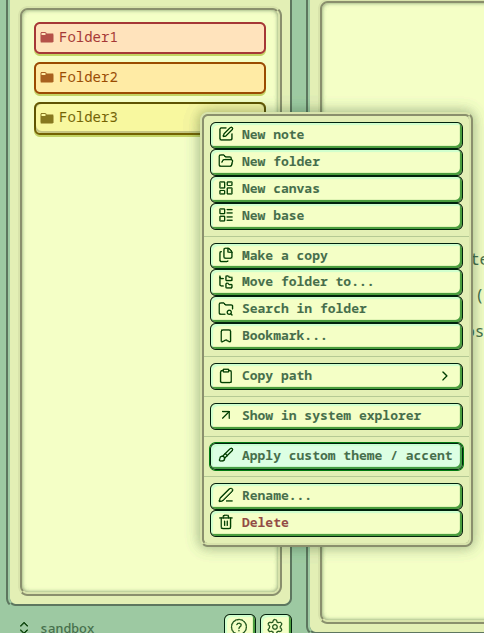
You will be presented with this simple settings tab:
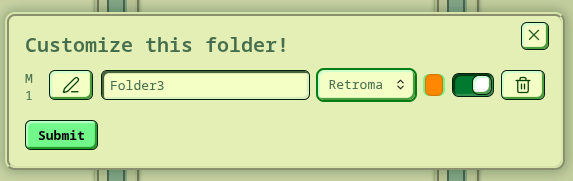
Here you can pick what to customize. Accent color and theme don't both have to be customized - you can leave either one as is.
Settings
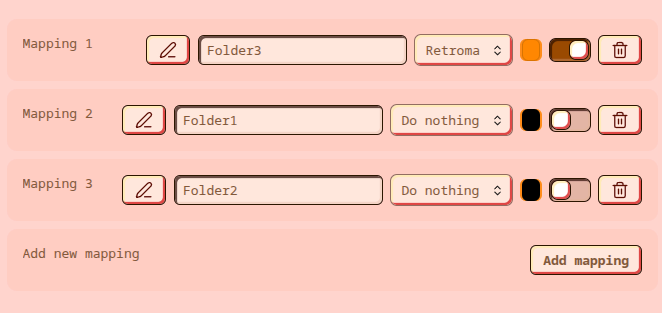
When you open the plugin settings you can quickly preview your mappings and make changes there as well.
For plugin developers
Search results and similarity scores are powered by semantic analysis of your plugin's README. If your plugin isn't appearing for searches you'd expect, try updating your README to clearly describe your plugin's purpose, features, and use cases.