Advanced Find and Replace
approvedby rockofox
Find and replace text across your vault using regular expressions, with advanced features like capturing groups and a live preview. - This plugin has not been manually reviewed by Obsidian staff.
★ 6 stars↓ 3,653 downloadsUpdated 3mo ago0BSD
Advanced Find and Replace Plugin for Obsidian
Find and replace text across your vault using regular expressions, with advanced features like capturing groups and a live preview.
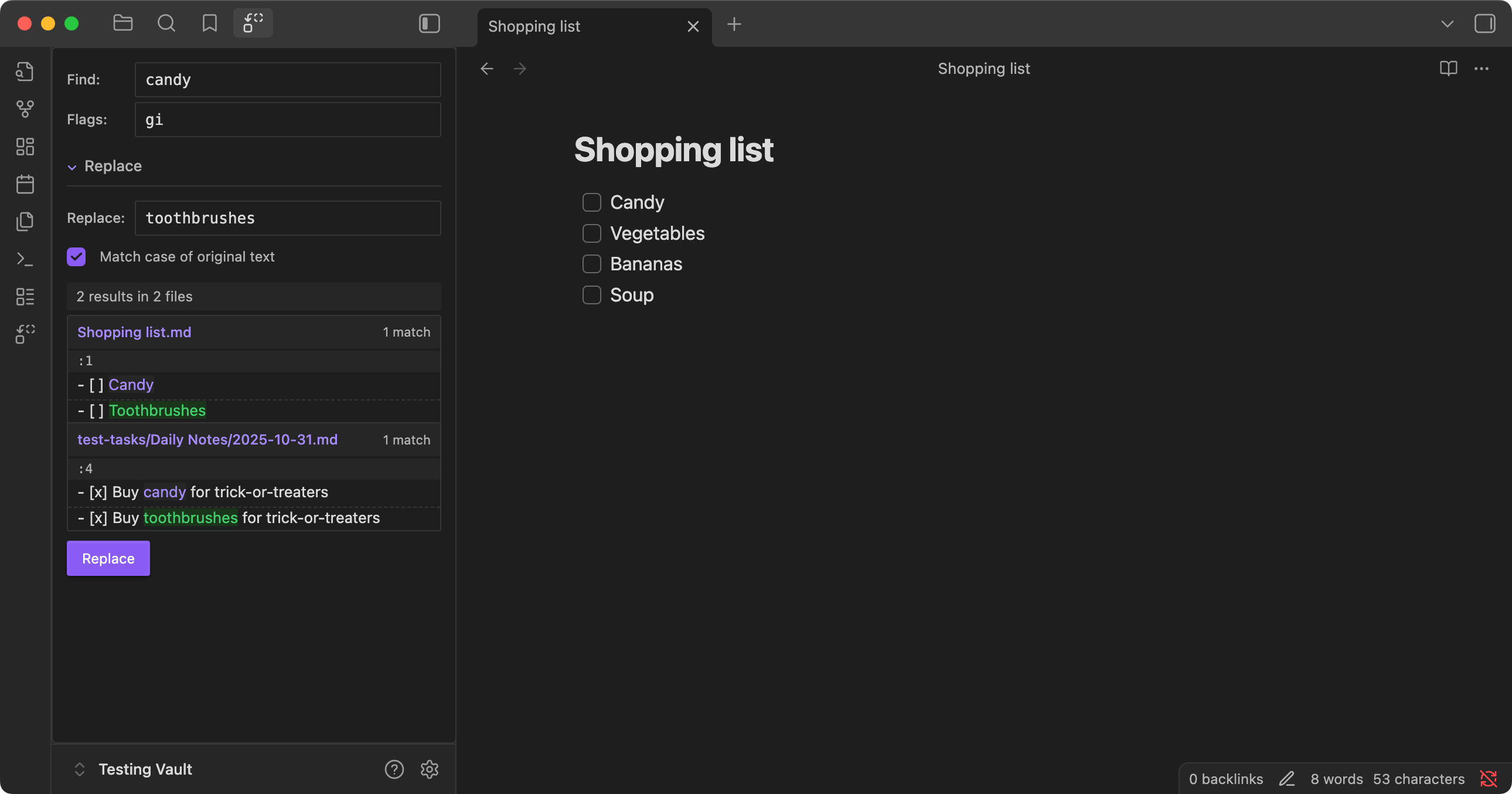
Features
- Regex Pattern Matching: Use full regular expression support with flags (global, case-insensitive, etc.)
- Live Preview: See exactly what changes will be made before applying them
- Vault-Wide Search: Search across all markdown files in your vault simultaneously
- Before/After Display: View the original text and replacement side by side
- Contextual Preview: Shows surrounding lines for better understanding of changes
Installation
Installation via BRAT
- Install the Beta Reviewer's Auto-update Tool (BRAT) from Obsidian's Community Plugins
- Open BRAT settings → Add Beta Plugin → enter repository URL:
https://github.com/rockofox/obsidian-advanced-find-and-replace - Enable the plugin when it appears in your disabled plugins list
- BRAT will automatically update the plugin when new versions are released
For plugin developers
Search results and similarity scores are powered by semantic analysis of your plugin's README. If your plugin isn't appearing for searches you'd expect, try updating your README to clearly describe your plugin's purpose, features, and use cases.