by pan4ratte
Create and quickly apply regex commands via command palette, context menus and hotkeys. Made for automation purposes.
Regex Quick Actions plugin
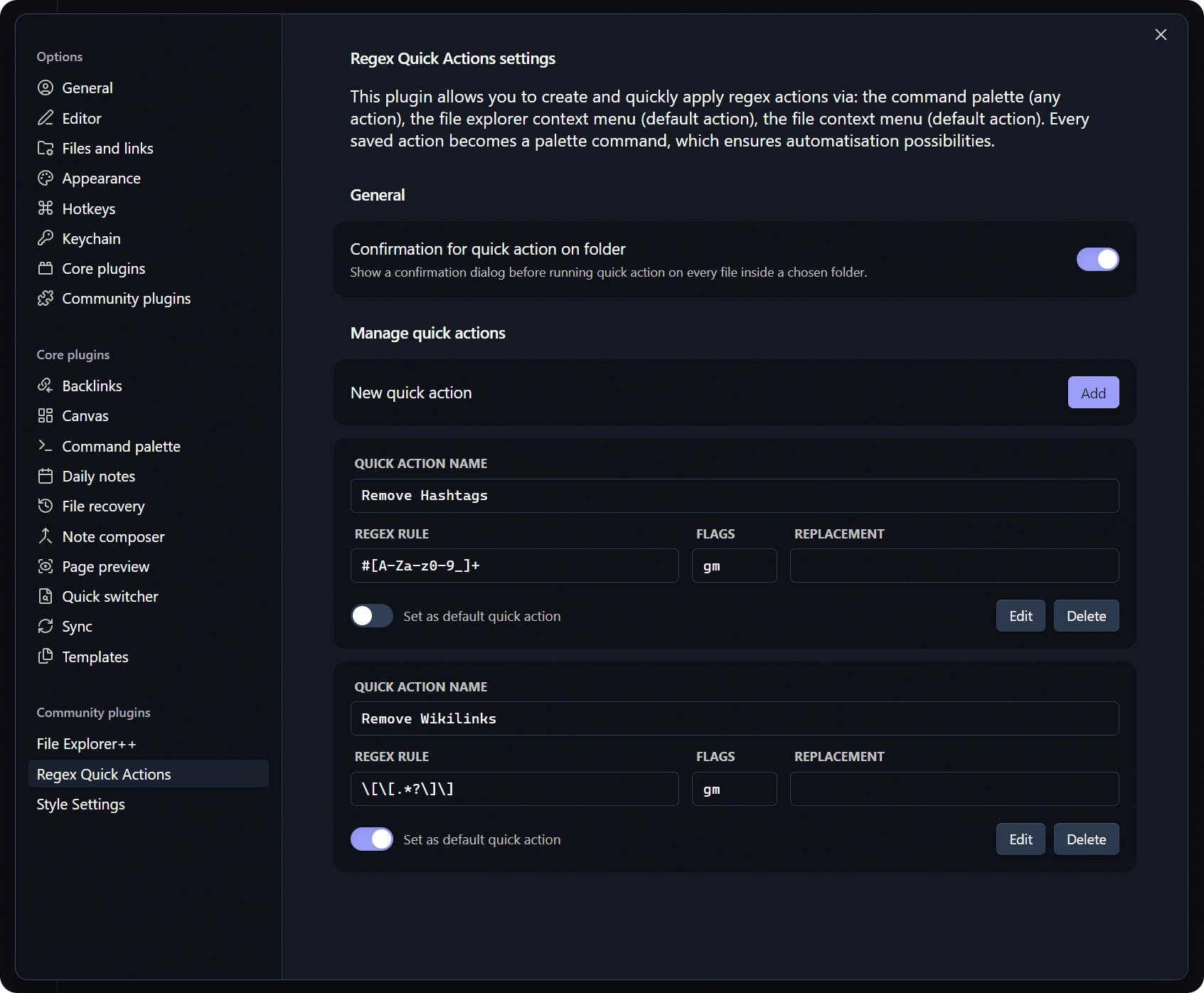

This plugin allows you to create and quickly apply regex commands via command palette, context menus and hotkeys. Made for automation purposes.
Features
1. Quick actions in every context
Create regex quick actions and run them from the command palette or with hotkeys. They can be applied to a single note as well as to every note in a chosen folder. Setting a default action is available too.
2. Prepare action sequences
Build chains of quick actions that run one after another. The actions in a sequence can be reordered, and the same action can be run any number of times in a row. Every saved sequence appears in the command palette and in the context menus of notes and folders.
3. Quick find/replace
The "Quick find/replace" command in the palette opens a window for a single, unsaved run of a regex command: type a regex, its flags and a replacement, and apply them to the open note.
You don't need to know regex syntax for this. The toggles under the fields let you search for plain text, match case, find whole words only, or only the start and end of a line. The "+" button by a field inserts ready-made pieces: any letter or digit, a repeat, a group, and in the replacement, the found text. The resulting regex and the number of matches show under the fields before you run it.
4. Actions applied to selected text only
An option in the settings makes actions and sequences apply not only to the whole file, but also to the text currently selected in a note.
5. Backup and restore
Export and import your quick actions and sequences to a file. Export is available on desktop only, because of the platform's limits.
6. Reverting the last executed action
The "Revert last quick action" command in the palette undoes the most recent run as a whole, including runs over several files or over a whole folder.
Installation
Option 1: Obsidian plugin store
-
In Obsidian settings open the tab "Community plugins" and click "Browse" button.
-
In the search bar type
Regex Quick Actions, click on the result, then "Install" and "Enable" buttons.
Alternatively, you can install the plugin by following the link to the community website: https://community.obsidian.md/plugins/regex-quick-actions
Option 2: BRAT plugin
If you want to test beta-versions of the plugin or use previous versions, you can do that with BRAT plugin:
-
Install
BRATplugin from the official Obsidian plugin store. -
In the
BRATsettings, find the “Beta plugin list” section and click on the “Add beta plugin” button. -
In the window that appears, paste the link to the
Regex Quick Actionsplugin repository: https://github.com/pan4ratte/obsidian-regex-quick-actions -
Under “Select a version” choose the desired version and click the “Add plugin” button. The plugin will be automatically installed and will be ready to use.
About the Author
My name is Mark Ingrem and I am a Religious Studies scholar. Apart from my main area of study (Protestant Political Theology in Russia), I teach a university course called "Information Technologies in Scientific Research", which is based on my own unique program. This plugin helps me in my research and I use it in my teaching, along with the other plugins I develop, which you can find on my GitHub profile.
Hello to every student who came across this page!
Credits
Regex Quick Actions is a continuation of the idea of Regex Pipeline plugin. While the base of the code was borrowed from it, now every line is original. Still, cheers to the authors for the inspiration and for making a quick start of this project possible.
For plugin developers
Search results and similarity scores are powered by semantic analysis of your plugin's README. If your plugin isn't appearing for searches you'd expect, try updating your README to clearly describe your plugin's purpose, features, and use cases.