Advanced Progress Bars
approvedby cactuzhead
Progress bars that can change color depending on completion value - fully customizable.
★ 39 stars↓ 14,413 downloadsUpdated 6mo agoGPL-3.0
Advanced-Progress-Bars
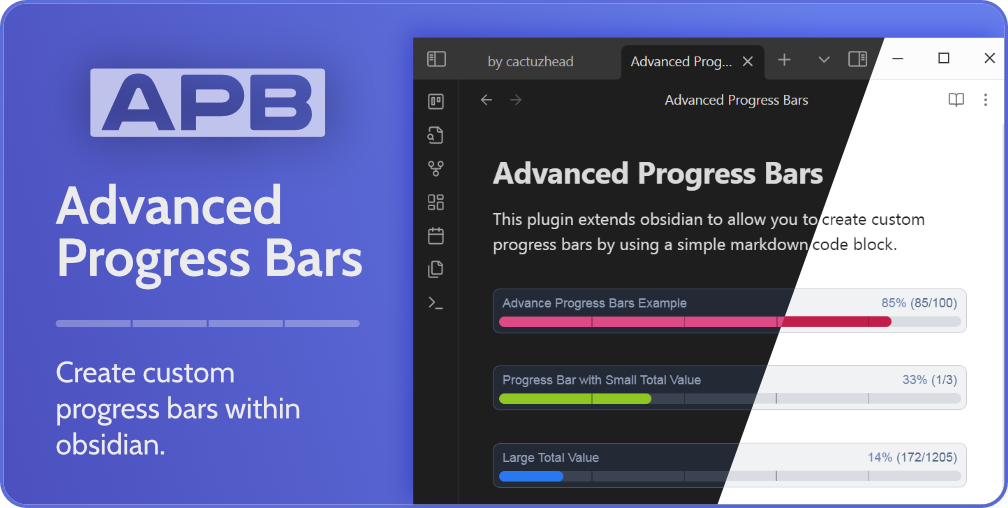 This plugin extends obsidian to allow you to create custom progress bars by using a simple markdown code block.
 If you find value in this plugin and would like to support us, please consider using our ko-fi
Installing via Obsidian
- Navigate to Settings -> Community Plugins -> Browse and then search for
Advanced Progress Bars. - Now select the Advanced Progress Bars plugin and click the install button.
- Remember to activate the plugin by going to
Settings->Community Plugins->Installed Pluginsand toggling theAPBplugin on.
Manual Install
- Find the latest release from https://cactuzhead.github.io/Advanced-Progress-Bars/ and download the files (
main.js,manifest.jsonandstyles.css). - Navigate to your vault's plugin folder
[your vault]/.obsidian/plugins, and create a new folder calledobsidian-advanced-progress-bars. - Copy the downloaded files into this new folder.
- Reload Obsidian.
- Remember to activate the plugin by going to
Settings->Community Plugins->Installed Pluginsand toggling theAPBplugin on.
Usage Example Code Block
To insert an Advanced Progress Bar into Obsidian, you use a fenced code block similar to the one below.
```apb
My Title: 57/100
```
In the apb code block, you define the attributes as Title: Value / Total.
Documentation
For full documentation, please visit our github page
For plugin developers
Search results and similarity scores are powered by semantic analysis of your plugin's README. If your plugin isn't appearing for searches you'd expect, try updating your README to clearly describe your plugin's purpose, features, and use cases.