by aiche-app
Create voice-to-text notes on desktop and mobile, with transcription, punctuation, and cleanup.
AICHE Voice for Obsidian
Speak into your notes. Polished text in seconds.
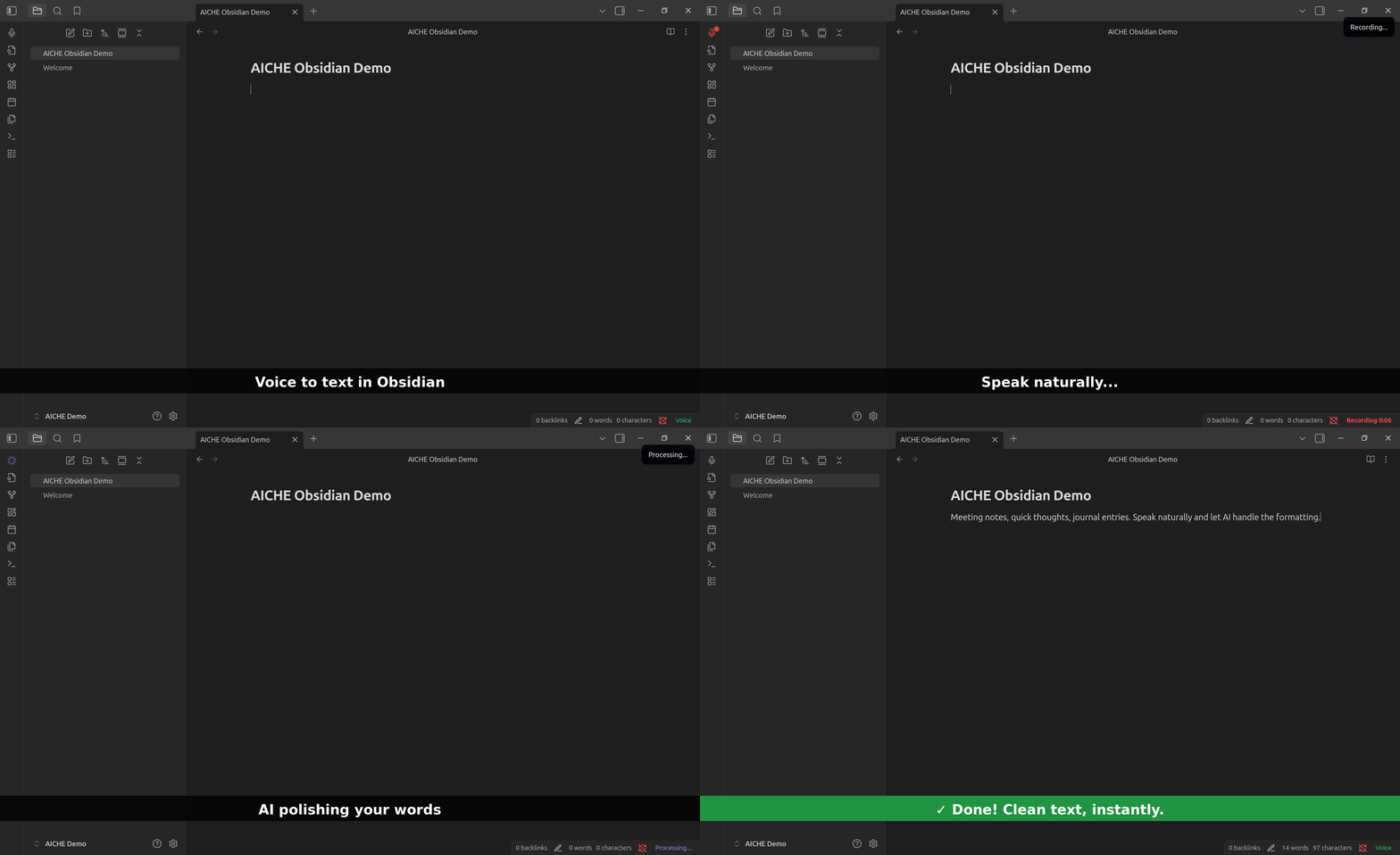
Part of AICHE - one subscription, voice-to-text everywhere: desktop apps, Obsidian, mobile, browser.
What It Does
Press record, speak naturally, get clean text with grammar and punctuation handled. Not raw transcription - readable sentences.
- Live words: see what you say appear at your cursor while you talk; filler words drop out as the text is cleaned up.
- Your style: pick how text comes out - as you said it, tidied up, a formatted note, or a message ready to send.
- Any language: speak in any language; keep it, or get English.
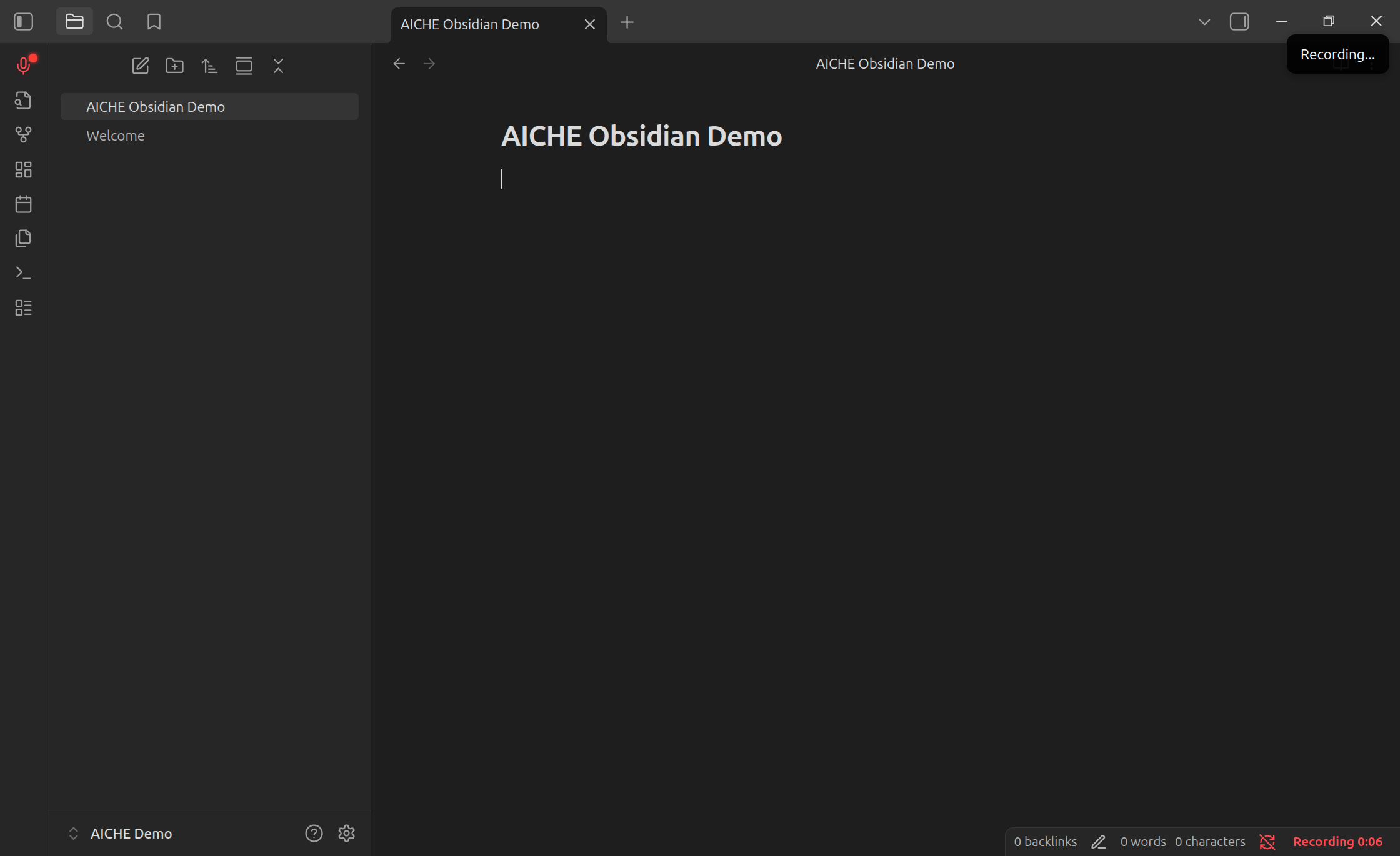
- Desktop and mobile: a floating mic button, the ribbon, a hotkey, or the command palette.
Install
Community Plugins
- Settings → Community Plugins → Browse
- Search "AICHE Voice"
- Install → Enable
Manual
- Download latest release
- Extract to
.obsidian/plugins/aiche-voice/ - Enable in Community Plugins
Setup
- Settings → AICHE Voice → Sign in
- Authenticate in browser
- Answer a few setup questions (or skip them)
- Start recording
Usage
| Method | Action |
|---|---|
| Ribbon | Click microphone icon |
| Hotkey | Settings → Hotkeys → search "AICHE" |
| Command | Ctrl/Cmd + P → "Toggle recording" |
| Mic button | Floating button, on by default on mobile |
| Status Bar | Click indicator, right-click for menu |
Settings
| Option | Description |
|---|---|
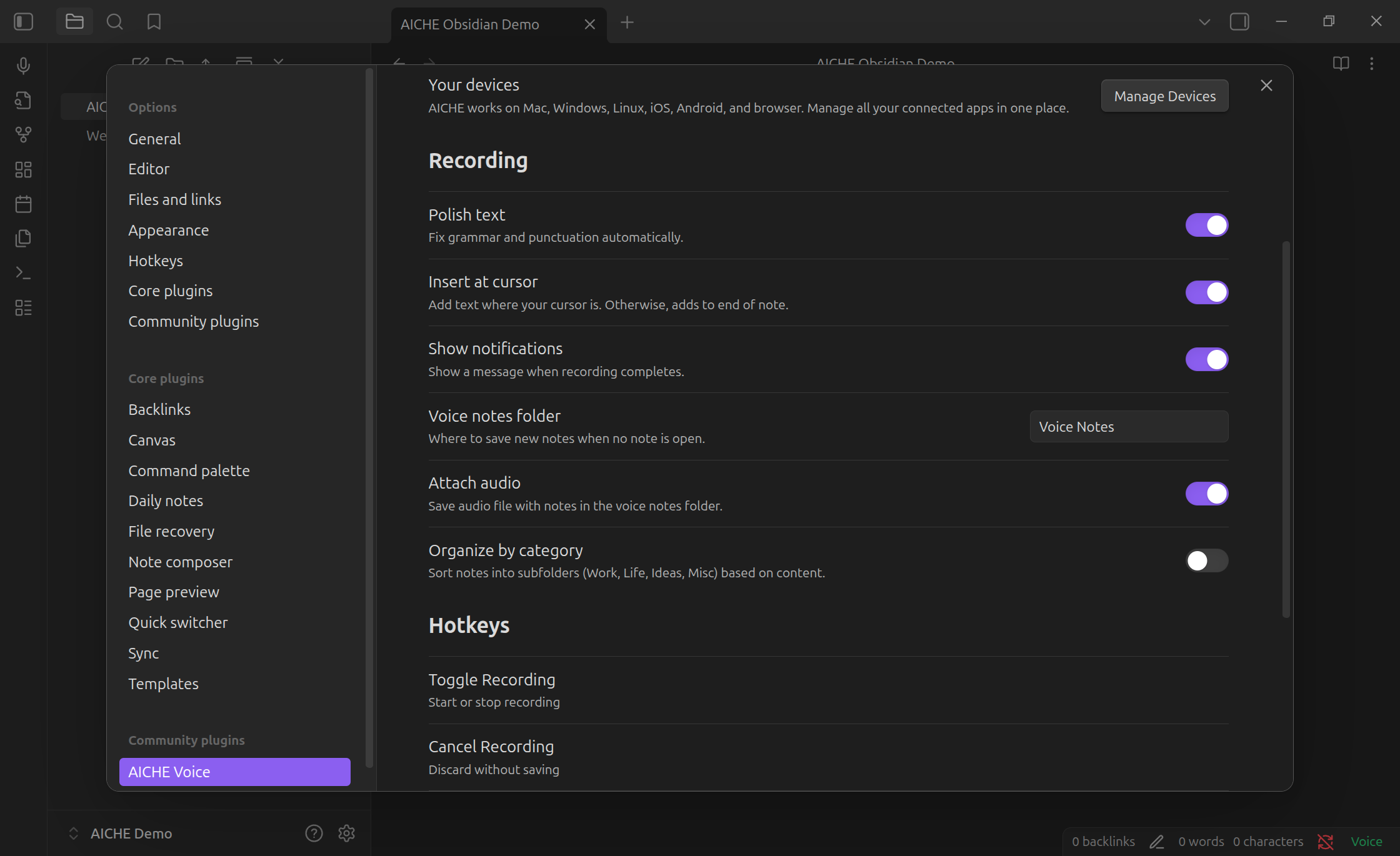
| Polish text | Grammar and punctuation cleanup |
| Insert at cursor | Text at cursor vs end of note |
| Live dictation | Show words while you speak |
| Notifications | Show completion notices |
| Voice notes folder | Auto-created notes location |
| Attach audio | Embed audio with voice notes |
| Category folders | Organize into Work/Life/Ideas/Misc |
Requirements
- Account: an AICHE account is required. Sign-in happens on aiche.app in your browser.
- Payment: a paid AICHE subscription is required after the 7-day free trial.
- Network: the plugin needs an internet connection and talks only to AICHE:
https://api.aiche.app- sign-in, account and subscription status, uploading recordings for transcription, and text cleanup.wss://api.aiche.app- streams the microphone while you record, only when live dictation is on, to show your words as you speak.https://aiche.app- opened in your browser for sign-in, account, help, Terms and Privacy Policy.
- Device info: at sign-in the plugin sends a random device ID it creates, the platform (for example macOS or Android) and the plugin version, so you can see and manage connected devices in your account.
- The plugin reads and writes only inside your vault. It has no ads and no client-side telemetry.
Privacy
Audio sent to AICHE servers, deleted immediately after transcription. Zero retention.
- Audio: processed and purged (not stored)
- Text: stored with your account
- Offline: encrypted locally (AES-GCM), deleted after upload
Pricing
One AICHE subscription works everywhere - desktop, Obsidian, mobile, browser.
7-day free trial. Plans start at $4.99/month.
Support
License
MIT
For plugin developers
Search results and similarity scores are powered by semantic analysis of your plugin's README. If your plugin isn't appearing for searches you'd expect, try updating your README to clearly describe your plugin's purpose, features, and use cases.