AnimeList
approvedby cwh555
A local-first anime, manga, and novel library backed by Markdown, with metadata search, covers, ratings, templates, filters, and a completion timeline. - This plugin has not been manually reviewed by Obsidian staff.
AnimeList
AnimeList is a local-first Obsidian plugin for tracking anime, manga, and novels in ordinary Markdown files. It provides a shared workspace for the Library, Timeline, Score Dashboard, and Images, plus metadata search, local covers, progress tracking, ratings, templates, release tracking, reusable note media, and portable Library export.
Your Markdown notes remain the source of truth. Removing the plugin does not remove your records, notes, or images.
[!CAUTION] Existing libraries and update cleanup
Existing 1.4.0 and older libraries remain readable without an automatic startup migration. Older notes may still be missing classification metadata introduced in 1.3, and older generated note bodies may contain a redundant standalone cover below
animelist-detail. Back up or sync the vault before using Settings → Updates & cleanup. The available cleanup tools are explicit, review-first operations and preserve unrelated frontmatter and Markdown body content.
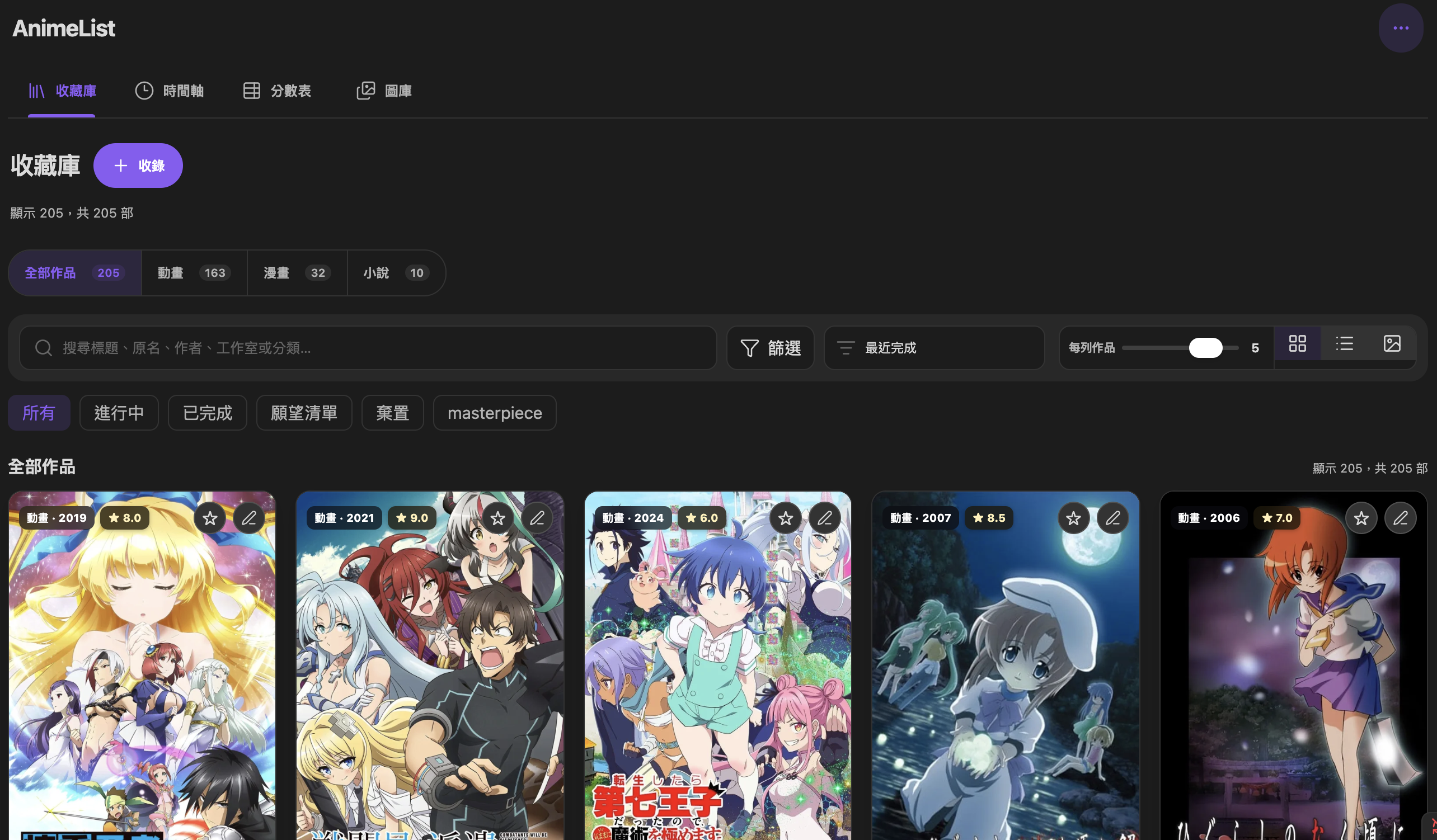 Library |
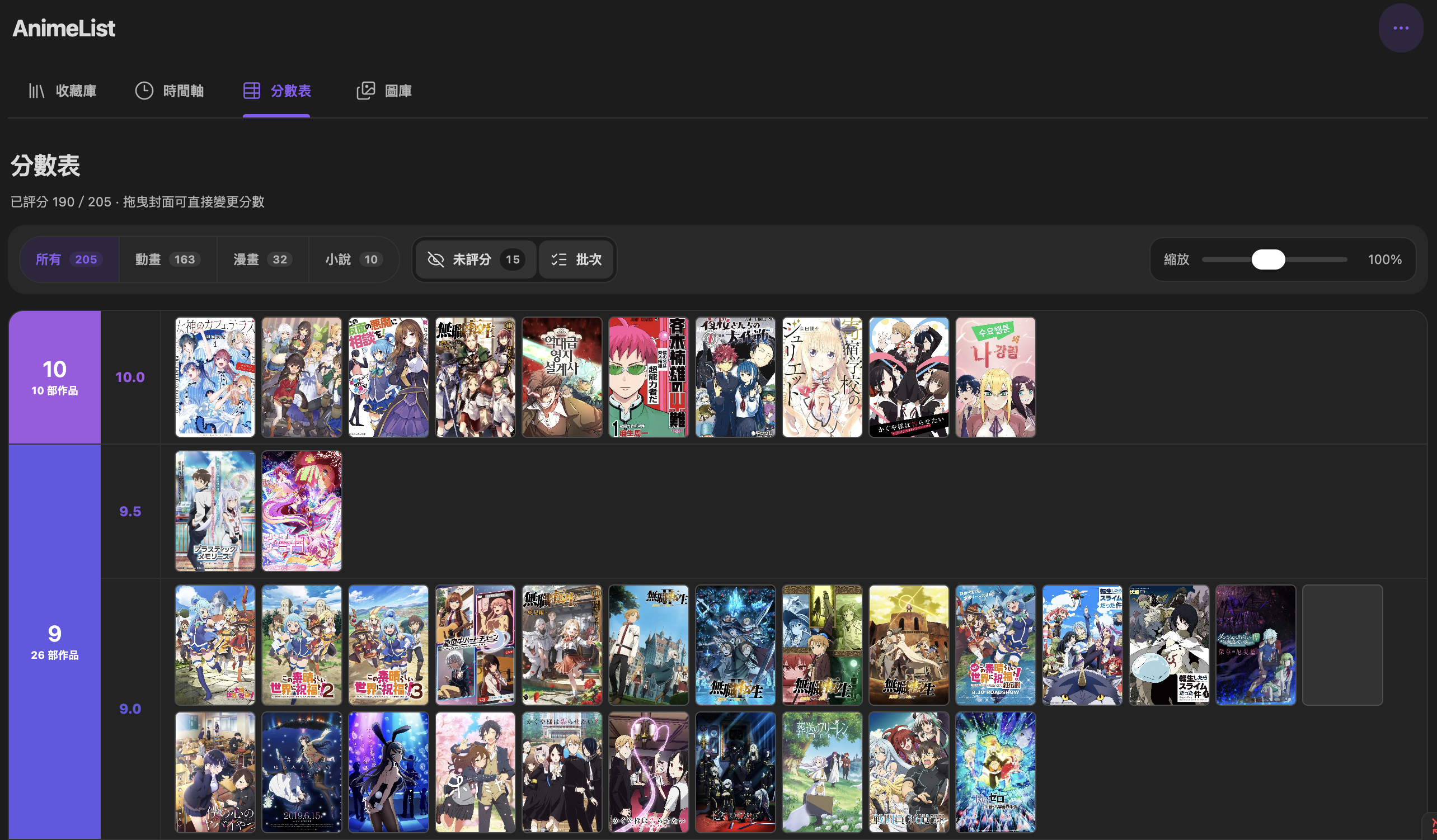 Score Dashboard |
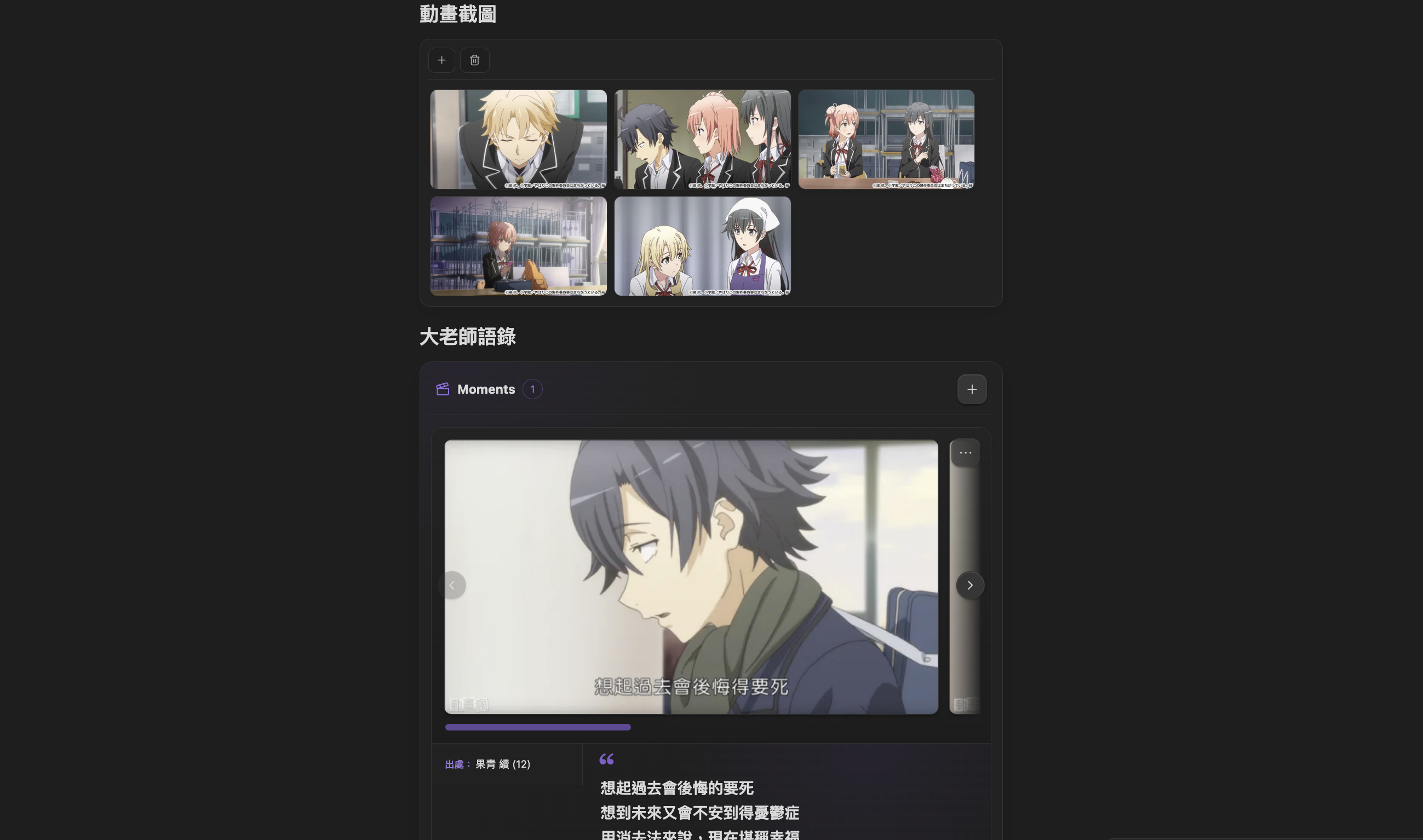 Note media |
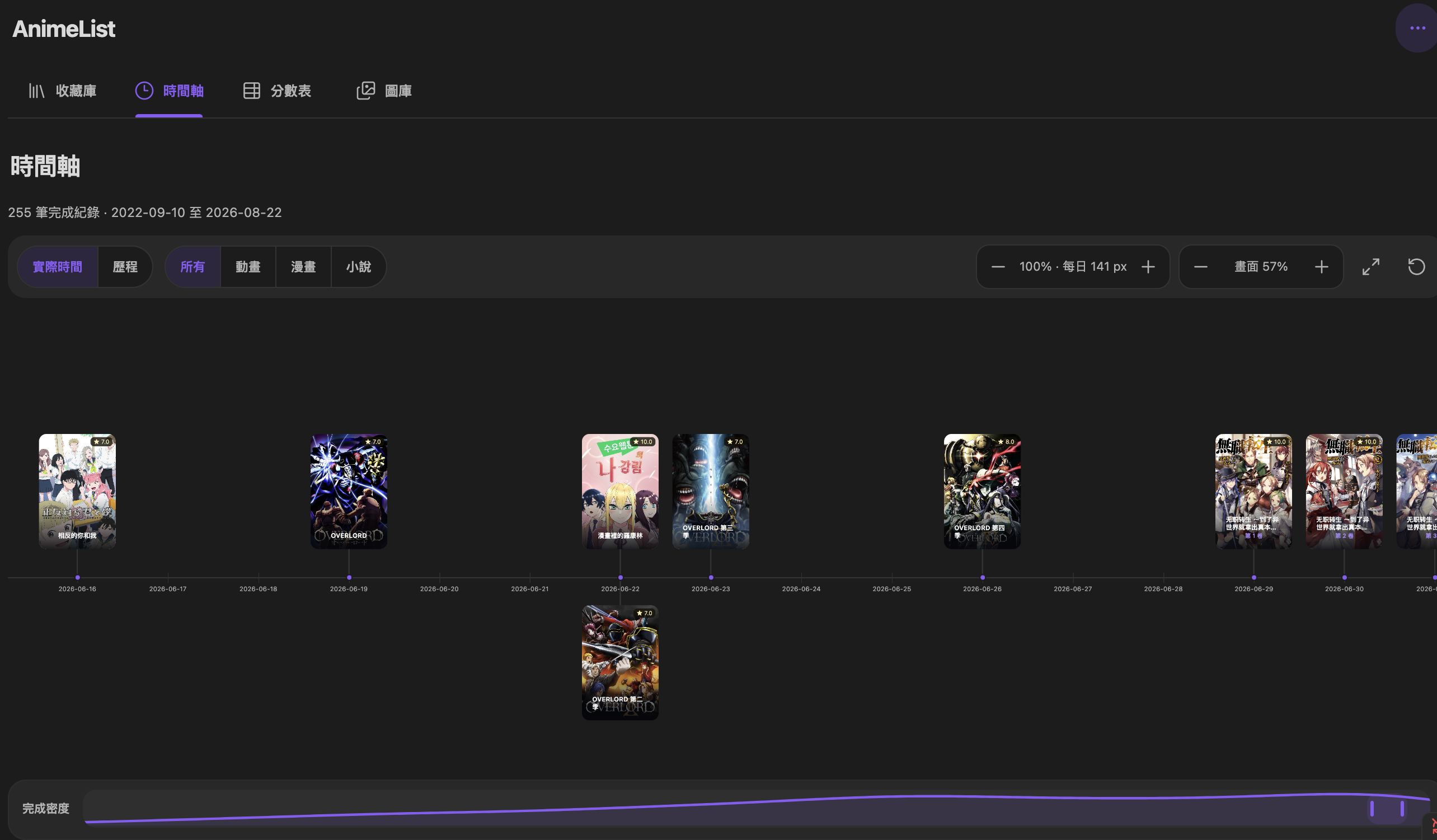 Timeline |
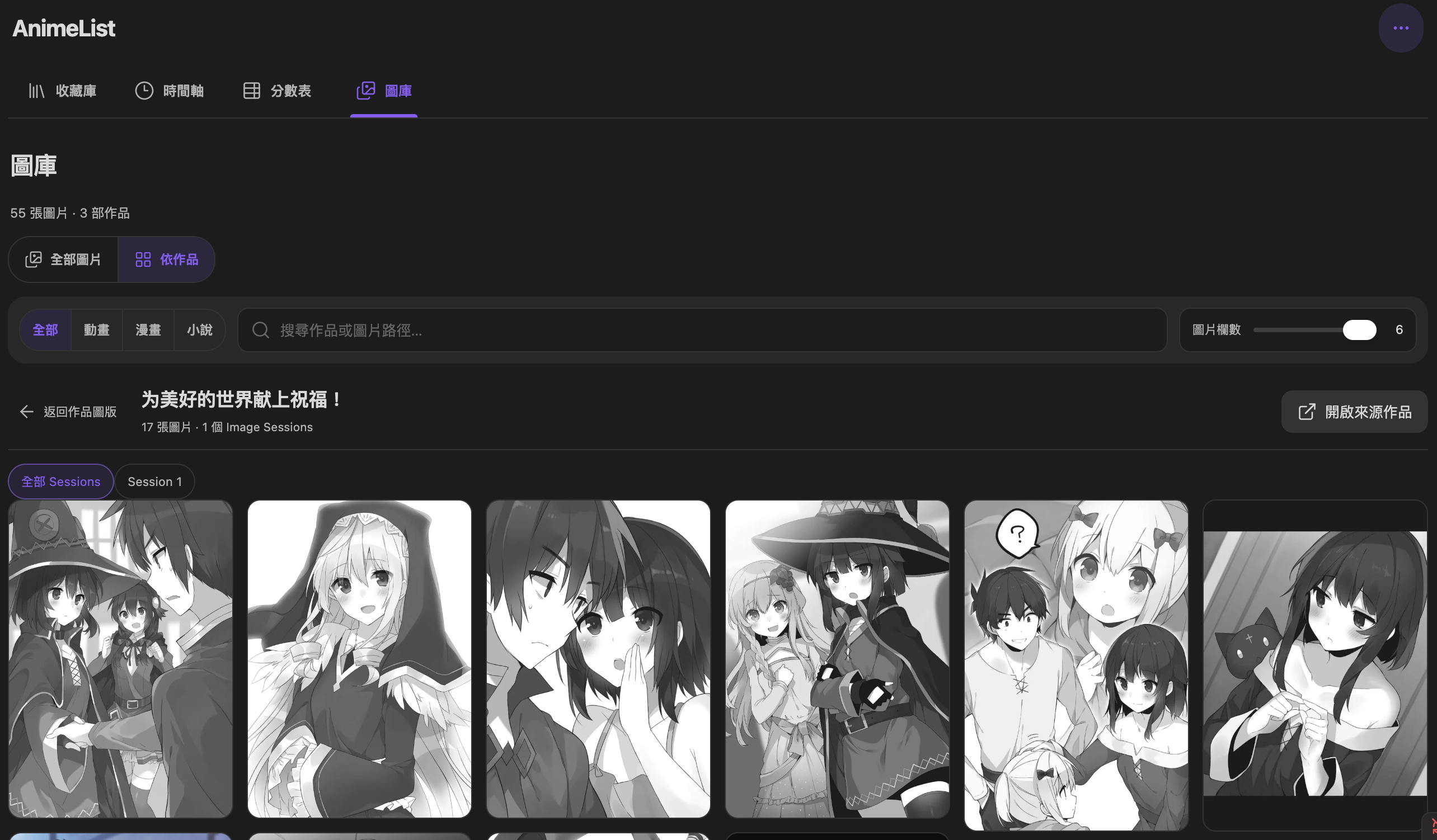 Image Library |
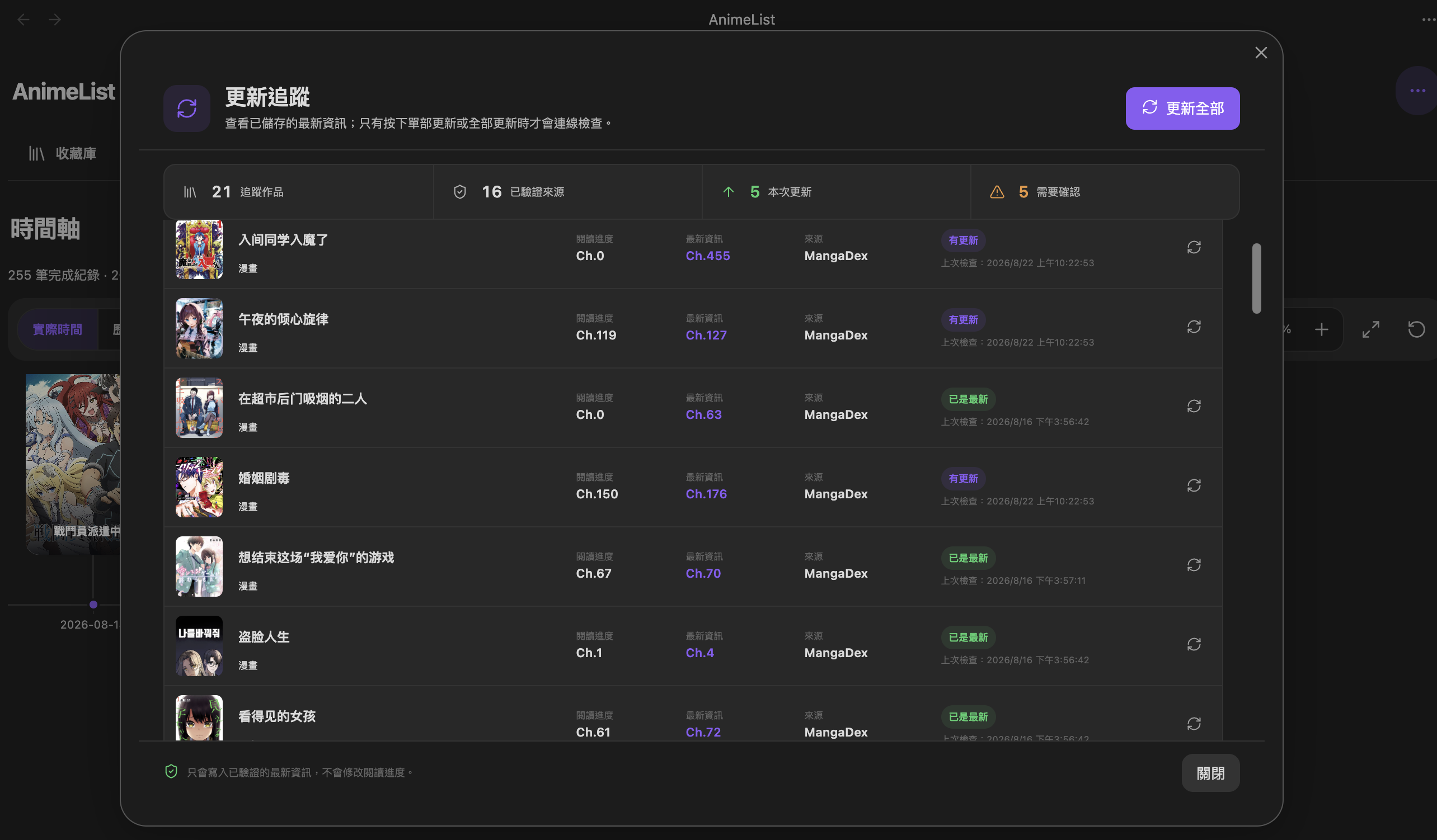 Tracking |
[!NOTE] What's new
- Unified Library, Timeline, Score Dashboard, and Images inside one Material 3-inspired AnimeList workspace with consistent desktop/mobile navigation.
- Rebuilt Timeline as a graph-view-style workspace with proportional time spacing, independent time-spacing and whole-scene zoom, horizontal pan, axis-stable scaling, History mode, and a smooth KDE density overview below the canvas.
- Added Images as a derived workspace over existing Image Sections, with All images / By work browsing, media/search filters, exact 1–6 columns, scoped lightbox navigation, and no copied gallery assets.
- Added versioned Library Export in JSON and readable Text formats, including safe text templates, Copy, and save-to-file output without rewriting media notes.
- Added exact Card and Thumbnail items-per-row controls with persisted 1–6 column choices.
- Upgraded Image Sections to natural-height masonry with persisted per-section columns and drag ordering within or between sections in the same note.
- Added optional Stacked Moment image layout using whole-image gap geometry. Copying a stack creates a transient flattened PNG only for the clipboard; editing or copying does not persist composite files.
- Restored the tabbed Settings shell on Obsidian 1.13+ and strengthened architecture/release metadata checks while keeping the Markdown/frontmatter schema compatible.
Features
- One Markdown-based library for anime, manga, and novels.
- Metadata search through Bangumi, AniList, and Open Library, with structured classification metadata for supported works.
- Card, list, and poster views with search, sorting, combined company/quarter/tag filters, and persisted Card/Thumbnail row-density controls.
- Media-specific progress tracking and dated serial entries with optional per-entry covers.
- Optional manga/novel latest-release tracking that is separate from personal reading progress.
- Reusable Image Sections and Moments stored directly in ordinary Markdown notes, including masonry image ordering and optional whole-image stacked Moments.
- A shared AnimeList workspace for Library, Timeline, Score Dashboard, and Images.
- An Images browser derived from existing Image Sections without copying source assets.
- A Score Dashboard for direct and batch rating changes.
- Favorite mode or reusable Masterpiece categories.
- A pannable, independently scalable completion timeline with History mode and a density overview.
- Versioned JSON and readable Text Library export with safe templates.
- Local series, serial-entry, Image Section, and Moment images with safe reference-aware cleanup.
- Traditional Chinese, English, Japanese, and Korean interface support.
- Desktop and mobile support without a Dataview dependency.
Installation
Community plugins
- Open Settings → Community plugins in Obsidian.
- Select Browse and search for AnimeList.
- Install and enable the plugin.
Manual installation
- Download
main.js,manifest.json, andstyles.cssfrom the matching GitHub release. - Copy them into
<vault>/.obsidian/plugins/animelist/. - Reload Obsidian and enable AnimeList under Community plugins.
Quick start
- Open AnimeList from the ribbon or run AnimeList: Open library from the command palette.
- Select 收錄, choose anime, manga, or novel, and search for a title.
- Review the imported metadata and save the note.
- Update its status, progress, dates, rating, or special label from the library.
- For manga or novels, enable Latest release tracking under Settings → Features if you want source-backed latest chapter/volume information.
- Inside a media note, use the editor context menu AnimeList submenu to insert an Image Section or Moments section where you want it.
AnimeList can display its main interface in Traditional Chinese, English, Japanese, or Korean. The Settings page itself stays in English. Choose a language there or follow Obsidian's interface language. Recognized provider-supplied tag/category labels are displayed in the selected interface language, while media titles, raw provider metadata, custom reusable tags, Markdown/frontmatter, and existing templates are not rewritten.
Documentation
See the User Guide for workspace navigation, Library layouts, status rules, progress units, serial-entry covers, metadata and filters, reusable tags, release tracking, Images, Image Sections, Moments, Library Export, cleanup tools, Masterpiece categories, the Score Dashboard, Timeline, Markdown data, and templates.
Metadata, network access, and privacy
- Search and enrichment queries are sent only to enabled metadata providers.
- Release tracking, when enabled, contacts its configured public metadata/catalog sources and supported official public chapter pages; it does not send personal ratings, progress, dates, or note-body text.
- Personal ratings, progress, dates, labels, Moments text, and note content stay in the vault.
- Covers and note-media images are stored locally when available, with remote-image fallback only where the relevant feature supports it.
- AnimeList does not include telemetry or a private remote library database.
Development
Requirements: Node.js 18 or newer and npm.
npm ci
npm run check
For a production bundle:
npm run build
See CONTRIBUTING.md, the manual test checklist, CHANGELOG.md, and ROADMAP.md for project details.
License
For plugin developers
Search results and similarity scores are powered by semantic analysis of your plugin's README. If your plugin isn't appearing for searches you'd expect, try updating your README to clearly describe your plugin's purpose, features, and use cases.