Lorebase
approvedby Murch1k
Lorebase is a media library built into Obsidian for games, anime, movies, TV shows, books, and manga. Cards, metadata, ratings, progress, and statistics are stored locally in Markdown - This plugin has not been manually reviewed by Obsidian staff.







🎮 Lorebase
Your personal media library inside Obsidian
Track, organize, and explore your collections — all stored as local Markdown files
✨ What is Lorebase?
Lorebase transforms your Obsidian vault into a full-featured media tracker. Catalog your games, anime, movies, TV shows, books, and manga with card views, rich metadata, progress tracking, and collection statistics — all while keeping your data portable and private as plain Markdown files.
🔒 Privacy-first — No accounts, no cloud sync, no telemetry. Your data never leaves your vault.
📸 Showcase
🎮 Game Library — Grid View
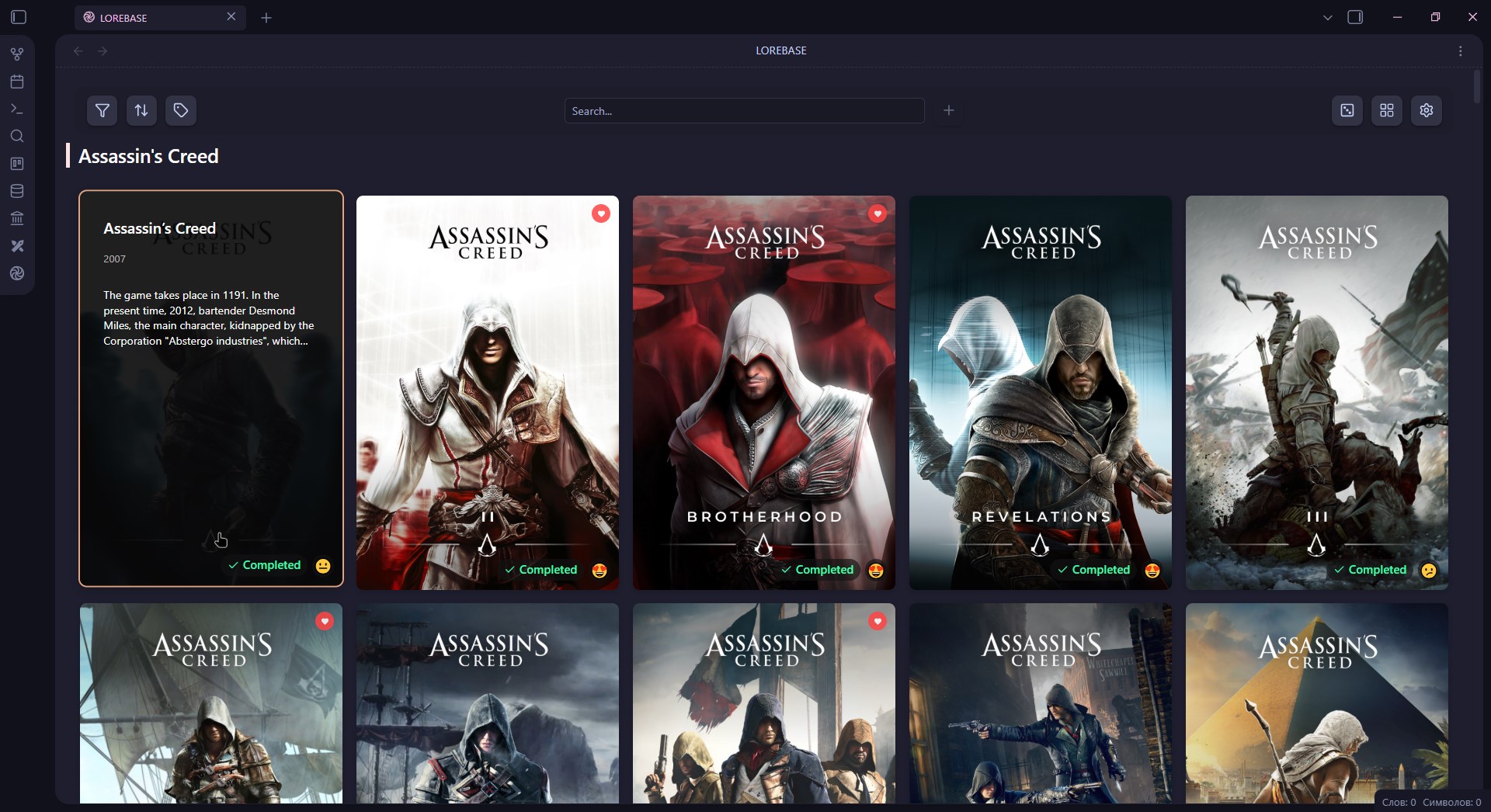
Browse your game collection with customizable card grids, status badges, and hover overlays
📺 Anime Library
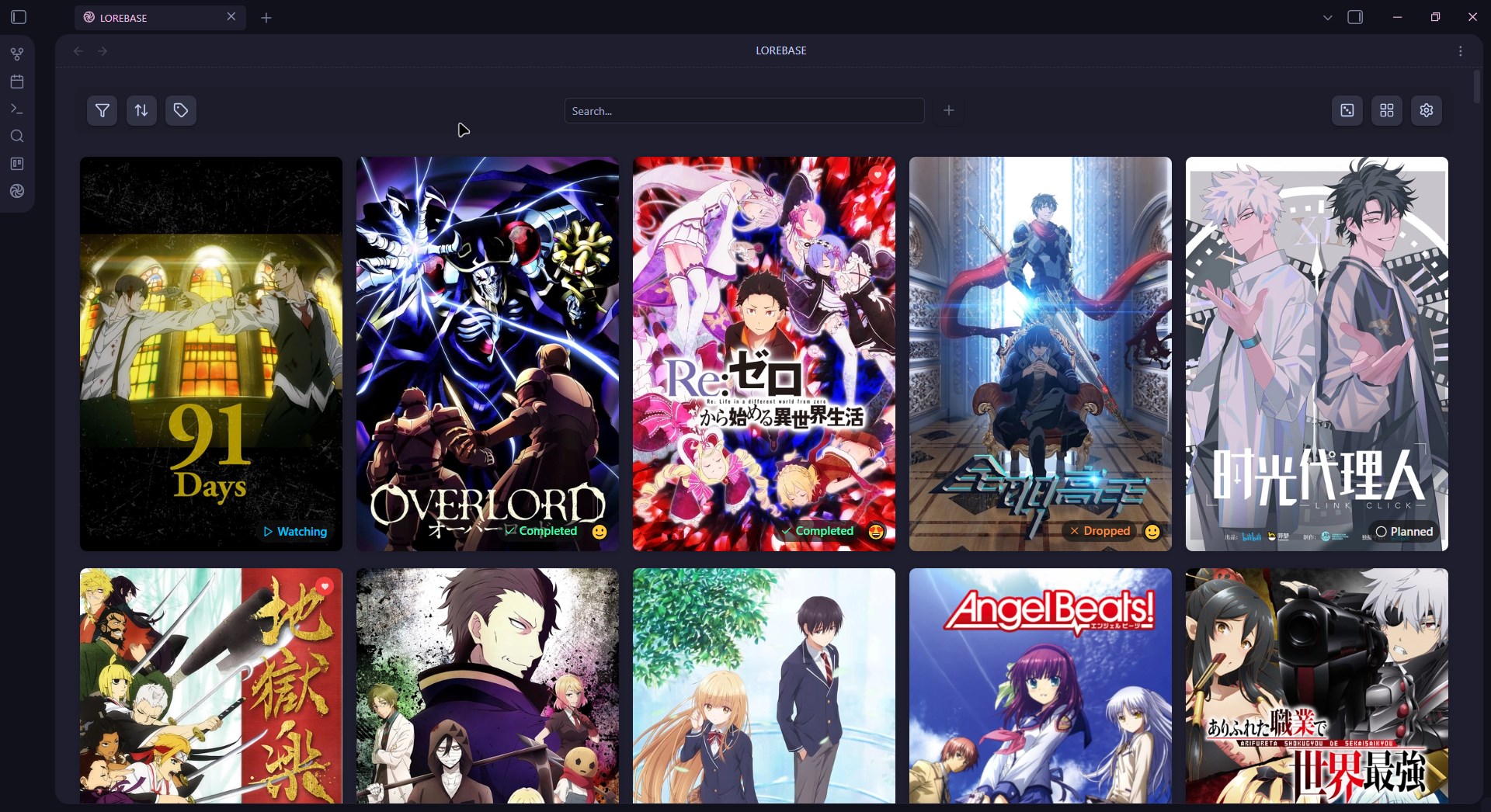
Track anime with season/episode progress, format badges (TV, Movie, OVA), and status tracking
🎬 Film Library
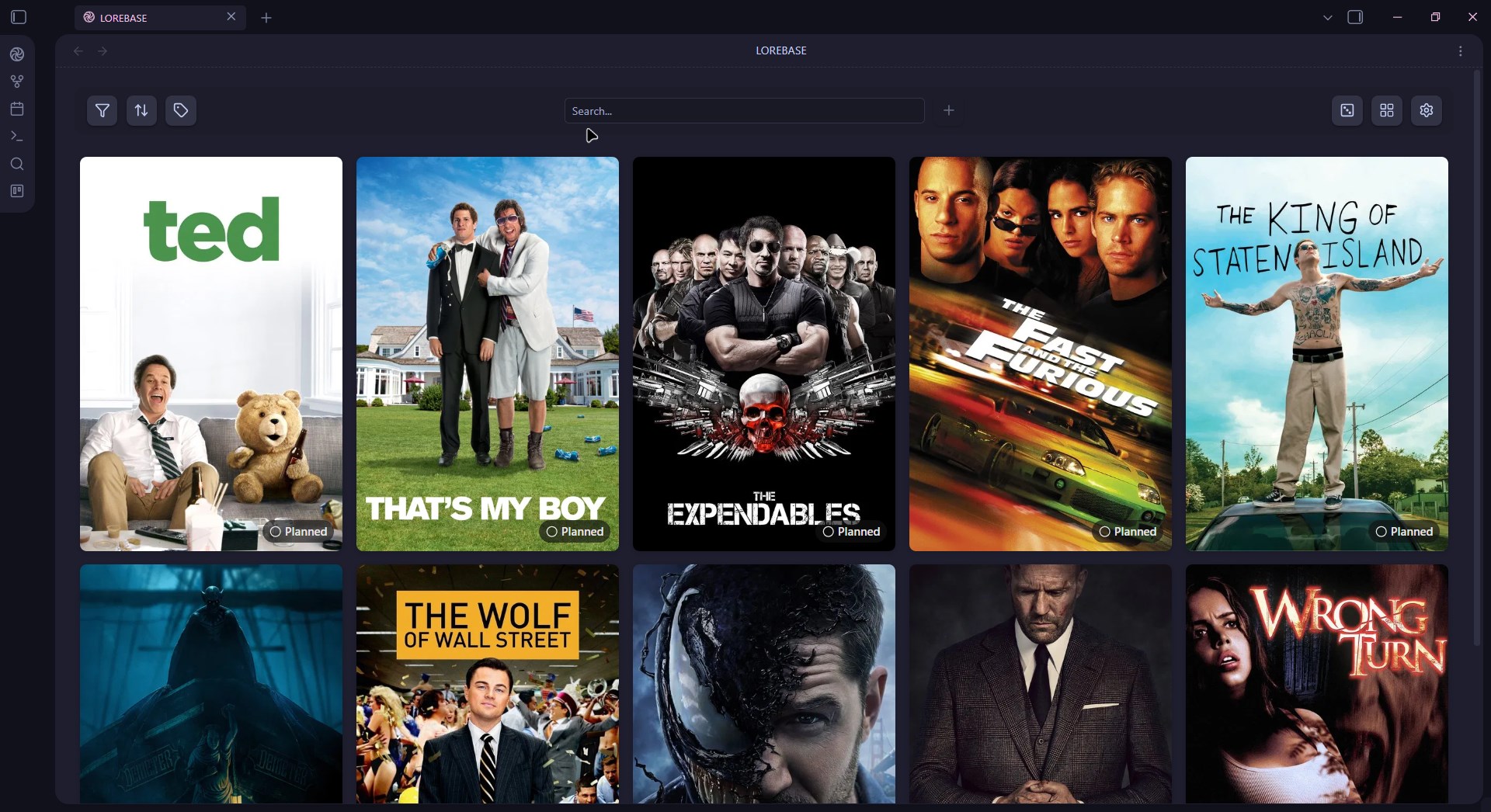
Browse your movie collection with posters, ratings, and status tracking
📺 TV Shows Library
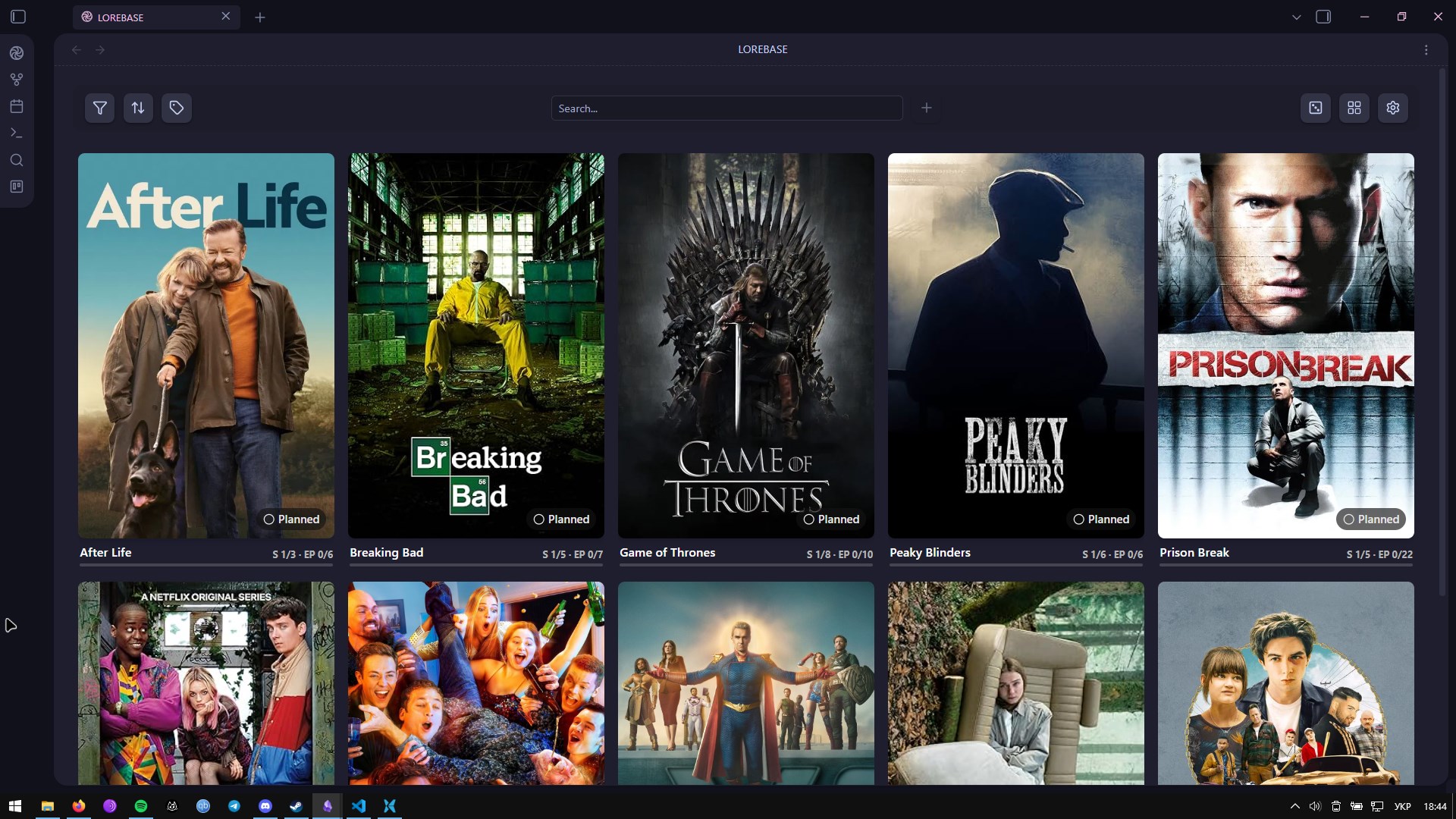
Track shows with season/episode progress and an active-part tracker
📖 Book Library
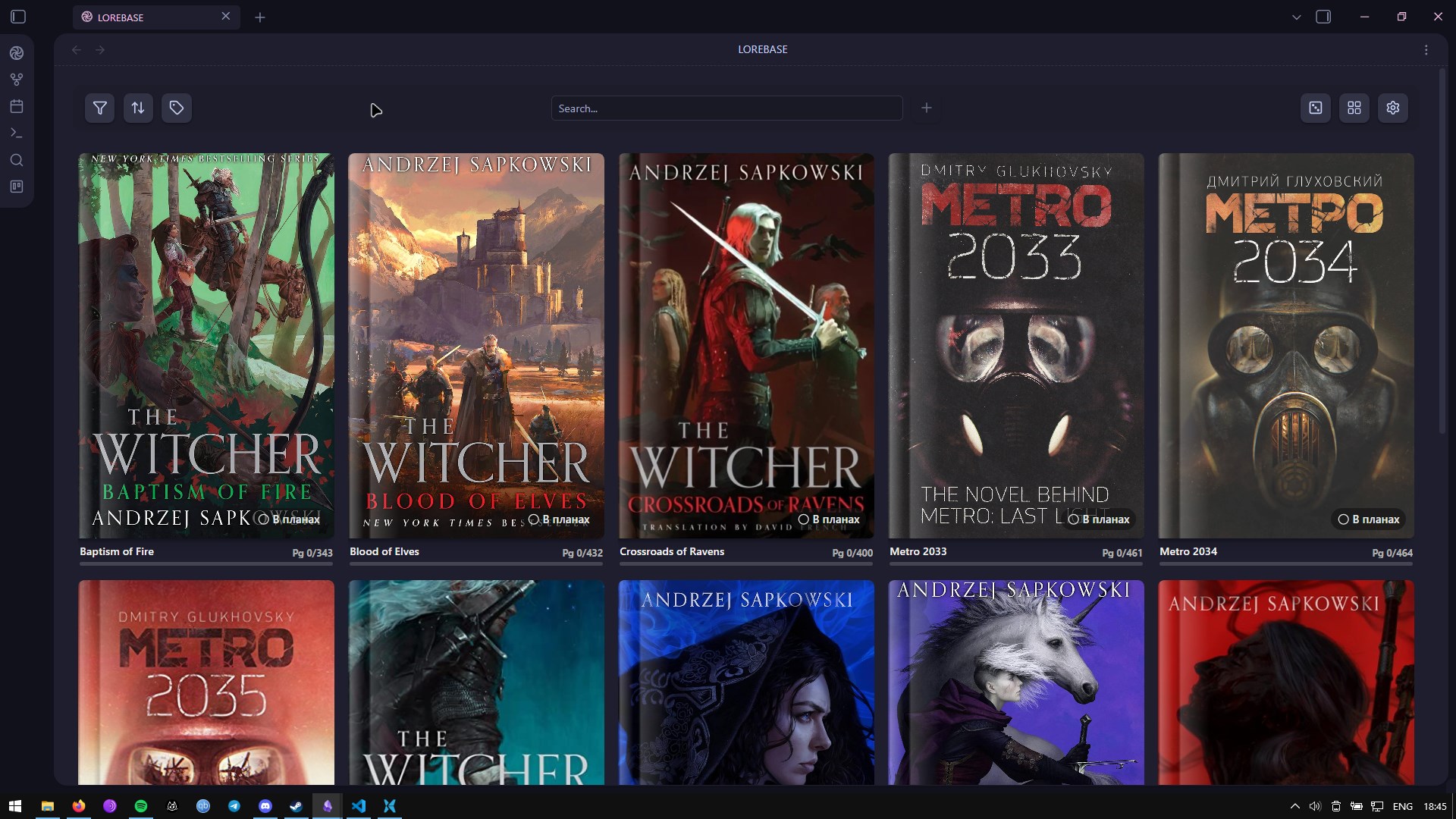
Organize your reading list with page progress, authors, and ratings
📚 Manga Library
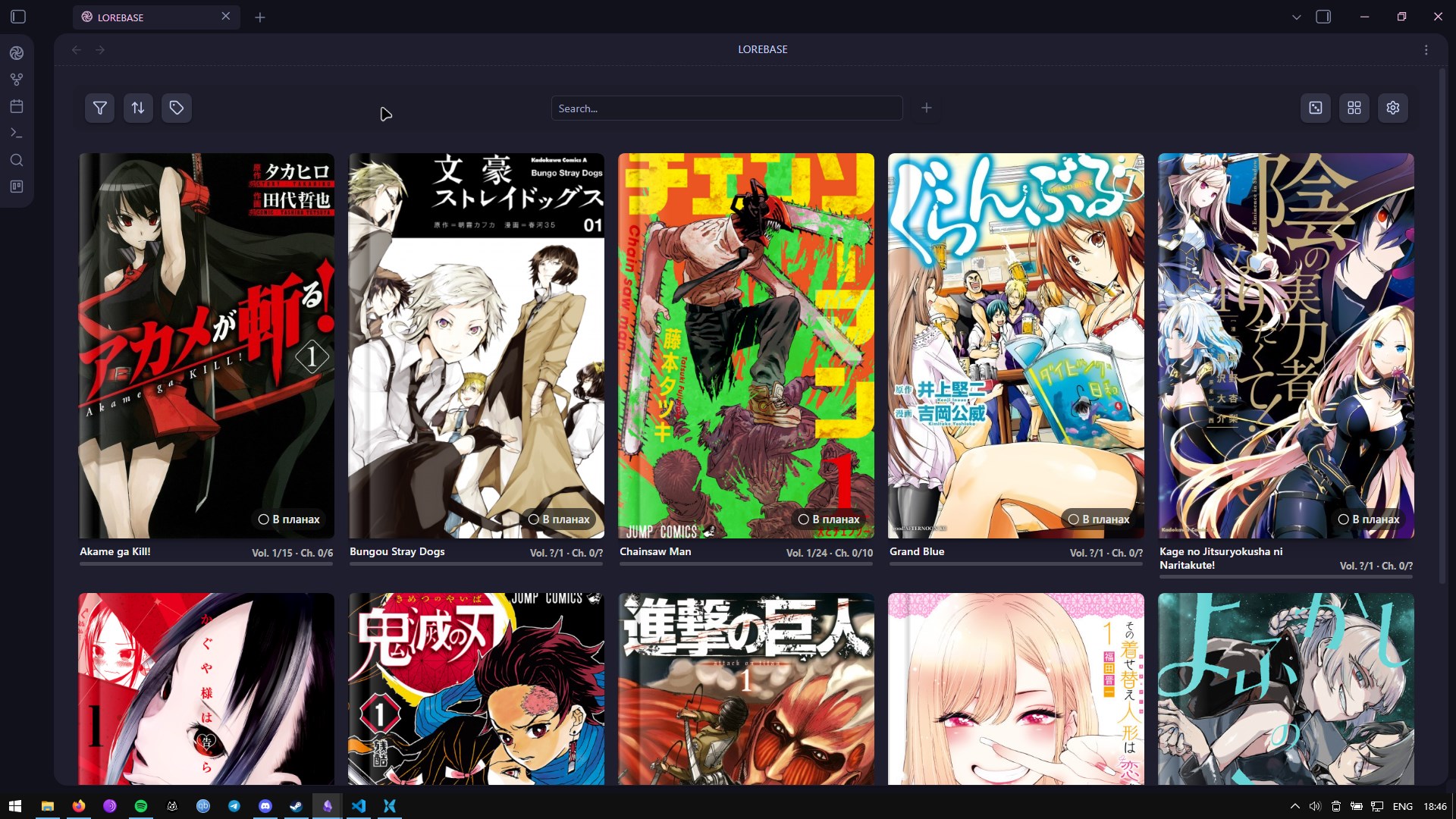
Track manga with chapter and volume progress
✏️ Edit Modal
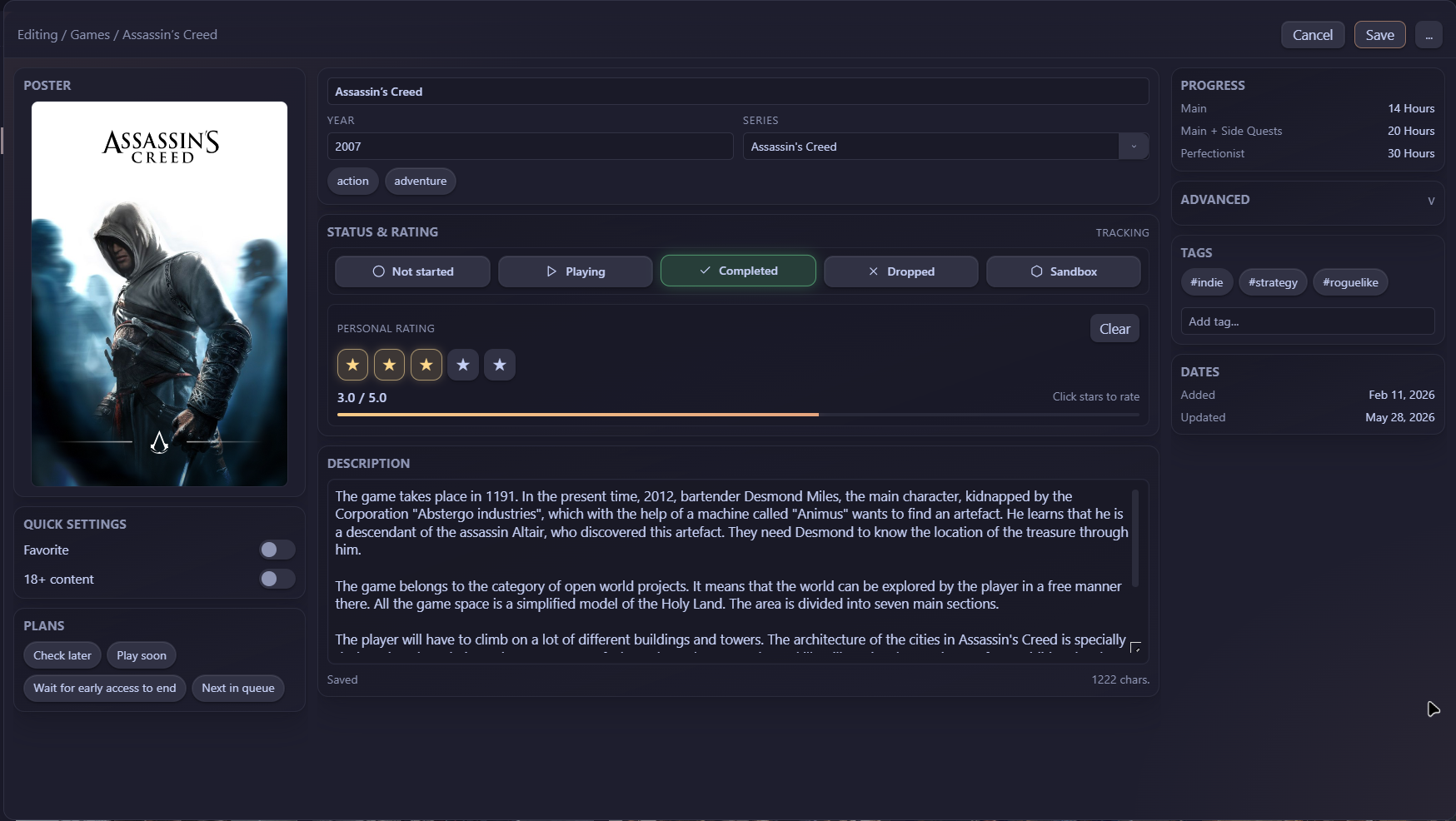
Game editor with status, rating, tags, progress, and metadata fields.
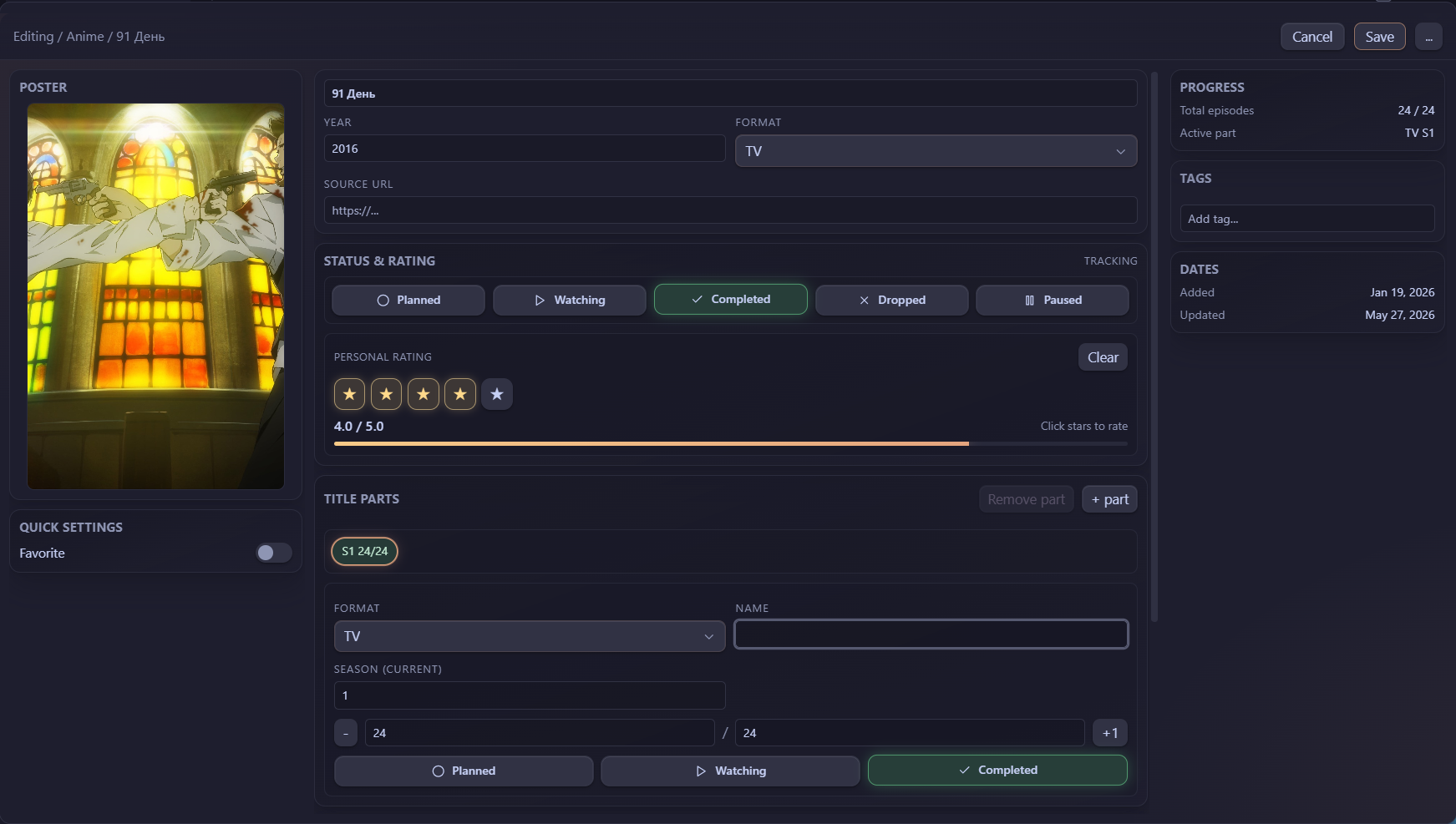
Anime editor with title parts, season progress, episode tracking, and metadata fields.
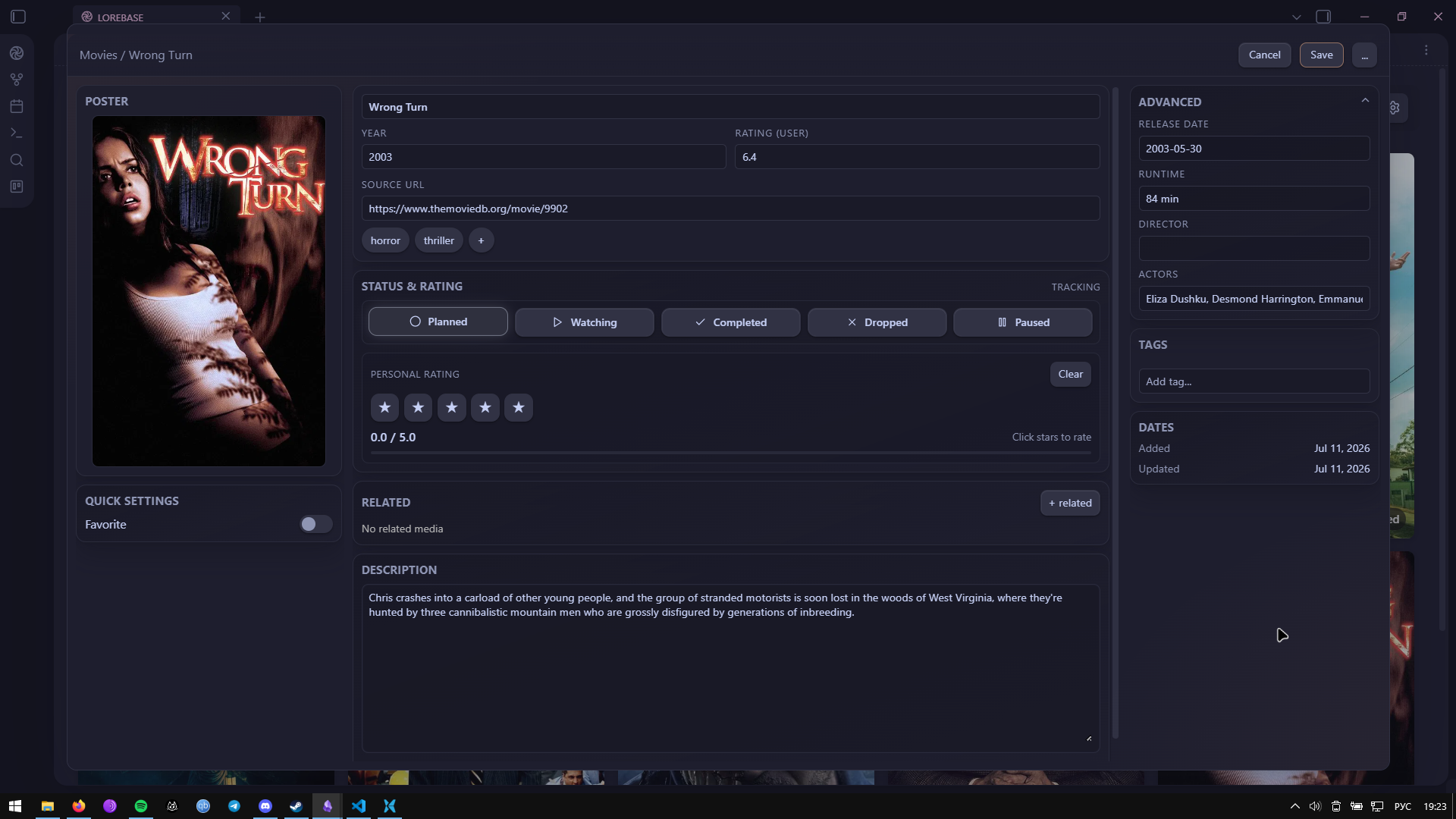
Film editor with status, rating, genres, and metadata fields.
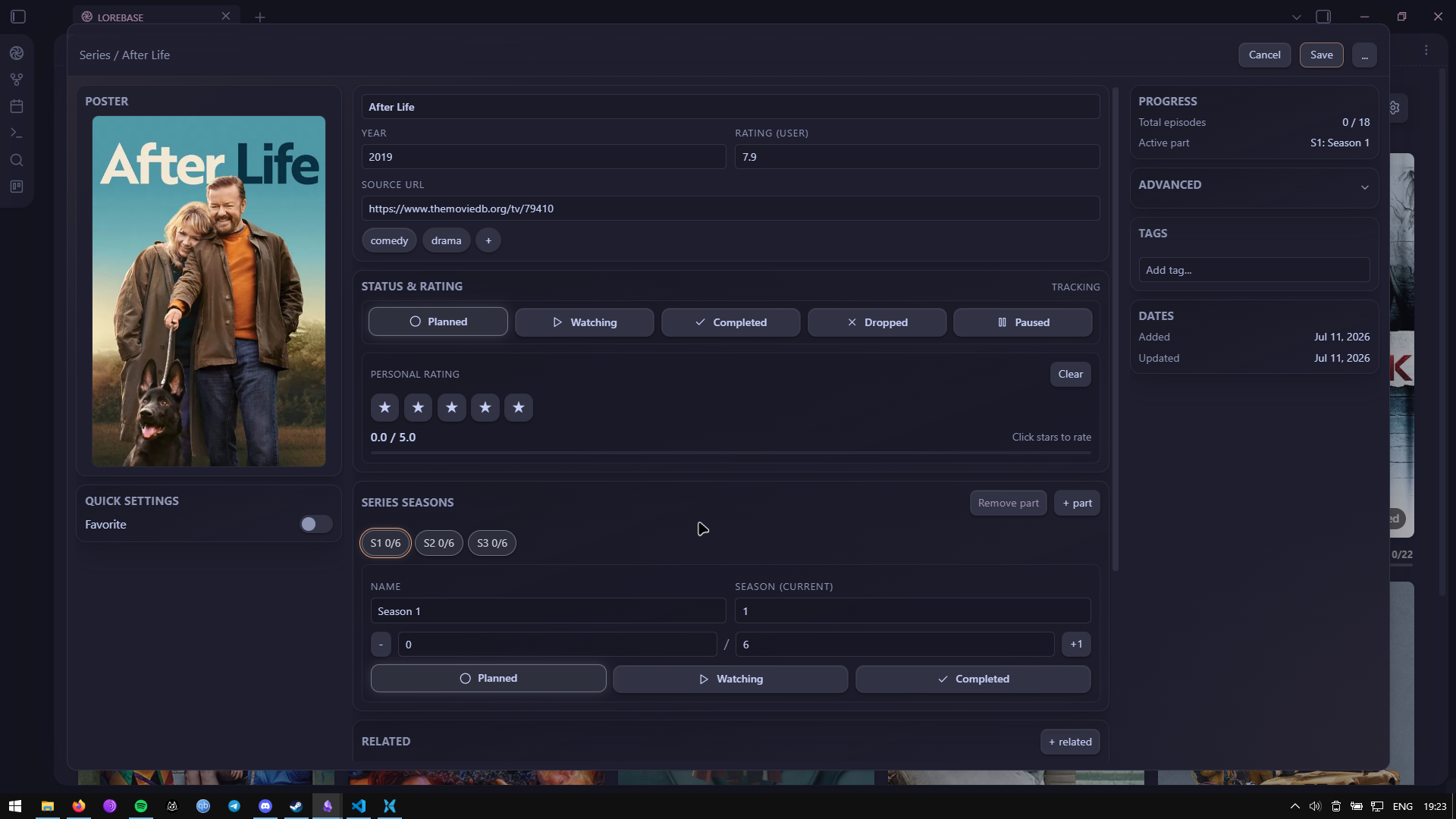
TV show editor with season progress, episode tracking, and active-part fields.
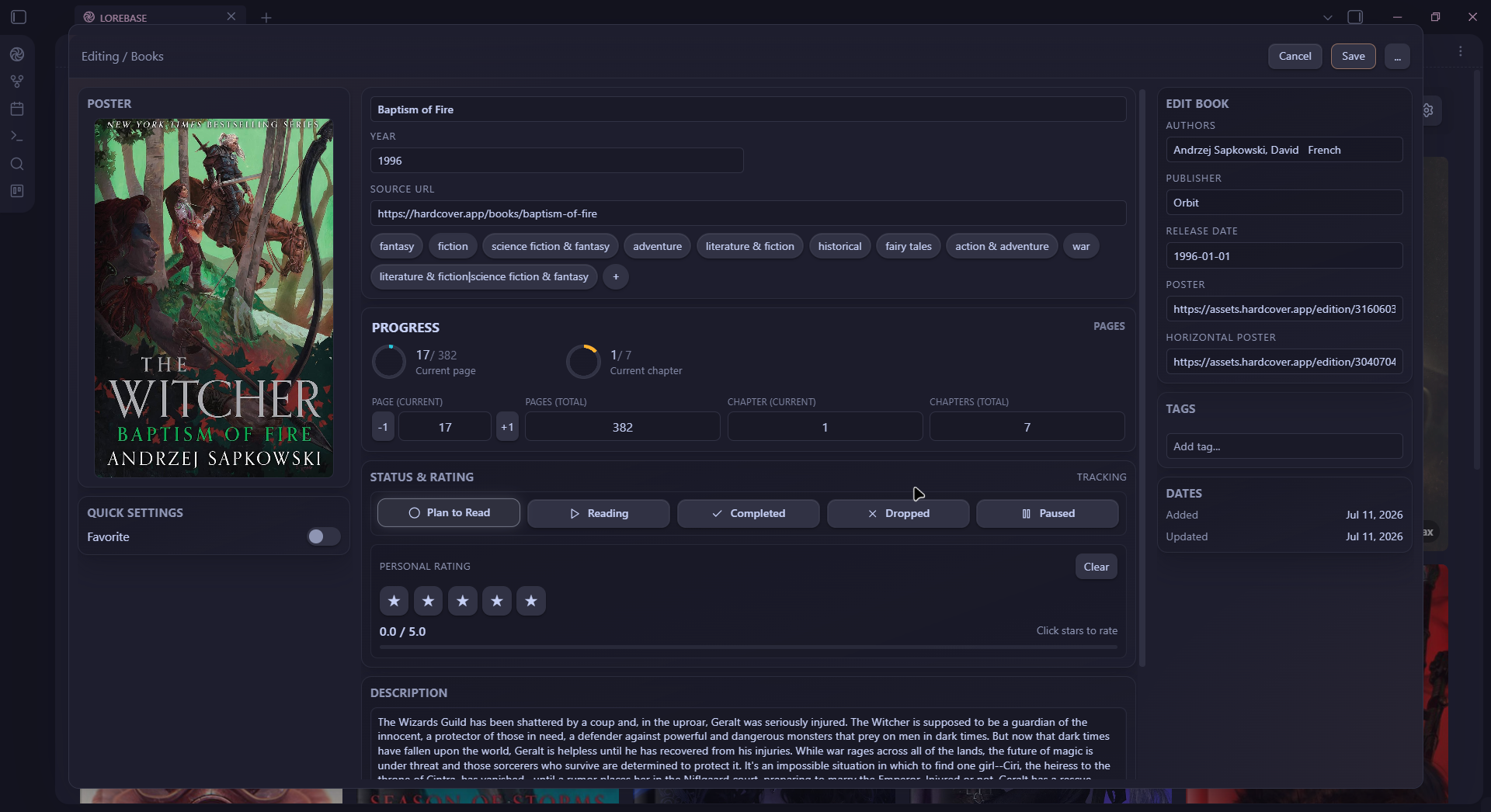
Book editor with author, page progress, and metadata fields.
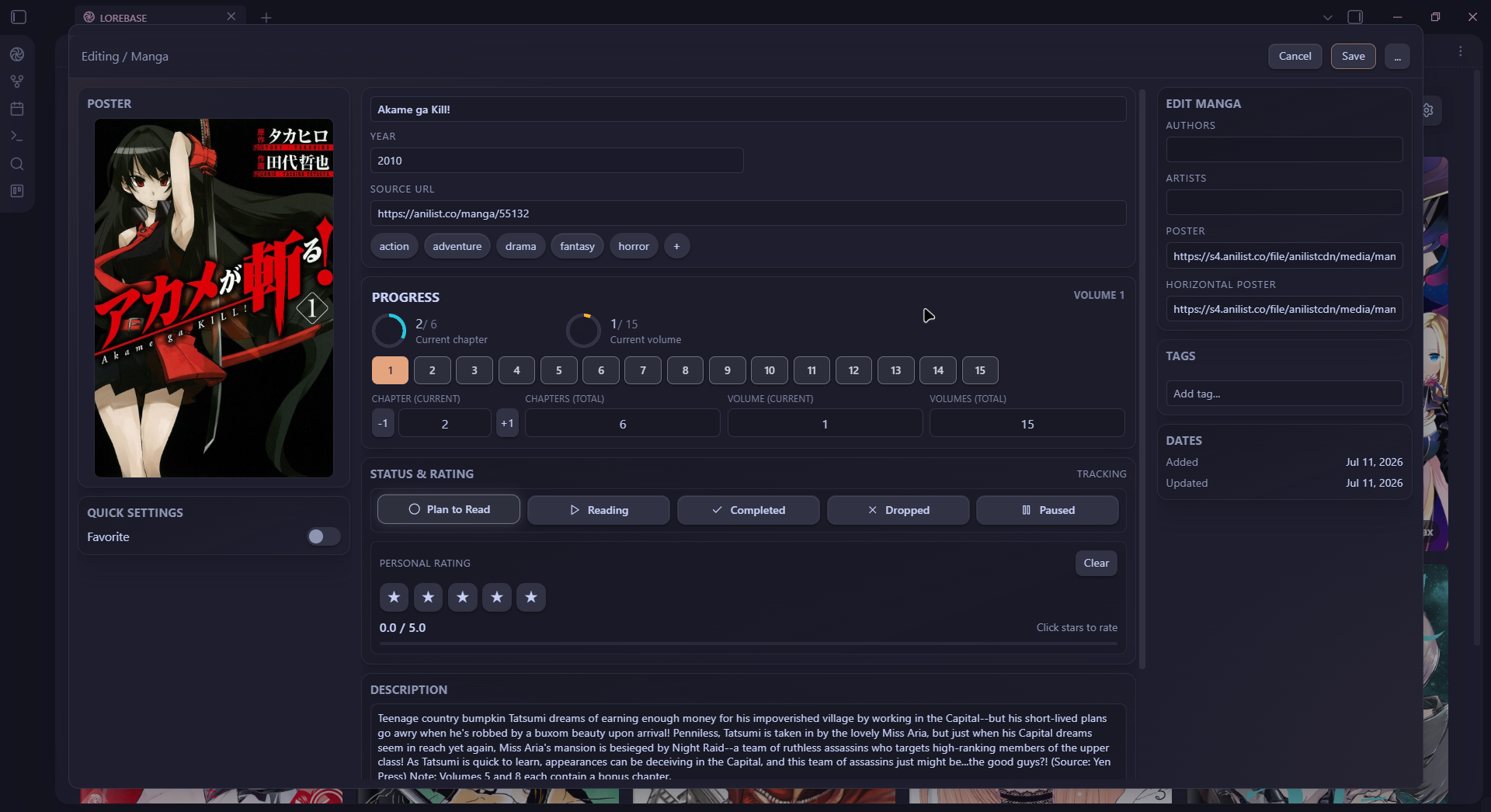
Manga editor with chapter and volume progress, and metadata fields.
📊 Statistics Dashboard
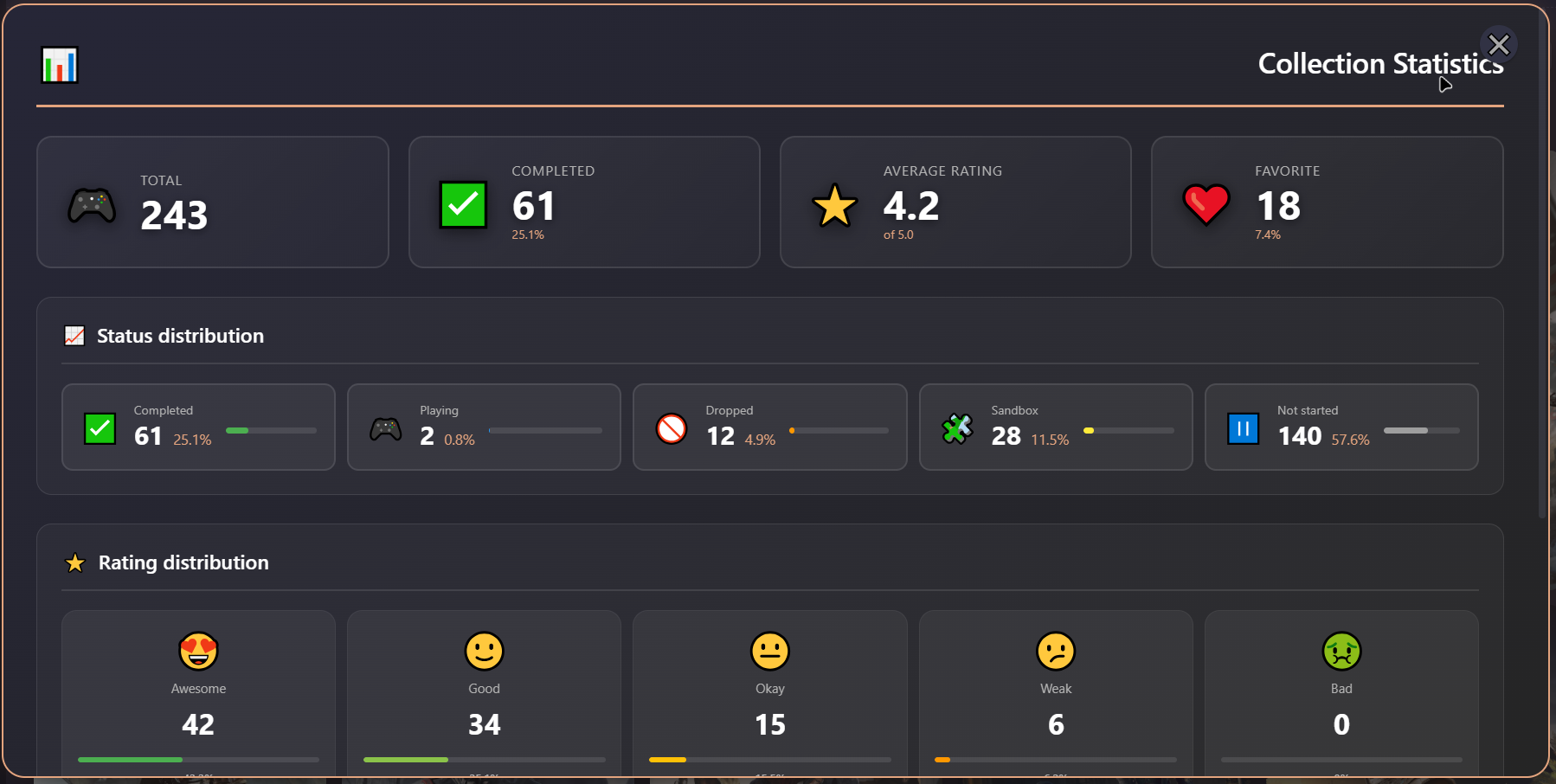
Visualize your collection with status distribution, rating charts, and key metrics
⚙️ Settings
 |  |  |
 |  |  |
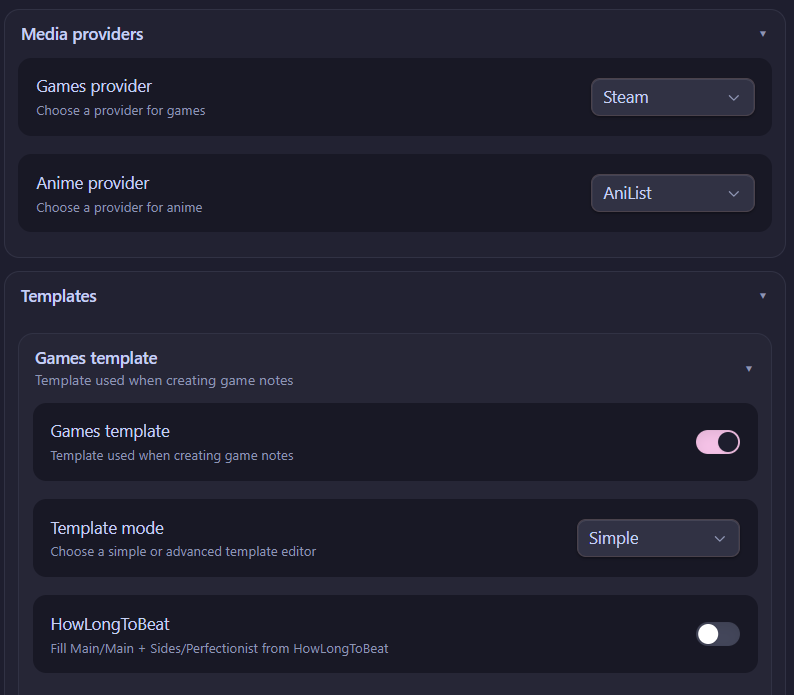 | 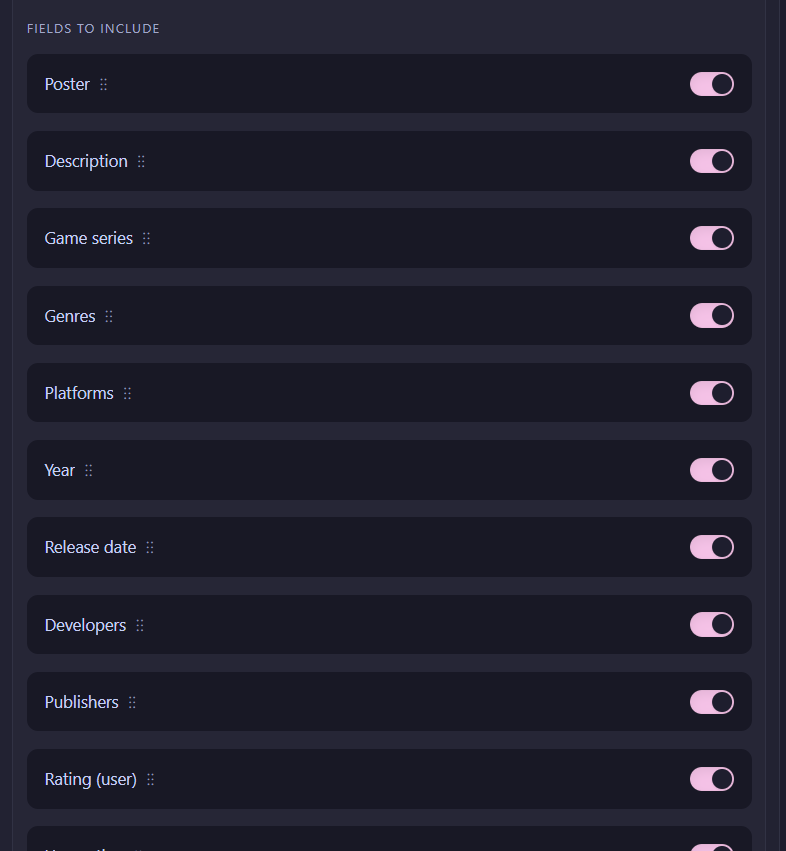 | 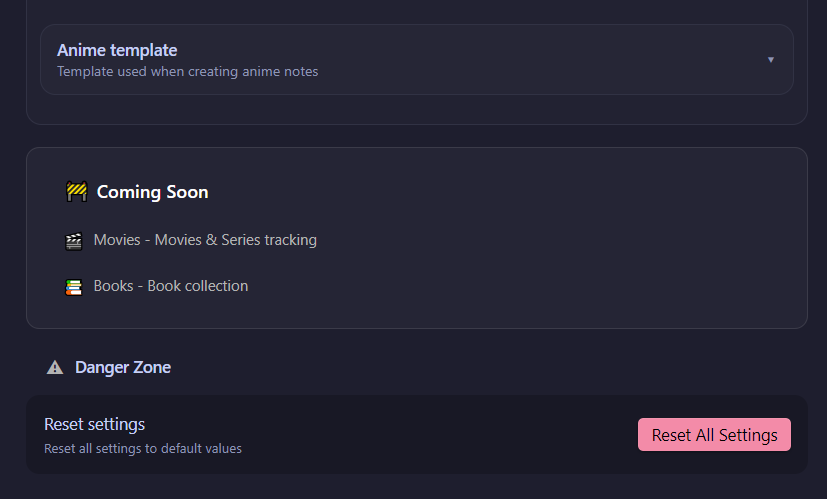 |
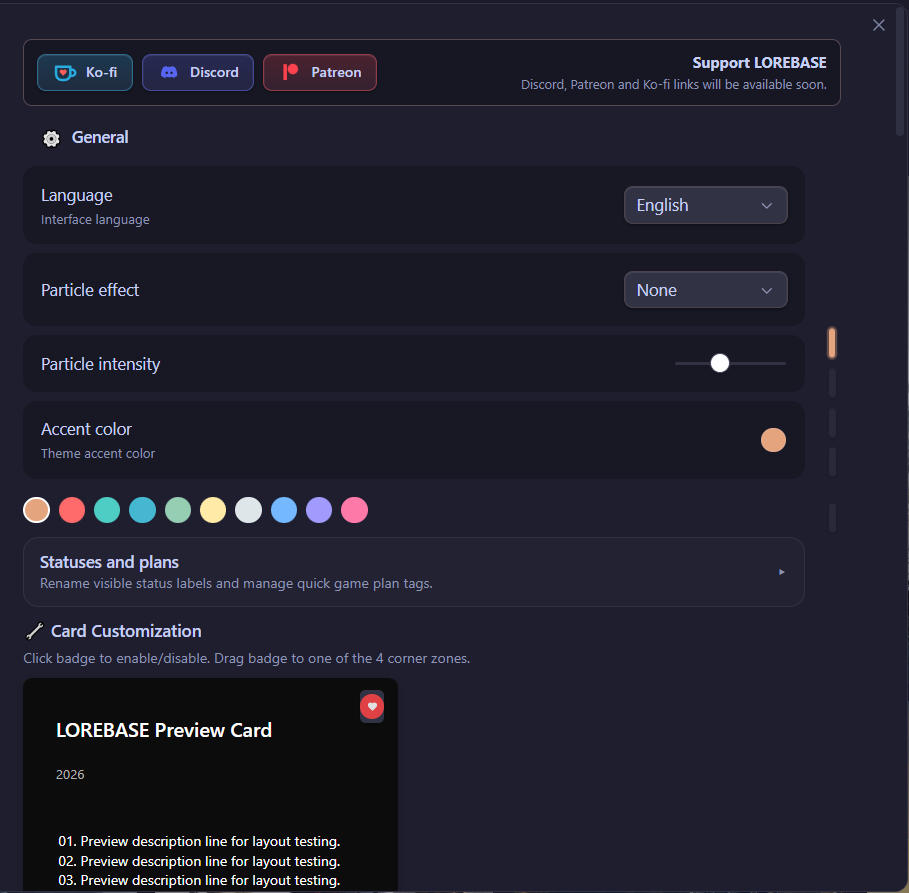
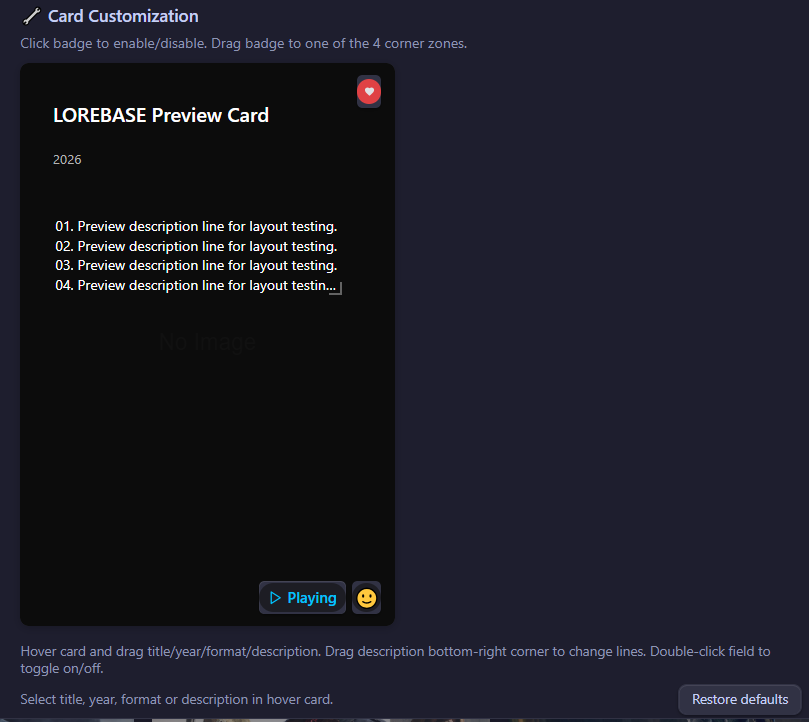
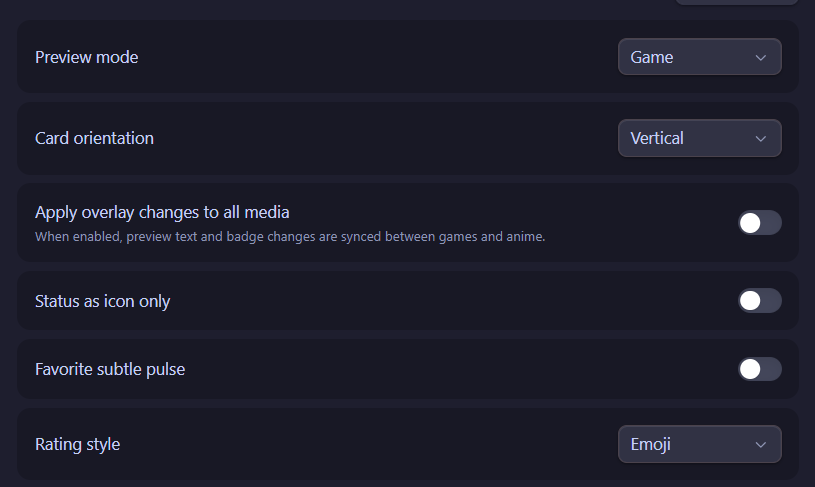
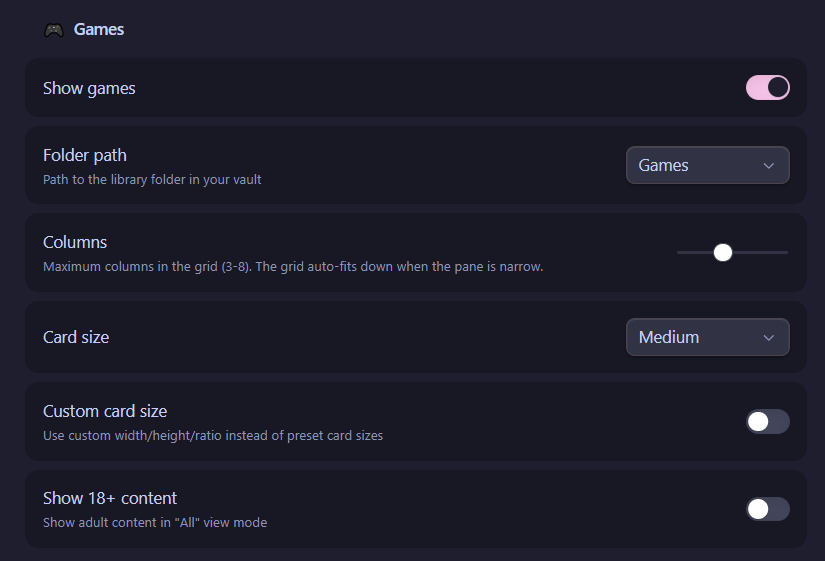
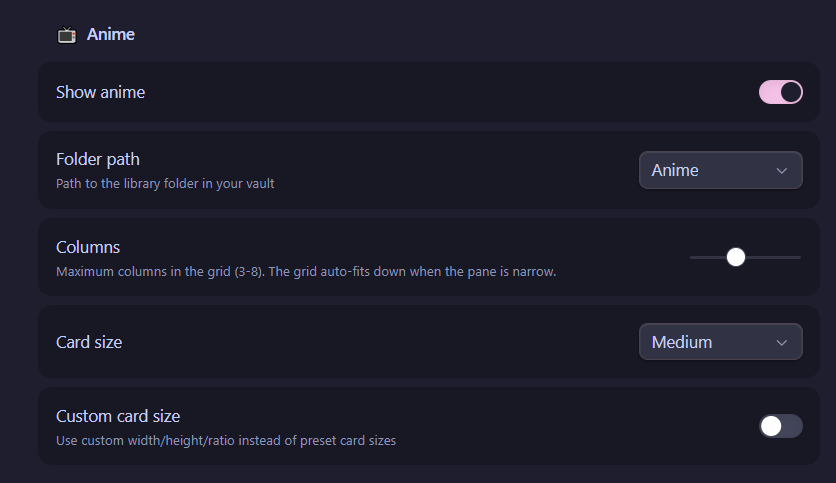
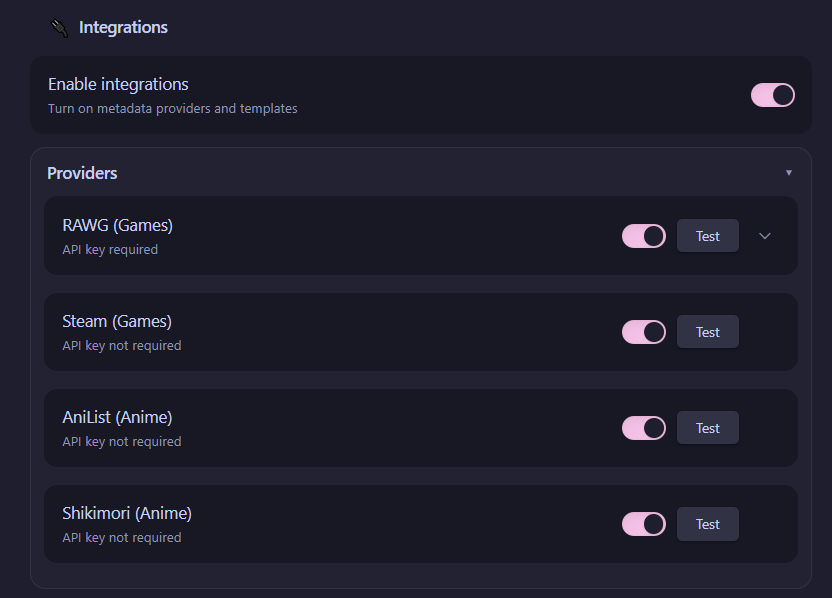
Deeply customizable settings, now organized in tabs or an accordion layout, with accent colors, card sizes, badge positions, integrations, templates, and more.
🚀 Features
📚 Six Libraries
Lorebase now covers six independent libraries, each with its own statuses, fields, and progress tracking.
| Games | Anime | Movies 🆕 | TV Shows 🆕 | Books 🆕 | Manga 🆕 | |
|---|---|---|---|---|---|---|
| Statuses | Not Started, Playing, Completed, Dropped, Sandbox, Wishlist 🆕 | Planned, Watching, Completed, Dropped, Paused | Planned, Watching, Completed, Dropped, Paused | Planned, Watching, Completed, Dropped, Paused | Planned, Reading, Completed, Dropped, Paused | Planned, Reading, Completed, Dropped, Paused |
| Unique fields | Game series, HowLongToBeat time, developer, publisher | Format (TV/Movie/OVA/ONA/Special), studios, active part | Runtime, director, actors, optional movie parts | Runtime, director, actors, seasons, active season/part | Authors, publisher, pages, chapters | Authors, artists, chapters, volumes, active part |
| Progress | Main · Main+Sides · Perfectionist | Season S2/4 · Episode EP 12/24 | Optional movie parts | Season & episode, plus an active-part tracker for shows split into cours/parts | Pages and chapters read / total | Chapters and volumes read / total |
Each library gets its own folder path, card layout, badges, and note template in settings, exactly like Games and Anime did before.
🧾 Manual Card Creation
Not every item exists in a metadata provider — now you can add a card by hand, filling in the title, poster, and details yourself, without going through a search.
📥 Import Existing Notes 🆕
Bring notes you already have into your library. Lorebase automatically detects the media type, lets you map fields, and shows a preview of the changes before anything is written.
🔗 Related Media
Link local notes together — connect a game to its sequel, a book to its manga adaptation, or a movie to the series it belongs to, directly from within Lorebase.
🃏 Card Views
|
|
|
|
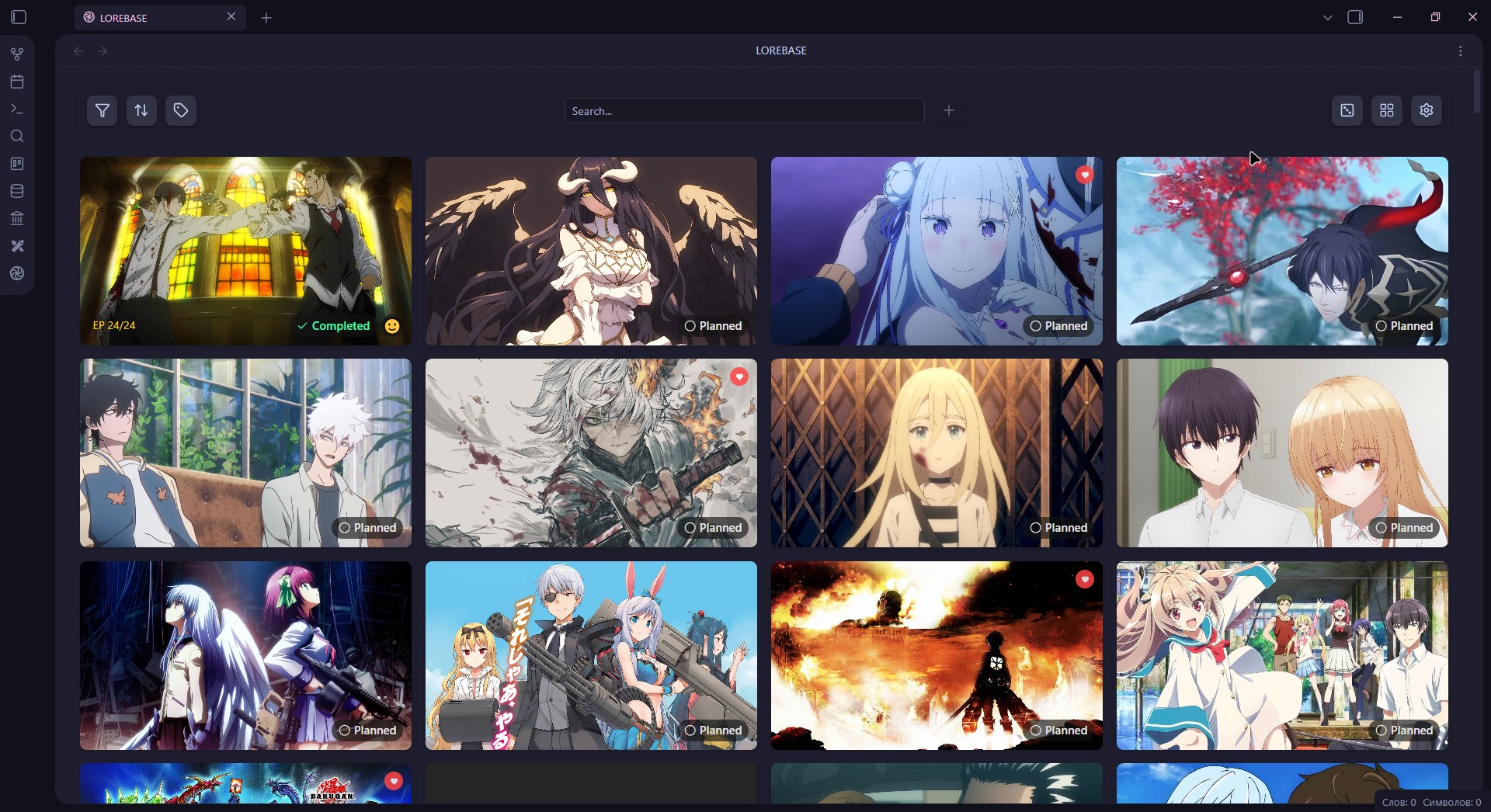
Vertical Cards Classic poster layout with a 2:3 aspect ratio. Perfect for game covers, anime posters, and book/manga covers. |
Horizontal Cards Landscape mode with panoramic banners. Great for cinematic screenshots and movie/TV banners. |
- 3 preset sizes: Small · Medium · Large
- Custom dimensions: Fine-tune width, height, and image ratio
- Adaptive grid: Automatically calculates column count based on viewport
- Virtualized rendering: Smooth scrolling for 100+ items
- Horizontal cover support in templates: note templates can define horizontal/banner posters out of the box
🏷️ Badges & Overlays
| Badge | Description | Options |
|---|---|---|
| Status | Current tracking status with icon | Text + Icon or Icon-only mode |
| Rating | Personal 1–5 score | ⭐ Star mode or 😍 Emoji mode |
| Favorite | Heart indicator | Static or pulsating animation |
| Progress | Season/episode, page, chapter, or volume progress depending on media type | e.g. S 2/4 · EP 12/24 · Ch 45/120 |
All badges have customizable positions (X/Y percentage), independently configurable per library, and can be placed anywhere on the card.
Hover overlay reveals title, year, format, and description — visibility of each element is configurable.
🔍 Smart Toolbar
| Control | Description |
|---|---|
| 🔎 Search | Real-time search with 150ms debounce |
| 🏷️ Filters | By status, favorite, 18+, custom poster, plus advanced filters over system and custom YAML fields, lists, numbers, and dates 🆕 |
| ↕️ Sort | By name, year, rating, or completion date |
| 🗂️ Saved views 🆕 | Your own sort/group/filter presets saved per media type |
| 🏷️ Tags | Plan tags, custom tags, and genres |
| ➕ Add | Create new items via metadata integrations or manually |
| 🎲 Random | Pick a random item from your collection |
| 🖼️ View Mode | Toggle between vertical and horizontal |
📊 Collection Statistics
A beautiful dashboard modal with:
- Key metrics: Total items, completed count, average rating, favorites
- Status distribution: Bar charts with percentages
- Rating distribution: Emoji-based visualization (😍😊😐😕🤢)
- Additional info: Series count, custom posters, completion % — with per-media-type breakdowns covering movies, TV shows, books, and manga
✏️ Cinematic Editor
A three-column modal editor inspired by modern CMS design:
| 📷 Left Column | 📝 Center Column | 📋 Right Column |
| Poster preview Favorite / 18+ toggles Plan tags | Title & year Series Genre chips Status (segmented control) Rating (5 stars) Description editor | HowLongToBeat / reading progress Advanced fields Custom tags Timestamps |
Editors now share a unified field layout, tabs, a pinned save bar, and common metadata panels across all six libraries. A dedicated My Notes section lets you edit your personal text without touching the note's structure, and start/completion dates get their own pickers — auto-set when an item is marked completed, and shown right on the card.
Keyboard shortcuts: Ctrl+Enter to save · Escape to close
🌸 Visual Effects
| Effect | Description |
|---|---|
| 🌸 Sakura | Gently falling cherry blossom petals |
| ❄️ Snow | Soft snowflakes drifting down |
Adjustable intensity from 20 to 150 particles with realistic sway, rotation, and random delays.
🔗 Integrations
Lorebase can automatically fetch metadata when creating new entries — or you can skip providers entirely and add a card manually. Existing cards can also be linked to a metadata source after the fact, letting you switch providers or safely refresh their data, including community ratings (score and vote count) or a manual refresh.
Game Providers
| Provider | Description | Requirements |
|---|---|---|
 | Search Steam Store for games | None |
 | Import your Steam library and wishlist directly | Steam profile URL |
 | Fallback source for high-quality vertical Steam covers | Free API key |
 | Largest video game database | Free API key |
 | Internet Game Database — alternative metadata source | Free API key |
 | Game completion times | None |
Anime & Manga Providers
| Provider | Description | Requirements |
|---|---|---|
 | Comprehensive anime database | None |
 | Russian anime platform | None |
 | MyAnimeList metadata through the Jikan API | None |
 🆕 🆕 | Primary manga search provider, replacing Jikan for manga | None |
 | Manga database and metadata source | None |
Movie & TV Providers
| Provider | Description | Requirements |
|---|---|---|
 | Movies and TV shows, posters and metadata | Free API key |
 | TV show schedules and metadata | None |
 | Movie and TV metadata via IMDb data | Free API key |
Book Providers
| Provider | Description | Requirements |
|---|---|---|
 | Book tracking and metadata | Free API key |
 | Large book metadata database | Optional API key |
🧪 Experimental: download a poster from any URL straight to local storage instead of linking it remotely.
📦 Installation
Community Plugin
- Open Settings → Community plugins
- Search for Lorebase
- Install and enable the plugin
Manual Installation
-
Download the latest release from GitHub Releases
-
Copy these files into your vault's plugin folder:
<Vault>/.obsidian/plugins/lorebase/ ├── main.js ├── manifest.json └── styles.css -
Restart Obsidian or reload plugins
-
Open Settings → Community plugins and enable Lorebase
Build from Source
# Install dependencies
npm install

# Build the plugin
npm run build

# Run tests
npm test

# Type checking
npm run typecheck
🎯 Getting Started
- Open Lorebase — Click the Lorebase icon in the ribbon, or use the command palette (
Ctrl+P→ "Lorebase") - Choose your library — Switch between Games, Anime, Movies, TV Shows, Books, and Manga tabs
- Add your first item — Click the ➕ button to search via configured providers, or create a card manually
- Review & create — Select a result, review the metadata, and create a note
- Edit details — Right-click any card to edit status, rating, tags, and more
Quick Actions via Context Menu
Right-click any card to:
- 🎯 Change status instantly
- ⭐ Set rating
- ❤️ Toggle favorite
- ✏️ Open full editor
- 🗑️ Delete item
⚙️ Settings
General
| Setting | Description | Options |
|---|---|---|
| Language | Interface language | English, Russian, Ukrainian |
| Accent Color | Theme accent | 10 presets + custom hex |
| Particle Effect | Ambient particles | None, Sakura, Snow |
| Particle Intensity | Number of particles | 20–150 |
| Settings Layout | How settings sections are displayed | Tabs or Accordion |
Library Settings (per media type)
Available independently for Games, Anime, Movies, TV Shows, Books, and Manga.
| Setting | Description |
|---|---|
| Folder Path | Vault folder for this library |
| Card Size | Small / Medium / Large |
| Card Orientation | Vertical or Horizontal |
| Custom Dimensions | Fine-tune card width, height, ratio |
| Columns | Grid column count |
Card Appearance
- Overlay text: Position and visibility of title, year, format, description
- Badges: Position, mode, and style for status, rating, and favorite
- Description lines: Number of visible lines in hover overlay (1–70)
- Progress badges: Season/episode, page, chapter, or volume progress, depending on media type
- Card style: Hover overlay or progress-footer cards where supported
- Book cover effect: Hardcover-style cards for books and manga
- Completion date format 🆕: Choose how completion dates are displayed on cards
Integrations
- Toggle each provider on/off
- Enter API keys where required (RAWG, IGDB, SteamGridDB, TMDB, OMDb, Hardcover) or recommended (Google Books)
- Select default provider per media type
- Link an existing card to a metadata source, switch providers, or safely refresh its data without losing your own edits 🆕
- Configure note templates per media type (simple field list or advanced YAML), including dedicated templates for movies, TV shows, books, and manga
Diagnostics 🆕
- Request log: Review requests, errors, retries, and temporary provider rate-limit blocks
- Steam Sync progress: A dedicated progress window with pause, resume, cancel, and detailed processing results
📝 Data Format
Every library item is a Markdown file with YAML frontmatter. You can edit them directly or through the Lorebase UI.
Lorebase stores progress fields in snake_case. For books and manga, the UI may display the watching status as Reading, but the saved status value remains watching.
🎮 Game Example
---
name: "The Witcher 3: Wild Hunt"
poster: "https://example.com/game-cover.jpg"
poster_b: "https://example.com/game-banner.jpg"
gameSeries: "The Witcher"
genres:
  - "RPG"
  - "Action"
plot: "You play as Geralt of Rivia, a monster hunter..."
platforms: "PC, PS4, Xbox One, Nintendo Switch"
year: "2015"
released: "2015-05-19"
developers:
  - "CD Projekt Red"
publishers:
  - "CD Projekt"
rating: "4"
userRating: 5
status: "completed"
favorite: true
url: "https://store.steampowered.com/app/292030"
main: "51 hours"
main_plus_sides: "103 hours"
perfectionist: "173 hours"
---

## My Notes

Amazing open-world RPG with incredible storytelling...
📺 Anime Example
---
title: "Attack on Titan"
image: "https://example.com/anime-cover.jpg"
image_b: "https://example.com/anime-banner.jpg"
plot: "In a world where humanity lives within enormous walled cities..."
scoreImdb: "84"
tags: "action, drama, fantasy"
year: "2013"
studios: "Wit Studio, MAPPA"
format: "tv"
season_current: "4"
episode_current: "87"
episode_total: "87"
active_part_id: "season-4"
anime_parts:
  - id: "season-4"
    kind: "tv"
    title: "Season 4"
    season: 4
    episode_current: 87
    episode_total: 87
    status: "completed"
rating: "5"
status: "completed"
favorite: true
url: "https://anilist.co/anime/16498"
---

## My Notes

One of the greatest anime of all time...
🎬 Movie Example
---
type: "movie"
title: "Blade Runner 2049"
poster: "https://example.com/movie-poster.jpg"
poster_b: "https://example.com/movie-banner.jpg"
plot: "A young blade runner uncovers a secret that could destabilize society..."
genres: "Sci-Fi, Drama"
year: "2017"
released: "2017-10-06"
runtime: "164 min"
director: "Denis Villeneuve"
actors: "Ryan Gosling, Harrison Ford, Ana de Armas"
rating: "5"
status: "completed"
favorite: true
active_part_id: ""
movie_parts: []
integration_provider: "tmdb"
integration_id: "335984"
url: "https://www.themoviedb.org/movie/335984"
---

## My Notes

A slow, visual sci-fi sequel with a strong atmosphere...
📺 TV Show Example
---
type: "series"
title: "The Boys"
poster: "https://example.com/series-poster.jpg"
poster_b: "https://example.com/series-banner.jpg"
plot: "A group of vigilantes takes on corrupt superheroes..."
genres: "Action, Drama, Superhero"
year: "2019"
released: "2019-07-26"
runtime: "60 min"
director: ""
actors: "Karl Urban, Jack Quaid, Antony Starr"
seasons: "4"
episode_current: "39"
episode_total: "40"
active_part_id: "season-4"
series_parts:
  - id: "season-4"
    kind: "season"
    title: "Season 4"
    season: 4
    episode_current: 7
    episode_total: 8
    status: "watching"
rating: "4"
status: "watching"
favorite: false
integration_provider: "tmdb"
integration_id: "76479"
url: "https://www.themoviedb.org/tv/76479"
---

## My Notes

Season tracking works through series_parts and active_part_id...
📖 Book Example
---
type: "book"
title: "Dune"
poster: "https://example.com/dune-cover.jpg"
poster_b: "https://example.com/dune-banner.jpg"
plot: "A story of politics, religion, and power on the desert planet Arrakis..."
authors: "Frank Herbert"
publisher: "Chilton Books"
genres: "Sci-Fi"
tags: "classic, space opera"
year: "1965"
released: "1965-08-01"
page_current: "210"
page_total: "412"
chapter_current: "8"
chapter_total: "22"
rating: "5"
status: "watching"
favorite: true
integration_provider: "googlebooks"
integration_id: "example"
url: "https://www.google.com/books/edition/Dune/example"
---

## My Notes

A dense but rewarding classic...
📚 Manga Example
---
type: "manga"
title: "Berserk"
poster: "https://example.com/berserk-cover.jpg"
poster_b: "https://example.com/berserk-banner.jpg"
plot: "Guts, a lone mercenary, fights against demonic forces..."
authors: "Kentaro Miura"
artists: "Kentaro Miura"
genres: "Dark Fantasy, Action"
tags: "seinen, tragedy"
year: "1989"
chapter_current: "364"
chapter_total: "379"
volume_current: "41"
volume_total: "42"
active_part_id: "volume-41"
manga_parts:
  - id: "volume-41"
    kind: "volume"
    title: "Volume 41"
    volume: 41
    chapter_current: 364
    chapter_total: 379
    status: "watching"
rating: "5"
status: "watching"
favorite: true
integration_provider: "mangadex"
integration_id: "example"
url: "https://mangadex.org/title/example"
---

## My Notes

One of the most influential dark fantasy manga...
⚡ Performance
Lorebase is optimized for large collections:
- Virtualized rendering — Only visible cards are in the DOM
- Batch card rendering — 24 cards per animation frame
- O(1) file lookups — Map-based index for instant access
- Debounced search — Search input updates are throttled
- RAF-based scroll rendering — Virtual grid updates are aligned with animation frames
- SVG template caching — Icons use
cloneNodeinstead ofinnerHTML - ResizeObserver — Adaptive layout without polling
- Reworked virtual grid 🆕 — Improved scroll restoration and rendering for large libraries
🌍 Localization
| Language | Status |
|---|---|
| 🇬🇧 English | ✅ Full |
| 🇷🇺 Russian | ✅ Full |
| 🇺🇦 Ukrainian | 🧪 Beta |
All core UI elements, status labels, settings descriptions, and error messages are translated, including all media types and providers.
📋 Changelog
v3.0.1
⚠️ Mobile UI is in active development. The reworked mobile interface for the library, add, and edit flows is an early alpha — expect rough edges while it's polished over the next few releases.
Added
- 📥 Import existing notes — bring notes into your library with automatic media-type detection, field mapping, and a preview of the changes
- 🔗 Metadata sources for existing cards — link a card to a provider, switch providers, and safely refresh its data
- ⭐ Community ratings — score, vote count, and a manual refresh of provider data
- 🧩 Extended progress — seasons, episodes, volumes, chapters, DLC, active parts, and quick actions right from the card
- 📝 "My Notes" section — edit your personal text without touching the note's structure
- 🔗 Related media — create links between games, anime, movies, TV shows, books, and manga
- 📅 Start and completion dates — convenient date pickers, auto-set on completion, and the date shown on the card
- 🗂️ Saved library views — your own sort/group/filter presets for each media type
- 🎛️ Advanced filters — filter on system and custom YAML fields, lists, numbers, and dates
- 🖱️ Card click action — open the note or jump straight into editing
- 🩺 Request diagnostics — a log of requests, errors, retries, and temporary provider rate-limit blocks
- ⏯️ Steam Sync controls — a progress window with pause, resume, cancel, and detailed processing results
- 🔎 MangaUpdates — new primary manga search provider, replacing Jikan for manga
Improved
- 📱 Reworked mobile interface for the library, add, and edit flows across all media types (early alpha — still a lot of work ahead)
- ✏️ Editors now share a unified field layout, tabs, a pinned save bar, and common metadata panels
- 🕹️ Steam Sync got a faster preview, earlier duplicate detection, and improved library/wishlist loading
- 🌐 Improved providers and fallback sources for games, anime, movies, TV shows, books, and manga
- 📄 Improved templates and frontmatter generation: arrays, numbers, dates, field order, and consistent naming
- 🛡️ Added safe request throttling, retries, and protection against 403 and 429 errors
- 🖼️ Improved handling of local images, remote posters, and custom covers
- 🎨 Expanded appearance settings for cards, completion date format, and library effects
- 🧱 Reworked the virtual grid, scroll restoration, and rendering for large libraries
Fixed
- Improved handling of provider 403 and 429 errors: added safe pauses, retries, and protection against excessive requests
- Plans and tags now write to notes correctly, including values with spaces
- Fixed metadata-source recording and detection when adding cards from mobile
- Fixed major mobile UI issues: overlapping panels, duplicate close button, status display, and editor behavior
- Fixed DLC loading, vertical Steam cover selection, and SteamGridDB fallback
- Fixed metadata updates wiping personal progress, custom fields, and manually edited values
- Improved stability of search, import, Steam Sync, and external provider requests
v2.0.6
Added
- 🎬 New media types — Movies, TV Shows, Books, and Manga are now fully supported as standalone libraries
- 🔎 New metadata providers — TMDB, TVmaze, OMDb, Hardcover, Google Books, Jikan, and MangaDex
- 🧾 Manual card creation — add media without searching through a provider
- 🖼️ SteamGridDB — fallback source for high-quality vertical Steam covers
- 📚 Reading progress — pages, chapters, volumes, and manga progress tracking
- 📺 Show progress — seasons, episodes, and an active-part tracker for shows
- 🔗 Related media — link local notes to each other
- 🎛️ New per-media settings — dedicated folders, templates, badges, and appearance for each media type
- 🃏 Card style modes — choose between hover overlay cards and progress-footer cards where supported
- 📘 Book cover effect — optional hardcover-style cards for books and manga
- 🇺🇦 Ukrainian localization — new beta interface language
- ⭐ Wishlist status for games
- 🧩 New templates — dedicated note templates for movies, TV shows, books, and manga
Improved
- Fully reworked plugin settings
- Added a tabbed or accordion layout mode for settings
- Added folder suggestions for library paths and image storage paths
- Added per-media preview controls for card appearance settings
- Improved library cards and progress display
- Updated editor modals
- Improved manual creation with cover URL/file support and media-specific fields
- Improved genre and tag editing in modals
- Improved handling of genres, tags, ratings, and statuses
- Improved Steam Sync and Steam image matching
- Improved handling of local and remote posters
- Improved Russian and English localization
- Expanded statistics to cover all new media types
Stabilized during 2.0.6 development
- Removed the obsolete Coming Soon / In development settings section
- Fixed book add flow using the wrong cover or metadata after selecting a search result
- Fixed manga add flow resetting selection when searching for another title
- Book and manga hover overlays have stronger background readability
- Book and manga card text sizing is more readable
- Anime and TV progress-footer cards keep the same hover behavior as books and manga
- Manga hover cards now lift consistently in hover mode
- Anime virtual-grid progress footers no longer overlap the next row
- Anime and TV season/part chips now use status colors consistently
- README data format examples now match the current snake_case frontmatter fields
v1.1.0
Added
- 🔄 Steam Sync — import your Steam library and wishlist directly
- 🤖 Anime Title Parts auto-fill
- 🖼️ Horizontal cover support in templates
- 🧪 Experimental: poster download from URL to local storage
Improved
- Small redesign of the add window
- HowLongToBeat integration
Fixed
- Support buttons in settings
- Dropdown formatting under description
- Removed unnecessary media providers block
📄 License
Built with ❤️ for Obsidian
Your media library stays local, clear, and fully under your control
For plugin developers
Search results and similarity scores are powered by semantic analysis of your plugin's README. If your plugin isn't appearing for searches you'd expect, try updating your README to clearly describe your plugin's purpose, features, and use cases.