by suoyuanxi
An ARC-browser-style sidebar: sweep the mouse to the left edge of the window and the sidebar slides out, and it slides back when you swipe past its right edge.
ARC Hover Sidebar
An ARC-browser-style sidebar for Obsidian: sweep the mouse to the left edge of the window and the sidebar slides out; swipe right and it slides back.
Demo
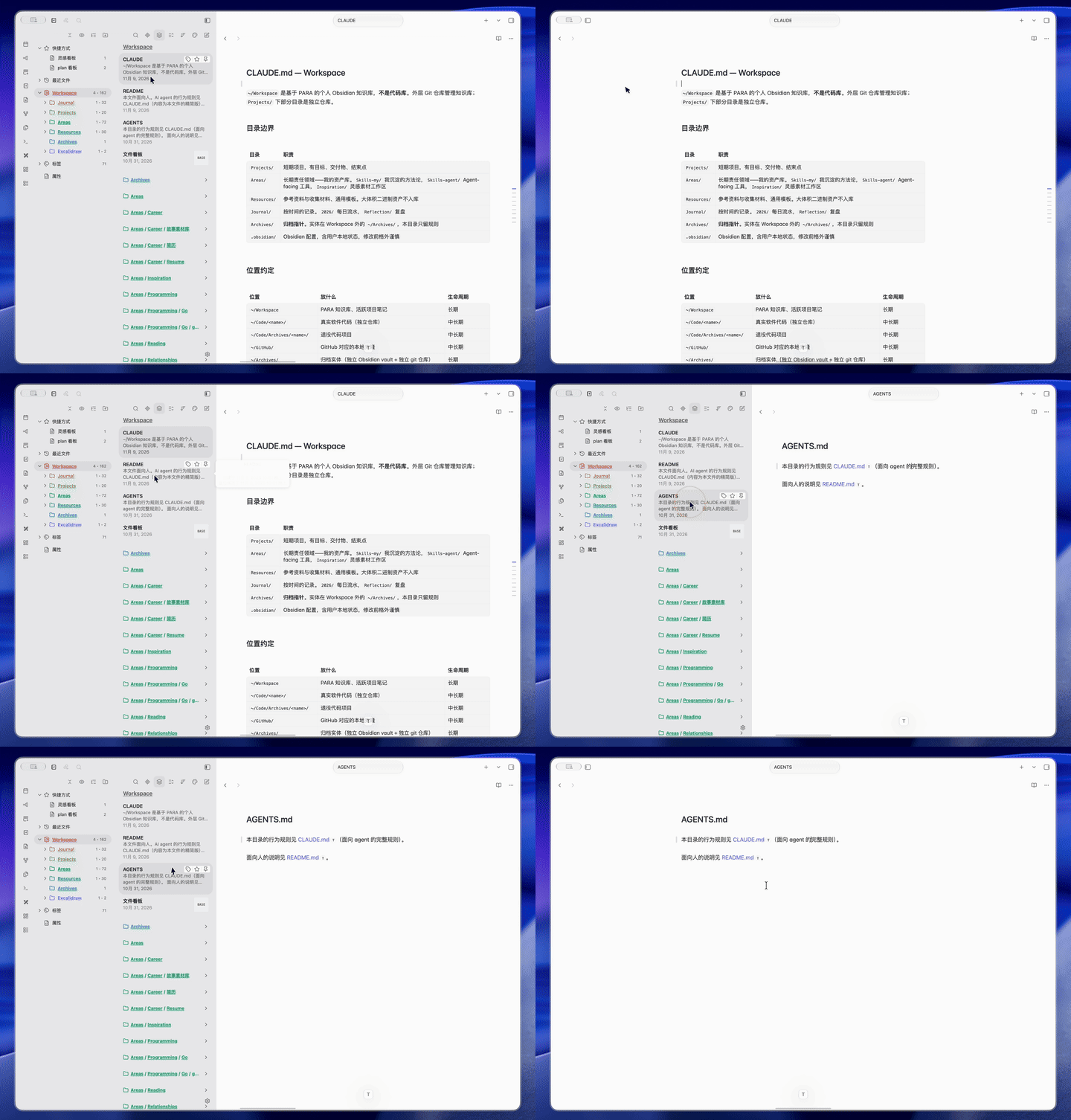
What it does
| How the sidebar was opened | How it closes |
|---|---|
Mouse touches the left edge of the window (within edgeZone, 5px by default) | The mouse moves horizontally past the sidebar's right edge |
| Opened manually via hotkey / button, with Unified open/close enabled | The mouse moves onto the sidebar and then back out again (while the pointer stays outside the sidebar, you can move freely without it closing) |
| Opened manually via hotkey / button, with Unified open/close disabled | It is not closed automatically — you close it yourself |
The sidebar is opened and collapsed through Obsidian's own leftSplit.expand() / collapse() API — not faked with CSS — so its width, colours and content layout are exactly the same as when you open it yourself.
It also reuses the theme's built-in "hover to reveal the ribbon" behaviour (by overriding a single CSS variable, leaving your theme files untouched).
Installation
Manual
- Download
main.jsandmanifest.jsonfrom this repository. - Put them in
<vault>/.obsidian/plugins/arc-hover-sidebar/. - Add
"arc-hover-sidebar"to<vault>/.obsidian/community-plugins.json. - Reload Obsidian and enable the plugin under Settings → Community plugins.
BRAT
BRAT can install it from this repository: add
https://github.com/goodends/arc-hover-sidebar in BRAT's plugin list.
Settings
Settings → Community plugins → ARC Hover Sidebar
- Enable hover sidebar — master switch. When off, the plugin stops interfering with the sidebar entirely.
- Unified open/close — when on, a sidebar you opened yourself is also managed by the plugin, and always closes the same way: swipe horizontally past the sidebar's right edge.
- Sync ribbon — when on, the ribbon (the icon bar on the left) is hidden and shown together with the sidebar.
Tunable parameters (getters at the top of main.js)
| Parameter | Default | Meaning |
|---|---|---|
edgeZone | 5px | Width of the left-edge trigger zone |
ribbonTrigger | 24px | Width of the ribbon trigger band (overrides the theme's --hover-sidedock-trigger-area) |
panelRight() | right edge + 30px | Threshold for "the mouse has left the sidebar", with 30px of slack so the resize handle stays usable |
Implementation notes
- The trigger is purely geometric — no velocity check (like ARC):
- position: the mouse enters the leftmost
edgeZonepixels of the window; - path: this frame moved leftwards and the path crossed the trigger zone (covers the case where the mouse crosses the whole zone within a single frame).
- position: the mouse enters the leftmost
- Singleton guard: if a stale instance is still around when the plugin loads, it is unloaded first. Two instances fighting over the sidebar make it flicker open and closed.
- Cold-start guard:
leftSplitdoes not exist before the layout is ready, so.collapsedmust not be read inonload— doing so throws and the plugin fails to load. - Polling fallback:
expand()/collapse()take effect asynchronously and may not emit events around the transition, so a 400ms poll keeps the state in sync. - Drag guard: the sidebar is not collapsed while you are dragging its resize handle — otherwise you could never resize it.
- Blur guard: switching to another application collapses the sidebar, and no hover expansion happens while the window is unfocused.
Known trade-offs
- Any mouse movement within
edgeZoneof the left edge pops the sidebar out. If you only wanted to click a ribbon icon, the sidebar comes out too — reduceedgeZone. - A larger trigger zone means fast strokes near the left edge trigger it more easily: it is a trade-off between the hot zone and sensitivity.
- Desktop only (
isDesktopOnly: true).
Development
There is no build step — main.js is the entire plugin. For local development, symlink the repository's main.js and manifest.json into <vault>/.obsidian/plugins/arc-hover-sidebar/; changes take effect after disabling and re-enabling the plugin in Obsidian.
Development conventions are described in CLAUDE.md.
License
For plugin developers
Search results and similarity scores are powered by semantic analysis of your plugin's README. If your plugin isn't appearing for searches you'd expect, try updating your README to clearly describe your plugin's purpose, features, and use cases.