Armillary
approvedby Peter Frost
A 3D graph view of your vault. Orbit, filter, group and freeze — with the same filters, groups, display and force controls as the core graph. - This plugin has not been manually reviewed by Obsidian staff.
Armillary — a 3D graph view for Obsidian
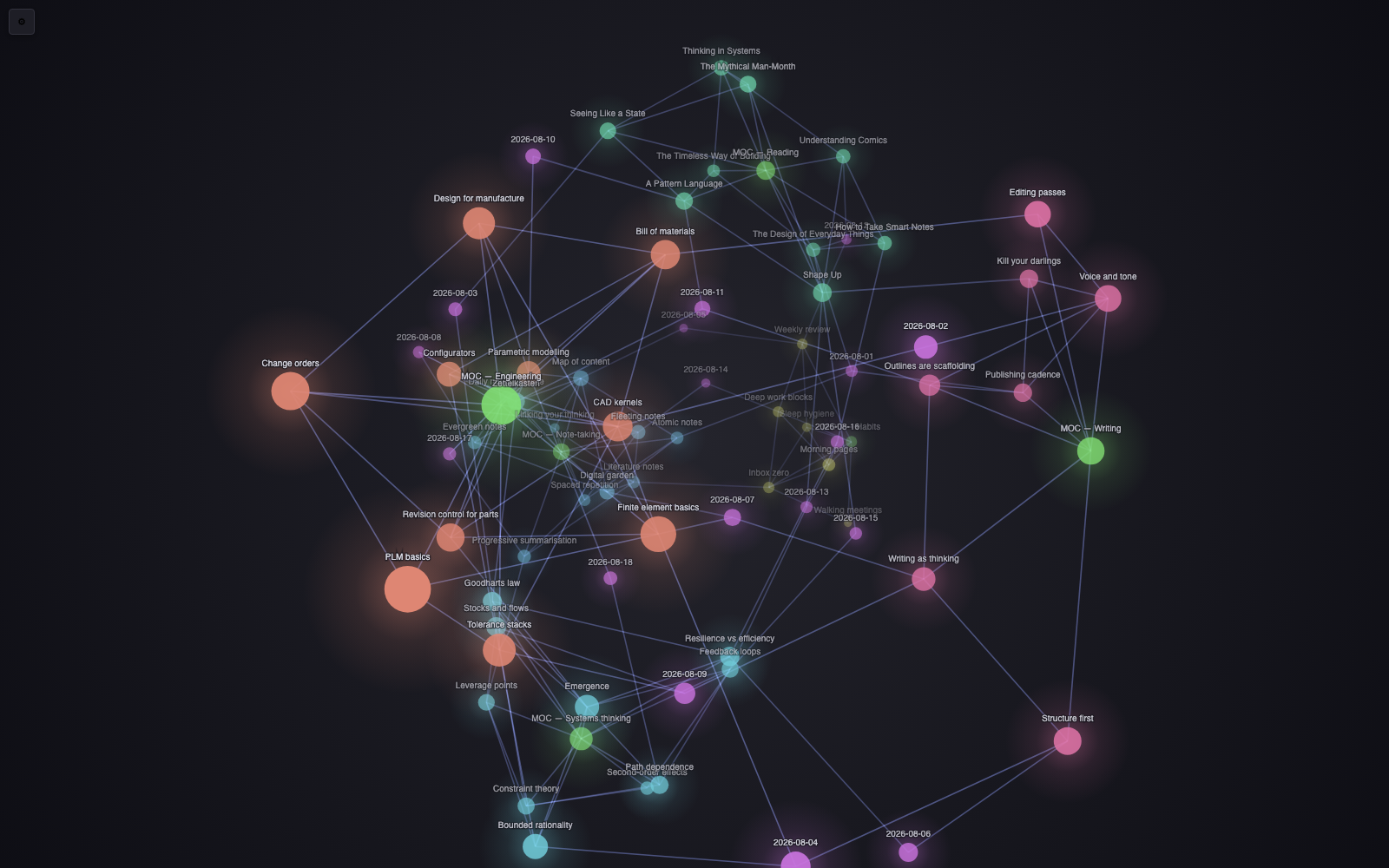
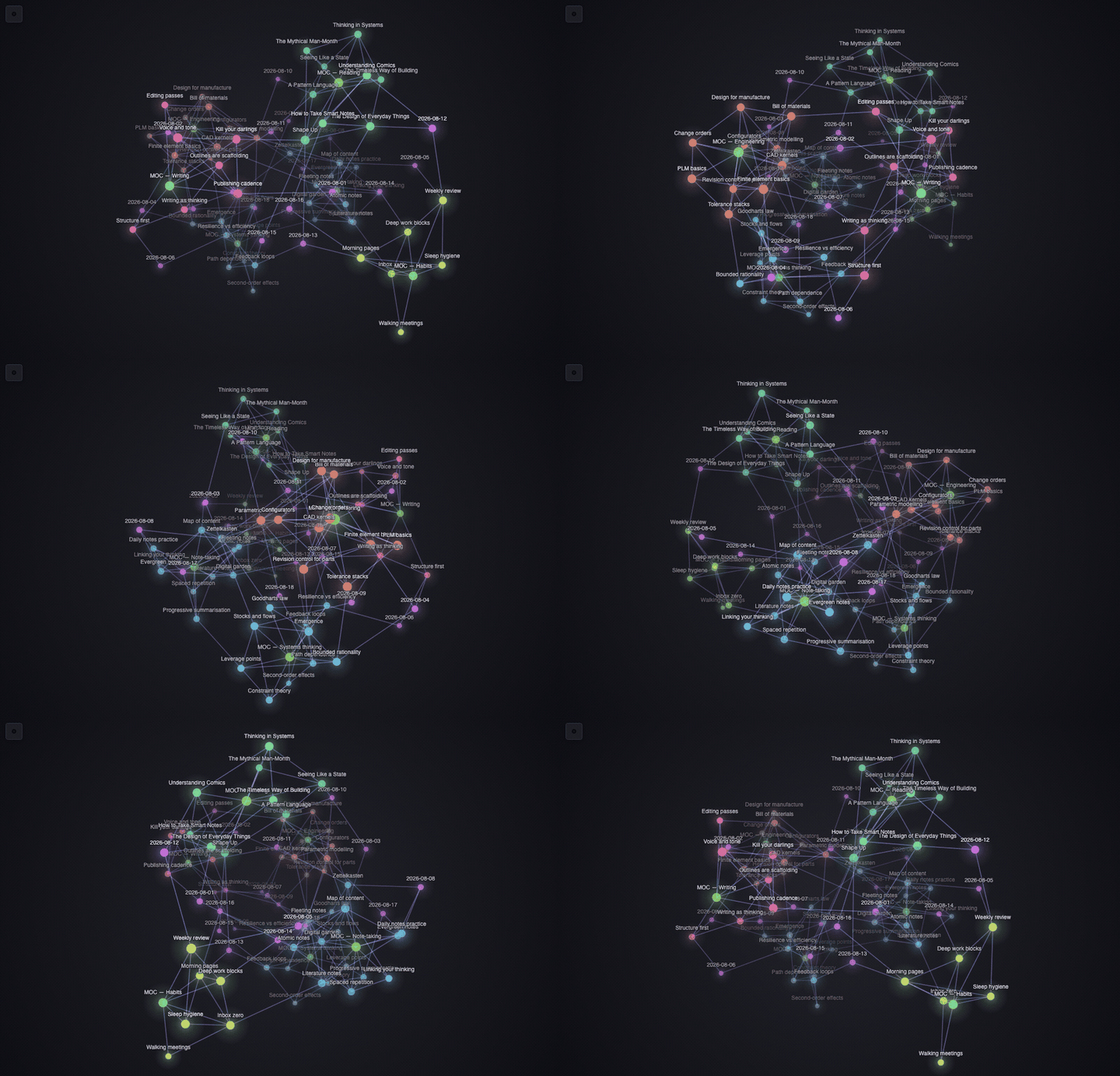
Your vault's graph, in three dimensions. Orbit it, pull notes around, freeze a neighbourhood and look at it from the other side.
Armillary is a drop-in companion to the core graph view: the same filters, groups, display and force controls you already know, rendered in 3D.
Why another 3D graph
- No dependencies, no WebGL. ~700 lines of plain JavaScript drawing to a 2D canvas with its own perspective projection. Nothing to bundle, nothing to ship, no GPU required — it runs the same on an old laptop as on a new one.
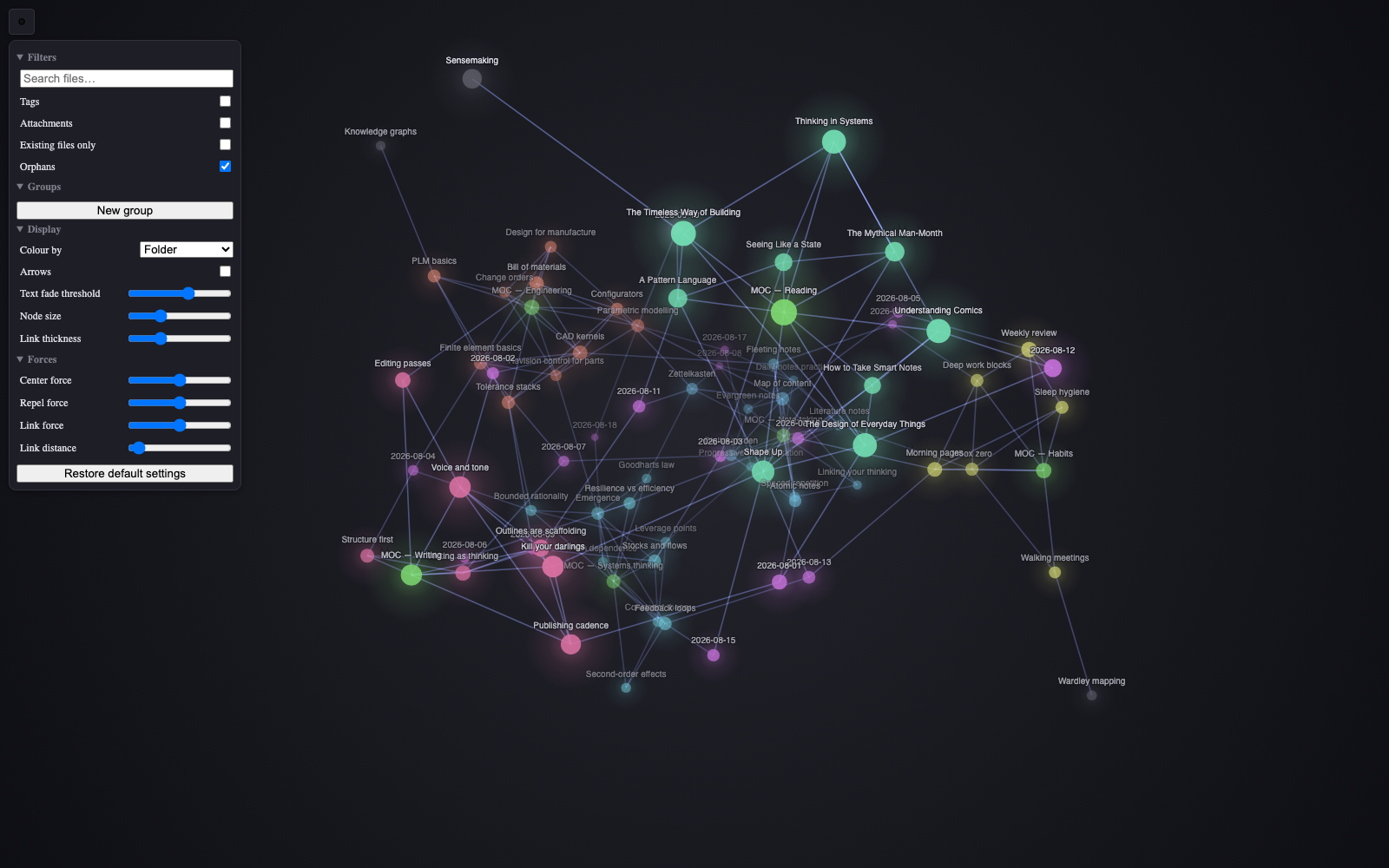
- Feature parity with the core graph. Not a toy view: search, tags, attachments, existing-files-only, orphans, colour groups, arrows, text fade, node size, link thickness, and all four force sliders.
- Themed by your theme. Colours come from the same CSS variables the core
graph uses (
--graph-node,--graph-line,--graph-node-tag,--graph-node-attachment,--graph-node-unresolved), so it looks like it belongs in whatever theme you run.
Features
| Filters | Search, tags, attachments, existing files only, orphans |
| Groups | Any number of colour groups, each with its own query |
| Colour by | Folder, tag or link count — automatic, no queries to write |
| Display | Arrows, text fade threshold, node size, link thickness |
| Forces | Centre, repel, link force, link distance |
| Freeze | Lock a note's connections on and orbit around them |
| Depth | Fog, glow and size falloff so near and far read apart |
Colour
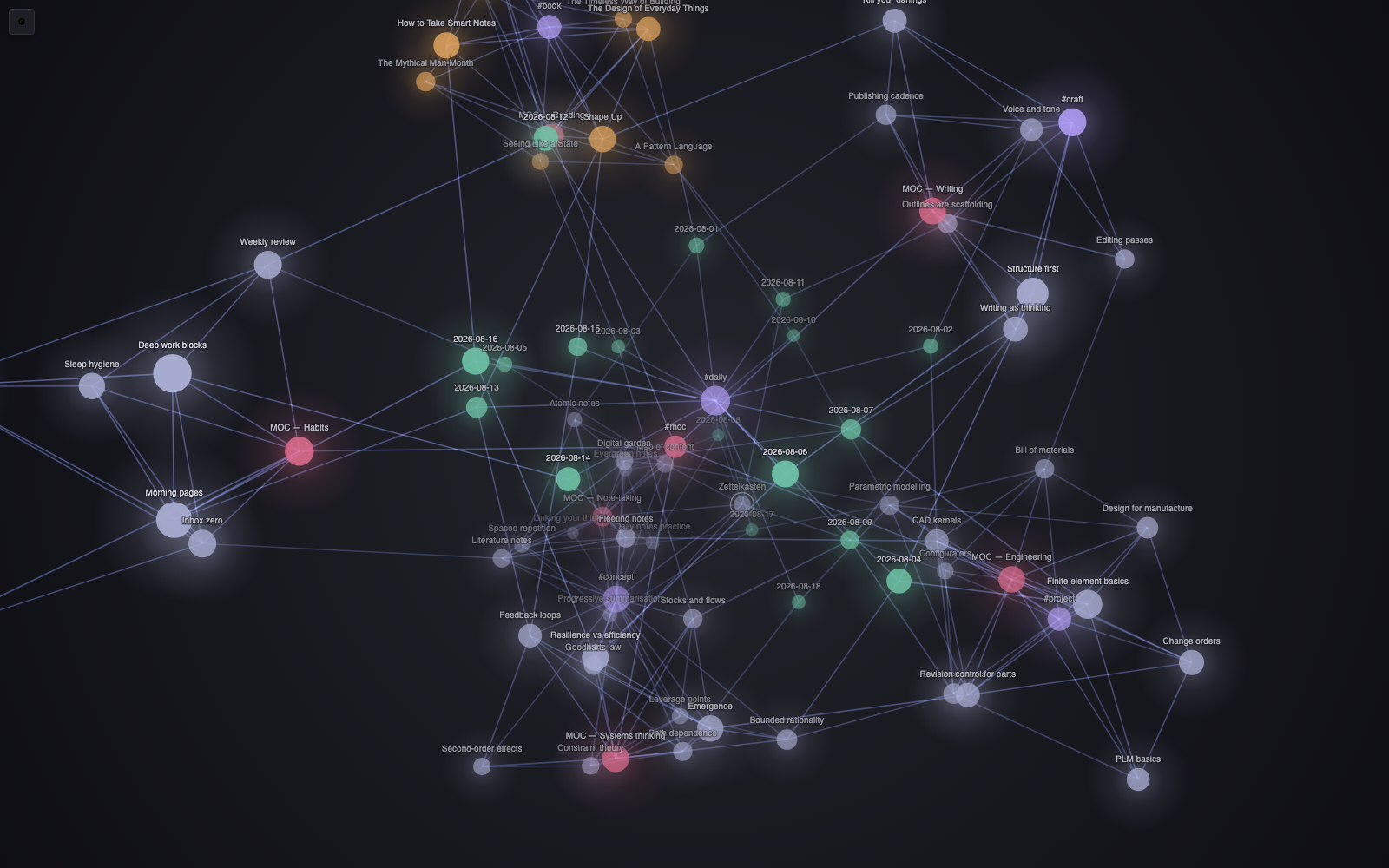
Colour groups work exactly as they do in the core graph — a query and a colour, as many as you like. On top of that, Display → Colour by will colour the whole graph automatically:
- Folder — every folder gets its own hue, so your vault's structure appears without writing a single query
- Tag — coloured by each note's first tag
- Link count — a cold-to-warm heat map, so hubs stand out from leaves
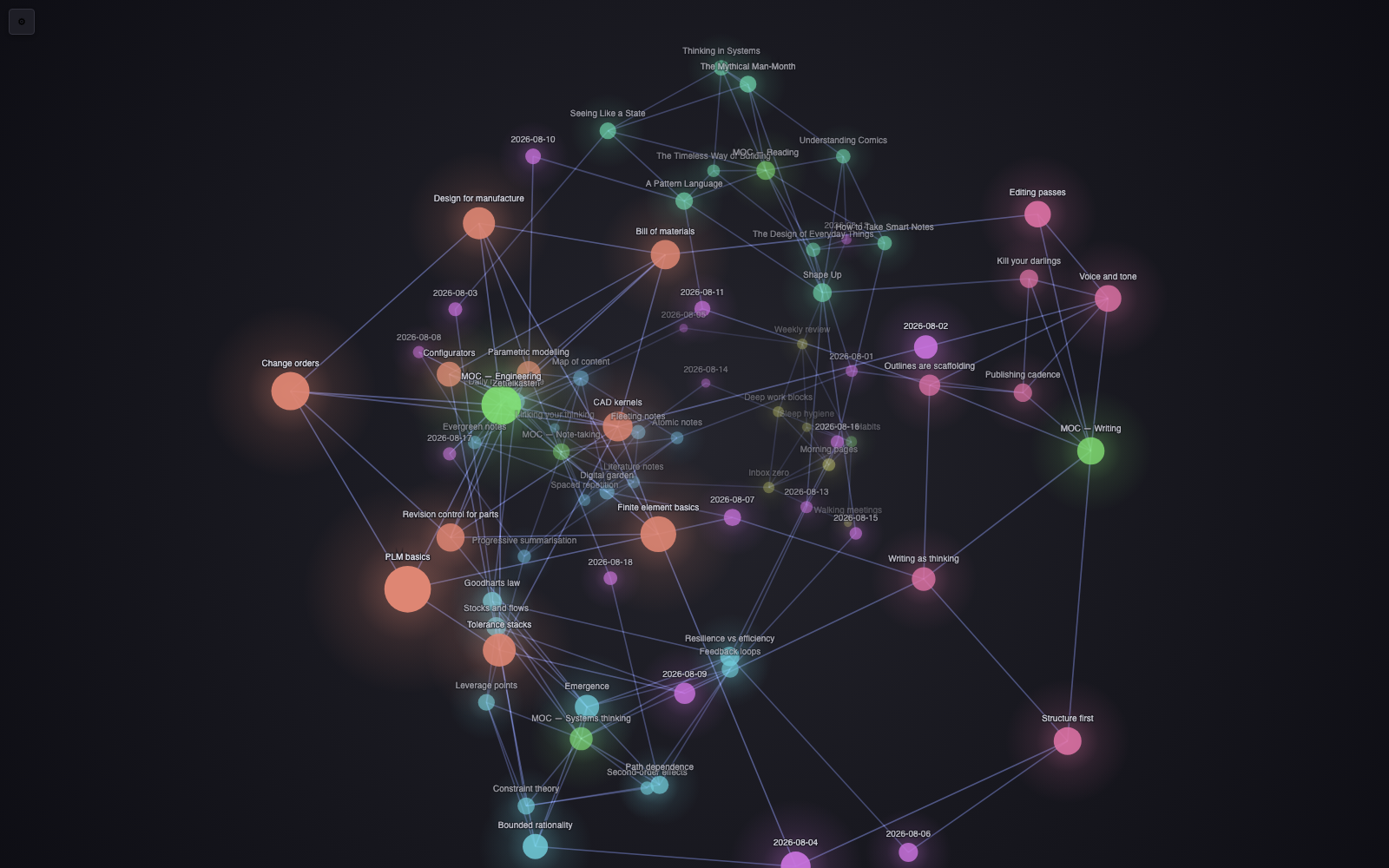
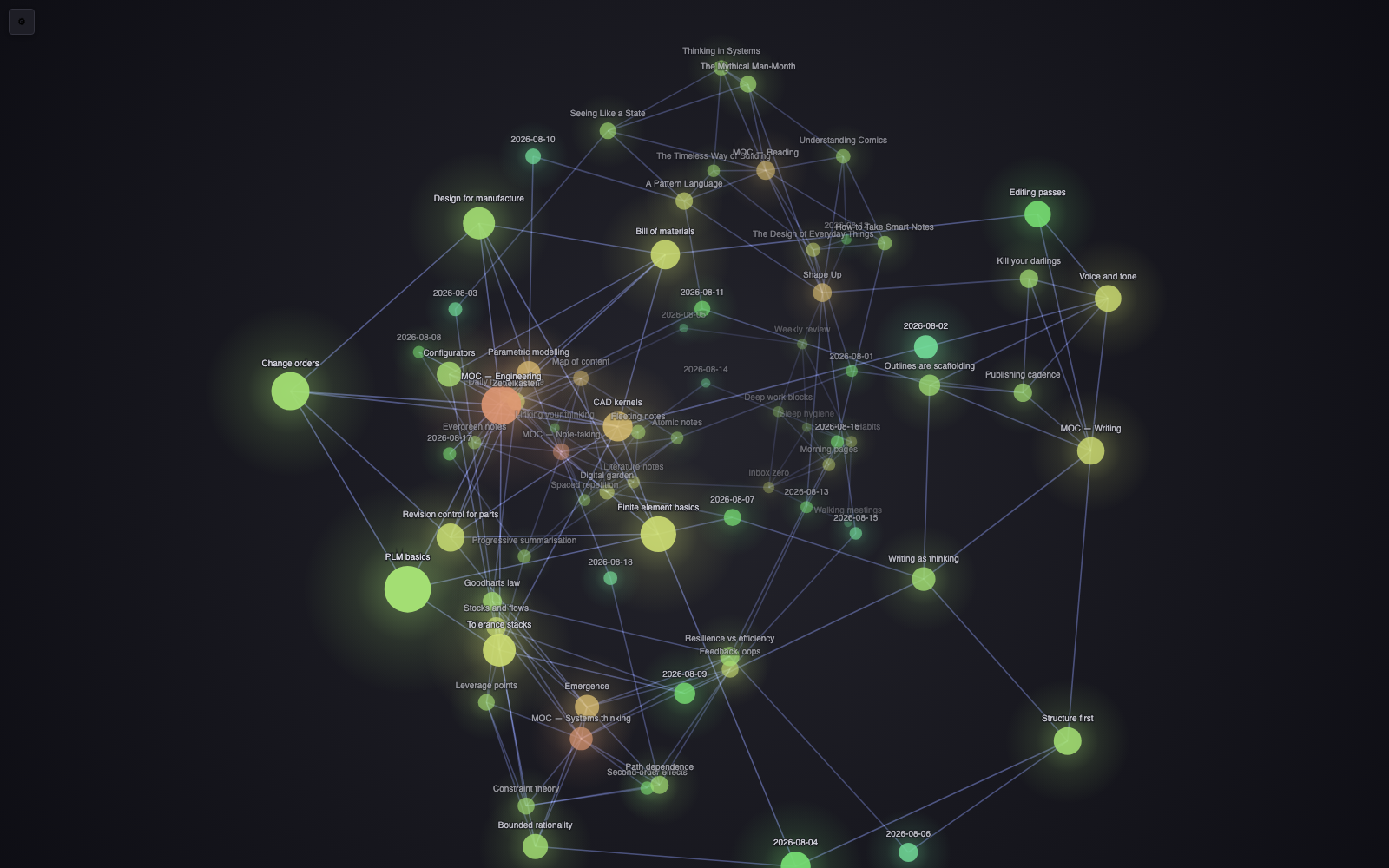
Hues are derived from the name itself, so a folder keeps its colour between sessions, and both themes get their own lightness so nothing washes out.
Controls
| Action | Result |
|---|---|
| Drag | Orbit (with inertia — fling it and it coasts) |
| Scroll | Zoom |
| Shift-drag / right-drag | Pan |
| Hover a node | Highlight it and everything it links to |
| Alt-click a node | Freeze that highlight so you can orbit around it |
| Drag a node | Move it; it stays where you drop it |
| Click a node | Open the note (Ctrl/Cmd-click for a new tab) |
| Ctrl/Cmd-hover | Page preview popover |
| Double-click | Reset the view and release every pinned node |
The graph auto-frames itself until you take the camera over, and leaves a slow drift running when idle so the depth stays readable while you think.
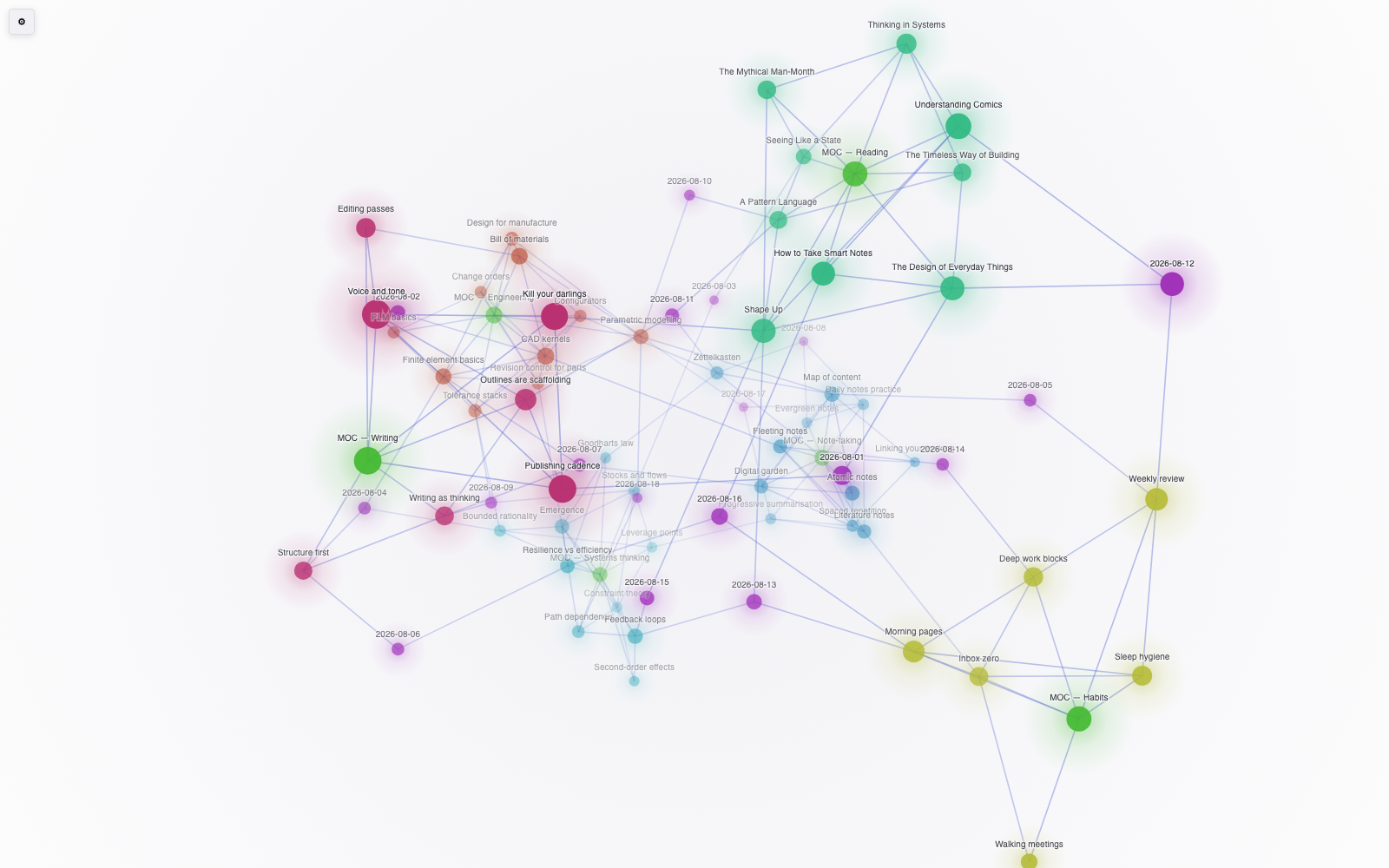
Themes are followed in both directions:
Install
From Obsidian — Settings → Community plugins → Browse → search "Armillary" → Install → Enable.
Manually — download main.js, manifest.json and styles.css from the
latest release into
<vault>/.obsidian/plugins/armillary/, then enable it in Settings → Community
plugins.
Open it with the ribbon icon, or the command Open 3D graph view.
Notes
- The search box matches note names, paths and tags, and understands
path:,file:,tag:,-negationand"quoted phrases". It does not do full-text content search. - Layout is an O(n²) force simulation, comfortable to a couple of thousand notes. Beyond that, turn the repel force down or narrow the graph with a search first.
- Desktop and mobile both work; on mobile, orbit with one finger.
Development
No build step — main.js is the plugin. Clone into
<vault>/.obsidian/plugins/armillary/ and reload.
node test.js
covers the graph model (filters, groups, query parsing, link de-duplication), the force layout, and the camera maths including the drag round-trip.
Licence
MIT — see LICENSE.
For plugin developers
Search results and similarity scores are powered by semantic analysis of your plugin's README. If your plugin isn't appearing for searches you'd expect, try updating your README to clearly describe your plugin's purpose, features, and use cases.