Bases Lock
approvedby lucas
Hides the action bar at the top of the Bases view. - This plugin has not been manually reviewed by Obsidian staff.





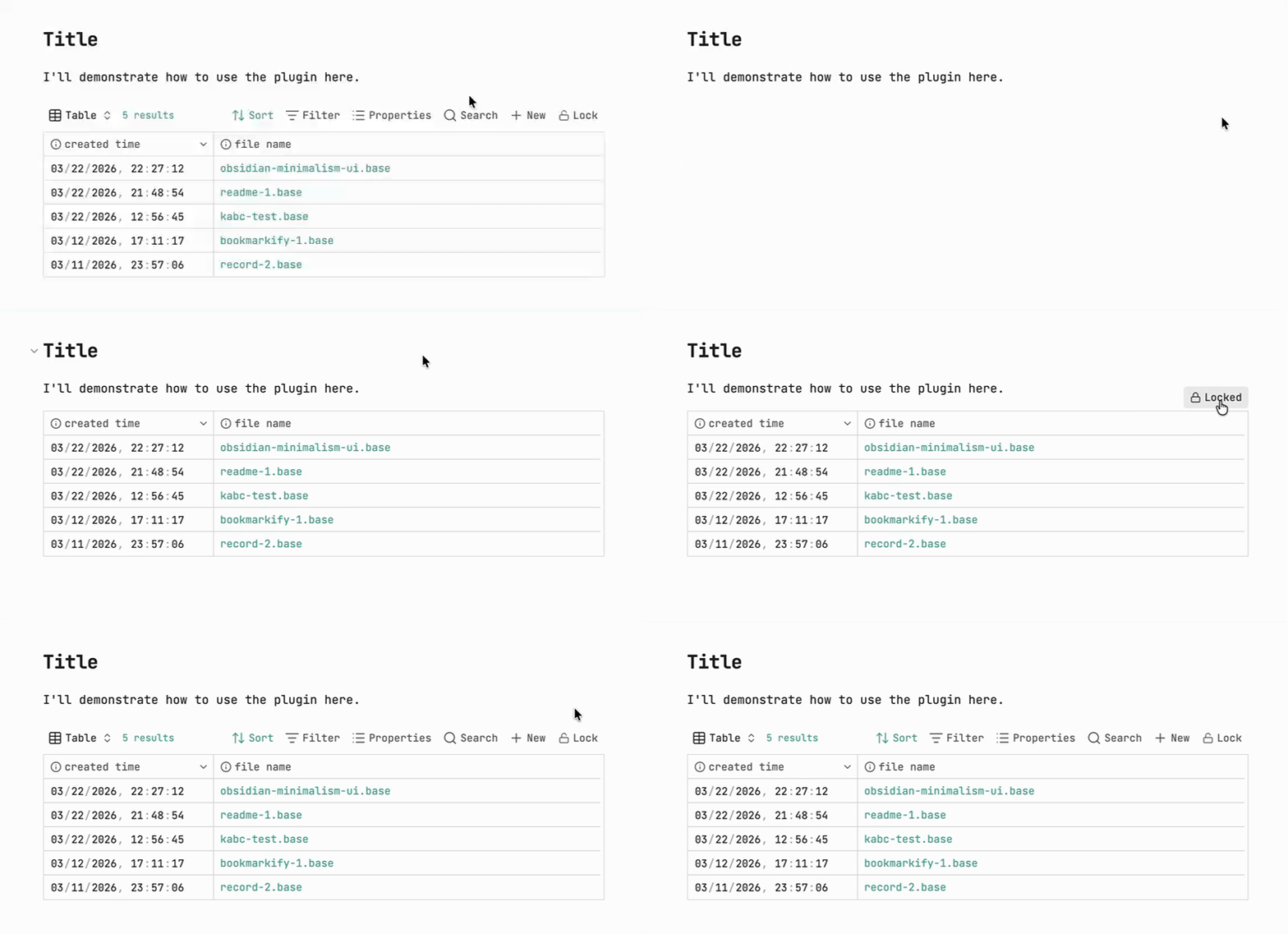
Bases Lock is a small Obsidian plugin that lets you hide the Bases toolbar and disable header interaction on demand, keeping the view clean and preventing accidental changes.
Note: The plugin only works in Reading view, and is desktop only.
⭐ Usage
- Open a note in Reading view that embeds a Base.
- Click the Lock button in the Base's toolbar to lock it. The toolbar then disappears.
- To unlock, hover your mouse over the locked Base — a lock button appears just above its top-right corner. Click it.
That's it — while locked:
- The Bases toolbar is hidden
- Header (column) interaction is disabled
- Only the
.baseembed in the current document is affected — other notes are never scanned or modified
⬇️ Installation
- Open Obsidian and go to Settings → Community plugins
- Select Browse and search for "Bases lock"
- Click Install, then enable the plugin
- Make sure the official Bases core plugin is also enabled
Or install it directly here: Install from Community Plugins
❓ How it works
When you click the lock button, the plugin rewrites how the Base is embedded in your Markdown, so the locked/unlocked state is saved with the note.
For example, src/a.base embedded as any of the following:
![[src/a.base]]
...becomes this when locked:

(If there was no display name, the file name is used automatically — e.g. ![[src/a.base]] → .)
Clicking again to unlock changes it to:

In short:
|x→ toolbar hidden, header interaction disabled, button shows locked|o→ toolbar and header interaction restored, button shows unlocked
Inline base code blocks
Bases can also be written directly as a code block inside a note:
```base
views:
  - type: table
```
This is supported too. Locking it appends an x flag right after the fence's language token:
```base x
views:
  - type: table
```
Unlocking removes the flag again. Each code block is toggled independently, so a note can freely mix multiple .base embeds and inline base code blocks.
For plugin developers
Search results and similarity scores are powered by semantic analysis of your plugin's README. If your plugin isn't appearing for searches you'd expect, try updating your README to clearly describe your plugin's purpose, features, and use cases.