by chilipeppers
Two-way sync between Obsidian Bases and Google Sheets. Pull rows into notes, push frontmatter updates, and preview conflicts.
Updated todayMIT
Bases Sheets Sync
Two-way synchronization between Obsidian Bases notes (frontmatter properties) and Google Sheets.
Features
- No Google Cloud Console Required (Quick Mode): Connect any Google Sheet in 1 minute using the built-in Google Apps Script template.
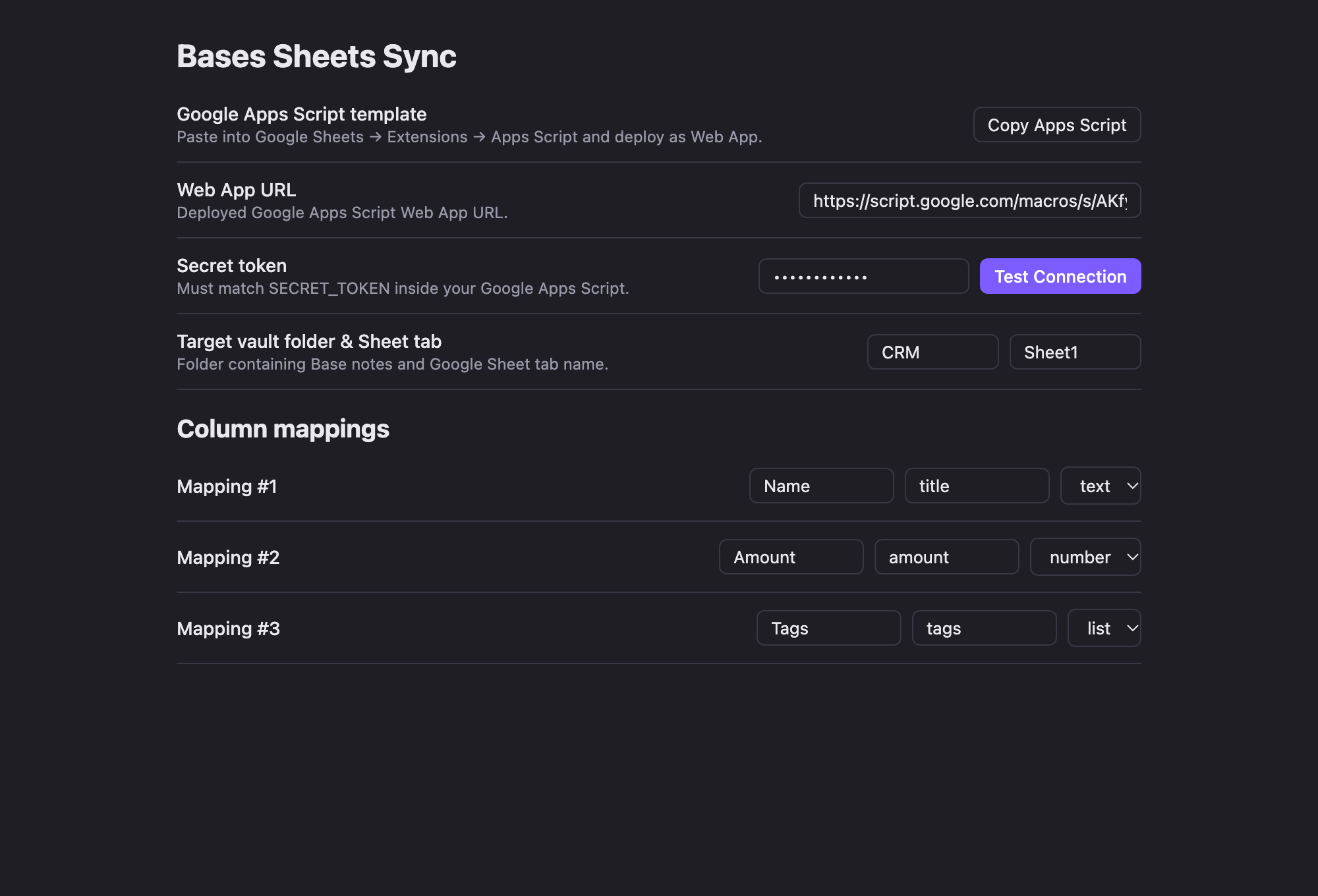
- Visual Column Mapping: Map sheet columns to frontmatter properties with typed coercion (
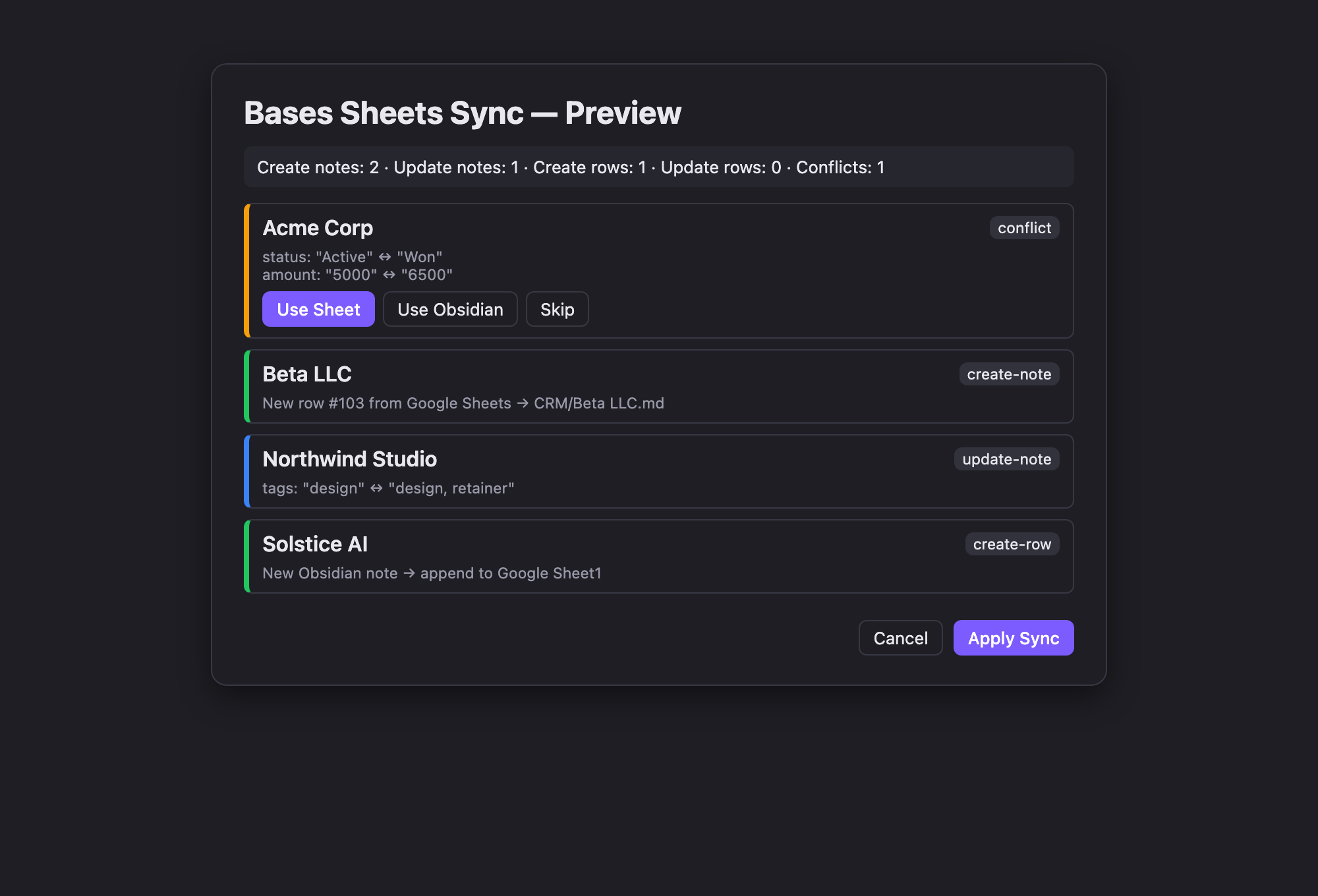
text,number,boolean,date,list). - Two-Way Sync with Dry-Run Preview: Preview every note creation, row creation, and field-level conflict before applying changes.
- Conflict Strategies: Choose
Ask in Preview Modal,Google Sheets wins, orObsidian wins.
Setup
- Open Settings → Bases Sheets Sync and click Copy Apps Script.
- In your Google Sheet, go to Extensions → Apps Script, paste the code, set a
SECRET_TOKEN, and deploy as a Web App. - Paste the Web App URL and token into plugin settings, then click Test Connection.
Support
If you find Bases Sheets Sync useful, you can support development on Patreon.
For plugin developers
Search results and similarity scores are powered by semantic analysis of your plugin's README. If your plugin isn't appearing for searches you'd expect, try updating your README to clearly describe your plugin's purpose, features, and use cases.