Bases Spotlight View
approvedby mymindstorm
A spotlight view for Obsidian Bases. Focuses on content with an attributes sidebar. - This plugin has not been manually reviewed by Obsidian staff.
Obsidian Bases Spotlight View
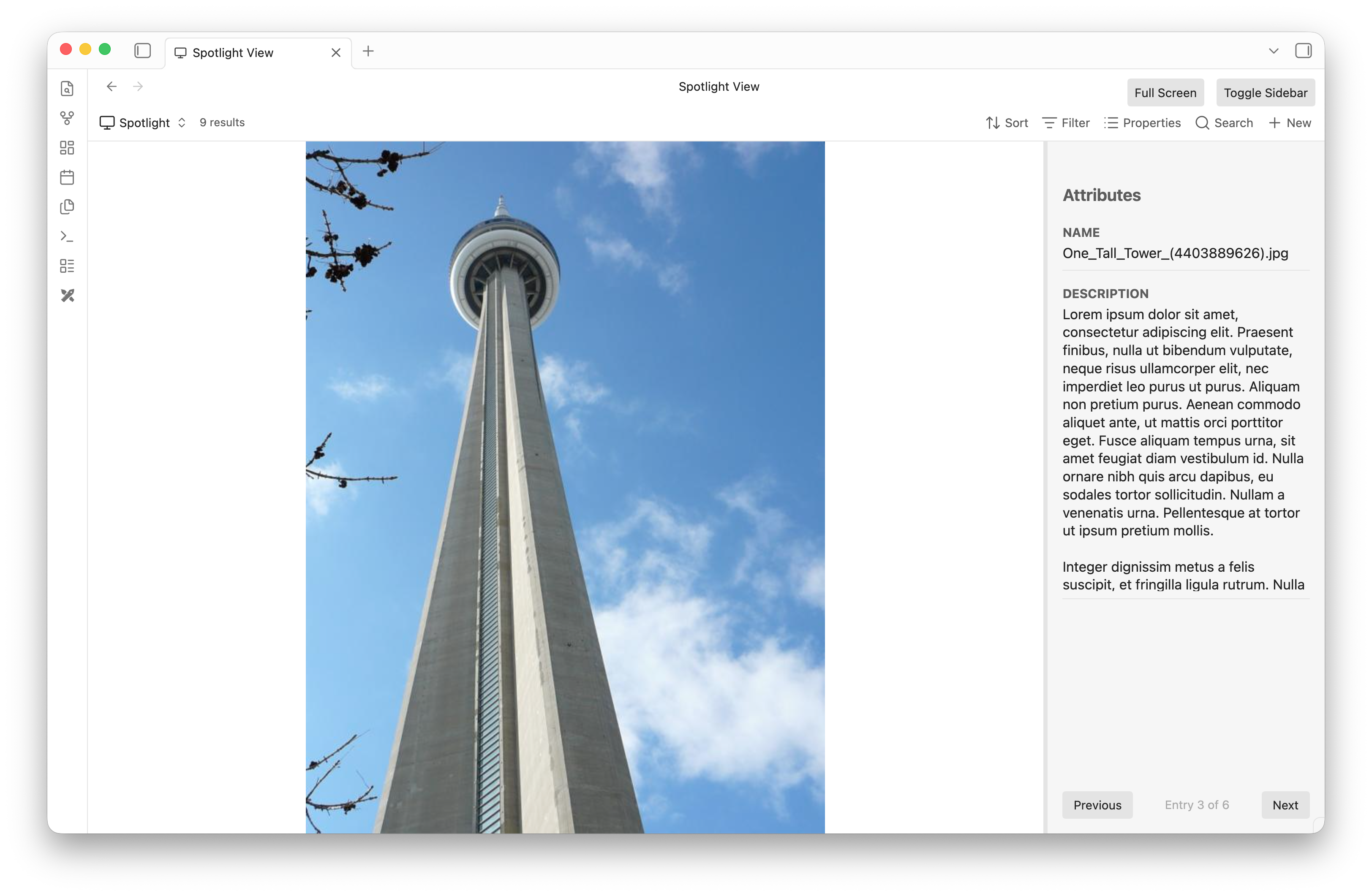
Obsidian Bases Spotlight View is a powerful plugin that integrates tightly with the Obsidian Bases framework. It provides a beautiful, dual-pane "Spotlight" view specifically designed for rapidly browsing, tagging, and managing structured metadata for files in your vault.
Whether you're organizing a collection of PDFs, sorting a gallery of images, or just blazing through notes, Spotlight View gives you a distraction-free, highly interactive interface.
Features
- Dual-Pane Interface: A massive center viewing area to read or view the file, accompanied by a sleek right sidebar focused exclusively on its metadata properties.
- Native Media Rendering: Flawlessly renders Markdown notes, edge-to-edge Images, and fully interactive PDFs directly in the center pane.
- Shadow Markdown Sidecars: Easily tag binary files! If you assign properties to an Image or PDF, the plugin transparently generates a
.mdsidecar file to store the metadata natively without cluttering your view. - Custom Content Properties: Override the center pane to render a specific text property instead of the file content. Spotlight automatically parses standard Obsidian
[[Wikilinks]]in your properties to seamlessly render the linked files! - Interactive Sidebar:
- Inline Editing: Click any property value to quickly edit its contents without opening any modal dialogs.
- Drag-and-Drop Reordering: Grab any property's name header to drag and reorder the layout to your exact preferences.
- Custom Heights: Grab the divider below any property to dynamically resize its height (perfect for long text fields). Layout changes are persisted globally!
How to Use
- Install the plugin alongside the Bases plugin.
- In any Base view, switch the view type to Spotlight View.
- Use the pagination controls (or arrow keys) to quickly cycle through the files returned by your Base's query.
- Customize your experience via the Base View Options (e.g., configuring the Spotlight Content Property). Note: To use the Spotlight Content Property successfully, you must use a standard
[[]]reference to a file in the property.
Development
To build this plugin locally:
npm install
npm run build
This will compile main.ts into main.js which Obsidian requires to load the plugin. Ensure your Obsidian vault has the plugin enabled in Community Plugins.
For plugin developers
Search results and similarity scores are powered by semantic analysis of your plugin's README. If your plugin isn't appearing for searches you'd expect, try updating your README to clearly describe your plugin's purpose, features, and use cases.