Canvas Format Brush
approvedby wenlzhang
Copy and paste formatting attributes (size and color) between canvas elements, similar to the format painter in Word.
Canvas Format Brush


An Obsidian plugin that allows you to copy and paste formatting attributes (size and color) between canvas elements, similar to the format painter in Word.
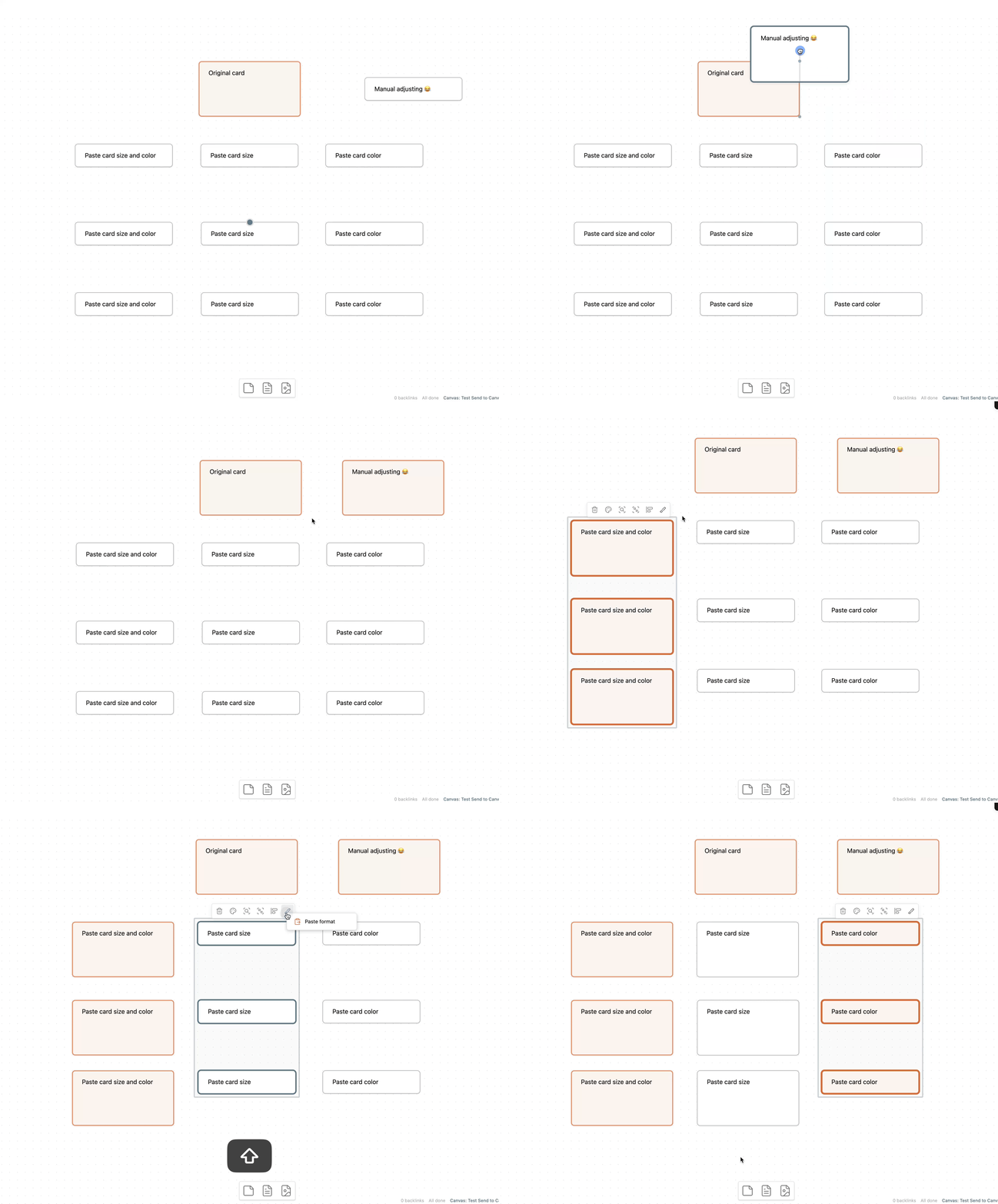
Features
- Copy and paste formatting between canvas elements
- Supports copying:
- Card size and color
- Card size only
- Card color only
- Context menu and commands
- Status bar indicator showing when format is copied
Videos
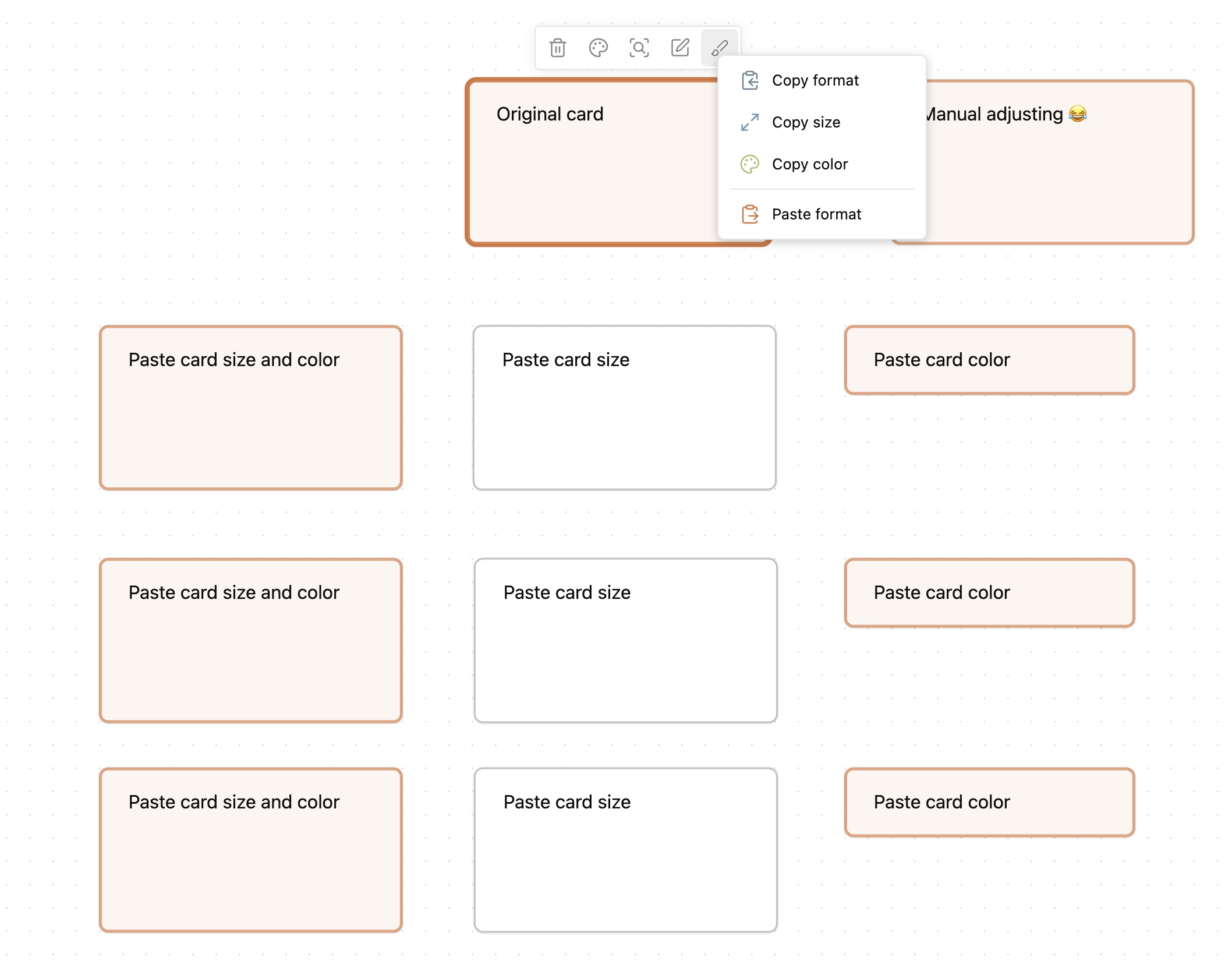
Commands
- Copy format: Copies all formatting attributes from the currently selected canvas element
- Copy size: Copies only size attributes from the selected canvas element
- Copy color: Copies only color attributes from the selected canvas element
- Paste format: Applies the copied formatting to all currently selected canvas elements
Documentation
Visit the documentation site to learn how to make the most of Canvas Format Brush in your Obsidian workflow.
Support & Community
This plugin is a labor of love, developed and maintained during my free time after work and on weekends. A lot of thought, energy, and care goes into making it reliable, user-friendly, and aligned with PTKM principles.
If you find this plugin valuable in your daily workflow:
- If it helps you copy and paste formatting between canvas elements more effectively
- If it saves you time and mental energy
Please consider supporting my work. Your support would mean the world to me and would help me dedicate more time and energy to:
- Developing new features
- Maintaining code quality
- Providing support and documentation
- Making the plugin even better for everyone
Ways to Support
You can support this project in several ways:
- ⭐ Star the project on GitHub
- 💝

- Sponsor my work on GitHub
- 💌 Share your success stories and feedback
- 📢 Spread the word about the plugin
- 🐛 Report issues to help improve the plugin
Thank you for being part of this journey! 🙏
For plugin developers
Search results and similarity scores are powered by semantic analysis of your plugin's README. If your plugin isn't appearing for searches you'd expect, try updating your README to clearly describe your plugin's purpose, features, and use cases.