by SentientShawarma
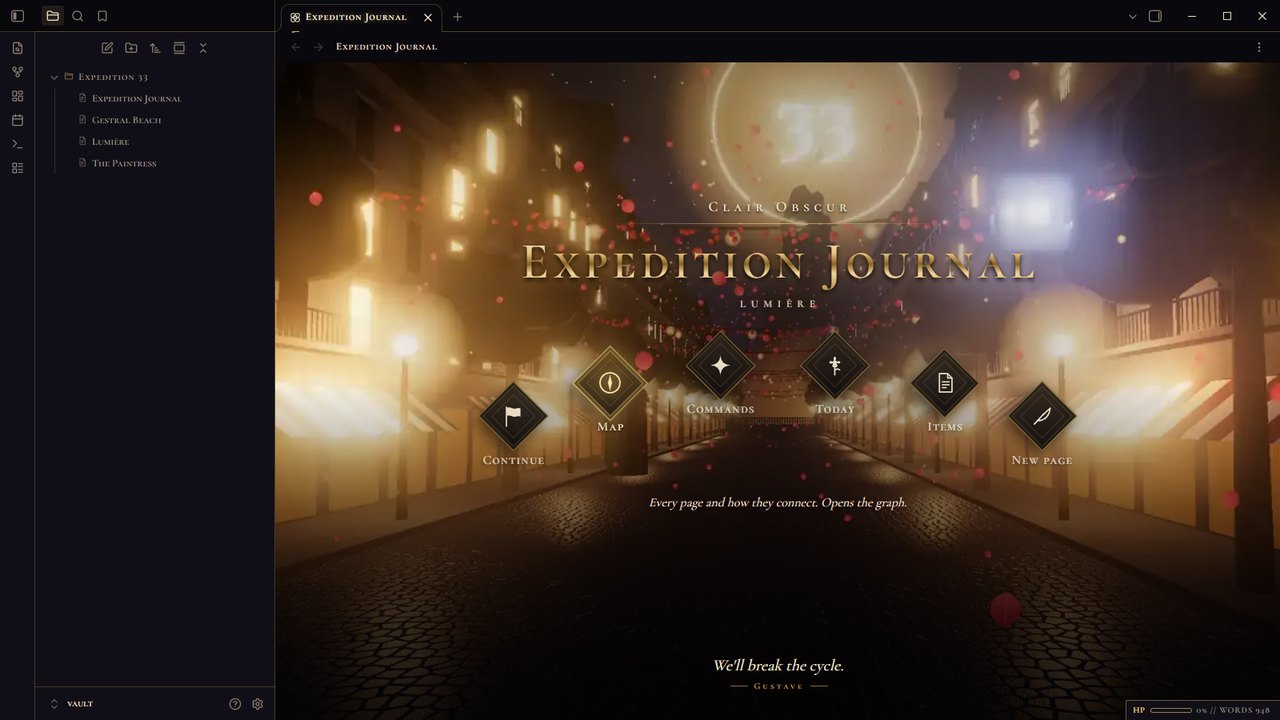
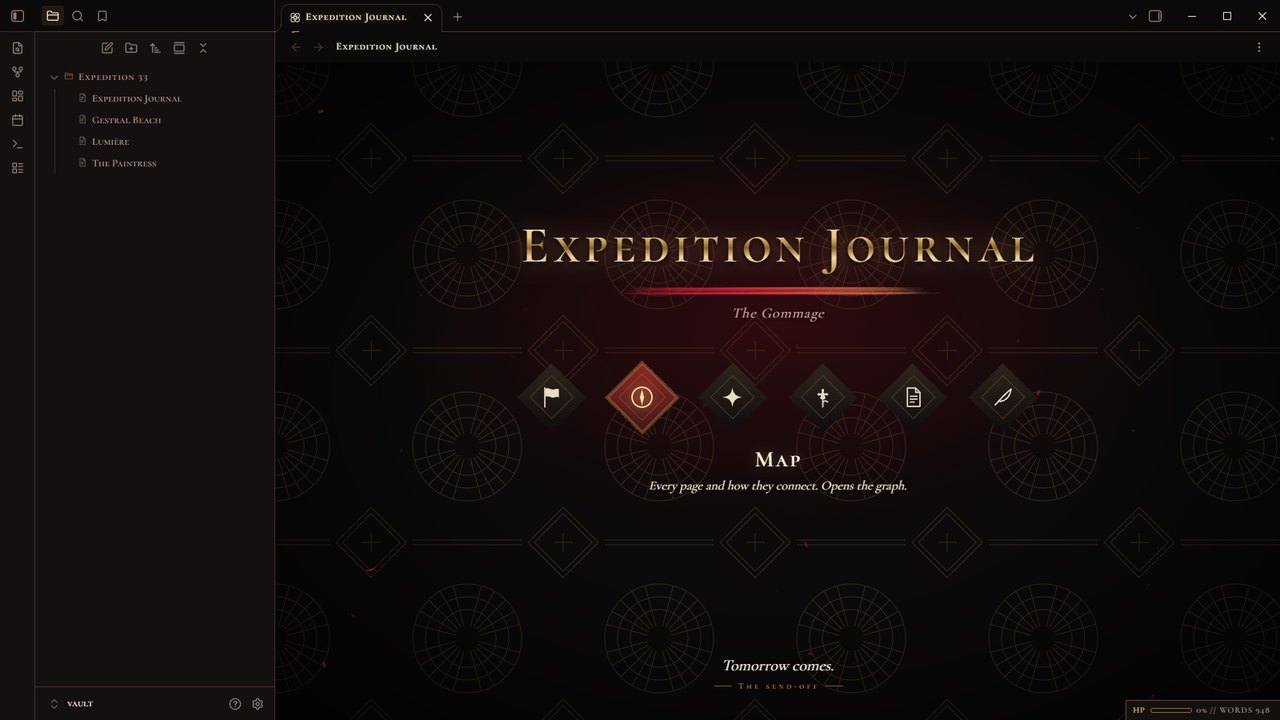
Title screens after Clair Obscur: Expedition 33 with diamond command menus in three styles: Lumière at night, the painted Gommage and the glowing 33. Parry it! on save, VICTORY, petals and dialogue from the cast.
Clair Obscur Expedition 33 Companion




The companion for the Clair Obscur Expedition 33 theme. Every empty tab becomes a title screen with diamond command tiles after the game's Pictos and skill tree. Saving parries, deleting is the Gommage, and reaching your daily goal is a VICTORY. Three styles: Lumière at night, Gommage and Expedition 33.
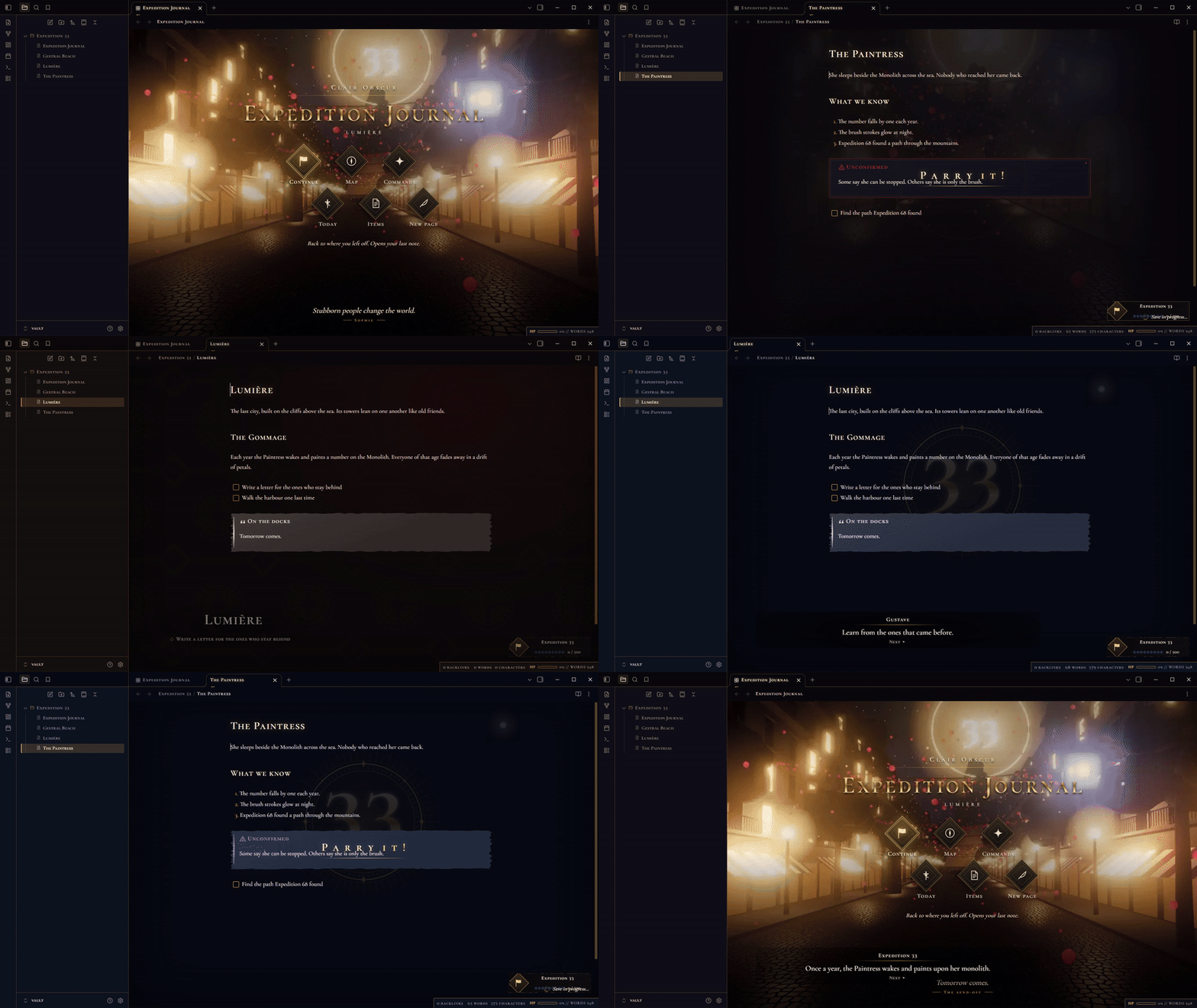
Title screens, clicking and keys through the diamonds, "Parry it!" and the rising Gommage petals.
Title screens · Menu layouts · Saving · Area titles · VICTORY and Pause · Commands · Install
Title screens
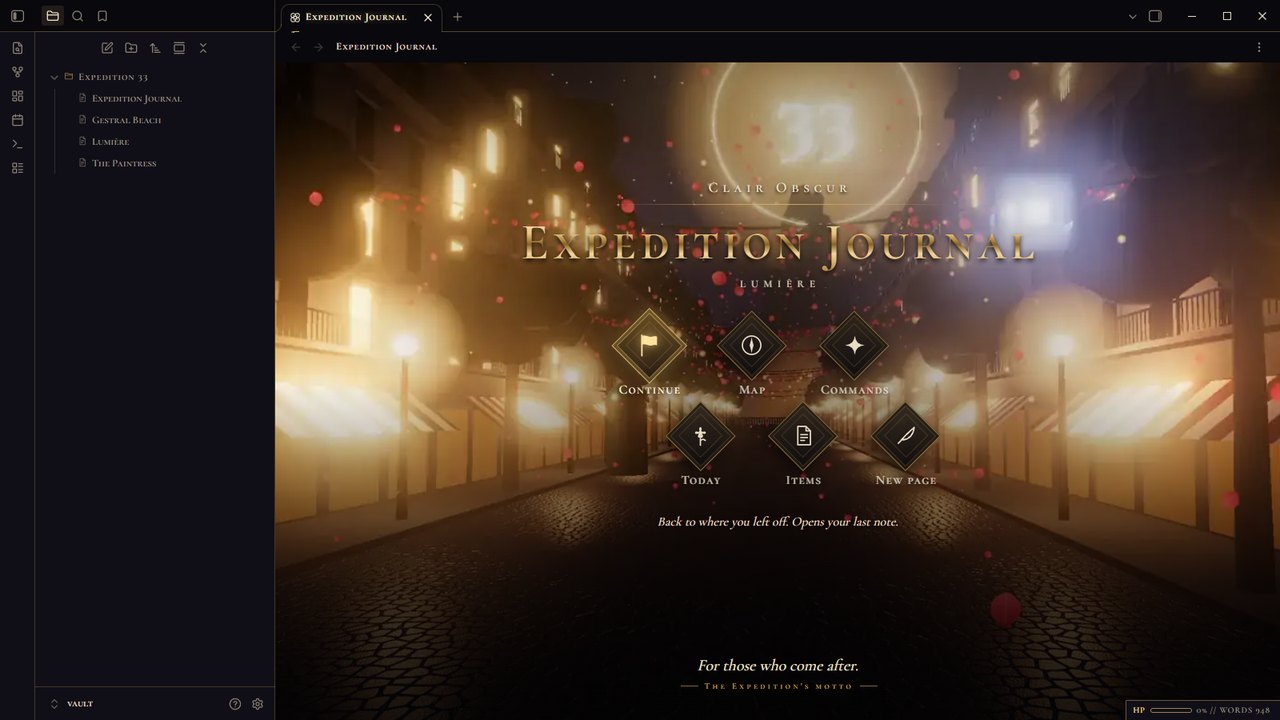
Lumière at night. Your vault name in brushed gold over the boulevard, six diamond commands, and a line from the game at the foot.
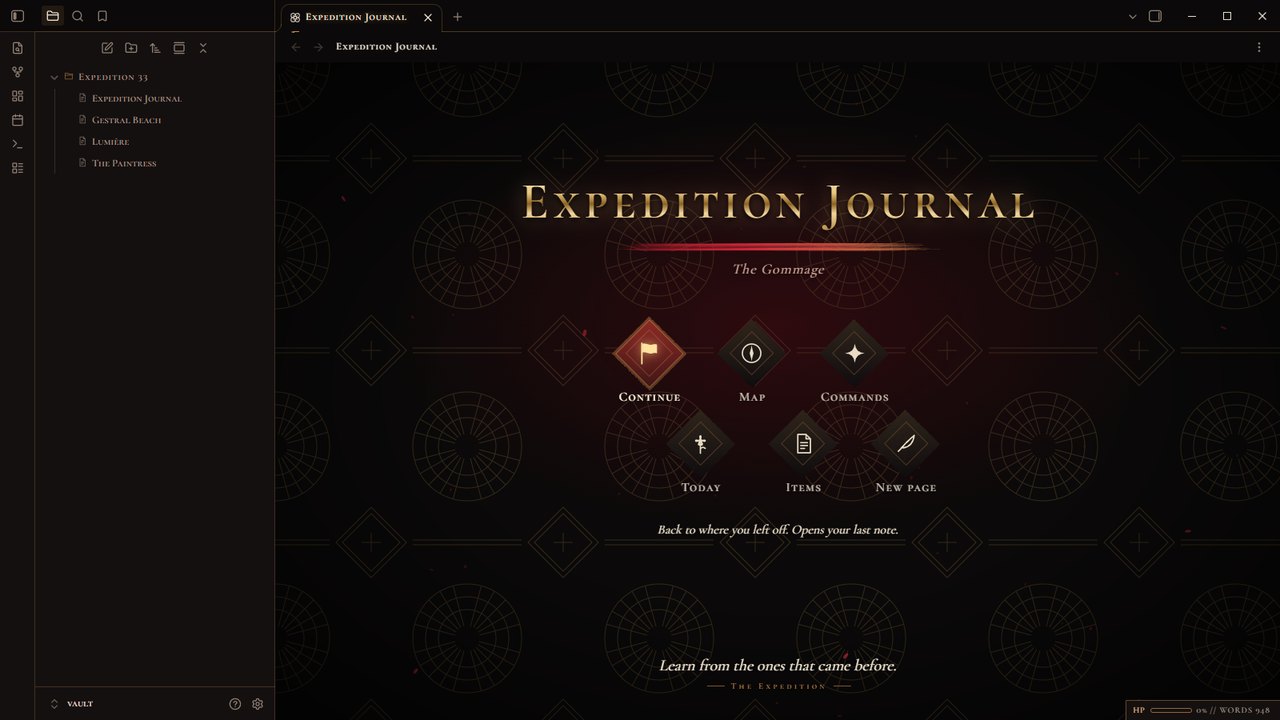
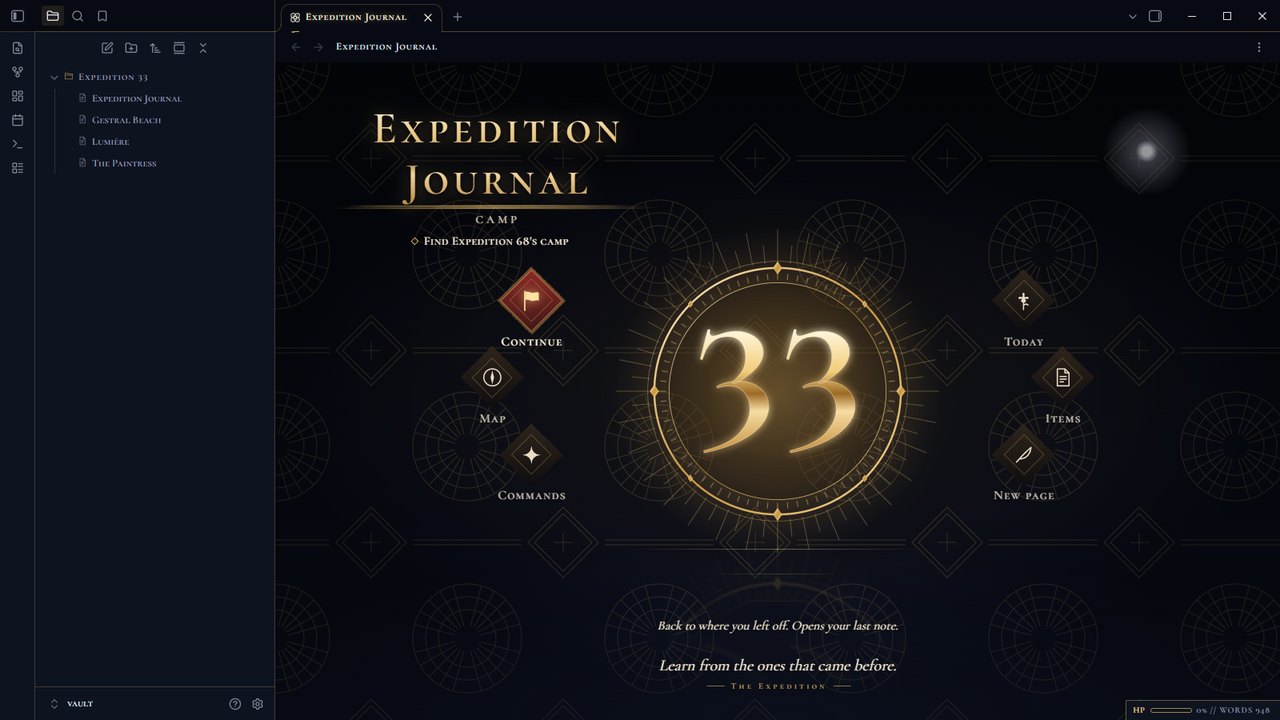
Gommage, your name on a brush stroke · Expedition 33, the emblem dead centre with the diamonds around it
Commands: Continue (your last note), Map (graph), Commands (palette), Today (daily note), Items (quick switcher), New page. Use the mouse, the arrow keys, Home, End, Enter or 1 to 6.
Menu layouts
Diamonds on an arc · Diamond row with one large caption
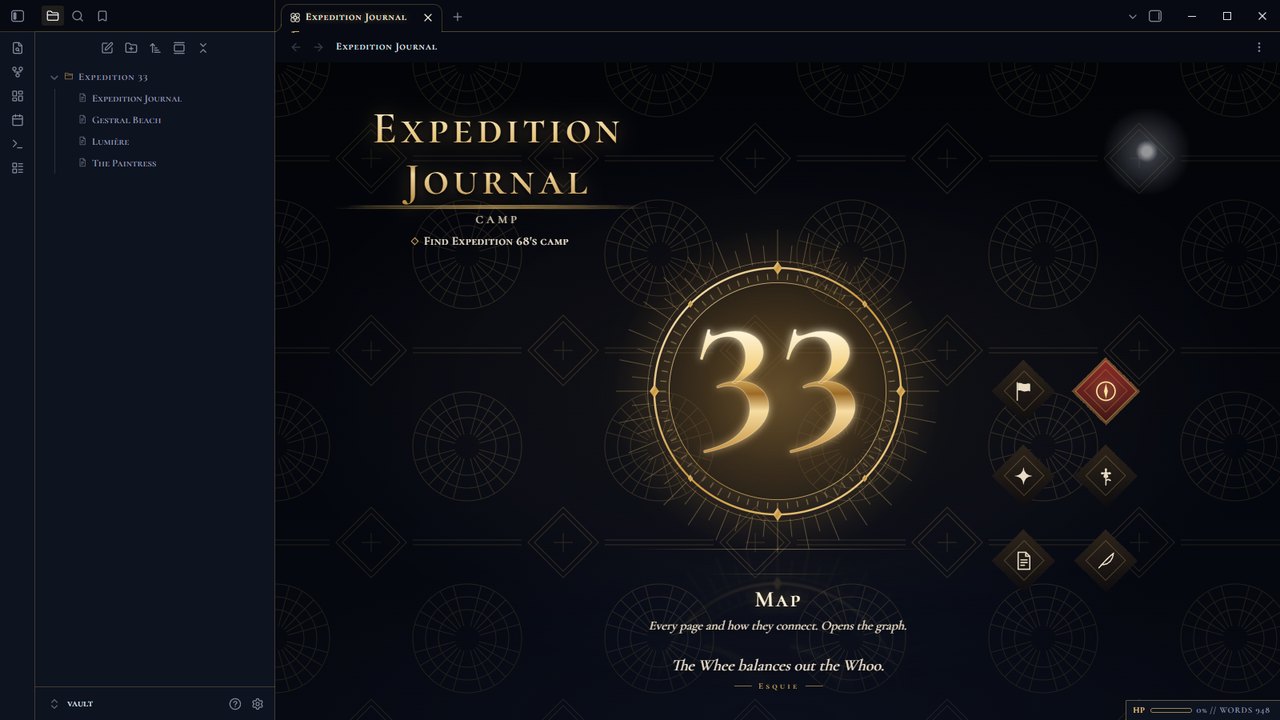
Expedition 33 with every command on the right of the emblem (or split left and right, the default)
Saving
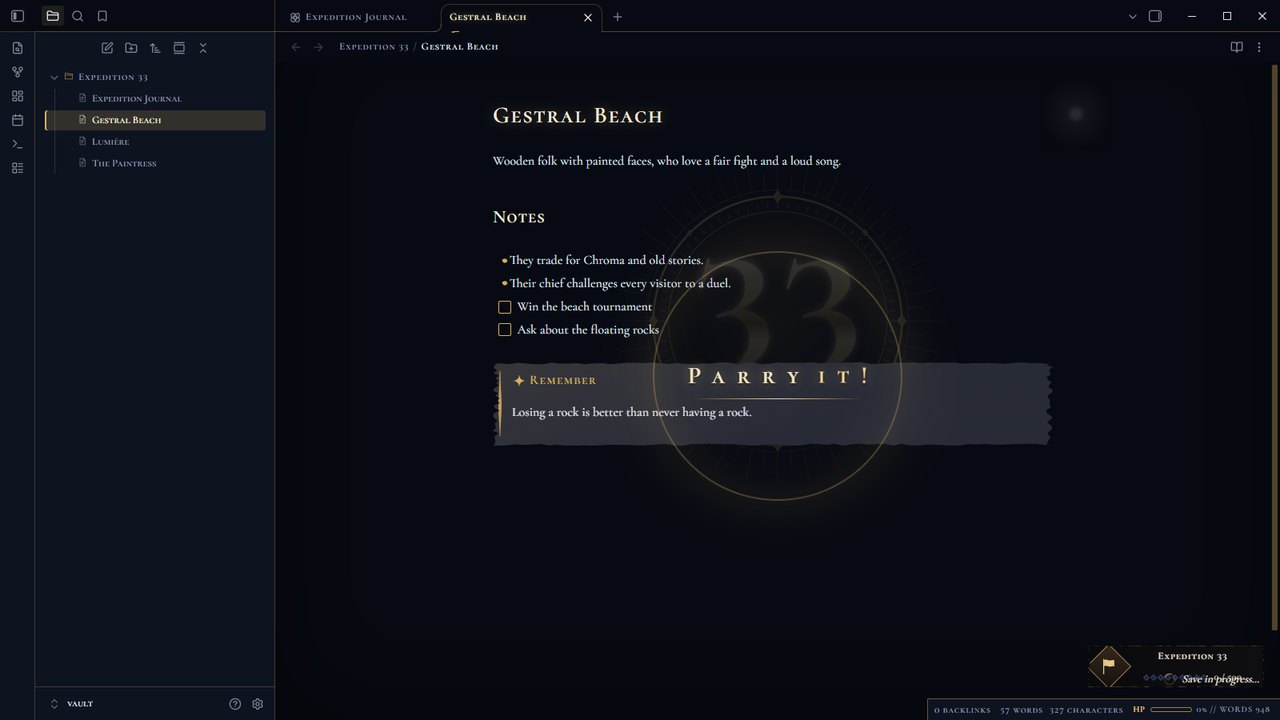
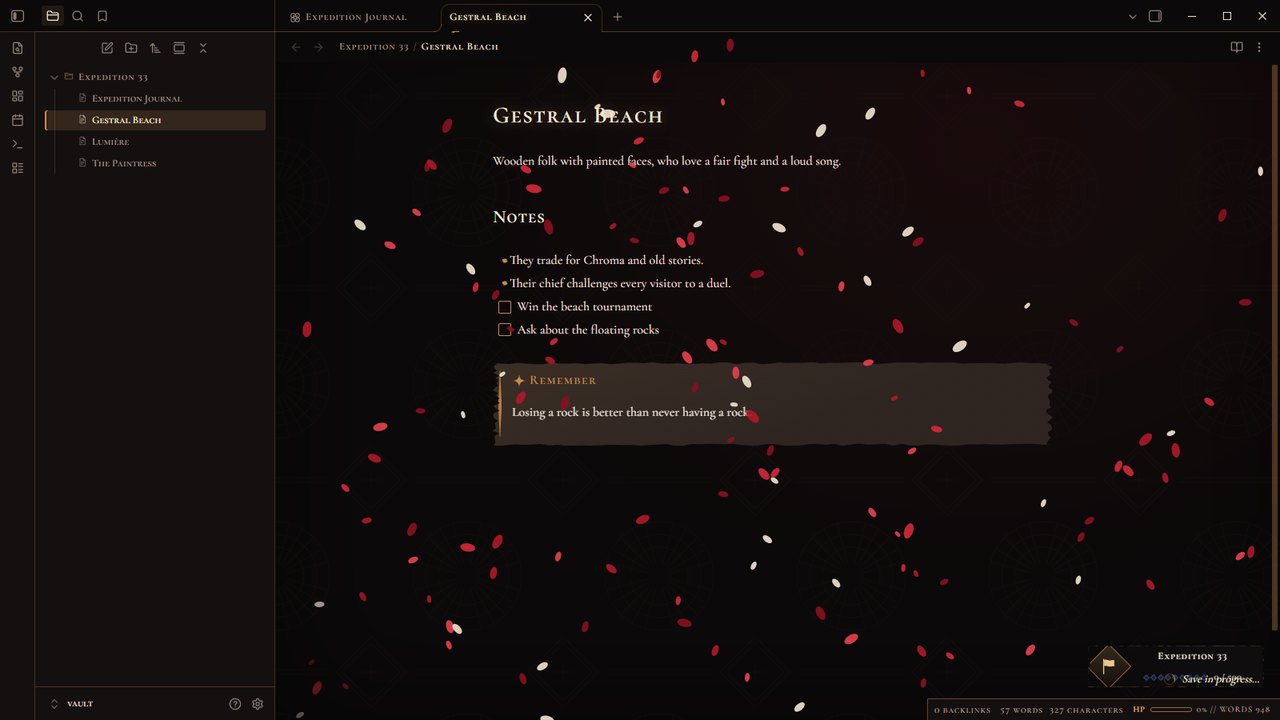
Parry it! Two gold glints meet and the words land (Lumière and Expedition) · Gommage, red petals rise from a bottom corner across the page
The classic "Parry" ring stays available under Save effect in Style Settings. The first save of a vault gets Maelle's "Parry it!"; three quick saves get "Parry it! (No, not Harriet.)".
Area titles and dialogue
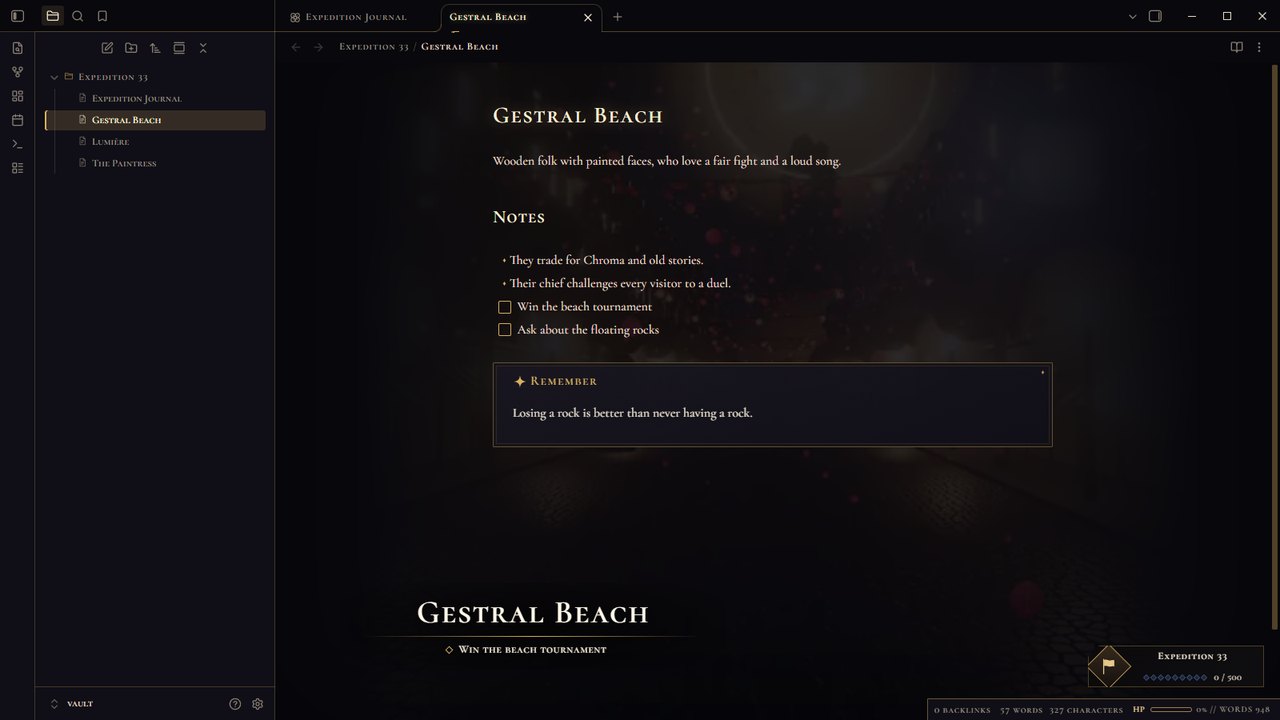
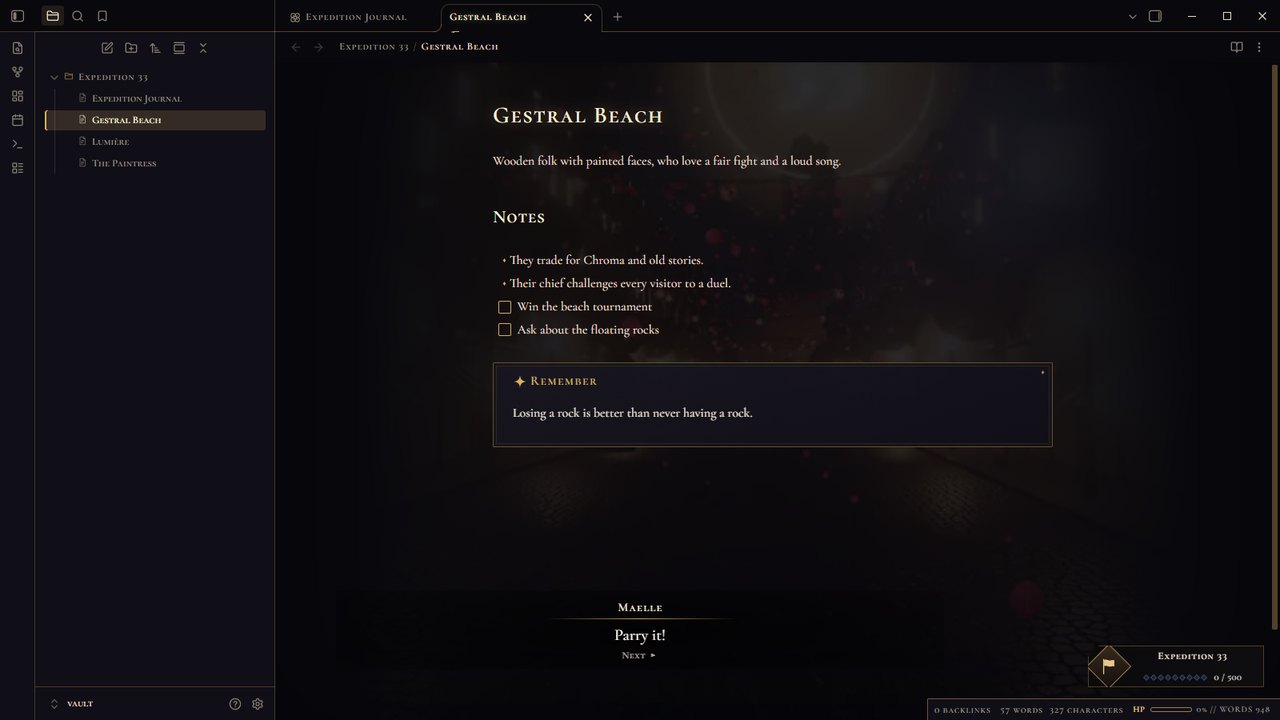
Area title at the bottom left when a note opens, with its first open task · Dialogue lines from the cast
VICTORY and Pause
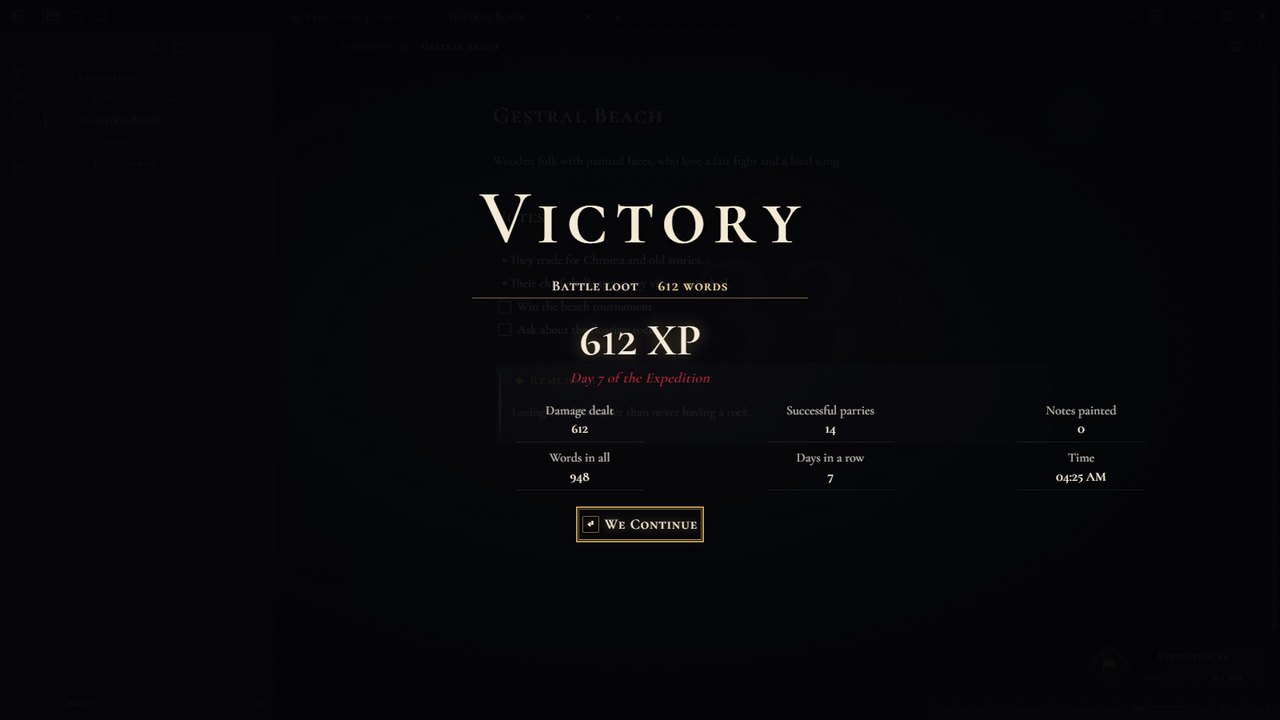
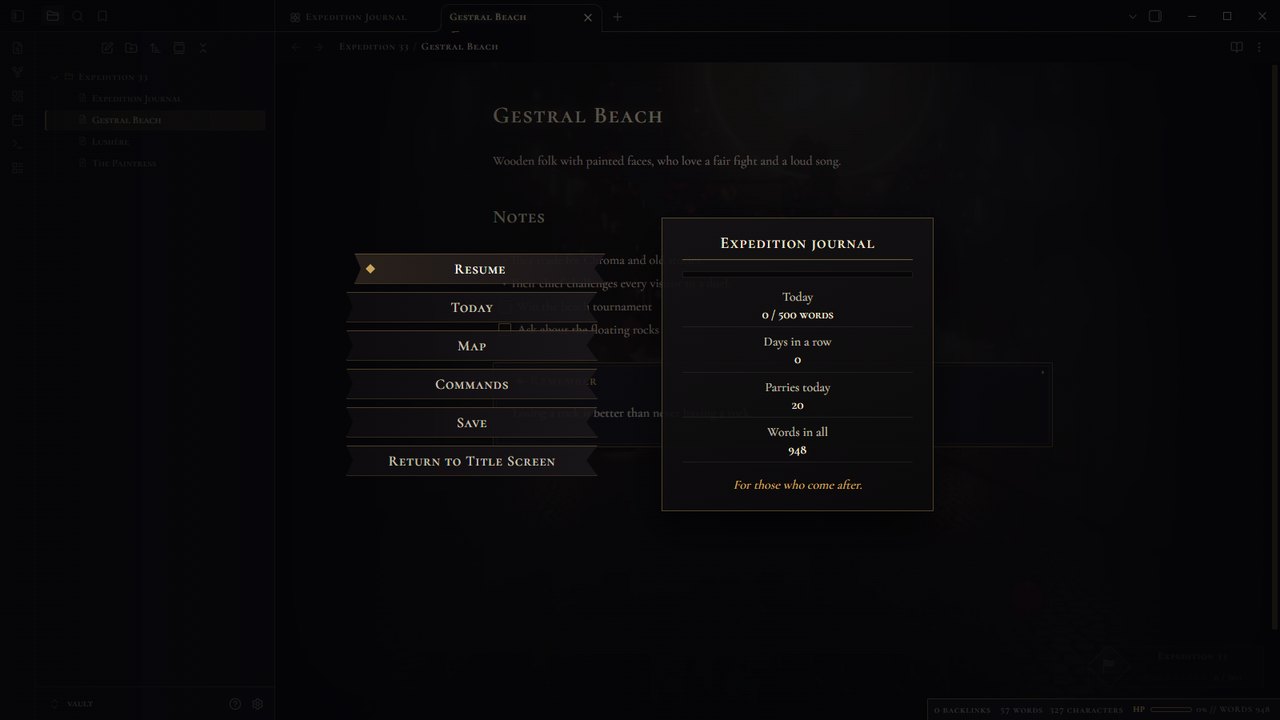
VICTORY when today's word goal is reached · Pause with the expedition journal
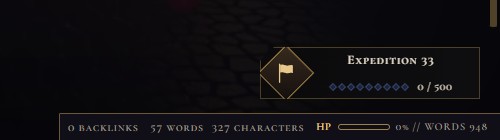
Party plate HUD: today's words against your goal, in the status bar
Also: Dodge on undo, EXPEDITION FAILED when a streak breaks, and the Gommage in petals when a note is deleted. Every effect has a switch and respects reduced motion.
Commands
| Command | What it does |
|---|---|
| Save (parry it) | Saves the note with the style's save effect |
| Return to the title screen | Opens the title screen |
| Switch world | Cycles the three styles |
| Pause | Opens the pause screen |
| Show the area title | Shows the current note's area title |
| Open the expedition journal | Opens the journal |
Settings
With the theme and Style Settings: world, texture, menu layout, Expedition placement, quote mode, save effect, painting behind notes, and a switch for every effect.
In Settings → Clair Obscur Expedition 33 Companion: title text (empty = your vault name), daily word goal, and the menu entries.
Install
- Community plugins: search Clair Obscur Expedition 33 Companion, install, enable.
- BRAT (beta): install BRAT, run BRAT: Add a beta plugin, enter
abdullahhasan42/clair-obscur-expedition-33-plugin, then enable it. - Manual: download
main.js,manifest.jsonandstyles.cssfrom the latest release into<vault>/.obsidian/plugins/clair-obscur-expedition-33-companion/.
Everything lives in main.js and styles.css; the art is embedded. Static art, about 0 % GPU on the title screens, about 1 % while the Gommage petals move.
License
MIT (see LICENSE). The plugin embeds Cormorant SC and Cormorant Garamond in styles.css, so it keeps its look under any theme; they are under the SIL Open Font License (fonts/OFL-Cormorant.txt).
Unofficial fan project, made out of love for Clair Obscur: Expedition 33. Not affiliated with or endorsed by Sandfall Interactive or Kepler Interactive. No game art, logos or fonts are included; every image is an original render or drawing. Quoted lines are short excerpts used for commentary.
For plugin developers
Search results and similarity scores are powered by semantic analysis of your plugin's README. If your plugin isn't appearing for searches you'd expect, try updating your README to clearly describe your plugin's purpose, features, and use cases.