Claudian Plus
approvedby wuyifan-code
A Codex-first enhanced Claudian fork for local-first knowledge work in Obsidian. - This plugin has not been manually reviewed by Obsidian staff.
Claudian Plus
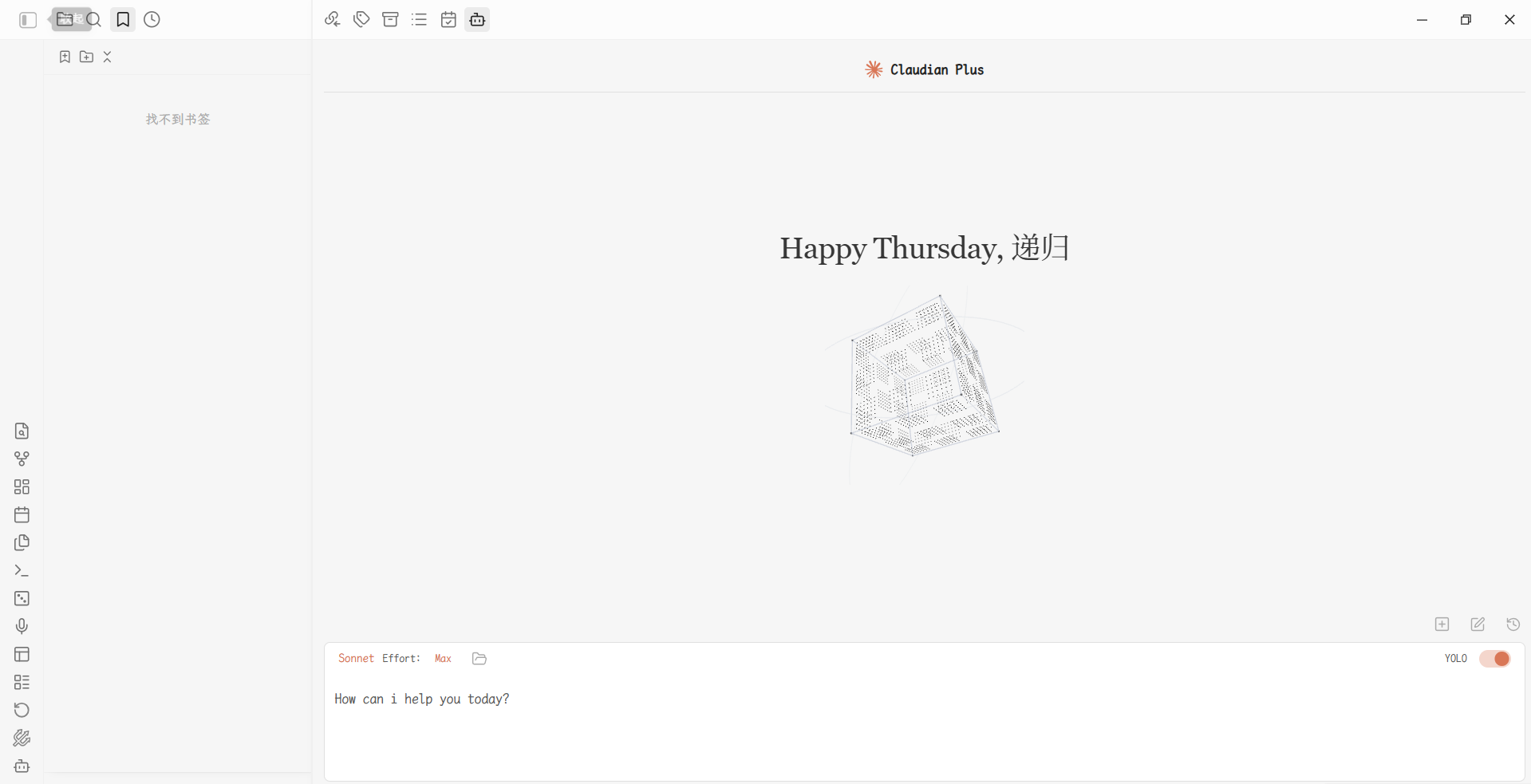
Your notes remember. Now your AI does too.
A local-first AI workspace for Obsidian that keeps conversations, memory, and provider sessions in your Vault.




Claudian Plus puts coding agents where your thinking already lives: your notes. It combines Codex, Claude, OpenCode, Kimi, and Pi in one desktop-only Obsidian workspace — and instead of forgetting everything when the chat closes, it quietly turns conversations into durable, searchable memory inside your Vault.
What makes Claudian Plus different
It remembers what you talked about
A consciousness mechanism works quietly in the background: while you are idle, a lightweight model call distills short-term logs into long-term memory and your user profile. Ask again next month and the answer is already there. Everything is opt-in, stored locally, and browsable from Open memory file.
Codex-first, provider-neutral
Codex is the default agent when available, preferring gpt-5.6-sol when your local CLI exposes it. Claude, OpenCode, Kimi, and Pi remain first-class alternatives — each with its own capabilities, history format, permissions, and runtime boundary. You are never locked into one vendor's assumptions.
Kimi joins through the standard ACP protocol with model/command auto-discovery, image attachments, per-tool-call approval, and Kimi-native model switching. OpenCode and Pi run outside the Obsidian process, so their hosted adapters are file-based compatibility layers: the OpenCode sidecar uses only Node built-ins, and the Pi extension reuses the TypeBox that Pi already ships. FROM queries read frontmatter without calling the Dataview plugin API; if Node is missing in the provider environment, chat still works and only the external tool layer is skipped.
Your Vault is the workspace
Drop context into the composer with @note, @folder, drag-and-drop, images, editor selection, and File Explorer actions. Provider-native tools can read and — with your approval — update Canvas, Properties, links, and graph neighbors. Writes stay Vault-scoped, show a structured diff, and can be undone in-session.
A calmer conversation surface
The floating outline keeps you oriented in long sessions: user prompts and assistant headings stay visible while thought and tool noise collapse. Hover a tick for a preview, jump without losing state, and choose the rail side that fits.
Local by default
No telemetry, no cloud index. Conversations, memory, and knowledge data live under .claudian-plus/ in your Vault, and legacy .claudian/ data is read and migrated automatically.
Why Claudian Plus?
Most AI tools treat your chat history as disposable. Claudian Plus treats a conversation like a working session: context in, memory out, and every useful conclusion still discoverable a month later.
| You want to… | Claudian Plus gives you… |
|---|---|
| Work with the agent you already use | Codex-first defaults, provider-native sessions, model discovery, and separate permission flows |
| Keep the Vault in the loop | @note / @folder context, drag-and-drop files, images, editor selection, File Explorer actions, Canvas, Properties, and links |
| Find something you discussed last month | Local conversation history search, restore, fork, rewind, and provider-native replay |
| Build a second brain without a cloud index | Opt-in memory, awareness files, and local-first storage |
| Stay oriented in a long conversation | A compact floating outline that surfaces prompts and headings while collapsing thought/tool noise |
Install from a release
- Download
main.js,manifest.json, andstyles.cssfrom the latest release. - Create the
.obsidian/plugins/claudian-plus/folder inside your vault. - Copy the three files into that directory.
- In Obsidian, open Settings → Community plugins and enable Claudian Plus.
Claudian Plus is desktop-only because it integrates with local agent CLIs and desktop filesystem capabilities.
Build from source
Requirements: Node.js 24 and at least one supported provider CLI (Codex, Claude Code, OpenCode, Kimi, or Pi).
git clone https://github.com/wuyifan-code/Claudian-plus.git
cd Claudian-plus
npm ci
npm run typecheck
npm run build
To copy the production build directly into a Vault, set OBSIDIAN_VAULT in .env.local:
OBSIDIAN_VAULT=D:\\Obsidian\\My Vault
Then run npm run build again. The build copies the three plugin files into .obsidian/plugins/claudian-plus/ inside that vault.
First run
- Install and authenticate a provider CLI. Codex is the default provider when it is available.
- Open Claudian Plus → Settings. If Obsidian does not inherit your shell
PATH, set the provider's absolute CLI path. - Keep the permission mode at
normaluntil you understand the provider-specific approval flow. - Enable memory and awareness features only when you want them.
- For Canvas neighbors: right-click a file or link node and choose Suggest neighboring notes. The panel only reads Obsidian's resolved link graph and never writes without an explicit click.
Useful commands and workflows
- Open chat view — open the main Claudian Plus workspace.
- Quick agent input — send a focused request with the current editor context.
- Search conversations — filter saved history by title, provider, model, date, or first message.
- Open memory file / Scan vault knowledge — inspect or refresh the local memory layer.
- Undo last Canvas write — undo an approved Canvas operation during the current Obsidian session.
- Check provider CLI health — diagnose missing or stale provider CLIs.
You can drag a note or folder into the composer at any time.
Privacy, permissions, and storage
Claudian Plus has no telemetry service. Provider requests are sent only through the provider CLI, SDK, MCP server, or embedding endpoint that you explicitly configure. Vault knowledge and memory data are stored locally under .claudian-plus/.
The plugin reads legacy .claudian/ data and migrates it to .claudian-plus/ when the relevant data is next saved. Do not run an old Claudian build and Claudian Plus against the same Vault at the same time. Agent tools can read files, run commands, and modify approved Vault data; review the active provider and permission mode before working with sensitive notes.
Verification
npm run typecheck
npm run lint
npm run test
npm run test:architecture
npm run build
npm run check:performance
Upstream projects, licenses, and thanks
Claudian Plus is built on the work of two upstream projects. Their authors and license terms remain part of this distribution:
| Upstream project | Original author | License | Contribution to Claudian Plus |
|---|---|---|---|
| Claudian | Yishen Tu | MIT | Core Obsidian agent workspace, provider architecture, chat/session foundation, and the original Claudian workflows |
| Codian | BCS1037 / BCS | AGPL-3.0 | Adapted live composer, File Explorer actions, shared Skills management, provider service settings, and related UX improvements |
Thank you to Yishen Tu, BCS, and both project communities for publishing the ideas and code that made this fork possible. See NOTICE for the file-level attribution summary.
This repository contains original work together with code under different upstream licenses. The MIT license applies to the Claudian-derived and original portions; Codian-derived portions retain the AGPL-3.0 obligations described by their upstream license. If you redistribute or modify those portions, follow the applicable upstream terms.
License
See LICENSE and NOTICE. The upstream license terms above are part of this distribution.
For plugin developers
Search results and similarity scores are powered by semantic analysis of your plugin's README. If your plugin isn't appearing for searches you'd expect, try updating your README to clearly describe your plugin's purpose, features, and use cases.