Oh My Claudian
approvedby Lee
Bring Claude Code, Codex, Cursor, Grok, OpenCode, Oh My Pi, and Pi into your Obsidian vault — a Claudian fork. - This plugin has not been manually reviewed by Obsidian staff.
Oh My Claudian
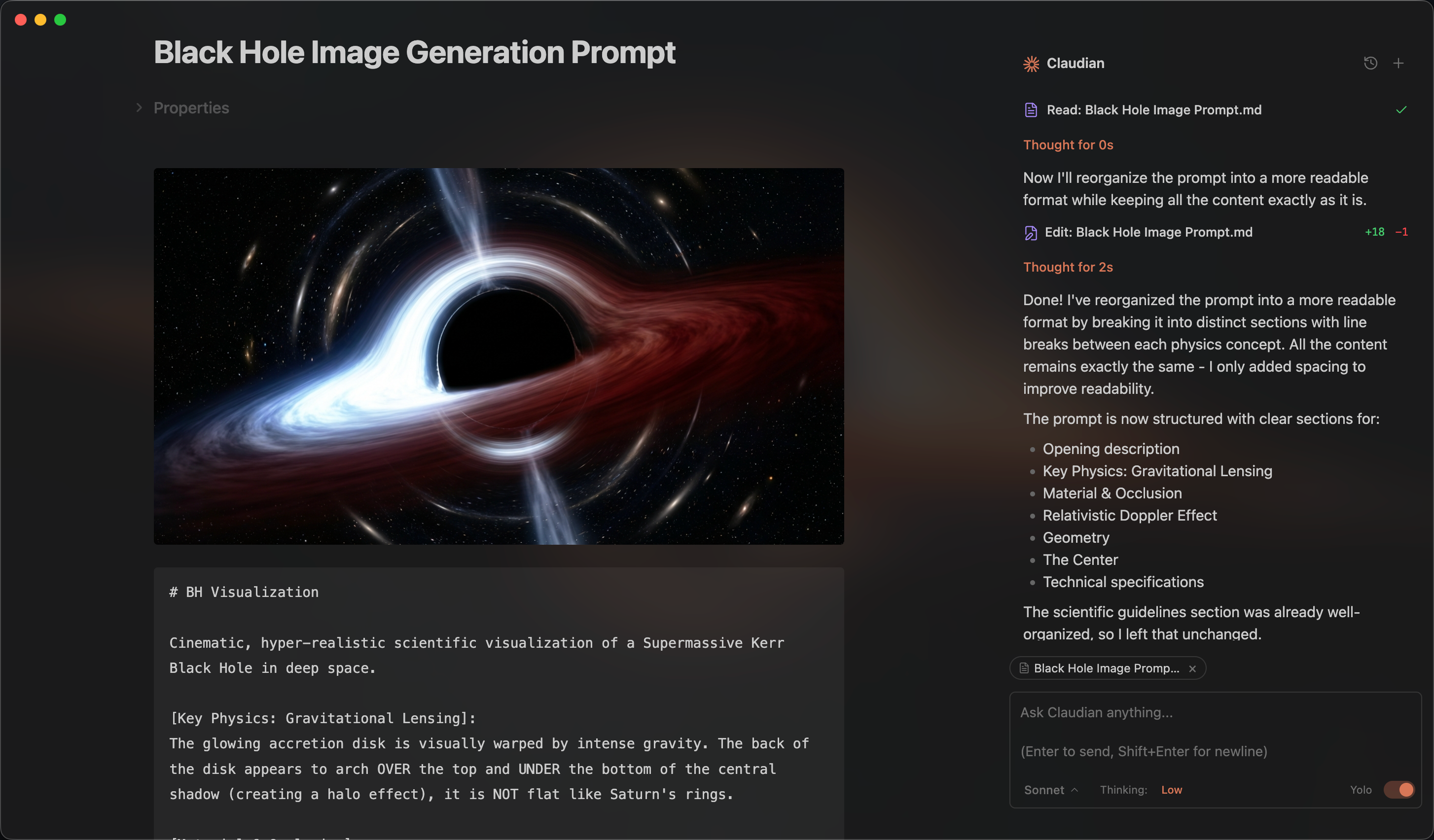
Oh My Claudian is an Obsidian plugin that brings coding agents into your vault. It provides one sidebar chat and inline-edit workflow while preserving the native capabilities and configuration of each provider.
Install from Obsidian Community Plugins · View on GitHub
This project started as a fork of Claudian. It is now a maintained, local-first workspace for multiple coding-agent providers.
Supported providers
The built-in provider integrations are:
Provider capabilities are intentionally different. The plugin exposes controls only when the selected provider supports them; model discovery, permissions, history, planning, MCP, and runtime behavior remain provider-specific.
What it provides
- Sidebar chat with multiple tabs, conversation history, resume, fork, and compact.
- Single-panel and dual-pane layouts with vault navigation and session management.
- Inline editing with a word-level diff preview.
- Slash commands, skills,
@mentions, instruction mode, and Mermaid rendering. - Model discovery, readiness diagnostics, and provider-aware CLI lifecycle management: discovery, health checks, version comparison, install, update, and post-action verification.
- File and folder attachments from Obsidian or your desktop as clickable context chips.
- External-file access boundaries and approval-aware write handling.
- Internationalized UI with 10 locales, including Simplified and Traditional Chinese.
Requirements
- Obsidian 1.7.2 or newer on macOS, Linux, or Windows.
- At least one supported provider CLI installed and authenticated according to its own documentation.
- A compatible subscription or API provider.
Installation
Community Plugins
- Open Settings → Community plugins → Browse in Obsidian.
- Search for Oh My Claudian, install it, and enable it.
You can also open the Oh My Claudian community plugin page directly.
From source
cd /path/to/vault/.obsidian/plugins
git clone https://github.com/lee259/oh-my-claudian.git
cd oh-my-claudian
pnpm install
pnpm run build
Then enable the plugin under Settings → Community plugins.
Quick start
- Open Settings → Oh My Claudian and choose a provider tab.
- Enable the provider and check its Readiness panel. It discovers the configured or PATH CLI, checks whether it runs correctly, and shows the installed version and the latest version when the provider publishes one.
- Use the lifecycle action offered for that provider: install a missing CLI, update an outdated CLI, or correct its executable path. Every install or update shows its command for confirmation and rechecks the CLI afterward.
- Sign in through the provider's own CLI when required, then select a chat model.
- Open the chat sidebar from the ribbon icon or command palette and send a message.
Use / for commands and skills, @ to reference vault files or provider resources, and drag files or folders into the composer to attach them. Select note text and use the inline-edit command to preview and apply changes.
CLI lifecycle actions run on your machine and require confirmation; the plugin does not download, update, or execute a CLI silently. Available actions depend on each Provider's official distribution and version metadata. If automatic discovery cannot find an installed CLI, set its executable path in the provider settings. Authentication and account setup remain provider-native—for example, run agent login for Cursor Agent.
Safety and privacy
Oh My Claudian is local-first and does not send telemetry. Your prompts, attachments, and tool results are sent to the provider you select and its configured model services. Network access is otherwise limited to explicit provider work and configured MCP endpoints.
The vault is the agent's working directory, not an operating-system security boundary. A local CLI, shell command, MCP server, plugin, or child process may access files, network services, and credentials available to your OS account. Safe/approval mode reduces accidental actions but cannot guarantee isolation. Review provider permissions carefully, especially before enabling YOLO, bash mode, browser access, MCP servers, or external context paths.
External files are attached explicitly as context. Attaching or mentioning a file does not grant write access; direct edits outside the vault are subject to the provider approval flow when supported.
Development
pnpm install
pnpm run dev
pnpm run typecheck
pnpm run lint
pnpm run test
pnpm run build
pnpm run dev watches TypeScript, styles, and manifest.json. See CONTRIBUTING.md for contribution, validation, and release guidance.
License
Licensed under the MIT License.
For plugin developers
Search results and similarity scores are powered by semantic analysis of your plugin's README. If your plugin isn't appearing for searches you'd expect, try updating your README to clearly describe your plugin's purpose, features, and use cases.