Obsidian AI
unlistedby Linying Assad
A Notion AI-like assistant for Obsidian, with chat, search, and vault-aware tools.
Obsidian AI
A Notion AI-like agent for Obsidian, with chat, search, session memory, vault-aware tool use, and OpenAI Codex-compatible skills.
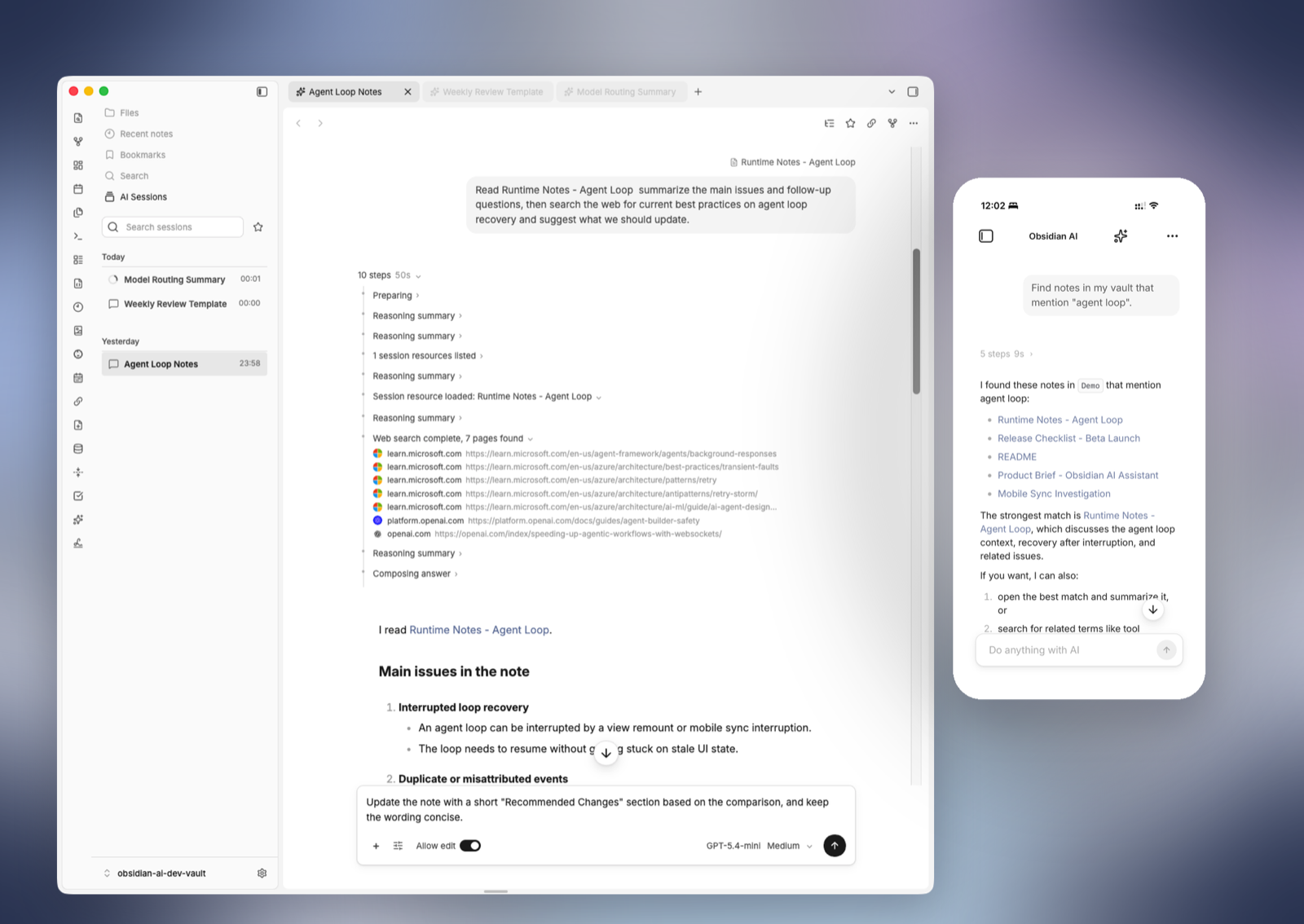
Obsidian AI brings AI workflows directly into Obsidian. You can chat inside your vault, search the web, search notes, read and edit files, and reuse context from previous sessions. The plugin is fully BYOK, does not host your API keys or note content, and aims to run consistently on desktop and mobile.
Features
- Native Obsidian chat view with streaming responses, document chat, selected-text handoff, and response outline navigation
- Session history with replay, search, bookmarks, references, and reuse via
obsidian://obsidian-ai-session?... - OpenAI API-compatible providers with full BYOK and no hosted API key or vault content handling
- Built-in web search, vault search, and vault file tools for finding, reading, creating, editing, moving, and linking notes
- Vault-local skills directory compatible with OpenAI Codex-style skills, with list, read, and activate flows
- Shared agent, tool, and skill workflow across desktop and mobile, with an optional desktop shell tool
- Ribbon actions and commands for starting a new chat or chatting with the current document
Feature Highlights
Chat inside Obsidian
Obsidian AI runs as a native Obsidian view. Open a fresh session, chat with the current document, or send selected text into a dedicated side chat without leaving the vault.
Vault-aware tools
The runtime prefers structured vault tools over direct shell-based file operations. That means the assistant can work with notes through Obsidian's own APIs while keeping the model-facing surface predictable.
Model-facing tools currently include:
vault_searchinspect_pathread_filecreate_fileedit_fileupdate_frontmattermanage_pathgenerate_markdown_linksession_searchread_sessionlist_session_resourcesread_session_resourcesearch_session_resourcesweb_searchshellon desktop
Session-first workflow
Sessions are stored under the plugin data directory with JSONL replay and an index, so the UI can reopen, search, bookmark, reference, and reuse previous work.
The UI supports:
- re-opening past sessions
- searching prior sessions
- bookmarking important chats
- copying session references
- attaching previous sessions back into a new turn
OpenAI-compatible runtime
The runtime is fully BYOK and works with OpenAI API-compatible providers. API keys stay in local Obsidian settings; the plugin does not provide a proxy service or host your note content. Add providers, discover or enter model IDs, enable only the models you want to expose, and choose a default chat model from settings.
Codex-style skills
Obsidian AI supports a vault-local skills directory and is compatible with OpenAI Codex-style skill organization. Reusable task instructions, workflows, and tool conventions can live in your vault and run through the same agent flow on desktop and mobile.
Desktop and mobile support
The plugin is not desktop-only. Chat, history, vault tools, search, and skills are designed as shared capabilities, with the same agent workflow on desktop and mobile. Desktop-only features, such as the shell tool, stay behind capability checks where they belong.
Commands
The plugin currently registers commands such as:
oai - New Sessionoai - Open Sessions Historyoai - Chat with Current Documentoai - Chat with Current Document to Right Splitoai - Add Selection to Document AI Chat in Right Splitoai - Edit Instructionoai - Copy Current Session Referenceoai - Copy Current Session Reference as Markdownoai - Fork Session to Codex/Claude
Installation
This repository is currently set up as a local plugin project. The installation flow is manual.
- Build the plugin:
npm install
npm run build
- Copy these files into your vault plugin folder:
main.js
manifest.json
styles.css
Target path:
<your-vault>/.obsidian/plugins/obsidian-ai/
- Enable
Obsidian AIin Obsidian community plugins.
Configuration
After enabling the plugin, open settings and wire up the model side:
- Add an API-compatible provider
- Fill in
baseURLandapiKey - Sync or enter available model IDs
- Enable the chat models you want to use
- Choose a default model
- Optionally enable or tune:
- web search
- session search
- shell tool
- skills
- custom instructions
- history cleanup retention
The default custom instructions note path is:
obsidian-ai/instruction.md
The default skills root path is:
obsidian-ai/skills
Build
Production build:
npm run build
This runs TypeScript type checking and bundles the plugin with esbuild.
For a Chinese version of this document, see README.zh-CN.md.
For plugin developers
Search results and similarity scores are powered by semantic analysis of your plugin's README. If your plugin isn't appearing for searches you'd expect, try updating your README to clearly describe your plugin's purpose, features, and use cases.