Vimium
approvedby karstenpedersen
Interact with elements using keyboard shortcuts in the spirit of Vim.
★ 56 stars↓ 9,846 downloadsUpdated 2y agoMIT
Obsidian Vimium
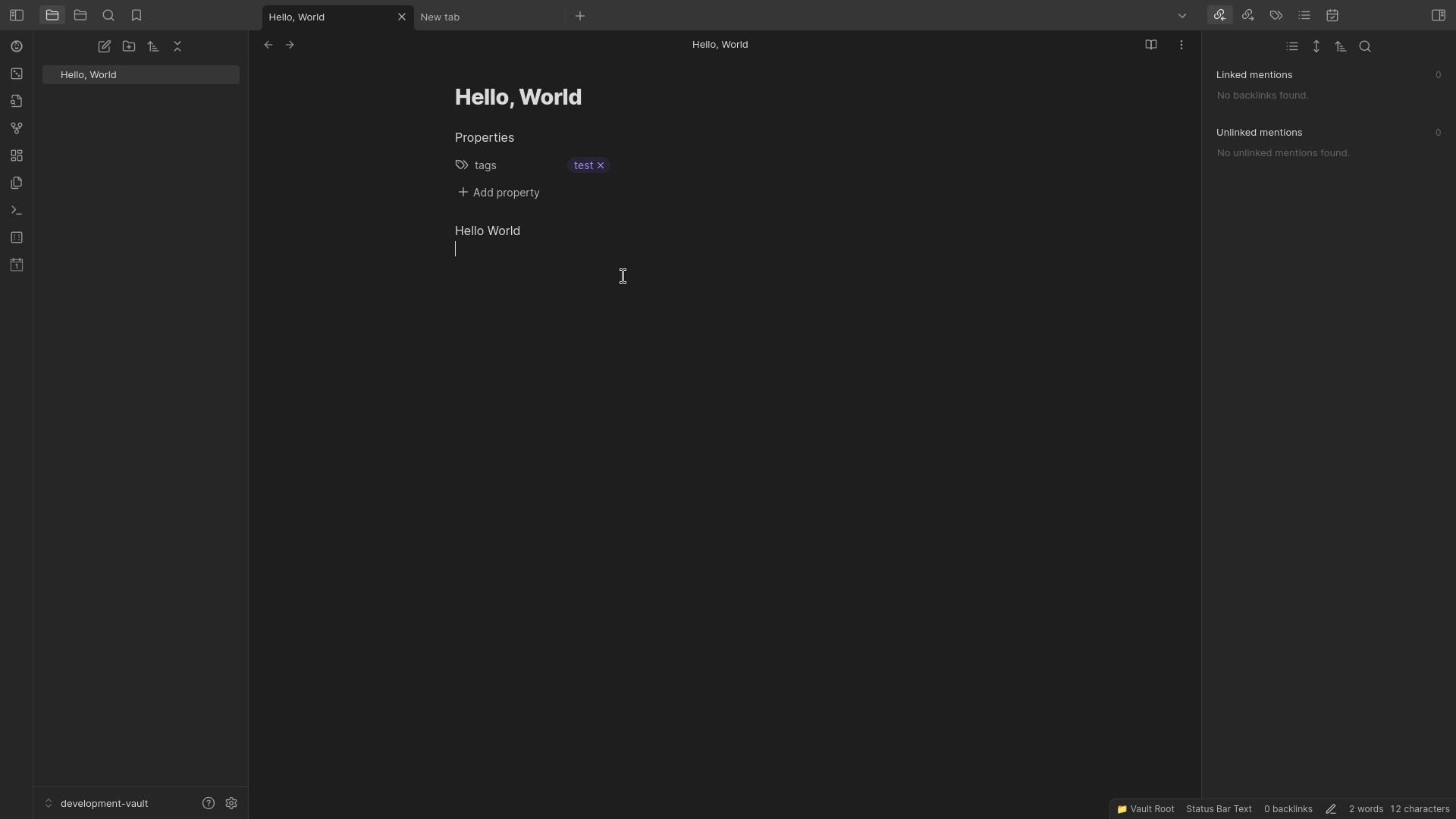
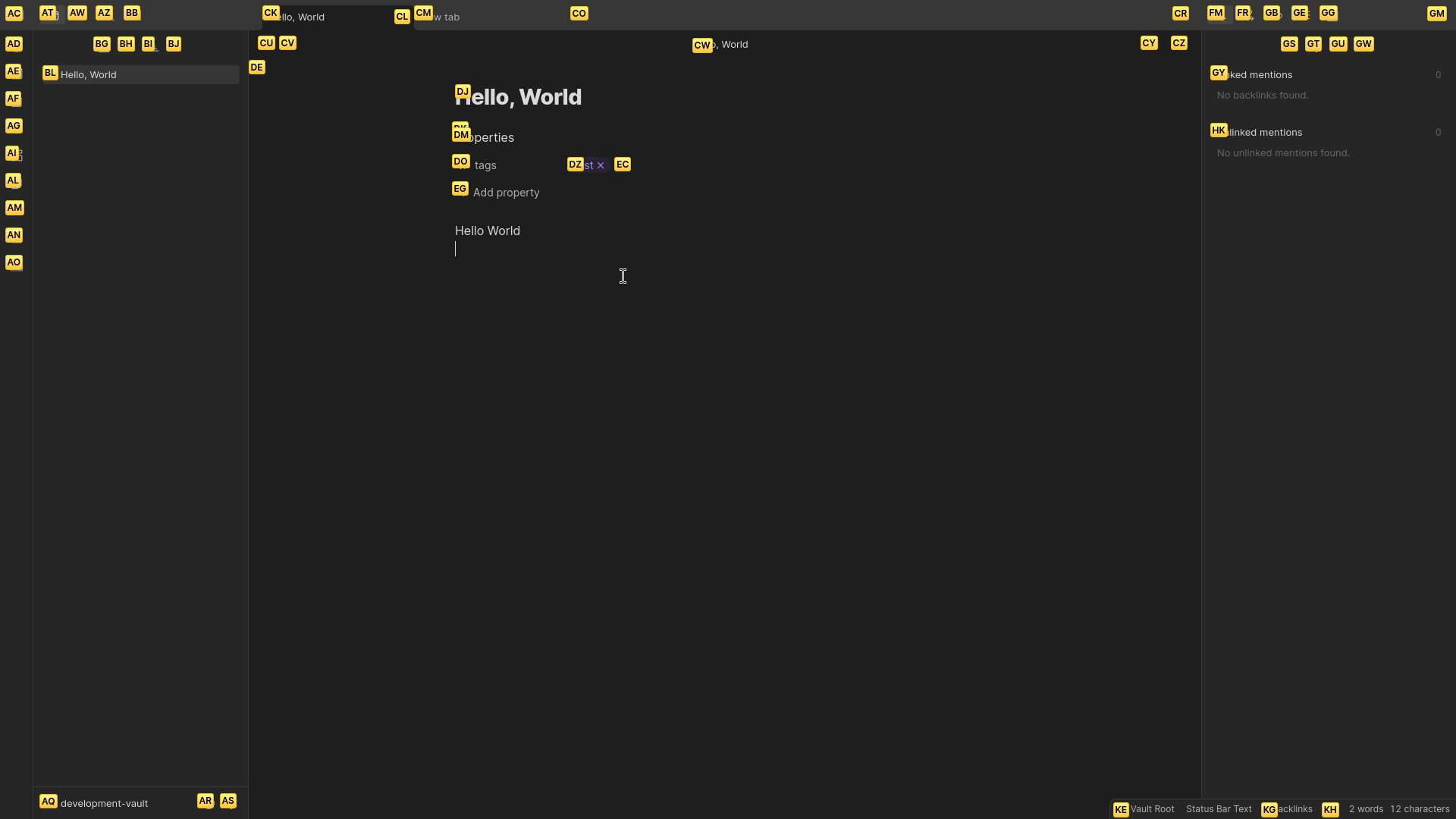
Provides keyboard shortcuts for clicking buttons in Obsidian.
Inspired by Vimium extension for Chrome.
Features
Vimium: Show markers: Show Vimium markers on clickable elements. Then press the respected keys for what element you want to click.- Edit what CSS selectors are used to query clickable elements.
- Change font size of markers.
Showcase
Installation
Obsidian
- Open Settings.
- Go to "Community Plugins".
- Enable community plugins by pressing "Turn on community plugins".
- Click "Browse" to browse available community plugins.
- Search for "Vimium".
- Click Install and enable the plugin.
- Close the community plugins window.
Version History
1.0.0
- Add
Vimium: Show markerscommand to show Vimium markers on clickable elements.
For plugin developers
Search results and similarity scores are powered by semantic analysis of your plugin's README. If your plugin isn't appearing for searches you'd expect, try updating your README to clearly describe your plugin's purpose, features, and use cases.