CM Code Editor
approvedby gapmiss
Code file editor with syntax highlighting and code folding. - This plugin has not been manually reviewed by Obsidian staff.
★ 4 stars↓ 502 downloadsUpdated 1mo agoMIT
CM Code Editor
A code file editor for Obsidian with syntax highlighting, code folding, and autocompletion. Powered by CodeMirror 6.
| Editor & Create modal | Settings |
|---|---|
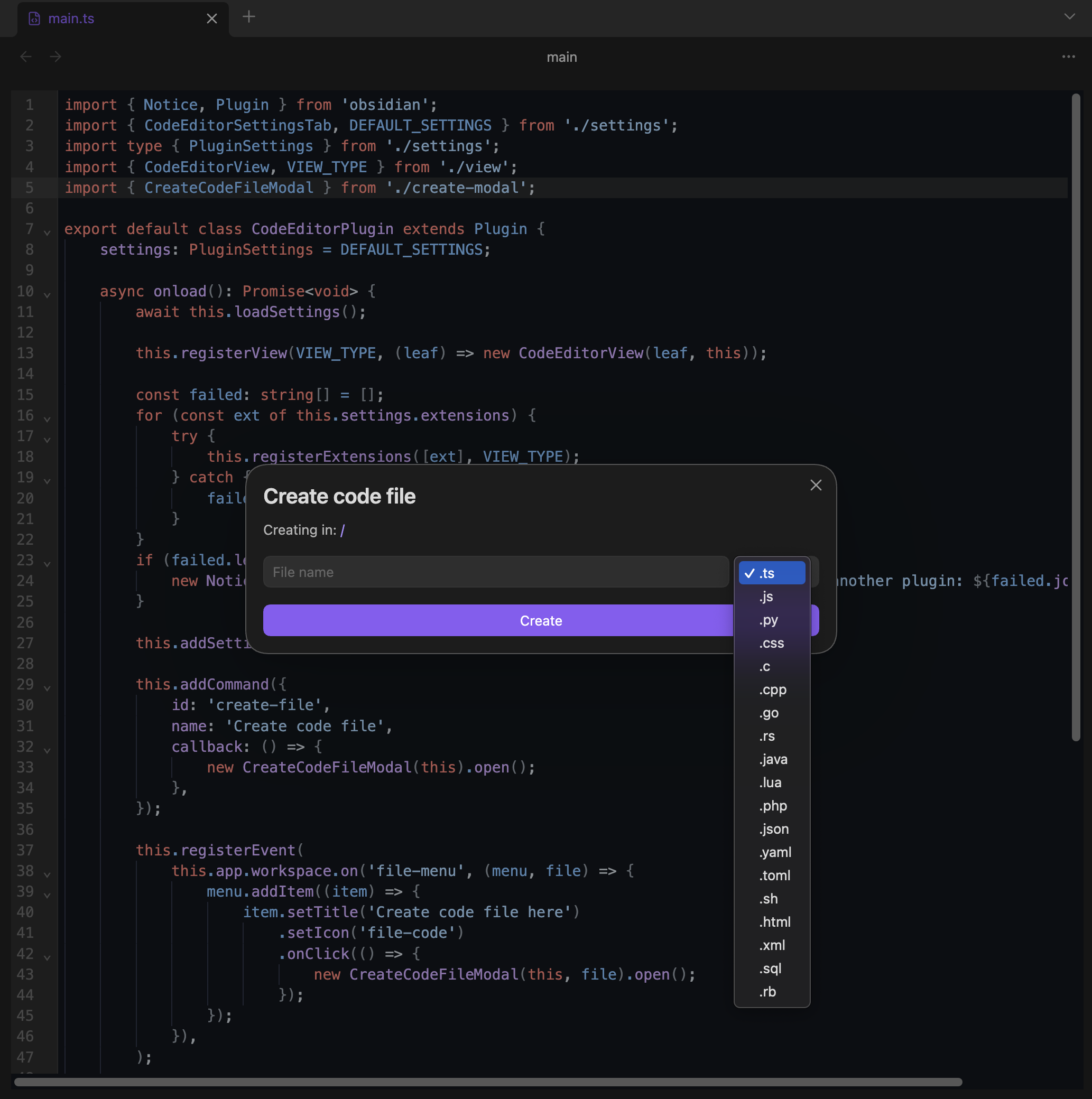 | 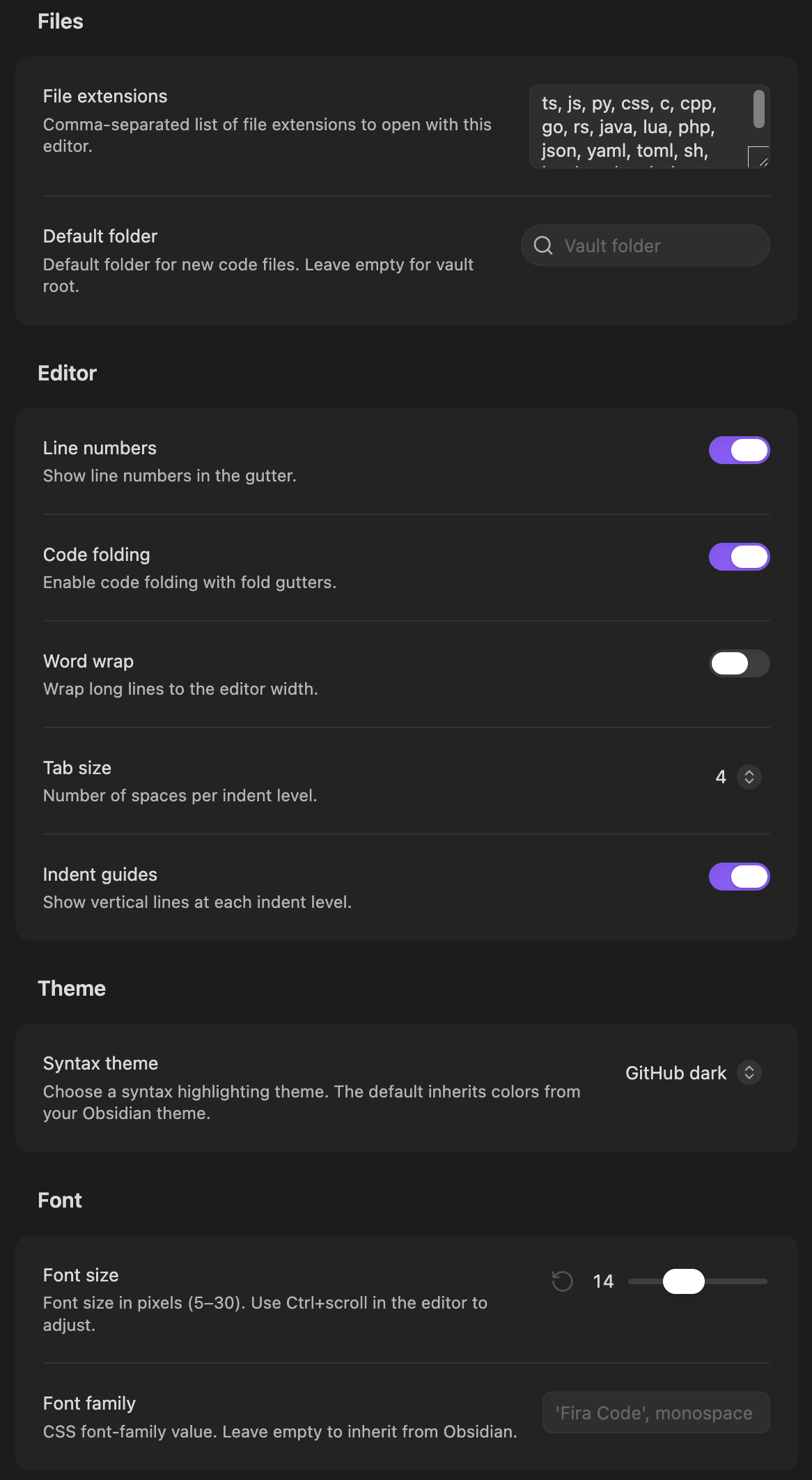 |
[!NOTE]
Requires Obsidian version 1.13.0+
Installation
Install from community.obsidian.md
From Obsidian's settings or preferences:
- Community Plugins > Browse
- Search for "CM Code Editor"
Manually:
- download the latest release archive
- uncompress the downloaded archive
- move the
cm-code-editorfolder to/path/to/vault/.obsidian/plugins/ - Settings > Community plugins > reload Installed plugins
- enable plugin
or:
- download
main.js,manifest.json&styles.cssfrom the latest release - create a new folder
/path/to/vault/.obsidian/plugins/cm-code-editor - move all 3 files to
/path/to/vault/.obsidian/plugins/cm-code-editor - Settings > Community plugins > reload Installed plugins
- enable plugin
Features
- Syntax highlighting for 25+ languages
- 45+ syntax themes (Dracula, GitHub, Monokai, Nord, Solarized, VS Code, and more) or inherit from your Obsidian theme
- Autocompletion with built-in language completions for JavaScript, TypeScript, CSS, HTML, SQL, and Python
- Code folding with gutter controls
- Indent guides with vertical markers at each indent level
- Line numbers with active line highlighting
- Configurable tab size (2 or 4 spaces)
- Search and replace (Ctrl/Cmd+F) with match case, regex, and whole word toggles
- Bracket matching and auto-closing
- Multiple cursors and rectangular selection (Alt+drag)
- Font size zoom with Ctrl/Cmd+scroll
- Create code file command and context menu action with configurable default folder
- Configurable file extensions, font family, and font size
Supported languages
| Language | Extensions |
|---|---|
| TypeScript | .ts .tsx .mts .cts |
| JavaScript | .js .jsx .mjs .cjs |
| Python | .py .pyw .pyi |
| CSS/SCSS/Less | .css .scss .less |
| HTML | .html .htm .svelte .vue |
| JSON | .json .jsonc .jsonl |
| Markdown | .md .markdown |
| XML | .xml .svg .xsl .xsd |
| SQL | .sql |
| YAML | .yaml .yml |
| Rust | .rs |
| Go | .go |
| C/C++ | .c .h .cpp .hpp .cc .cxx .hxx |
| Java | .java |
| PHP | .php |
| Shell | .sh .bash .zsh |
| Ruby | .rb .ruby |
| Lua | .lua |
| TOML | .toml |
| R | .r .rmd |
| PowerShell | .ps1 .psm1 |
| Dockerfile | Dockerfile |
| Swift | .swift |
Settings
Files
| Setting | Description | Default |
|---|---|---|
| File extensions | Comma-separated list of extensions to open with this editor | ts, js, py, css, ... |
| Default folder | Default folder for new code files (with fuzzy search) | Vault root |
Editor
| Setting | Description | Default |
|---|---|---|
| Line numbers | Show line numbers in the gutter | On |
| Code folding | Enable fold gutters | On |
| Word wrap | Wrap long lines to the editor width | Off |
| Tab size | Number of spaces per indent level (2 or 4) | 4 |
| Indent guides | Show vertical lines at each indent level | Off |
Theme
| Setting | Description | Default |
|---|---|---|
| Syntax theme | Choose from 45+ themes or inherit from Obsidian | Obsidian (default) |
Font
| Setting | Description | Default |
|---|---|---|
| Font size | Font size in pixels (5-30), also adjustable with Ctrl+scroll | 14 |
| Font family | CSS font-family value (empty inherits from Obsidian) | — |
License
For plugin developers
Search results and similarity scores are powered by semantic analysis of your plugin's README. If your plugin isn't appearing for searches you'd expect, try updating your README to clearly describe your plugin's purpose, features, and use cases.