Masking as MD
approvedby ahseyg
Open non-markdown files (.py, .html, .txt, .js, .css, etc.) as editable text documents directly in Obsidian. - This plugin has not been manually reviewed by Obsidian staff.



Masking as MD for Obsidian
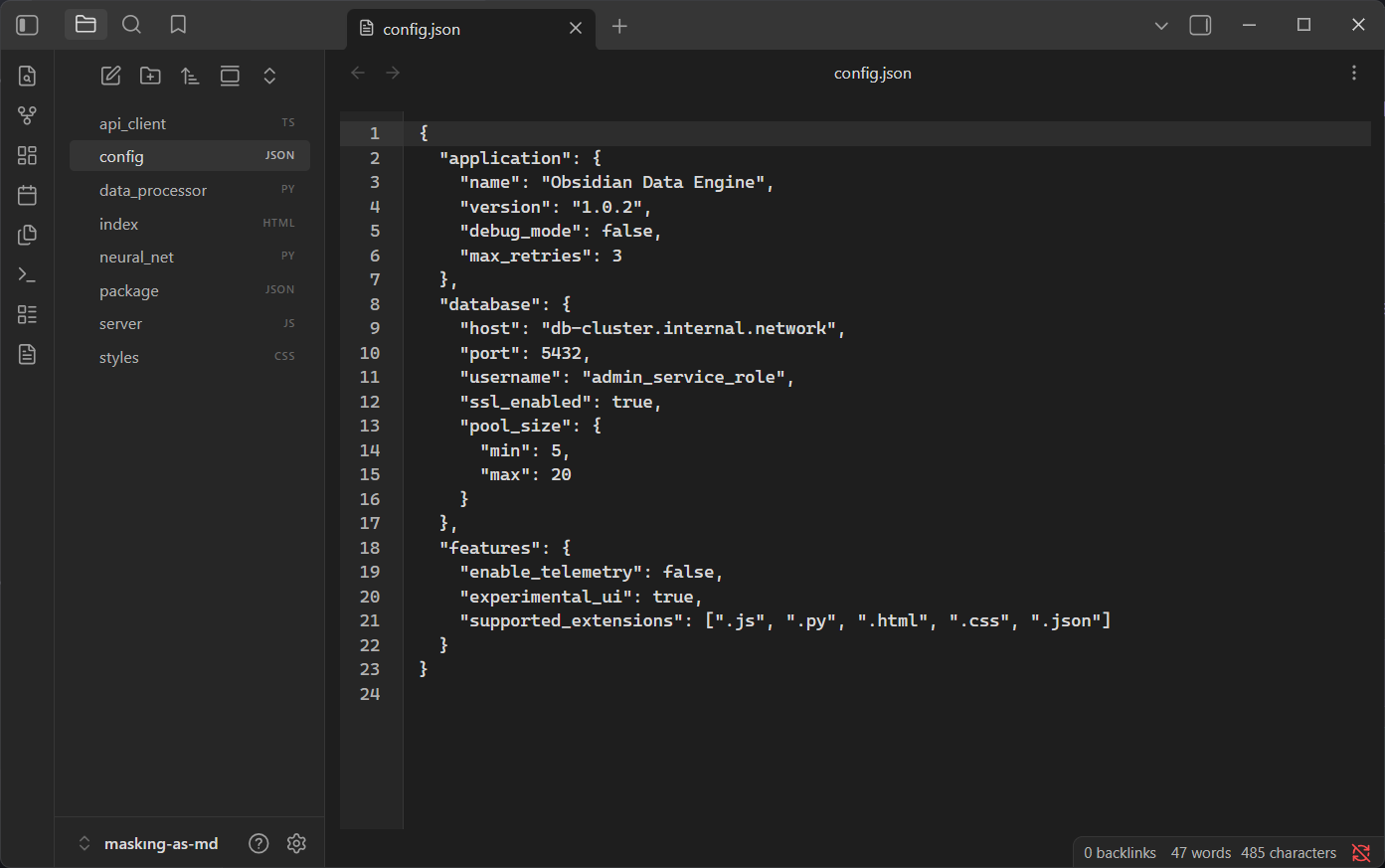
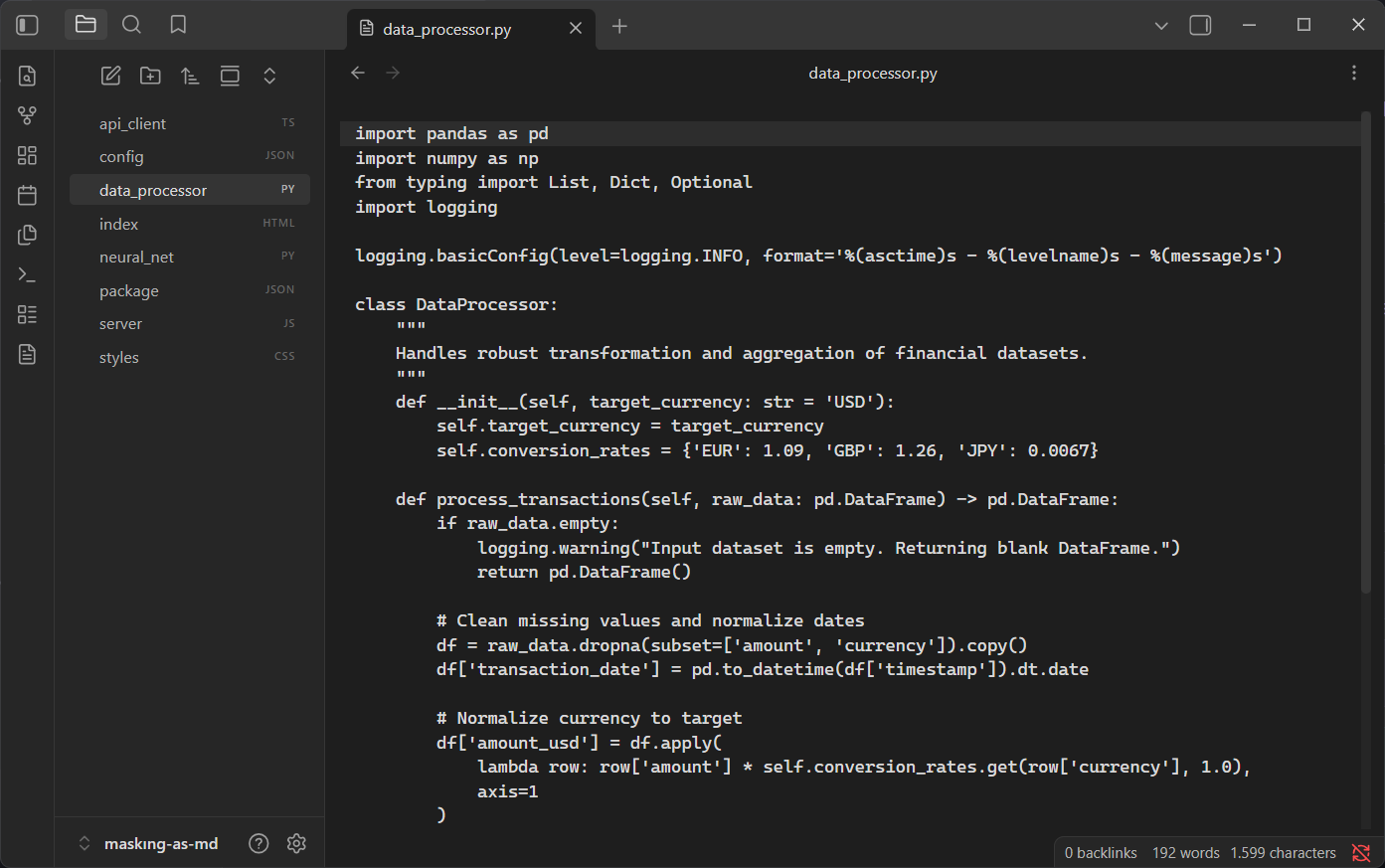
Transform Obsidian into a powerful code editor for your non-markdown files. This plugin allows you to open, view, and edit files like .py, .js, .html, .css, and .json natively within your vault, complete with syntax highlighting and line numbers.
Open source · MIT License · Contributions welcome
Features
- Native Code Editor Experience — turn Obsidian into a lightweight IDE for your scripts and config files
- Syntax Highlighting — built-in CodeMirror support for popular programming and markup languages
- Customizable Interface — toggle syntax highlighting, line numbers, and word wrap
- Typography Control — adjust the editor font size to your liking
- Seamless Integration — supported files open just like standard Markdown files, or right-click any file to "Open as Text"
Screenshots
Settings
Why Masking as MD?
Obsidian is excellent for Markdown, but occasionally you need to edit scripts, configuration files, or web documents without leaving your vault. Instead of relying on external editors, Masking as MD integrates a fully-fledged CodeMirror 6 editor directly into Obsidian.
Files are opened securely as plain text. No conversions to Markdown occur, and your files are never modified unless you manually edit and save them.
Supported Languages
The plugin provides built-in syntax highlighting for the following languages out of the box:
- JavaScript / TypeScript (
.js,.jsx,.ts,.tsx) - Python (
.py) - HTML (
.html,.htm) - CSS / SCSS / LESS (
.css,.scss,.less) - JSON (
.json) - YAML (
.yaml,.yml) - Markdown (
.md,.markdown- if forced to open with this plugin)
Configuration Reference
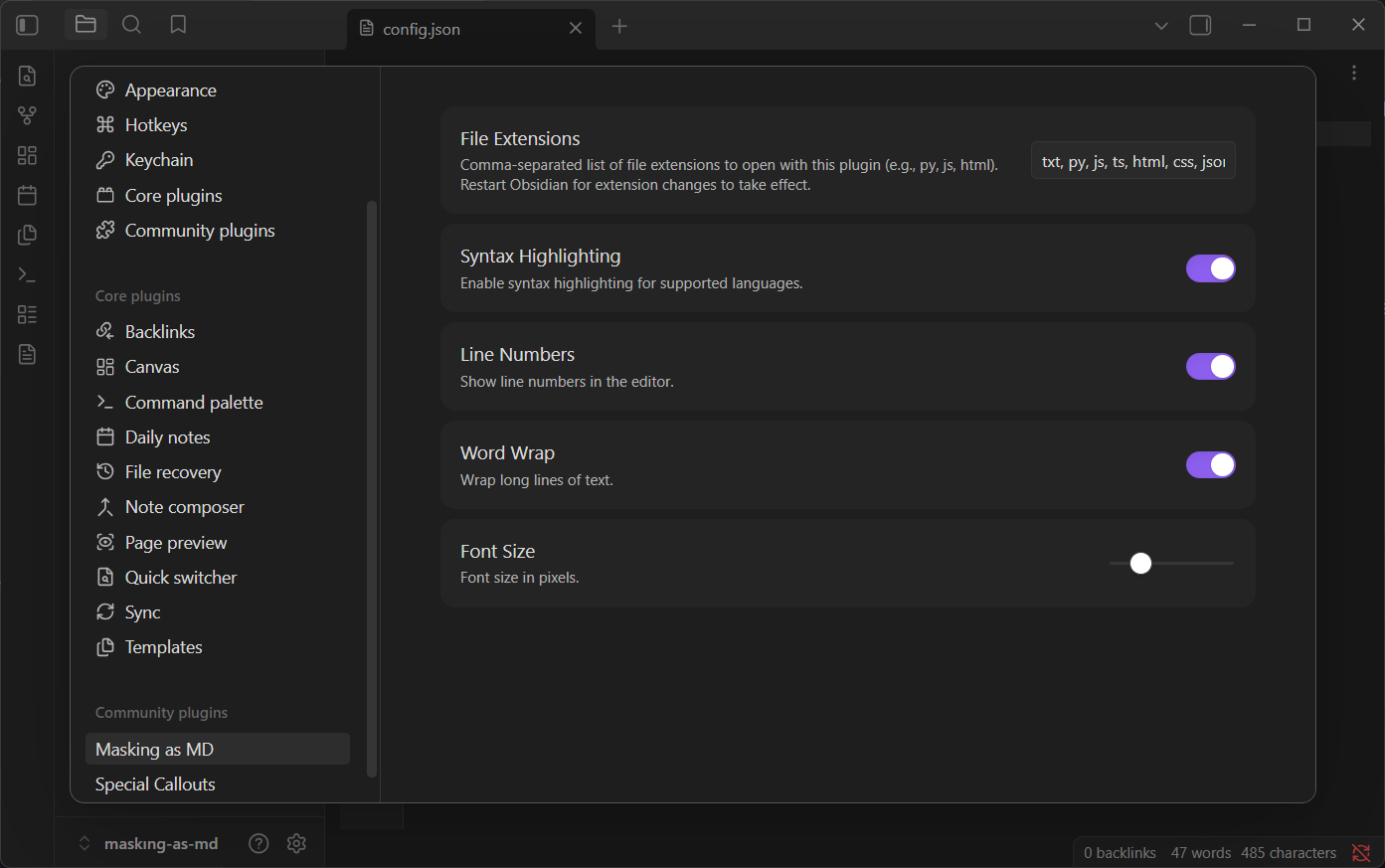
Navigate to Settings → Masking as MD to configure the plugin:
| Setting | Description |
|---|---|
| File Extensions | Comma-separated list of extensions to handle (e.g. py, js, html, css, txt). Requires restart. |
| Syntax Highlighting | Enable or disable CodeMirror syntax highlighting. |
| Line Numbers | Display line numbers on the left side of the editor. |
| Word Wrap | Wrap long lines of code to avoid horizontal scrolling. |
| Font Size | Set your preferred editor font size using the slider. |
Installation
Community Plugins (Recommended)
- Settings → Community Plugins
- Turn off Restricted Mode
- Browse → search Masking as MD
- Install → Enable
Or open directly: community.obsidian.md/plugins/masking-as-md
Manual
- Download
main.js,manifest.json,styles.cssfrom the latest release - Create
VaultFolder/.obsidian/plugins/masking-as-md/ - Copy the files into the folder
- Enable in Settings → Community Plugins
Contributing
- Bug reports: Open an issue
- Feature requests: Open an issue
- Pull requests: Fork → Branch → Code → PR
If you find this plugin useful, consider giving it a star.
Development
If you wish to build the plugin from source:
- Clone this repository.
- Run
npm installto install dependencies. - Run
npm run buildto compile the plugin. - Copy the output files to your Obsidian vault's plugin folder.
License
MIT — See LICENSE for details.
Developed by ahseyg
For plugin developers
Search results and similarity scores are powered by semantic analysis of your plugin's README. If your plugin isn't appearing for searches you'd expect, try updating your README to clearly describe your plugin's purpose, features, and use cases.