Code Diff
approvedby Jordi
Render code diffs embedded in the middle of your notes, from pasted patches or from a Git repository. - This plugin has not been manually reviewed by Obsidian staff.
Code Diff — Obsidian plugin
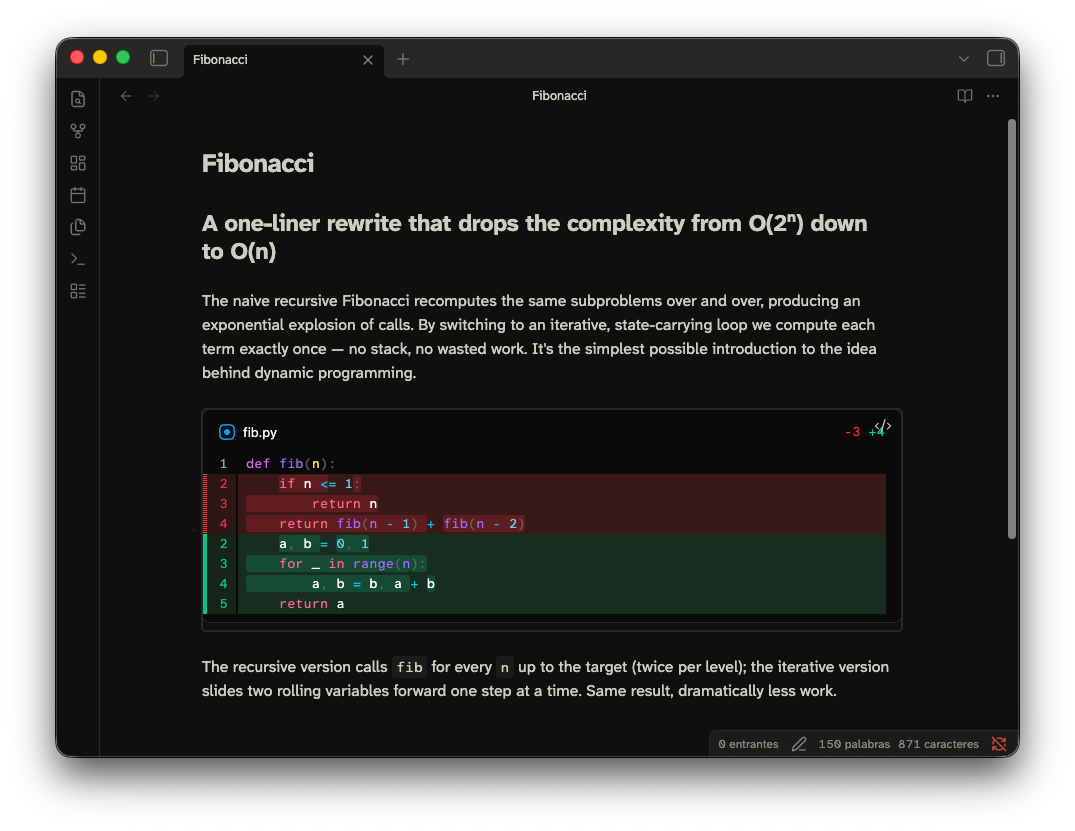
Show code diffs inside your notes. This plugin uses
@pierre/diffs as the (beautiful) rendering engine.
Please read the section about Security & Privacy before start using this extension.
⚠️ Status: early! Embedded diffs and local Git repositories work. Remote repositories and caching are not implemented yet.
Syntax
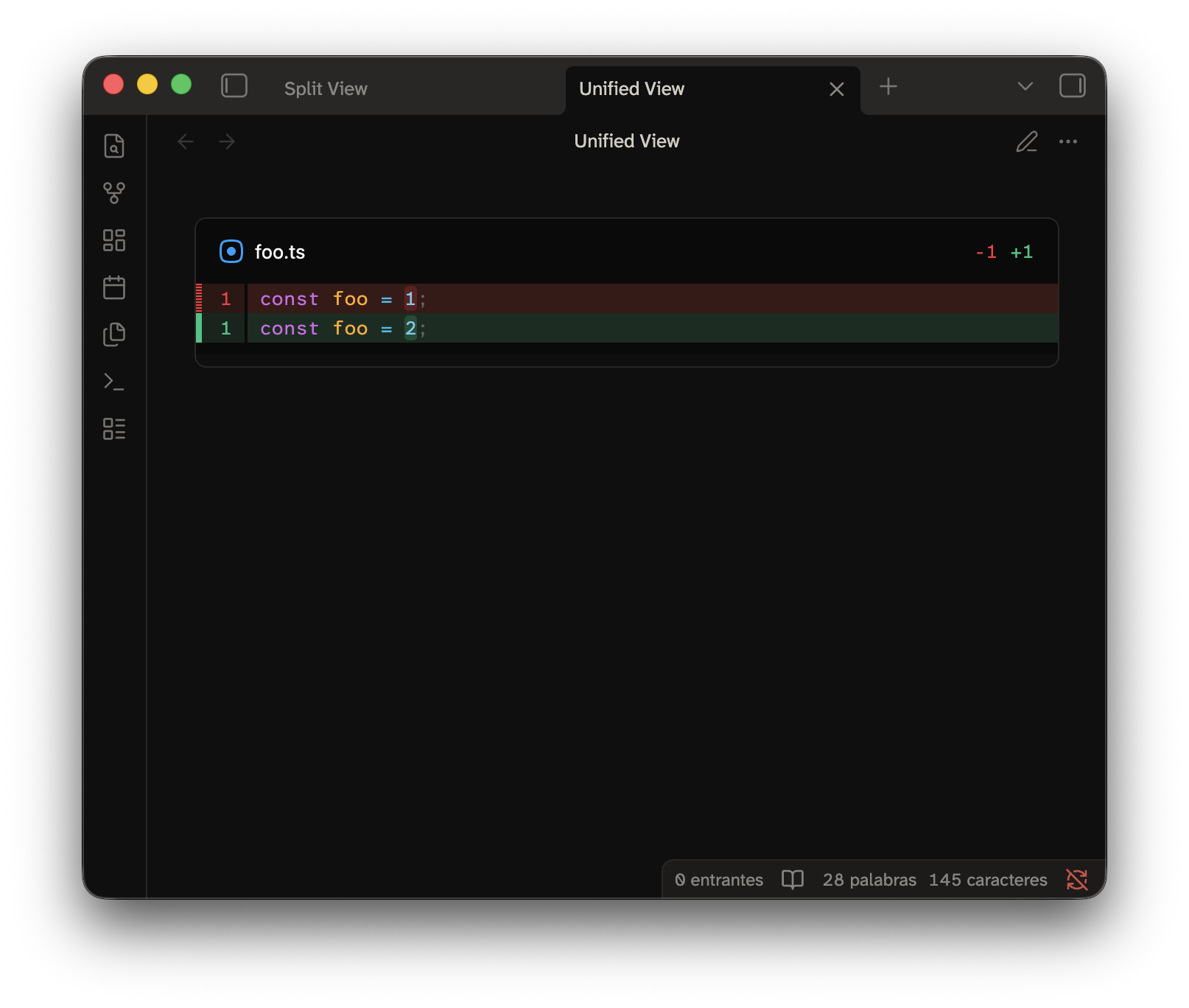
A diff lives in a fenced code block. The block is tagged code-diff.
|
|
The input format is standard git diff output.
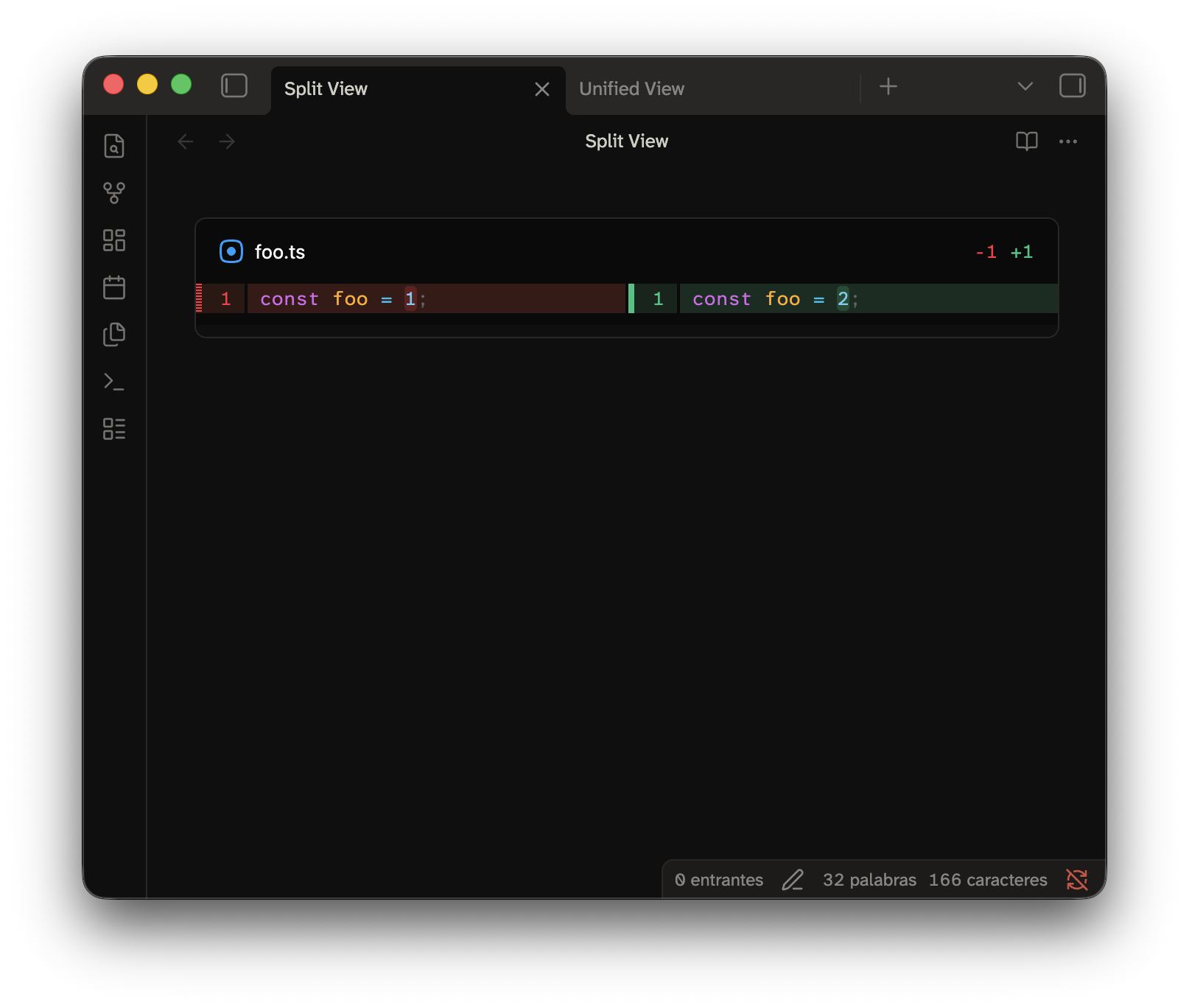
You can add a YAML frontmatter to the block! This is how you can edit some configurations from the renderer, this example draws the diff in split view.
|
|
A diff generated from a local repository
Referencing a directory is another way to build a code-diff block. This kind of block use git,
so they only run on the Desktop app. They won't work on mobile and in browsers!
This one shows the changes between two different branches:
```code-diff
repo: ../my-project
from: main
to: feature/foo
```
You can even point to a single commit or filter which files to include.
```code-diff
repo: ../my-project
commit: abc123
paths: [package.json]
```
Options
Here's a list of every setting allowed in the frontmatter.
| Option | Values | Default | Meaning |
|---|---|---|---|
repo | path | — | The path of a local repository. Relative paths resolve from the vault folder (configurable). The plugin expands ~. |
from | revision | HEAD | The left side of the diff. Use a branch, tag, sha, or any Git revision. |
to | revision | HEAD | The right side of the diff. |
commit | revision | — | Shows the changes that one commit introduced. Do not combine it with from or to. |
paths | string or list | — | Restrict the diff to these paths. |
context | integer | Git default | The lines of context that you ask Git for. |
view | unified, split | unified | Layout of the diff. inline and side-by-side are accepted aliases. |
theme | auto, light, dark | auto | With auto, the theme follows Obsidian and changes with it. |
lineNumbers | boolean | true | Show line numbers. |
wrap | boolean | false | Wrap long lines instead of scrolling. |
fileHeader | boolean | true | Show the header of each file. |
highlight | word, char, none | word | Highlight the changed part inside a line. |
lightTheme / darkTheme | bundled theme name | pierre-light / pierre-dark | Override the syntax theme. |
fontFamily | CSS font-family | Obsidian's monospace font | The font for the diff content. |
maxHeight | CSS length or none | 60vh | The maximum height of the scroll region for the diff. Use none to let it grow with the note. |
You can set defaults for the presentation options in the plugin settings. A block always wins over the setting.
Generated diffs are limited to repositories inside the current vault by default. To use a local repository elsewhere, explicitly enable Allow read-only Git outside vault in the plugin settings.
Security & privacy
This plugin is flagged as shell execution because generating a diff
from a repository means running git.
- What runs. Only the
gitexecutable already installed on your machine, and only these read-only subcommands:git rev-parseto resolve revisions.git diff/git showto produce the patch. The plugin never writes to a repository, never stages, commits, pushes or fetches.
- How it runs. Git is spawned directly with an argument list:
execFile, so nothing in a note can be interpreted as shell syntax.- External diff drivers, text-conversion filters and pagers configured in a repository are explicitly disabled using
--no-ext-diff,--no-textconvand--no-pager. - Git will never prompt for credentials.
- Every invocation has a 30-second timeout and a bounded output size.
- When it runs. Only when a
code-diffblock setsrepo:. Blocks with a pasted diff don't need to touchgit, the job is already done! - What it can read. By default, a
repo:block can only point at a local repository inside the current vault. Reading a repository outside the vault requires the user to explicitly enable Allow read-only Git outside vault in the plugin settings. Please treatrepo:blocks in notes you did not write yourself with the same care as any other content that references files on your machine. - Network & telemetry. Nada. The plugin makes no network requests and collects no data. Remote repository URLs are currently recognised but rejected.
Install for development
npm install
npm run build
node scripts/install.mjs "/path/to/Vault"
Then reload Obsidian. Enable Code Diff under Settings → Community plugins.
During development, run npm run dev. It rebuilds the plugin on change.
Then run the install script again, or just symlink the folder
For plugin developers
Search results and similarity scores are powered by semantic analysis of your plugin's README. If your plugin isn't appearing for searches you'd expect, try updating your README to clearly describe your plugin's purpose, features, and use cases.