Source Observer
approvedby Iskandar Sitdikov
Browse any local codebase, view syntax-highlighted files, and review git diffs — without leaving your vault. - This plugin has not been manually reviewed by Obsidian staff.
★ 1 stars↓ 188 downloadsUpdated 3mo agoMIT
Source Observer
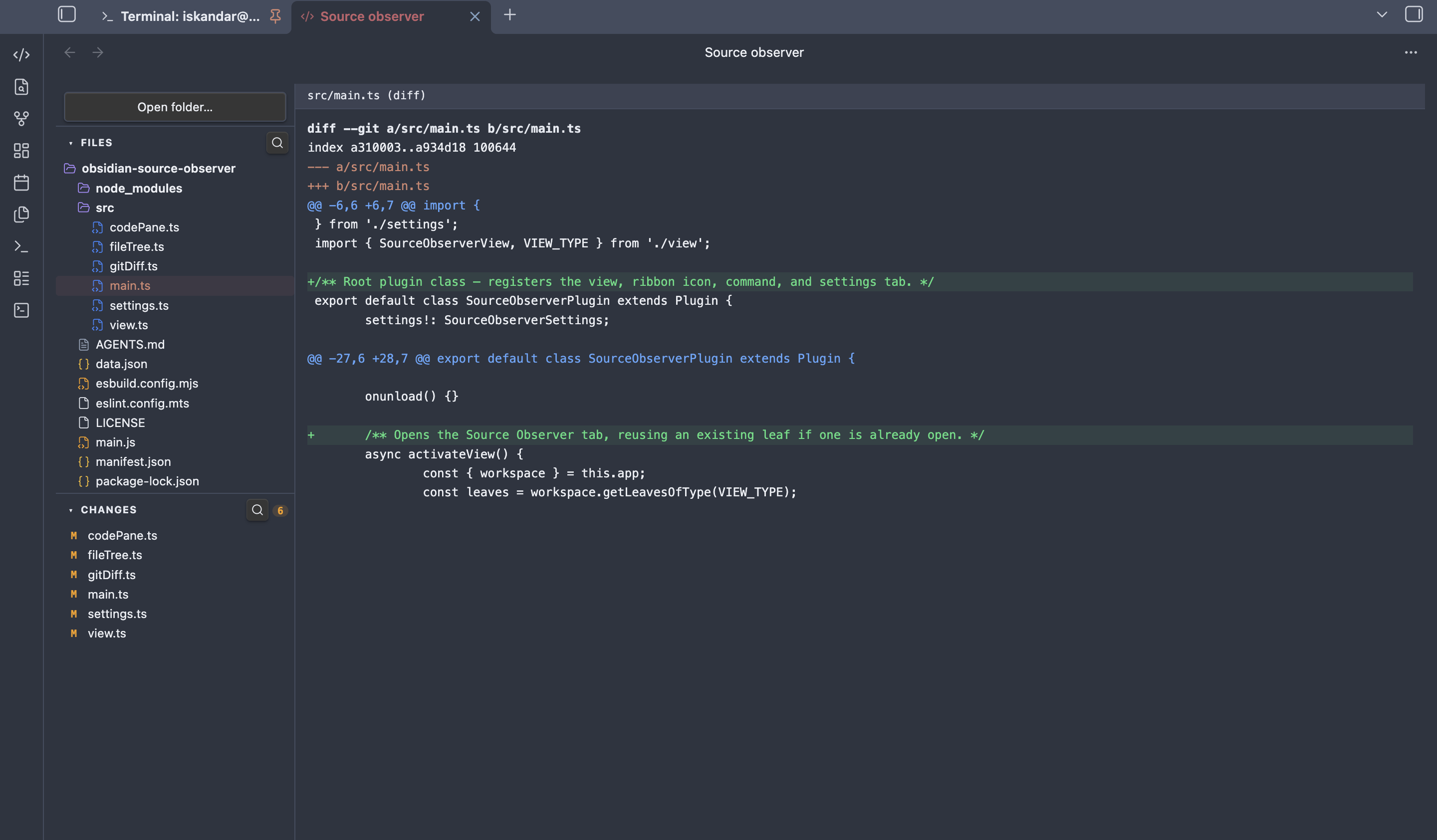
A lightweight codebase viewer for Obsidian. Browse any folder on disk, read files with syntax highlighting, and review git changes — without leaving your vault.
Features
- File tree — open any folder, navigate directories, see file-type icons with language colours
- Syntax highlighting — reads your active Obsidian theme; supports JS/TS, Python, Rust, CSS, HTML, JSON, Markdown and more
- Git diff — changed files listed in the sidebar with M/A/D badges and new/modified counts; click any file to see its diff or full content
- Collapsible sections — Files and Changes panels collapse independently
- Search — filter files or changed files by name via the search icon in each section header
Usage
- Click the
</>icon in the ribbon or run Open Source Observer from the command palette - Click Open folder… to select any directory on your machine
- Browse files in the Files panel — click to open with syntax highlighting
- Switch to the Changes panel to see modified, added, and deleted files relative to git HEAD; click any file to view its diff
- Use the search icon in each section header to filter by filename
Installation
- Copy
main.js,styles.css, andmanifest.jsoninto<vault>/.obsidian/plugins/obsidian-source-observer/ - Enable the plugin in Settings → Community plugins
- Click the
</>icon in the ribbon or run Open Source Observer from the command palette
Development
npm install
npm run dev    # watch mode
npm run build  # production build
License
MIT
For plugin developers
Search results and similarity scores are powered by semantic analysis of your plugin's README. If your plugin isn't appearing for searches you'd expect, try updating your README to clearly describe your plugin's purpose, features, and use cases.