Color Palette
approvedby alegendstale
Create and insert color palettes into your notes.
Color Palette
Create beautiful & functional color palettes that enhance the appearance of your notes.
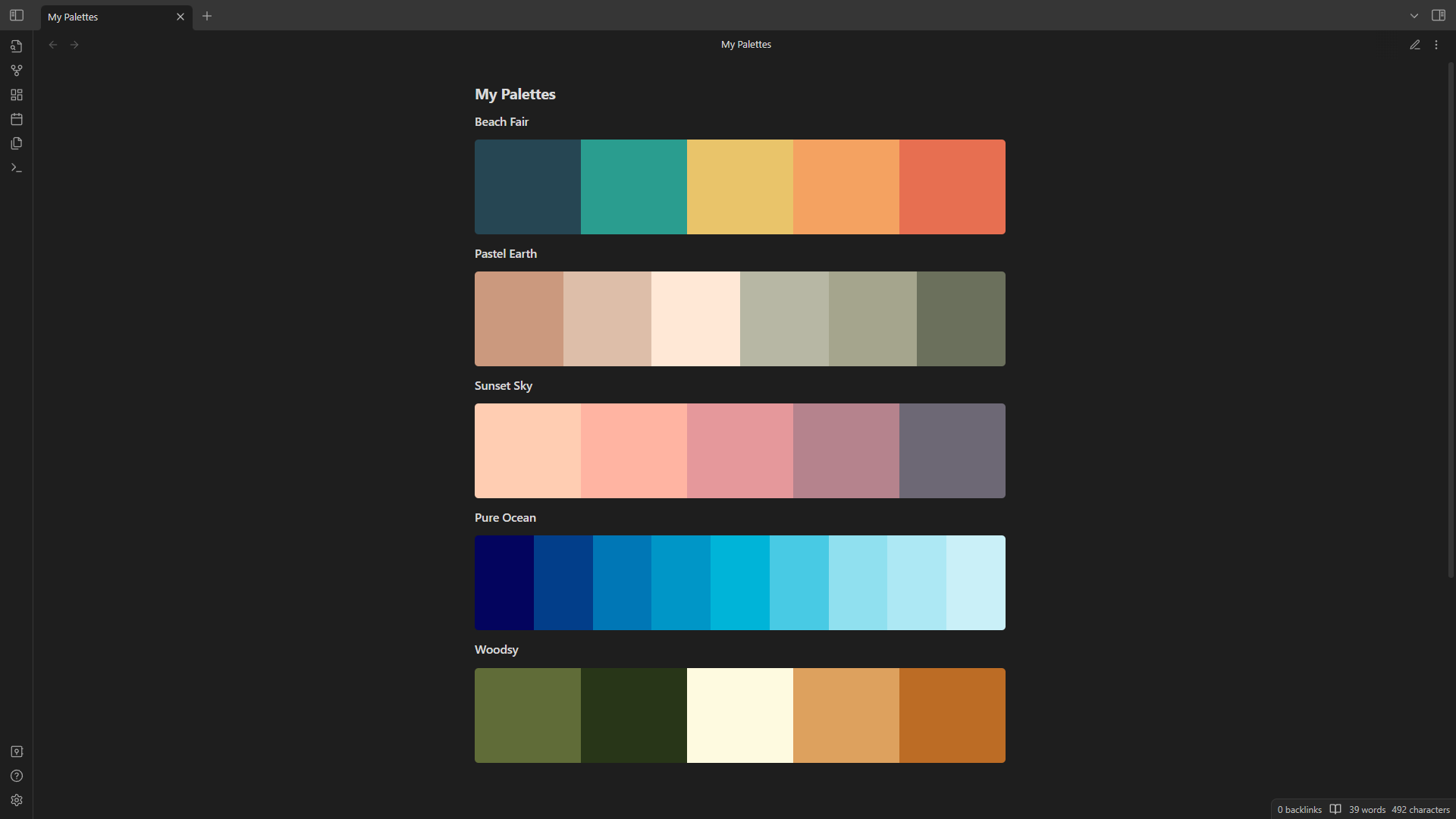
Key Features
- Supports most CSS color formats (including Hex, RGB, HSL, etc.)
- Create color palettes from popular palette websites like coolors & colorhunt.
- Style like a pro with gorgeous gradients.
- Easily copy color codes by selecting them.
Full Documentation
Quick Start
Palettes can be created manually by adding a codeblock with the color codes desired.
```palette
#ffffff, #000
```
```palette
rgb(125, 255, 255);
rgb(255, 255, 125);
```
Palettes can also be created from links.
Only URLs from https://coolors.co & https://colorhunt.co are currently supported.
```palette
https://colorhunt.co/ffffff
```
Optional settings can be applied to each palette within the codeblock.
```palette
#fff, #000fff00
{"gradient": true, "aliases": ["white", "black"]}
```
Palette Settings
- height (number)
- width (number)
- direction (row/column)
- gradient (true/false)
- hover (true/false)
- hideText (true/false)
- override (true/false)
- aliases (string array)
Caution - using width might cause palettes to display incorrectly.
Commands
Commands can be bound to a hotkey in settings.
- Create - Advanced palette editor
- Convert link - Converts a selected URL to a palette
- Convert codeblock link to hex
- Generate random palette - Creates a new random palette based on color theory combinations
For plugin developers
Search results and similarity scores are powered by semantic analysis of your plugin's README. If your plugin isn't appearing for searches you'd expect, try updating your README to clearly describe your plugin's purpose, features, and use cases.