Combo Colors
approvedby kevinkickback
Automatically apply color to fighting game combo notations.
Combo Colors
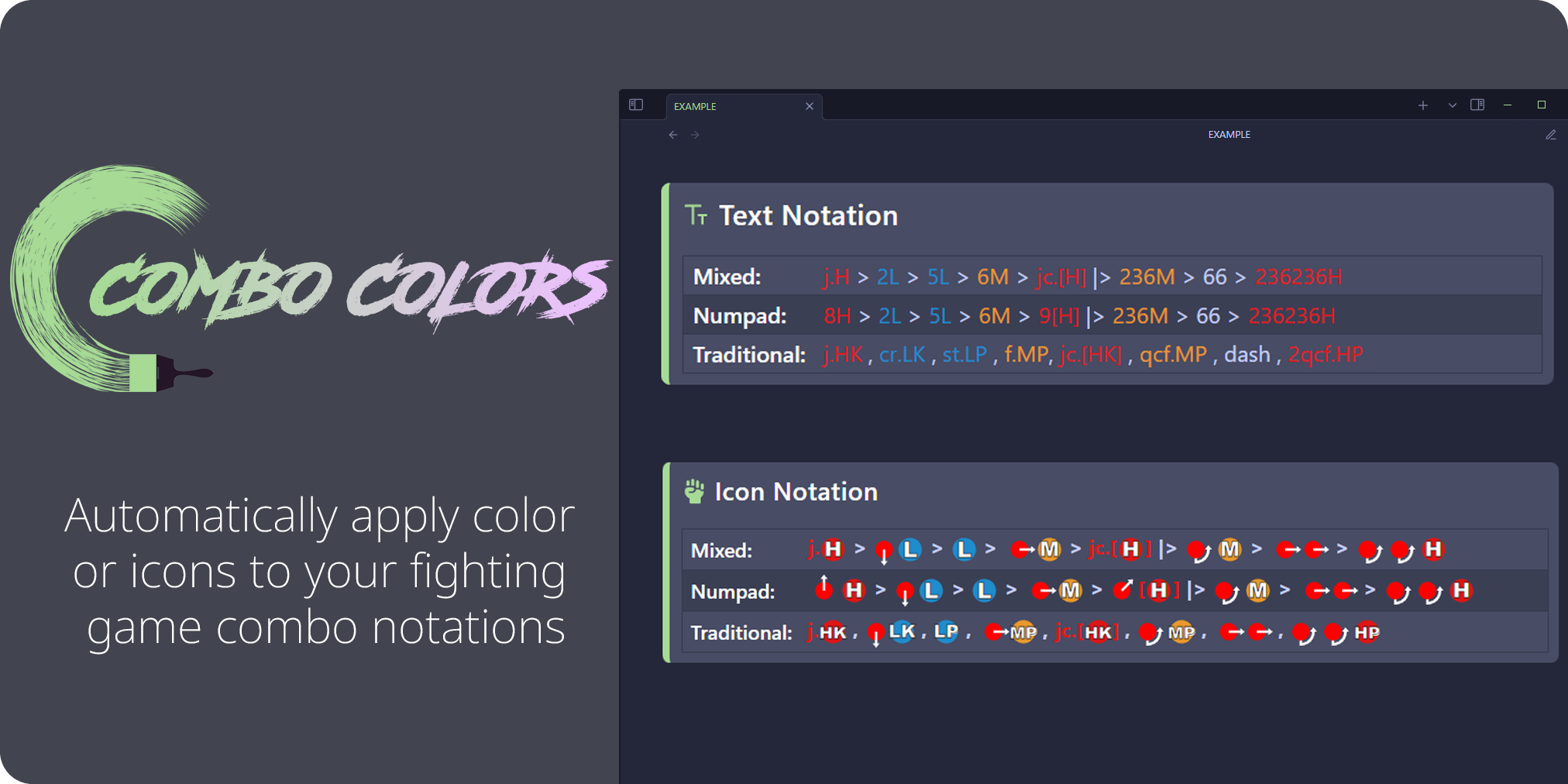
Installation
1. Go to Settings > Community Plugins > Browse
2. Search for "Combo Colors"
3. Install then enable
How to Use
1. Add the cc_profile property to your file properties using a built-in profile ID or the ID of a custom profile:
asw- Arc System Works style (Guilty Gear, BlazBlue, etc.)alt- Modern Alternative style (DNF Duel, Granblue, etc.)trd- Traditional style (Street Fighter, Marvel vs Capcom Infinite, etc.)- EXAMPLE:
cc_profile: asw
2. Wrap your combo notations with =: and := delimiters.
- EXAMPLE:
=:2A > 5B > 236C:=
3. (optional) Add `comboButton` anywhere in your markdown to create a text/image toggle button. You can also use the command palette and search for "Toggle notation icons".
4. Open the complete shorthand reference from Settings > Combo Colors > About, or run "Open notation guide" from the command palette.
Customization
Custom profiles
1. Go to Settings > Community Plugins > Combo Colors
2. Open Profiles, then click the "+" button beside the Active profile menu
3. Enter a display name and Frontmatter ID (for example, "My Custom Profile" and "cstm")
4. Select "Manage" under Profile inputs
5. Add, edit, or remove as many inputs as needed, then select "Save"
6. Use the profile by adding its ID to your file properties (for example, cc_profile: cstm)
The trash button beside the Active profile menu deletes the selected custom profile. It is disabled for built-in profiles.
Change colors
1. Go to Settings > Community Plugins > Combo Colors
2. Open Profiles and select the profile you want to customize
3. Open Colors
4. Choose a text or input color. Use the reset button beside a color to restore its default.
Notation Guide
| Traditional | Numpad | Mixed |
|---|---|---|
cr.A , st.B , qcf.C | 2A > 5B > 236C | cr.A , 2B > qcf.C |
| Notation | Meaning |
|---|---|
> | Proceed from the previous move to the following move |
|> / (Land) | Indicate that the player must land at that point in the sequence |
, | Link the previous move into the following move |
~ | Cancel the previous special into a follow-up |
dl. | Delay the following move |
(whiff) | The move must whiff (not hit) |
cl. | Close |
f. | Far |
j. | Jumping/Aerial |
dj. | Double Jump |
sj. | Super Jump |
jc. | Jump Cancel |
sjc. | Super Jump Cancel |
dd. / 22 | Double Down |
backdash / bb / 44 | Back Dash |
ff / 66 | Forward Dash |
CH | Counter Hit |
[2] / [b] / [A] | Hold a direction or profile input |
(sequence) xN | Repeat sequence N amount of times |
(N) | Hit N of a move or move must deal N amount of hits |
qcf. / 236 | Quarter Circle Forward |
qcb. / 214 | Quarter Circle Back |
dp. / 623 | Dragon Punch |
rdp. / 421 | Reverse Dragon Punch |
hcf. / 41236 | Half Circle Forward |
hcb. / 63214 | Half Circle Back |
2qcf. / 236236 | Double Quarter Circle Forward |
2qcb. / 214214 | Double Quarter Circle Back |
360 / spd | Full Circle |
720 | Double Circle |
1080 | Triple Circle |
2369 / tk | Tiger Knee |
Notes
Combo Colors is intended to be used with reading view. Live preview is not supported.
For a standalone tool with additional features, see notation.LABS.
For plugin developers
Search results and similarity scores are powered by semantic analysis of your plugin's README. If your plugin isn't appearing for searches you'd expect, try updating your README to clearly describe your plugin's purpose, features, and use cases.